Do these 3 things before closing this tab:
1Fix the driver behind crashes, sound loss and screen glitches2Clear out junk files and repair common Windows errors3Scan for outdated or missing drivers - takes under a minuteBluetooth Low Energy (Bluetooth LE, commonly called BLE) is a Bluetooth radio option designed for very low-power wireless operation. It supports device discovery and data exchange, as well as broadcast, mesh networking and positioning. It works alongside Bluetooth Classic—not as a replacement for it.
What does Bluetooth Low Energy mean?
Bluetooth LE is one of the two radio options in Bluetooth technology; the other is Bluetooth Classic, formally BR/EDR. The Bluetooth Special Interest Group (SIG) describes LE this way: “The Bluetooth LE radio is designed for very low power operation.” That describes its design goal, not a guaranteed battery life for every product.

As an Amazon Associate I earn from qualifying purchases.
Both radio options operate in the unlicensed 2.4 GHz ISM band, but they serve different communication needs. A device’s battery use and runtime depend on its design, radio settings, activity and implementation.
How Bluetooth LE differs from Bluetooth Classic
Bluetooth Classic is commonly used for point-to-point wireless audio streaming and some data-transfer applications. Bluetooth LE supports point-to-point communication too, and also supports broadcast, mesh networking and device positioning. These capabilities let devices and applications use the radio option that fits their requirements; neither option is universally better.
#1 Best Overall
| Comparison | Bluetooth LE | Bluetooth Classic (BR/EDR) |
|---|---|---|
| Design and common use | Designed for very low-power operation; used for point-to-point communication, broadcast, mesh networking and positioning. | Commonly used for point-to-point wireless audio streaming and some data transfer. |
| Channels in the 2.4 GHz band | 40 channels, according to the Bluetooth SIG technology overview. | 79 channels, according to the Bluetooth SIG technology overview. |
| Data model relevant to applications | Often uses GATT services and characteristics to organize device data. | Uses BR/EDR behavior; the appropriate option depends on the application. |
The channel counts describe the radio options, not how many devices can connect or how much data an application can transfer. A Bluetooth logo alone does not establish that a product supports both radio options; support depends on the device’s implementation.
How Bluetooth LE discovery and data exchange work
Advertising and scanning
A Bluetooth LE device can advertise information, while another device scans to discover it. These are connectionless procedures governed by the Generic Access Profile (GAP), which also defines discovery and connection procedures.
Connections and GATT data
Devices can establish a connection for data exchange. The Generic Attribute Profile (GATT) defines higher-level data types and procedures on top of the Attribute Protocol (ATT). In GATT, a service groups related device capabilities, and characteristics represent individual items of state or data. Apps use this structure to find and work with information exposed by a device. The exact experience depends on the devices and software involved.
Bluetooth LE radio, rates and history
Bluetooth LE operates in the 2.4 GHz unlicensed ISM band. The Bluetooth SIG’s Core Specification architecture describes the mandatory LE 1M physical layer (PHY) at a symbol rate of 1 megasymbol per second, corresponding to a PHY bit rate of 1 megabit per second. It also describes coded PHY options of 500 kilobits per second (S=2) and 125 kilobits per second (S=8). These are physical-layer rates, not the application throughput a user should expect.
Rank #3
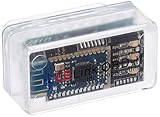
- New: User configurable auto on/off ZERO power standby mode and Passcode Protection.
- Professional-grade automotive diagnostic OBDII scan tool for smart devicesCross platform compatible - Works with iOS (iPhone/iPad/iPod) and Android mobile.
- Vehicle compatibility - WORKS ON ALL OBD-II AND EOBD COMPLIANT VEHICLES SOLD WORLD WIDELow energy footprint. Plug and Play. And no Pairing is needed for LE devices.
- App compatibility - Free App Engine Link LE, LELink Scanner, LeLink Security, Also supports industry leading apps: Torque, Car scanner, LeafSpy Pro, Engine Link, OBD Fusion, ezOBD, Mode6 OBD Scanner, Dyno Chart, OBD Auto Doctorand OBD Master Pro.
- See what your car is doing in realtime, get OBD fault codes, car performance, sensor data and more!
Bluetooth LE first appeared in Bluetooth Core 4.0 as an alternative radio option alongside BR/EDR. Bluetooth SIG materials describe LE and Classic as coexisting options in Bluetooth technology.
Independent reader supportYour contribution helps us test, update, and keep practical guides available for everyone.How to choose between Bluetooth LE and Classic
For a device or application decision, compare the communication pattern, power-use design, typical application and required data model or radio behavior. LE is a fit when the application calls for its discovery, connectionless, mesh, positioning or GATT capabilities. Classic is commonly used for point-to-point audio streaming and some data transfer. Check the specific product and application documentation: the Bluetooth standard’s low-power design goal does not promise a particular runtime, range or throughput.
Quick Recap
Rank #4

- Start using Bluetooth - Adds Bluetooth to your Windows 11, 10, 8, and 7 PC that doesn't already have it.
- Connect your Devices - Supports wireless Bluetooth headphones, speakers, headsets, keyboards, mice, phones, and more!
- Tiny Design - This mini USB dongle can stay plugged in while you are on the move. This adapter is intended only for computers that do not already have built-in Bluetooth.
- Compatibility - Not usable in car stereos, TVs, or Mac computers. Not recommended for employer-provided computers. Does not add Bluetooth 4.0 support to Windows 7. Special drivers (provided) are needed in Windows 7 for Bose QC35 and some other recent devices
- 2-Year Coverage, Lifetime Support - Every Plugable product, including this USB Bluetooth adapter, is covered against defects for 2 years and comes with lifetime support. If you ever have questions, contact our North American-based team - even before purchase
Product prices and availability are accurate as of the date/time indicated and are subject to change. Any price and availability information displayed on Amazon at the time of purchase will apply.




