Free tools Windows power users keep installed
One-click scans. No signup required.
A “cache miss” is not always the same failure. It can mean a key was never cached, cached data can’t be read, an expired hot key triggered a rebuild rush, the requested record doesn’t exist, the cache is unavailable, or a client timed out while the cache still held the value. Treating all six as ordinary misses can send unnecessary load to a database—or hide the real fault.
This article’s scenarios and recommendations come from Satyaki Saha’s practitioner account, “We Broke Prod With Cache Misses So You Don’t Have To.” The account is not an independently audited incident report, and it provides no measured outcomes for the proposed fixes.
As an Amazon Associate I earn from qualifying purchases.
First identify what “miss” means
Before changing cache policy, distinguish an absent key from a failed read. A normal miss is a successful lookup that finds no entry. A deserialization error means bytes were returned but the application could not interpret them. A timeout means the client did not receive a timely answer; it does not establish whether the key exists.
Saha’s account describes these as distinct causes with different responses. Logging and monitoring them separately makes it less likely that a compatibility problem, an expiry surge, or a connectivity fault will be mistaken for routine cache warming.
#1 Best Overall

- Capacity: 16GB (2x 8GB Modules) | Type: DDR3 240-Pin | Speed: 1600MHz PC3-12800 / (PC3-12800E) | ECC Type: ECC-UDIMM (ECC Unbuffered DIMM) | Rank: 2Rx8 (Dual Rank x8) | Voltage: 1.35V
- Designed for ECC UDIMM Compatible Servers/Workstations (Rated Speeds & ECC Capabilities are CPU Dependent). Not Compatible with Desktops/Laptops.
- ECC Types can not be mixed | All installed modules must be ECC UDIMMs in order to function properly | A maximum of eight ranks per memory channel can be installed at once
- All A-Tech memory modules undergo stringent quality control testing to ensure dependable and reliable performance
- Backed by A-Tech's Limited Lifetime Warranty + Tech Support Team available to help before and after your purchase
Handle a cold miss with cache-aside
What happens
The first request for a key has no cached value. That is expected when an item has not yet been requested or the cache has been cleared.
What to do
- Look up the value in the database after the cache lookup returns a genuine miss.
- If the database has a value, populate the cache with it.
- Return the value to the caller.
This cache-aside sequence addresses ordinary cold starts. It does not solve cases where the cache is returning unreadable bytes or where many requests simultaneously try to rebuild the same entry.
Rank #2

- A-Tech RAM Memory compatible for select DDR4 Servers & Workstation systems only; (*WILL NOT WORK with Desktop Computers, Laptop Computers, or PCs of any kind*)
- Single 16GB RAM Module; DDR4 DIMM 288 Pin; Speeds up to 3200MHz PC4-25600 (PC4-3200AA)
- ECC Registered RDIMM; 2Rx8 - Dual Rank x8; JEDEC DDR4 standard 1.2V
- Improves system performance, workload capacity, and reduces bottlenecks by increasing memory (RAM) resources
- Note: This memory is ECC Registered and cannot be mixed with different ECC types such as ECC Unbuffered, ECC Load Reduced, or Non-ECC Unbuffered; (Memory compatibility can vary among different system models and their installed components; please verify compatibility and follow memory channel guidelines to ensure maximum performance)
Separate unreadable cached data from an absent key
What happens
A cache entry may exist while a schema change, version drift, or bad write makes its bytes impossible to deserialize. Saha characterizes this as “The bytes are there, but a schema change, version drift, or a bad write left the value unreadable.” Treating it as a normal miss can conceal a data-compatibility fault and repeatedly route requests to the database.
Do these 3 things before closing this tab:
1Repair Windows errors before they cause bigger problems2Fix the driver behind crashes, sound loss and screen glitches3Clear out junk files and repair common Windows errorsWhat to do
- Version cache keys when the value schema changes so new code does not interpret old-format entries as current-format data.
- Record deserialization failures separately from genuine missing-key events.
- Investigate incompatible or malformed entries as a read/compatibility failure rather than labeling them a cold miss.
Prevent a hot-key expiry from triggering a rebuild rush
What happens
If a popular key expires, requests arriving together can all discover the missing value and attempt the same database rebuild. Saha describes the resulting risk as many concurrent requests rebuilding at once; the article does not provide a measured request count or outcome.
Rank #3

- Capacity: 32GB (2x 16GB Modules) | Type: DDR3 DIMM 240-Pin | ECC Type: ECC-RDIMM (Registered DIMM) | Speed: 1600MHz PC3-12800 / (PC3-12800R) | Rank: 2Rx4 (Dual Rank x4) | Voltage: 1.5V
- Designed for the Dell PowerEdge Rack Server Models: R320, R420, R420XR, R520, R620, R720, R720XD, R820, R920
- Compatible with Intel Pentium 1400 series, Xeon E5-1410/E5-1410 v2 series, Xeon E5-2400/E5-2400 v2 series, Xeon E5-2600/E5-2600 v2 series, E5-4600/E5-4600 v2 series, Xeon E7-2800 v2 series, Xeon E7-4800 v2 series, and Xeon E7-8800 v2 series CPU Processors
- This item is ECC Registered memory and is NOT compatible with Desktop or Laptop systems which only support NON-ECC Unbuffered memory | *Please refer to your system's manual for proper memory seating and channel guidelines*
- A-Tech provides a Lifetime Warranty for all orders & offers complimentary United States based Tech Support before, during, & after your purchase
Choose a mitigation based on freshness needs
- Coordinate rebuilding: Use a per-key mutex or lock so one request performs the rebuild while others wait or use a defined fallback. This reduces duplicate work, but introduces coordination and lock-failure behavior that must be handled.
- Serve stale while refreshing: Return an older cached value while a background refresh runs when the application can tolerate temporary staleness. This avoids making every caller wait for the rebuild, but is unsuitable when stale data could cause harm.
- Jitter expirations: Add variation to TTLs so groups of entries do not all expire at the same moment. Jitter can reduce synchronized expiry patterns; it does not by itself ensure only one request rebuilds a particular hot key.
Saha says the system described in the account uses logical expiration with background refresh. That is an author-reported implementation detail, not evidence of a measured improvement.
Stop repeated lookups for records that do not exist
What happens
If a requested record is absent from the database and that negative result is not cached, repeated requests for the same nonexistent key can keep reaching the database.
Rank #4

- A-Tech RAM Memory compatible for select DDR5 Server systems; (WILL NOT WORK with Desktop Computers/PCs or Laptop Computers)
- Single 64GB RAM Module; DDR5 DIMM 288 Pin; Speeds up to 6400MHz PC5-51200 (PC5-6400B)
- ECC Registered RDIMM; 2Rx4 (EC8, 10x4) - Dual Rank x4; JEDEC DDR5 standard 1.1V
- Improves system performance, workload capacity, and reduces bottlenecks by increasing memory (RAM) resources
- Note: EC8 (10x4) ECC Registered modules cannot be mixed with EC4 (9x4) ECC Registered modules or with different ECC types such as ECC Unbuffered, ECC Load Reduced or Non-ECC Unbuffered; (Memory compatibility can vary among different system models and their installed components; please verify compatibility and follow memory channel guidelines to ensure maximum performance)
What to do
- Negative caching: Cache the fact that the lookup returned no record for a short period. This can reduce repeated database lookups, but the duration should reflect how quickly a missing record might be created; otherwise a newly created record may remain hidden until the negative entry expires.
- Bloom filter: Where the key space and membership checks suit it, use a Bloom filter to reject keys that are obviously not present before querying the database. A Bloom filter is a screening aid, not a replacement for the authoritative lookup; keys it does not reject still need normal handling.
Saha reports using negative caching in the system described, without providing independent confirmation or outcome measurements.
Protect the database when the cache is unavailable
What happens
If an entire cache cluster goes down and application requests fall through to the database, the database may receive a sudden increase in work. “Fail open” behavior that always bypasses the cache can preserve some request availability, but may also leave the database exposed to unbounded fallback traffic.
Best Value
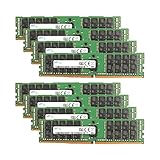
- Samsung Memory Bundle with 256GB (8 x 32GB) DDR4 PC4-19200 2400MHz Registered Memory DIMMs
- Specifications: CAS Latency (CL 17)
- Pins: 288-Pin DDR4 Server Memory
- Compatible with ServersCompatible with M630, R430, R530, R630, R730, R730XD, T430, T630
- Upgrade your Dell PowerEdge Server Memory Kit Today!
Layer protections deliberately
- Cache high availability: Saha suggests Sentinel- or Cluster-style arrangements to reduce the risk of a single cache failure making the cache unavailable. High availability adds operational complexity and does not remove the need to plan for cache-wide failure.
- Database safeguards: A circuit breaker or rate limiting can bound fallback load instead of letting every cache failure become an unrestricted database request. The trade-off is that some requests may be delayed or rejected when the protection activates.
- Local L1 cache: An in-process cache can provide another buffer for some reads. Its contents and freshness may differ across application instances, so use it only where that consistency trade-off is acceptable.
Treat a cache timeout as an ambiguous result
A client timeout does not prove that the requested key was absent: the cache may be healthy and contain the key even though the client did not receive its response in time. Falling back to the database on every timeout can therefore create duplicate work and add load during a network or latency problem.
Saha recommends deciding deliberately between fail-open and fail-closed behavior, but the account does not specify a concrete timeout policy. The appropriate choice depends on the request’s availability and freshness requirements and on how much database fallback load can safely be accepted. Define what the application does after a timeout, and distinguish timeout telemetry from genuine misses so operators can see which path is occurring.
Choose controls by the failure they address
| Observed condition | Relevant control | Main decision or trade-off |
|---|---|---|
| Key absent on first access | Cache-aside loading | Read from the database and populate the cache. |
| Value exists but cannot be deserialized | Version keys; separate error logging | Handle compatibility failure rather than masking it as a miss. |
| Hot key expires under concurrent demand | Per-key coordination, stale-while-refresh, or TTL jitter | Balance duplicate rebuild work, freshness, waiting, and coordination complexity. |
| Requested record does not exist | Brief negative cache; Bloom filter where suitable | Reduce repeated invalid lookups without hiding newly created records for too long. |
| Cache cluster is down | High availability, database rate limits or circuit breaker, and possibly local L1 caching | Balance resilience, fallback load, complexity, and cache consistency. |
| Client times out talking to cache | Explicit fail-open or fail-closed policy | Balance request availability against database protection; a timeout does not establish a miss. |
Saha’s recommendations are operational options, not universally guaranteed fixes. The account supplies no comparative tests, quantified results, or independent confirmation; choose controls according to freshness tolerance, acceptable database load, key patterns, and the failure behavior the application can support.
PC Slower Than It Used to Be?
A free scan shows the junk files, broken settings and background clutter dragging Windows down - then fixes them in one click.Free scan · Windows 10 & 11Outdated Drivers Are Slowing You Down
One free scan finds every outdated or missing driver and matches the right update for your exact hardware.Free scan · exact hardware matchQuick Recap
Product prices and availability are accurate as of the date/time indicated and are subject to change. Any price and availability information displayed on Amazon at the time of purchase will apply.




