Short answer: a perpetual Visual Studio license lets you keep using the licensed IDE version, but it does not automatically include future-version updates or subscription benefits. Microsoft lists Visual Studio Professional 2026 as a one-time standalone IDE purchase with perpetual licensing and no subscription benefits. Some standard Visual Studio subscriptions also grant perpetual rights to the IDE version included, but eligibility depends on the subscription and purchase channel.
What does a Visual Studio perpetual license include?
Microsoft describes the standalone IDE purchase as including “perpetual licensing without the other benefits included in subscriptions.” Its pricing page lists Visual Studio Professional 2026 as a one-time purchase. In practical terms, the standalone option buys the IDE license; it is not a subscription bundle with additional services. See Microsoft’s Visual Studio pricing page and check the current Store and product-specific license terms when purchasing.

As an Amazon Associate I earn from qualifying purchases.
“Perpetual” means continued use of the licensed software under its terms. It does not mean every Visual Studio subscription has the same right: Microsoft says most subscriptions provide perpetual IDE licenses and directs customers to check licensing guidance for their specific eligibility.
What’s actually slowing this PC down?
Pick the symptom - the matching free tool is one click away.
Standalone license vs. subscription
| Question | Standalone IDE purchase | Visual Studio subscription |
|---|---|---|
| What is included? | The IDE license; Microsoft says subscription benefits are not included. | The IDE plus a plan-dependent bundle of benefits. Standard subscriptions generally offer more benefits than month-to-month subscriptions. |
| What happens when payment or access ends? | The standalone purchase is listed as a one-time purchase with perpetual licensing; consult the purchase terms for the specific product. | After expiration, continued use of the current IDE version depends on qualifying perpetual rights. Subscription benefits have separate access and duration rules. |
| Are future IDE versions included? | Not established by the perpetual-license description; check the product terms for upgrade rights. | Perpetual rights after expiry cover the current IDE version, not updates to future versions. |
| Are other services included? | No subscription benefits are included in the standalone purchase. | Benefits vary by plan and may include downloads, Azure-related benefits, Azure DevOps, training, and support. |
For the live plan comparison, consult Microsoft’s pricing page and its overview of Visual Studio subscriptions. Benefit availability can vary and change.
#1 Best Overall
Can you keep using Visual Studio after a subscription expires?
If the subscription qualifies for perpetual IDE rights, Microsoft says you can continue using the current IDE version after expiration. That right does not include updates to future Visual Studio versions. Microsoft’s guidance says most subscriptions provide perpetual licenses for the IDE, but eligibility is not universal; verify the exact subscription and purchase channel using the subscription-expiration guidance and applicable licensing terms.
What happens to downloads, product keys, and other benefits?
Subscription expiration does not treat every benefit the same way. According to Microsoft’s expiration guidance:
Rank #2

- Team Foundation Server enables great teams to do great work by recognizing that all of the work involved in a software project - source code, issues, and requirements to name a few - is symbiotically related, no matter what form it happens to take.
- Team Foundation Server is a workflow collaboration engine that enables the use of a teams customized process, as well as a centralized data warehouse that collects real-time intelligence on project history.
- Team Foundation Server, along with the rest of Visual Studio Team System, brings together the core roles that are part of the software development process.
- If you are purchasing more than 5 copies, Microsoft licensing may be an option for you. Call your account manager to learn more about saving money through Microsoft Open Licensing.
- This is a License Pack and does not come with any CD-ROM! License Only!
- You cannot activate new benefits after the subscription expires.
- The subscription portal’s Product Keys page is no longer available. Keys you claimed before expiration continue to function normally.
- Products downloaded before expiration remain valid.
- Previously activated time-limited benefits may remain usable through their remaining term; they do not necessarily end on the subscription’s expiration date.
Azure credits, support, training, and other services therefore should not be treated as part of the perpetual IDE license. Check the terms for each benefit and subscription tier.
Who can use subscription-provided Visual Studio?
Microsoft describes Visual Studio subscriptions as per-user licenses. Each team member who interacts with subscription-provided software for covered work needs their own license. A licensed user may install the software on any number of devices for design, development, testing, evaluation, and demonstration, subject to the stated exceptions. Subscription software is generally not licensed for production environments; Microsoft documents specific exceptions in its licensing materials. Review the current agreement before relying on an exception. See Microsoft’s subscription administration guidance.
Rank #3
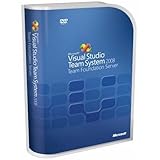
- Combines team portal, version control, work item tracking, build management, process guidance and business intelligence into a unified server, allowing everyone on the team to collaborate more effectively and deliver better quality software
- Version Control to manage change to project artifacts; Work Item Tracking to communicate and manage work across the team
- Team Portal for team collaboration; Team Build to regularly integrate your team's work together
- Reporting and business intelligence on project status, performance, and quality metrics
- Customizable Process Templates to define your development process; Integration with Microsoft Excel and Microsoft Project for project management
How to check whether your subscription gives perpetual IDE rights
- Identify the exact subscription type and how it was purchased or assigned.
- Review Microsoft’s subscription-expiration guidance, which explains that most subscriptions provide perpetual IDE rights but eligibility must be confirmed.
- Check the applicable licensing terms for your subscription and channel. Do not assume that a benefit listed for one subscription applies to another.
- Separate the IDE right from downloads, keys, cloud credits, support, and other benefits; each can have its own expiration or access rule.
Microsoft’s July 2023 white paper discusses perpetual-use rights for certain Visual Studio 2022 products and notes that those rights do not extend subscription services, future updates, or ongoing access to subscriber downloads and product keys. It also identifies some cloud subscriptions and volume-licensing subscription programs as categories that generally do not provide perpetual use rights. These are Visual Studio 2022-era terms, not a substitute for checking current terms for a specific product, edition, and channel. Read the July 2023 Visual Studio 2022 licensing white paper in that context.
Quick Recap
Product prices and availability are accurate as of the date/time indicated and are subject to change. Any price and availability information displayed on Amazon at the time of purchase will apply.




