The Tool Desk
Outbyte PC Repair FREEClear out junk files and repair common Windows errorsFree Scan →Outbyte Driver Updater FREEScan for outdated or missing drivers - takes under a minuteDriver Scan →For supported consoles, vertical and horizontal placement are both fine when the exact model allows them and you use any required feet, base, or stand. The practical differences are fit, stability, cable routing, and whether the vents have clear space—not a proven universal advantage in cooling, noise, performance, or lifespan.
Which consoles support both orientations?
Orientation guidance is model-specific. The official instructions cited here cover these PlayStation 5 and Xbox Series models; they do not establish requirements for every console or older generation.
As an Amazon Associate I earn from qualifying purchases.
| Console | Horizontal placement | Vertical placement | Source and scope |
|---|---|---|---|
| PS5 launch models | Sony’s November 2020 FAQ says the included base supports horizontal placement. | The same FAQ says the included base supports vertical placement. | Sony’s 2020 FAQ; check current instructions for later model groups. |
| PS5 slim (CFI-2000) and PS5 Pro (CFI-7000) | Attach the matching horizontal feet before use. | A vertical stand sold separately is required. Stand installation depends on model group. | PlayStation setup instructions and stand instructions. |
| Xbox Series X and Xbox Series S | Microsoft says both can be used horizontally without an additional stand. | Microsoft says both can be used vertically without an additional stand. | Xbox Wire’s September 2020 design article. |
If your console is not listed, check the manual or support page for its exact model number rather than assuming it shares another generation’s requirements.
What’s actually slowing this PC down?
Pick the symptom - the matching free tool is one click away.
Does one orientation cool better or last longer?
The official sources cited here do not establish that vertical or horizontal placement universally improves temperatures, noise, performance, or console lifespan. Xbox’s design article describes the Series X cooling layout, but does not quantify temperatures by orientation. Microsoft’s repair instructions include testing Series X gameplay in both positions as a service check; that is not a finding that either position is better.
#1 Best Overall

- Game Console Shelf - With Outlet & Light Strips: The game console stand with 3 AC outlets and 2 USB ports outlet, which convenience for your game console, audio equipment and game controller charging. The RGB light strips interface is USB, just plug into the included socket and use. The gaming shelf of back wood board, which has 2 round holes for cables across
- Media Stand - Storage Your Media Devices: The 4-tier AV meida stand is prefect for orgainzer your small stereo system, speakers DVD, audio components, this audio-video shelving top 2 shelf can put the equiment 17.6inch wide, the bottom 2 shelves can put less 16.1inch wide devices
- Small Entertainment Shelf - Game & Recreation Room Furniture: This game console stand is suitable for your entertainment ceter, prefect for ps4 ps5, x-box,switch and any other game console. The game console stand also suit for other small space, you can put it for under TV, under or near the gaming desk, playing room, gaming room livingrooom or home office.
- Wood Gaming Stand - Solid & Durable, Aquzee 4-tier media stand is made from FSC-certified wood and iron, the wood is 0.6" thick,the density of the wood and the thickness of iron pipe is greater than others, which can bear more than 50lb each tier, the heavy duty design can be used for a longer time without breaking
- Console Stand - Easy Install: The gaming storage cabinet comes with all installation tools and manual, it also has installation video to help you install, it will takes about 20 min for one person to complete
Use the orientation that your model supports and that leaves its vents unobstructed. Avoid treating anecdotal temperature or reliability claims as a general rule for every console.
How to choose a safe, practical position
- Use the correct support. Confirm whether your model needs a base, horizontal feet, or a separately sold vertical stand, and follow the matching installation instructions.
- Keep the console stable. Choose a level surface where it cannot be easily knocked over. Check stability after connecting cables.
- Leave vents clear. Do not cover the console or block its intake or exhaust with a wall, shelf, fabric, or nearby objects.
- Plan the space and cables. Make sure the console fits without straining connectors or forcing cables into sharp bends. For a disc model, pick a position that works for loading and removing discs.
PS5 ventilation guidance
Sony’s November 2020 PS5 FAQ recommends leaving at least 10 cm (4 in) between the console and a wall, avoiding long-fiber carpets and narrow or cramped spaces, keeping the console uncovered, and preventing dust buildup on the vents. This is PS5-specific guidance, not a published Xbox clearance requirement. See Sony’s FAQ.
Quick Recap
Best Value

- Holds TV up to 32": The top shelf supports flat-screen TVs up to 32 inches (diagonal), allowing you to build a full gaming or movie station without needing a bulky entertainment cabinet. Ideal for creating a personal media zone in small rooms
- Versatile Game & Media Stand: This 4-tier console stand keeps your gaming setup neat and ready to play. Store consoles, controllers, routers, speakers, and décor all in one organized place, making it easy to access everything during game nights
- Space-Saving Video Game Stand: Ideal for bedrooms, dorms, apartments, or gaming corners. Its compact footprint fits tight spaces while still offering vertical storage. A clean, open layout keeps everything visible and prevents clutter around your TV or desk
- Stable Build with Smooth Corners: This game console stand features durable composite wood and reinforced tubes for steady support. Rounded corners add safety in households with kids or pets. Use it as a media stand, video game shelf, or small entertainment stand in any room
- Fast & Simple Assembly: Designed for quick setup, this media stand assembles in minutes with clear instructions and no special tools. Lightweight and easy to move, it lets you change layouts freely, making it ideal for small spaces, dorms, or gaming room upgrades.
Rank #4

- 【Sturdy & Durable Construction】This tall TV stand for bedroom is made of durable metal and MDF board, offering strong load-bearing capacity to ensure your entertainment center remains stable and reliable for years to come. Adjustable legs allow the TV stand cabinet to remain stable even on uneven surfaces.
- 【Versatile Storage & Organization】Featuring multiple open shelves, this 50 inch TV stand offers ample space to organize your media equipment, gaming consoles, books, decor items, or dining essentials, helping you keep your room tidy and clutter-free .
- 【Wide Application】Television stands not only elevate your TV to the perfect viewing height, but can also be used as a sideboard, console table or storage shelf. Ideal for compact living spaces, it's a great addition to your living room, bedroom, dining area or hallway.
- 【Product Size】The entertainment center with storage is 44.8 inches long, 10.6 inches wide, and 29.3 inches high, suitable for TVs under 50 inches, such as 50-inch, 43-inch, 40-inch TVs, etc.
- 【Easy Assembly】All parts of the 3 Tier TV media stand are numbered and come with a detailed illustrated manual and all necessary installation tools. Simply assemble according to the instructions to get a practical and stylish TV stand.
Rank #3
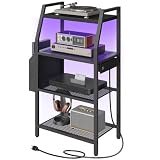
- Four-Tier Media Shelf: This four-tier open-style multi-functional game console shelf stand can store various audio-visual entertainment devices such as small stereo systems, DVDs, and game consoles. The open design enhances heat dissipation, supports corner placement, and features a remote-controlled LED light strip. Combining storage, display, and home décor, it's an ideal audio-visual equipment stand and home storage solution
- Built-in Power Outlets and Lighting: This video game console stand features a power strip with four AC power outlets and two USB ports for convenient charging of game consoles, speakers, controllers, and other devices. A multi-color LED light strip provides customizable ambient lighting with 16 colors and four modes, allowing you to match your mood or decor to create an immersive audio-visual entertainment atmosphere
- Convenient Storage Design: This game console storage stand features fabric side pockets that can be flexibly installed on the left or right side, providing storage for small items such as remote controls, headphones, and game controllers. An anti-tipping device enhances stability, and a clear instruction manual ensures simple and quick assembly, saving time and effort
- Sturdy Metal Frame and Shelves: This media stand features a robust steel frame, mesh shelves, and a wooden countertop, providing reliable support. Each shelf can hold up to 44 pounds (approximately 20 kg), offering stable storage for your valuable audio-visual equipment. Its compact size makes it ideal for placement in a corner of the living room or game room, effectively storing various entertainment devices and making it an ideal audio-visual equipment stand to enhance home organization
- Multi-functional Storage Rack: This small entertainment shelf can be flexibly placed in various spaces such as the living room, bedroom, home office, and game room. It can be used as a media cabinet, studio equipment stand, bookshelf, or side shelf. It is perfectly compatible with various game consoles and is an ideal storage solution for home theaters and small spaces
Rank #2

- 4-Tier Storage Solution: This game console stand features 4 spacious shelves, perfectly storing and showcasing your game consoles, projectors, DVDs, and other media devices. Its open design enhances heat dissipation, ensuring optimal performance
- Integrated Power Hub: Equipped with a flexibly mountable power strip featuring 1 USB port, 1 Type-C port and 3 outlets, this media stand seamlessly powers up a wide range of audio-visual devices. The back holes organize wires, keeping your space neat
- Ambient LED Light Strip: Elevate your media experience with a multi-color, multi-mode LED strip, remotely controllable via a remote. Whether hosting a gaming session or indulging in a movie marathon, it creates a visually soothing atmosphere
- Versatile Storage and Display: Featuring sleek geometric lines, this AV media stand doubles as a multi-functional display shelf, ideal for showcasing decorations, potted plants, or storing miscellaneous items, adding a touch of style to any space
- Sturdy and Easy Assembly: Crafted from premium materials, this media stand ensures rock-solid stability and exceptional load capacity. With each labeled component, clearly illustrated instructions, and necessary tools included, assembly is a breeze
What to check before changing orientation
- Find the model number on the console or its documentation.
- Open the manufacturer’s setup instructions for that model and confirm which orientations are supported.
- Install the specified base, feet, or stand before placing the console in position.
- Check that the surface is level, the console is secure, the vents have open space, and cables do not pull the system out of place.
- After setup, make sure the console remains accessible for normal use and maintenance.
Product prices and availability are accurate as of the date/time indicated and are subject to change. Any price and availability information displayed on Amazon at the time of purchase will apply.




