You can upgrade most Alienware desktops, but “Alienware” names a product family, not one interchangeable parts platform. What you can change, and what will fit, depends on your exact model and configuration. The safe order is: identify the system, read its official service manual, confirm the specifications, and only then buy. The Alienware Aurora R15 is used below as a documented example. Its procedures do not automatically apply to other Aurora generations or other Alienware models.
Identify your exact model and configuration first
Every compatibility question starts with the system you actually own. Work through these steps before you order anything:
As an Amazon Associate I earn from qualifying purchases.
- Locate your system’s Service Tag, or note the exact model name and product configuration if you do not have the tag.
- Open Dell’s Dell Parts and Repairs Selector (the page was last modified September 21, 2026). It can search by Service Tag, product ID, or model. Available parts vary by country and region, so a part listed for one market may not be offered in yours.
- Open the manuals page for your model. For the Aurora R15, Dell’s Aurora R15 Manuals and Documents listing shows update dates, so you can confirm you are reading the current revision.
- Read the component sections of the service manual for your model before you select a part. Compatibility claims made for a different generation or configuration should be treated as unverified.
What the Aurora R15 manual shows, and why it is only an example
The Aurora R15 service manual, available through Dell’s R15 service manual, covers replacing memory modules, a single graphics card, 2230 and 2280 M.2 solid-state drives, and power supplies. Its component index also lists SATA drive connections. Other Aurora generations and configurations can differ in slot layout, power delivery, cooling, and internal clearance, so treat the table below as a checklist of what to verify rather than as a list of parts that fit.
| Upgrade | Covered in the Aurora R15 service manual | What to verify on your own system |
|---|---|---|
| Memory | Removal and installation procedures | Supported memory type, maximum capacity, and which slots are already populated |
| M.2 SSD | Procedures for 2230 and 2280 drives | Drive length (form factor), the M.2 slot your board provides, and any mounting or thermal hardware the manual requires |
| SATA drive | SATA connections listed in the component index | Available drive bay and cabling for your chassis |
| Graphics card | Removal and installation procedure for a single graphics card | Physical clearance, PCIe slot, power requirement, and available power connectors |
| Power supply | Procedures for 750 W and 1350 W variants | That your chassis uses the same variant, and that the wattage and connectors match your configuration |
| Processor | Not stated in the R15 coverage cited here | See the processor section below before attempting any change |
Tools, electrostatic protection, and preparation
Use the tools and steps listed in the service manual for your model. The R15 manual’s table of contents includes a recommended-tools section and electrostatic discharge (ESD) protection instructions, but tool requirements can change between models, so do not assume a list carries over.
#1 Best Overall

- Compatible for the Dell Alienware Aurora R10, Aurora R12, Aurora R14 Gaming Desktop Models
- 32GB RAM Kit (2 x 16GB Modules); DDR4 DIMM 288 Pin; Speeds up to 3200MHz PC4-25600 (PC4-3200AA)
- NON-ECC Unbuffered (UDIMM); JEDEC DDR4 standard 1.2V
- Improves system speed, performance, and reduces bottlenecks by increasing memory RAM resources
- Simple plug and play installation, no technical skills required (Please refer to your system's manual for correct memory seating and channel guidelines)
- Keep the exact service manual open on a second device or printed while you work.
- Follow the manual’s ESD precautions, and work on a clean, non-carpeted surface.
- Photograph cable routing and connector orientation before disconnecting anything.
- Stop if a step in the manual does not match what you see inside your system.
Memory
Dell’s general upgrade guidance says memory modules in most desktops can be upgraded. That statement applies to desktops in general, not to every Alienware machine. Before buying memory, confirm the supported type, the maximum capacity, and how many slots are populated. Then follow the removal and installation procedures in your model’s manual, in the order they are written.
Storage
Dell describes storage as a common desktop upgrade. For M.2 drives, the length matters: the R15 manual documents both 2230 and 2280 procedures, which means the drive must match a length the board’s slot accepts. For SATA drives, confirm the interface and the bay or cabling available in your chassis. Do not assume an M.2 drive or SATA drive that works in one Alienware model will work in another.
Rank #2

- Legend perfected: Modern design with a matte basalt black finish in an optimized chassis with customizable AlienFX lighting zones, including the striking stadium lighting.
- Game changing graphics: Step into the future of gaming and creation with the NVIDIA GeForce RTX 5070 graphics, powered by NVIDIA Blackwell architecture.
- Marathon gaming unlocked: This high-performance technology ensures clean energy is consistently available, unleashing the top-level power of Intel Core Ultra 7 265F processor as you game, livestream, and multi-task for hours on end.
- Total command: Alienware Command Center software allows you to create and edit AlienFX lighting across the ecosystem, choose and monitor your performance mode across distinct power states, and create custom gaming profiles for your whole library.
- Dell Services: 1 Year Onsite Service provides support when and where you need it. Dell will come to your home, office, or location of choice, if an issue covered by Limited Hardware Warranty cannot be resolved remotely.
Graphics card
A graphics card is the upgrade most likely to fail on fit or power rather than on performance, so check these four things in order:
The Tool Desk
Outbyte PC Repair FREEClear out junk files and repair common Windows errorsFree Scan →Outbyte Driver Updater FREEFix the driver behind crashes, sound loss and screen glitchesFind Drivers →- Physical clearance. Measure the card’s length and thickness against the space in your chassis, and check the manufacturer’s dimensions rather than marketing names.
- PCIe slot. Confirm that the motherboard has an available slot that matches the card’s interface.
- Power supply capacity and connectors. Confirm that your power supply has enough capacity and the correct power connectors for the card. Dell’s upgrade guidance names power, slot, connectors, and physical fit as the core compatibility checks.
- Motherboard and BIOS compatibility. Confirm that the motherboard and BIOS support the card. Without the exact model, power supply configuration, and card dimensions, no reliable recommendation is possible.
The R15 manual provides a removal and installation procedure for a single graphics card. That procedure does not establish that a particular card will fit or perform on other systems.
Rank #3

- [Color] PCB color may vary (black or green) depending on production batch. Quality and performance remain consistent across all Timetec products.
- DDR3L / DDR3 1600MHz PC3L-12800 / PC3-12800 240-Pin Unbuffered Non-ECC 1.35V / 1.5V CL11 Dual Rank 2Rx8 based 512x8
- Module Size: 16GB KIT(2x8GB Modules) Package: 2x8GB ; JEDEC standard 1.35V, this is a dual voltage piece and can operate at 1.35V or 1.5V
- For DDR3 Desktop Compatible with Intel and AMD CPU, Not for Laptop
- Guaranteed Lifetime warranty from Purchase Date and Free technical support based on United States
Power supply
The R15 service manual includes procedures for 750 W and 1350 W power supply variants. That shows the procedures exist for that model family. It does not show that either variant is appropriate for another configuration, and it does not make the unit a standard retail part. Replace a power supply only with the variant Dell specifies for your system, and match the connectors your components require.
Processor and motherboard
Dell’s general upgrade guidance warns that processor upgrades require care and can leave a system unusable. Dell does not present processor replacement as a general upgrade path, so treat it as specialist work and do not attempt it from a generic guide. Dell’s guidance also states that motherboard replacement is generally not an upgrade path, because replacement motherboards for upgrades are not generally available.
Rank #4
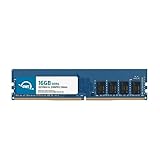
- OWC 16GB DDR4 3200MHz PC4-25600 CL22 1.2V 288pin Desktop DIMM compatible with Alienware Aurora models R10, R11, R12 and R14
- 100% COMPLIANT: With JEDEC Standard Specifications, ROHS Compliant, Warranty Safe Upgrade. Designed and Tested to Meet or Exceed all Manufacturer OEM Specs
- INCREASED PERFORMANCE: Memory Upgrades are the Most Effective and Easy Way to Boost your PC's Performance
- INDUSTRY LEADING: Consumer Friendly Advanced Replacement Program and Limited Lifetime Warranty, which Includes Free Tech Support by Other World Computing
- Replacement Part Number for Dell AA498716 AA721037 AB120717 AB174959 SNPC5N22C/16G SNPN205TC/16G
Warranty and third-party parts
Dell’s UK gaming-performance upgrade article says that installing a third-party component does not, by itself, violate the Dell warranty. The same guidance says:
- Damage caused by a third-party component during installation is not covered.
- Technicians may ask you to remove third-party parts during troubleshooting.
- The original Dell part may need to be reinstalled before a repair is sent in.
Warranty and service-plan terms differ by region and by plan, so confirm the terms that apply to your product before you open the case. Dell’s self-repair, maintenance, and upgrade overview is the place to check which self-service options your device supports.
Best Value

- Legend perfected: Modern design with a matte "basalt black" finish in an optimized chassis with customizable AlienFX lighting zones, including the striking stadium lighting.
- Game changing graphics: Step into the future of gaming and creation with the NVIDIA GeForce RTX 5080 graphics, powered by NVIDIA Blackwell architecture.
- Marathon gaming unlocked: This high-performance technology ensures clean energy is consistently available, unleashing the top-level power of Intel Core Ultra 9 processor as you game, livestream, and multi-task for hours on end.
- 240mm heat exchanger: The 240mm heat exchanger, available on the optional CPU liquid cooling, heightens thermal resistance, ensuring temperatures stay consistently low during longer gaming sessions.
- Total command: Alienware Command Center software allows you to create and edit AlienFX lighting across the ecosystem, choose and monitor your performance mode across distinct power states, and create custom gaming profiles for your whole library.
When to stop and get qualified help
- You cannot confirm the exact model or configuration.
- A step in the manual does not match your hardware.
- The component requires processor or motherboard work.
- You are unsure about power connectors, cable routing, or ESD handling.
In those cases, use Dell’s official support channels or a qualified technician rather than improvising.
How to judge whether an upgrade is worth it
Compare options on the same axes: model and motherboard support, physical fit, interface and slot, power draw and connectors, cooling or mounting needs, the workload improvement you expect, and total cost. Dell’s guidance does not publish performance gains or upgrade success rates for Alienware systems, so the expected benefit for your workload has to come from your own testing or from benchmarks that name the exact configuration.
The Bottom Line
Start with your exact Alienware model, use its official service manual and Dell’s Parts and Repairs Selector to confirm fit, and treat any published procedure as specific to that model. Memory and storage are the most common upgrades; graphics cards require the most checks; processors and motherboards are not general upgrade paths.
Free tools Windows power users keep installed
One-click scans. No signup required.
Quick Recap
Product prices and availability are accurate as of the date/time indicated and are subject to change. Any price and availability information displayed on Amazon at the time of purchase will apply.




