Tesla’s Full Self-Driving (Supervised) dashboard visualization is not a complete view of what the vehicle detects or considers. A tidy blue path or sparse set of object icons does not prove the road is clear, and a displayed lane or road shape does not guarantee that FSD will follow it safely. Tesla’s manuals say the visualization may omit objects, road markings, signals and other variables used by the system; camera data may also be absent from the display. Treat the screen as an indication of FSD’s intended action—not as a live, exhaustive picture of its perception—and intervene whenever that action is uncertain or unsafe.
What the FSD dashboard visualization does—and does not—show
The visualization is a rendered interface, not a transparent diagnostic view of everything the car senses or uses to make driving decisions. Tesla’s Model 3 Owner’s Manual says it “may not be a holistic representation” of the objects, road markings, road signals and other variables that FSD (Supervised) takes into account while driving to a destination.
As an Amazon Associate I earn from qualifying purchases.
That distinction explains why the display can look simple or orderly even when the driving situation is complicated. It also means that a mismatch between the drawing and the road is not, by itself, enough to tell you exactly what FSD detected, missed or relied on. The screen communicates an interpretation or intended action; it does not certify that interpretation as correct.
Free tools Windows power users keep installed
One-click scans. No signup required.
Blue paths and object icons are not proof of safe perception
A path can help you see where FSD appears to intend to go, and icons can make some detected objects easier to understand. But the display is not a complete inventory of the scene. An object absent from the visualization may still be among the information used by FSD, while a clear-looking visualization cannot establish that the system has correctly understood a hazard.
#1 Best Overall
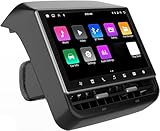
- 【Compatible with Tesla Model 3&Y】The 8.66'' large rear display screen is compatible with Tesla Model 3 2019-2023 & Model Y 2019-2024. Easy installation without damage to the original car, no drilling, cutting or special wiring necessary. Please confirm that your car is compatible before purchasing
- 【Multi-function with Rear AC Control/Seat Heating/Fan Speed】This rear touchscreen integrates seamlessly with your original car's infotainment system and not only provides entertainment for rear seat passengers but also allows them to control various aspects of the car, such as AC control, rear seat temperature, seat heaters, audio volume control, the passenger' s seat control and even control the fan speed without distracting the driver
- 【8.66-inch HD Touch Screen】The 8.66-inch rear screen uses advanced IPS technology to give you a realistic view from any angle. Furthermore, with its IPS technology screen and high-definition resolution of 1280*800P, ensuring that images are clear and sharp. It's very convenient for your back seat passengers to watch videos in a large rear screen. (Network is needed when watching videos)
- 【Android 13 System with 4G RAM+64G ROM Memory】The rear screen runs on the Android operating system, 4GB+ 64GB storage. This setup guarantees a seamless and speedy user experience, making games and videos run more smoothly. Enjoy your favorite apps, stream content, listen to music and play games (With WiFi or Hot spot Connection), making your passengers have a pleasant journey.
- 【Larger Air Vent】The independent air vent allows 4-directional airflow adjustment (up, down, left, right), delivering unmatched comfort. These user-friendly features provide convenience , making every journey enjoyable and personalized. There is a built-in 25W Type-C fast charging port, which always keeps your devices powered up
For the same reason, do not use the dashboard as a substitute for looking at the road. If the path points toward a questionable turn, lane or intersection, judge the actual driving situation and be ready to take over rather than assuming the graphic will resolve the problem.
Why the displayed lane or road shape can look wrong
Several things can contribute to an apparent mismatch, and the visualization alone cannot identify which one is responsible:
Rank #2

- JUNIPER is equipped with its own built-in camera; therefore, this HUD does NOT INCLUDE a camera to prevent functional redundancy and ensure product compatibility.
- Blind Spot Monitoring & Safety Alerts: Visual warnings (yellow/red flashes) for vehicles in blind spots, synchronized with turn signals for safer lane changes./Ultra-HD 10.88-inch Touchscreen: Enjoy crystal-clear visuals with responsive touch controls for effortless navigation through menus, settings, and real-time driving metrics.
- Rainbow Road & Real-Time Data Sync: Displays speed, gear, tire pressure, battery status, and FSD hands-off reminders—just like your Tesla’s native interface.
- Wireless CarPlay & Android Auto: Connect your smartphone via Bluetooth for seamless access to navigation, music, and apps. Supports AirPlay/Miracast screen mirroring too!
- Customizable 3D Car Models & UI Themes: Personalize your dashboard with 5 Tesla models (including Cybertruck) and multiple color options. Switch between day/night modes or auto-sync with Tesla’s system.
- Rendered scene versus actual road: the screen may omit markings, signals or other relevant variables, so its drawing can be less detailed than the situation you see.
- Map data versus camera information: Tesla’s Model Y documentation says FSD uses camera data that may not be represented in the visualization. Tesla also says more recent map data improves accuracy. Map freshness and display completeness are separate questions: a current map does not turn the visualization into a full perception display.
- Visibility and road conditions: glare or airborne obscurants can degrade what cameras see. A screen that appears sparse or plausible does not show whether the system has handled those conditions reliably.
- Intended action versus safe action: the path indicates what the system appears to intend, not whether that maneuver is appropriate for the road as it exists now.
So, if FSD shows an unexpected lane or road shape, do not infer a single cause from the graphic. Consider what is physically visible, whether markings or visibility are poor, and whether the intended maneuver is safe. If you are uncertain, take control.
Why rain, fog, dust and sun glare make the gap more important
Camera-based driving depends on usable visual information. Glare, fog, rain, dust and other airborne obscurants can make road features or vehicles harder to see. The dashboard drawing is not a reliable way to verify that the cameras have a clear view or that FSD has recognized a degradation in visibility.
Rank #3

- 【For GMC Sierra Chevrolet Silverado 2019 2020 2021 2022 2023】for gmc sierra car radio upgrade 15.6 inch high-definition touch screen with a resolution of 1920*1440 big screen, Android 14 with 8 core qualcomm snapdragon CPU fast processor and 128GB large memory. Retain original car system and support all original car function, replace original car screen 7 inch and 8 inch, support manual and auto AC. it come with two different power cables , you need to choose the correct one to plug
- 【Smart configuration】Truck Android tablet radio for chevy silverado gmc, Built-in Bluetooth/ wifi/ SIM card slot / GPS navigation/ Play Store App/ satellite signal receiving module. Support Carplay/Bluetooth music/ Smartphone Screen Mirror link ect functions.
- 【Powerful & multiple functions】For chevy silverado truck radio display screen Support car DVR/ external TV/ TPMS/ reverse camera/ OBD/ voice input, recording/ steering wheel control/ rear view, back radar, back trajectory/ original car functions (air conditioning, atmosphere lights, steering wheel function, original car reversing image, original Sirius XM radio,etc)/ online maps, High German ect
- 【Built In Carply & Andriod Auto】Double din android radio for Silverado Touchscreen upgrade Supports Bluetooth Connection For Carplay/Android Auto, Allowing Users To Mirror Their Phone Content Onto The Screen.Use smart voice assistant or touch the display, you can get directions, make calls, send and receive messages, enjoy music, etc. A smarter, safer, and more fun way to use your phone in the car, and keep you stay focused, connected, and entertained.
- 【 Retain Factory Function】for gmc sierra 1500 accessories large screen Support Factory Amplifier System ; vertical screen support Factory Sirius XM radio ; support Factory Onstar System ; Heating And Cooling Seat Control ; Factory Orignal 360 Camera And Reverse Camera ; Retain Original Steering Wheel Control
NHTSA’s Engineering Analysis EA26002-10023 examined Tesla FSD in degraded roadway conditions. The agency said incident data raised concerns that the degradation-detection system did not appropriately detect or warn about conditions involving glare and airborne obscurants. In reviewed crashes, FSD lost track of or never detected a lead vehicle. These are findings about reviewed incidents and system concerns; they do not establish that every FSD trip, or every trip in poor visibility, will fail.
NHTSA also records Tesla’s post-incident assessment that a later degradation-detection update might have affected three of nine identified incidents. Tesla described internal data and labeling limitations that prevented uniform crash-event analysis and could have led to under-reporting during parts of the study period. These qualifications matter: the incident record is not a prediction of what will happen on an individual drive, but it is a reason not to treat a reassuring-looking visualization as proof that degraded visibility is being handled safely.
Rank #4
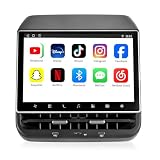
- 【Support & Warranty】—— Note: A system upgrade is required before first-time use. Please contact us for the step-by-step video guide to activate your device. Includes a 12-month warranty and lifetime tech support. We’re here to help with any setup, replacement, or return needs to ensure a 5-star experience.
- 【1. Seamless OEM Fit & No-Drill Install】—— Achieve a professional factory look in minutes. Custom-molded for Tesla Model 3 (2019-2023) and Model Y (2019-2024), this 26PIN plug-and-play screen integrates flawlessly without drilling or wire cutting. Protect your vehicle's warranty with a 100% lossless installation designed specifically for non-technical owners seeking a premium interior upgrade.
- 【2. 8.66" HD Backseat Theater & Gaming Hub】—— Keep kids and passengers entertained during long road trips. Featuring a stunning 1280x800 HD IPS touchscreen, it’s the ultimate portal for streaming Netflix, YouTube, and Disney+. Powered by a high-speed 4G/WiFi connection, it transforms your rear cabin into a luxury mobile living room with smooth, lag-free visuals.
- 【3. Independent Climate & Passenger Comfort】—— Give your guests full authority over their environment. This console allows rear passengers to adjust airflow, temperature, and 3-level seat heating independently, reducing driver distraction. It even supports front seat massage activation—a high-end feature that significantly boosts comfort for family travel and ride-sharing ratings.
- 【4. Smart Connectivity (4GB+64GB) & Dual Audio】—— Experience peak performance with Android 13 and an Octa-core processor (4GB RAM / 64GB ROM). Fully supports Wireless CarPlay & Android Auto for seamless map and app mirroring. Enjoy Dual-Audio Freedom: sync with Tesla’s immersive speakers for a group party or use Bluetooth headphones for a quiet, private movie night.
What to do when the visualization and the road disagree
- Look at the road, not just the display. Check the actual lane, signs, signals, vehicles and hazards around you.
- Assess the intended maneuver. Ask whether the path shown is safe and lawful in the current conditions. Do not assume that a displayed route or lane shape is correct because it appears confidently drawn.
- Take over if you are uncomfortable or uncertain. Tesla says the driver can override FSD. Do so promptly when the system’s intended action is unsafe, unclear or inconsistent with the road.
- Do not predict intersection behavior from the graphic. Tesla’s Owner’s Manual warns: “NEVER make assumptions and predict when and where Full Self-Driving (Supervised) will stop or continue through an intersection or road marking.”
- Reconsider use when visibility is degraded. If glare, rain, fog, dust or another obstruction makes the scene difficult to judge, do not use a clean-looking screen as reassurance. The driver remains responsible for supervising and responding.
This is not a diagnostic procedure for determining whether a map, camera or software component caused a particular maneuver. The display does not expose enough information to make that determination reliably.
Do these 3 things before closing this tab:
1Clear out junk files and repair common Windows errors2Scan for outdated or missing drivers - takes under a minute3Repair Windows errors before they cause bigger problemsHow to interpret claims about FSD safety
A strange path or a single successful maneuver cannot establish FSD’s overall safety. Tesla’s evidence dashboard says its studies stratify collision and surrogate-safety rates by road class, control type and time period, and cautions against reducing safety to a single evaluation of system-initiated maneuvers. Those dimensions matter because different roads, operating conditions and comparison periods are not interchangeable.
Best Value

- Aluminacore 9H Glass Protection – High-purity alumina-silicate glass tempered through ion-exchange resists key fobs, sunglasses, paw scratches from pets in the car, and the everyday contact of parking-lot bumps and daily driving, built tougher than standard soda-lime tempered glass at the same 9H hardness rating.
- Anti-Glare Matte Finish – The micro-textured surface scatters incoming light in multiple directions, diffusing reflections before they reach your eyes. Navigation maps, rear camera feeds, and driving information stay readable across changing cabin lighting and direct sunlight without the sharp glare common to clear glass.
- Matte Anti-Fingerprint Finish – Matte texture minimizes the appearance of fingerprints on the 16-inch touchscreen, helping to preserve screen clarity and touch responsiveness.
- EZ FIT Tray, Installation under 60 seconds – EZ FIT includes auto-alignment tray makes installation quick and easy, helping position the protector perfectly in under 60 seconds. A silicone adhesive layer helps prevent air bubbles during application for a clean, seamless fit.
- Check the compatibility – Engineered for Model Y standard/Premium/Performance (2026) and Model 3 (2027)
Tesla’s Vehicle Safety Report also presents extrapolated injury and fatality estimates based on assumptions about collision reductions. An extrapolation is not a direct count of injuries or fatalities prevented. Any such figure needs to be read with its stated geography, denominator, time period and assumptions; it should not be treated as a universal safety rate for FSD.
Quick Recap
Product prices and availability are accurate as of the date/time indicated and are subject to change. Any price and availability information displayed on Amazon at the time of purchase will apply.




