Quick wins for a faster PC:
Repair Windows errors before they cause bigger problemsFix Now →Fix the driver behind crashes, sound loss and screen glitchesFind Drivers →Clear out junk files and repair common Windows errorsFree Scan →You can load CircuitPython on the unreleased Teenage Engineering SP-1 and run a documented demo that plays four WAV stems, with the unit’s four front faders controlling their individual volumes. This is an independent community project, not official product support. The key trade-off is irreversible by the documented route: Adafruit says the original firmware image is unpublished, so preserve files you need before flashing.
What the SP-1 hack does
The SP-1 is a hardware stem player manufactured in a partnership that ended before its official release. Units have circulated as-is, without official support or documentation. Adafruit’s CircuitPython guide demonstrates four-track playback from WAV files stored on the device, with the four front faders mapped to track volume. The guide was published September 4, 2026: Adafruit’s SP-1 CircuitPython guide.
As an Amazon Associate I earn from qualifying purchases.
This project makes the device’s controls and storage useful for a specific playback demo; it does not establish a complete replacement for the original product firmware. The guide also refers generally to third-party firmware options, but does not compare or rank them.
What’s actually slowing this PC down?
Pick the symptom - the matching free tool is one click away.
What hardware CircuitPython can access
The board uses an nRF52840 microcontroller. Its documented controls include four faders, track buttons and LEDs, side buttons, and play LEDs. Audio hardware includes a Cirrus CS42L42 codec, a Texas Instruments TAS2505 speaker amplifier, a speaker, and a 3.5 mm audio output. The board also has Toshiba eMMC storage of about 4 GB, which CircuitPython can expose as a block device.
#1 Best Overall

- Flexible MCU Board: Incorporate the ESP32-C3 32-bit RISC-V chip, operating up to 160 MHz, mounted multiple development ports,
- Developer Friendly: Compatible with Arduino IDE, MicroPython, CircuitPython, PlatformIO, ESP IDF, Zephyr, Matter, ESPNow, Meshtastic, WLED, ESPHome, Home Assistant, Ubidots
- Outstanding RF performance: Complete Wi-Fi functions and Bluetooth Low Energy, while supporting communication over 100m with anFL antenna
- Elaborate Power Design: 4 working modes as low as 44 μA in deep sleep mode, while supporting lithium battery charge management
- Thumb-sized Design: 21 x 17.5mm, Seeed Studio XIAO series classic form factor
The board includes a CYBT-353027-02 Bluetooth audio module, but the SP-1 guide says CircuitPython has no support or driver for it. The guide describes using the module as a possibility that has not been tested; Bluetooth audio is not a demonstrated feature of this project. The pinout details are in Adafruit’s SP-1 pinout.
Before you flash: understand the risks
- Stock firmware recovery is not documented. Adafruit says the original firmware image is unpublished, so its CircuitPython installation route does not provide a way back to stock firmware. Consider the change permanent unless you have an independently verified recovery method.
- Protect your files. Back up anything important from the eMMC before flashing. Formatting storage later can erase its contents.
- Opening the enclosure is unnecessary. CircuitPython installation does not require teardown. The aluminum case has glued components as well as screws, and disassembly can damage parts. See the SP-1 teardown guide before considering it.
What you need
- The SP-1 CircuitPython board build described in the guide.
- A known-good USB-C data-and-power connection. The guide lists a USB Type-A to USB Type-C cable; a charge-only cable will not provide the required data connection.
- A host computer and access to the guide’s browser-based flasher, which uses Web Serial, if you choose that installation route.
Enter the bootloader and install CircuitPython
- With the SP-1 unplugged and powered off, hold track buttons 1 and 4.
- Keep both buttons held while connecting the USB-C cable to the host. The track 1 LED indicates bootloader entry.
- Use the guide’s browser flasher or its stated installation method to flash the SP-1 CircuitPython build. The guide reports a bootloader window of roughly 60 seconds and a flash time of around 30 seconds; these are guide-provided timings, not independent measurements.
- After installation, use the project bundle’s code and libraries to run the four-track demo.
Read the full installation instructions before starting, particularly because the documented change is not readily reversible to stock firmware.
Rank #2

- 【ESP32-C3 RISC-V Development Board】 Built with the ESP32-C3 32-bit RISC-V chip (160MHz), featuring Arduino/CircuitPython support and multiple development ports. Ideal for IoT and edge AI projects.
- 【Outstanding RF & Long-Range Connectivity】 Equipped with U.FL antenna for stable Wi-Fi/BLE5.0 communication over 100m. Complete RF performance ensures reliable IoT connectivity.
- 【Ultra-Low Power & Battery-Friendly】 4 working modes, including deep sleep at 44μA. Onboard battery charge IC supports Li-ion/LiPo, perfect for wearables and wireless IoT.
- 【Thumb-Sized & Production-Ready】 Compact 21x17.5mm design with SMD/Breadboard-friendly layout. Single-sided component mounting ensures sleek integration into wearables.
- 【Rich I/O & Edge Computing】 11 digital I/O (PWM) + 4 analog I/O (ADC), plus UART/IIC/SPI/IIS ports. Optimized for TinyML and edge AI applications.
Run the four-stem demo and handle eMMC carefully
The demo reads four WAV files from the SP-1’s eMMC and maps the front faders to the levels of the four tracks. Adafruit’s project bundle includes code and libraries. For CircuitPython to mount the eMMC as a filesystem, the guide says it must use FAT; CircuitPython’s emmcio documentation lists the SP-1 among supported boards for block-device access.
The guide includes a formatting script that asks you to type the literal confirmation delete. Formatting can erase data on the eMMC, so make and verify any needed backup before running that script or entering the confirmation. Do not treat formatting as a routine step unless the filesystem needs it.
Quick Recap
Best Value

- The ESP32-S3-DevKitC development board equipped with ESP32-S3-DevKitC-1-N16R8, a general-purpose Wi-Fi + Bluetooth LE MCU module that integrates complete Wi-Fi and Bluetooth LE functions.
- ESP32-S3-DevKitC-1-N16R8 SPI voltage: 3.3v, ESP32-S3-DevKitC-1 is an entry-level development board equipped with Wi-Fi + Bluetooth module ESP32-S3
- ESP32-S3-N16R8 cable can be used: USB Type A to Type-C cable or CC cable Note the distinction between the commonly used USB A port to Type-C cable that can only be charged, which cannot be used for communication between YD-ESP32-S3 and the host.
- Most of the I/O pins on the module are broken out to the pin headers on both sides of this board for easy interfacing. Developers can either connect peripherals with jumper wires or mount ESP32-S3-DevKitC on a breadboard.
- USB-to-UART Port and ESP32-S3 USB Port (either one or both), default power supply (recommended)
Rank #4

- 🌱【Quick Prototyping】Easy debug and Reset with RESET button and SWD pin led out to the male header. 0.96” OLED, enables visual data to display without PC serial monitor.
- 🌱【Rich Peripherals】OLED display, RTC, expandable memory space, passive buzzer, user button, on board battery management chip… One board on hand to explore infinite possibilities of Seeeduino XIAO.
- 🌱【No Soldering Needed】All pin led out. Convenient plug and play Grove connectors support multiple data protocols, including IIC, Uart, Analog/Digital.
- 🌱【Circuit Python Supported】Well supports circuit python. Mini SD card slot enables memory space expand, making it possible to allocate more libraries needed in prototyping and project building.
- 🌱【Mini Size】Compact and elegant with only half Raspberry Pi 4 size, perfect for tiny and wearable projects.
Rank #3
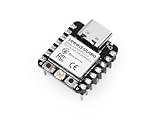
- Flexible MCU Board: Incorporate the ESP32-C3 32-bit RISC-V chip, operating up to 160 MHz, mounted multiple development ports, supported by Arduino / CircuitPython
- Outstanding RF performance: Implement complete Wi-Fi functions and Bluetooth Low Energy, while supporting communication over 100m with a U.FL antenna
- Elaborate Power Design: Provide 4 working modes as low as 44 μA in deep sleep mode, while supporting lithium battery charge management
- Thumb-sized Design: 21 x 17.5mm, Seeed Studio XIAO series classic form factor and elegant productization of single-sided components mounting, suitable for wearable devices
- Perfect for Production: Breadboard-friendly & SMD design, no components on the back
What this project does not establish
- It is not official Teenage Engineering support or documentation.
- It does not demonstrate Bluetooth audio through the board’s Bluetooth module.
- It does not provide a documented return to the unpublished stock firmware.
- It does not require opening the case, and teardown introduces avoidable physical risk.
Product prices and availability are accurate as of the date/time indicated and are subject to change. Any price and availability information displayed on Amazon at the time of purchase will apply.




