Do these 3 things before closing this tab:
1Repair Windows errors before they cause bigger problems2Fix the driver behind crashes, sound loss and screen glitches3Clear out junk files and repair common Windows errorsThe legacy Selenium IDE does not work with Firefox 55 or later. Selenium announced the break in 2017 when Firefox moved away from its original XPI add-on format. That warning applies to the old IDE extension—not to Selenium WebDriver automation generally. For browser-based recording, use the rebuilt Selenium IDE documented by Selenium; for code-driven automation, use WebDriver with a compatible geckodriver.
Why the legacy Selenium IDE stopped working in Firefox 55
On August 9, 2017, Selenium contributor Simon Stewart wrote, “The bad news: from Firefox 55 onwards, Selenium IDE will no longer work.” Firefox’s transition from the original XPI add-on format to WebExtensions changed the extension technology the old IDE depended on. Selenium also said the project lacked the maintenance time needed to move the IDE forward.
As an Amazon Associate I earn from qualifying purchases.
This is a compatibility break in the legacy browser extension, not a general failure of Selenium in Firefox. Selenium later announced a rebuilt IDE in 2018. That announcement described the release as alpha at the time; it is historical context, not a statement of its current status.
Recommended Free Tools
Which Selenium option fits your Firefox workflow?
| Option | Use it for | Firefox 55 distinction |
|---|---|---|
| Rebuilt Selenium IDE | Recording and replaying tests in a browser interface | Selenium’s setup guide documents installation from the Firefox add-on store. Check the live listing and current documentation for present availability and behavior. |
| Selenium WebDriver with geckodriver | Code-driven browser automation | Mozilla’s compatibility table lists Firefox 55 as the minimum for geckodriver 0.19.0–0.20.1 with Selenium 3.5 or later, and says support is best in Firefox 57 and later. This does not make the legacy IDE compatible. |
Choose the rebuilt IDE if you need a browser-based recorder. Choose WebDriver if your tests are written and maintained as code. Confirm the exact Firefox, Selenium client, and driver versions in your environment rather than treating compatibility for one component as compatibility for the other.
#1 Best Overall

- 【Small Box & Big Capability】➥ WEIDIAN Fanless Mini PC H6 combines compact size with capable performance, featuring a 10th Gen Core i7-10510U processor, integrated UHD Graphics, and 12V low-voltage operation. This Win 11 Pro Fanless Mini PC supports Win 11/Win 10/Linux and is designed for business, office, and industrial applications where space and efficient multitasking matter.
- 【Storage That Grows With You】➥ This Industrial Mini PC supports flexible dual storage with an M.2 SSD slot (SATA/NVMe, up to 2TB) and a 2.5-inch HDD/SSD slot (up to 4TB). Two DDR4 SODIMM slots support up to 64GB RAM. Features including RAID, WOL, Watchdog, PXE, and RS485 add flexibility for industrial and business applications, while RS232 supports printers, scanners, POS systems, and other peripherals.
- 【4K Triple Displays More Productivity】➥ As a versatile industrial mini computer, the H6 supports up to three independent 4K displays via 2 HD ports and 1 DP port, enabling convenient multi-screen operation for office work, digital signage, POS terminals, equipment monitoring and more scenarios. The GPIO interface supports control signal output and interrupt signal input to meet the needs of compatible industrial applications.
- 【Low Power & Flexible Setup】➥ This compact PC adopts low-power operation and an all-metal compact structure, effectively reducing power consumption compared with full-size desktop PCs. It can be easily deployed in workstations and industrial scenarios with limited space. Measuring approximately 8.66 × 5.00 × 2.36 inches and weighing about 3.09 lb, the WEIDIAN H6 Mini PC supports desktop placement, VESA mounting and wall mounting for flexible installation in diverse environments.
- 【Silent by Design Cool & Steady】➥ Built with a fanless cooling system and full-metal chassis, this mini PC delivers efficient passive heat dissipation for completely silent operation. It maintains stable, consistent performance during long-duration continuous use, perfectly suited for offices, control rooms, industrial sites and other noise-sensitive scenarios. It also features M.2 dual-band Wi-Fi 5, BT 4.2 and Gigabit LAN, providing steady and high-reliability network connectivity.
Install and start the rebuilt Selenium IDE in Firefox
- Install Selenium IDE from the Firefox add-on store, following Selenium’s getting-started guide.
- If the IDE icon is not visible, open
about:addonsand confirm the extension is enabled. If it is enabled but not shown, customize the Firefox toolbar. - Launch Selenium IDE, start a new project, give it a name, and enter the base URL of the application you want to test.
- Interact with the application to record actions, then return to the IDE and stop recording.
- Save the project. Selenium documents the project as a single
.sidefile.
The steps above follow Selenium’s documentation; they do not establish compatibility with every Firefox build or guarantee that a particular application will record correctly. Check the current add-on listing and documentation if installation or behavior differs in your version.
When geckodriver is the right alternative
WebDriver is a separate automation route, intended for tests controlled by code and a browser driver. Mozilla’s geckodriver compatibility table gives the historical Firefox 55 minimum noted above for geckodriver 0.19.0 through 0.20.1 with Selenium 3.5 or later. The same table says support is best in Firefox 57 and later. These details concern WebDriver/geckodriver only; they cannot restore the discontinued legacy IDE extension.
If you are maintaining an old project, match the browser, Selenium client, and geckodriver versions using Mozilla’s current compatibility table. Avoid downgrading Firefox as a routine fix: Selenium’s legacy IDE notice warns that Firefox releases capable of running that extension are no longer supported.
Troubleshooting common Firefox 55-era problems
- The old IDE disappeared or stopped opening after upgrading Firefox: that is consistent with the legacy extension’s Firefox 55 incompatibility. Install the rebuilt IDE for a browser recording workflow instead.
- The rebuilt IDE icon is missing: check
about:addonsfor its enabled state, then customize the toolbar if needed. - A WebDriver test fails even though Firefox 55 appears in a driver table: verify that you are using a geckodriver and Selenium client combination listed for that Firefox version. The table applies to WebDriver, not the IDE extension.
- You are considering installing an older Firefox solely for the old IDE: do not treat that as a normal supported setup; Selenium warns that the Firefox versions able to run the legacy IDE are no longer supported.
Or skip the browser setup
ScreenshotNeo is a website screenshot API, not a Selenium recorder or test runner. If what you need is a page capture rather than recording and replaying browser actions, one GET request returns an image or PDF. The code below follows the documented API pattern; replace the sample URL with your target. See the ScreenshotNeo API documentation for options.
Rank #2
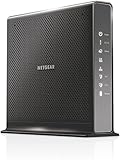
- Compatible with Xfinity Cable & Voice Plans up to 600Mbps speed.
- Three-in-one DOCSIS 3.0 Cable Modem + AC1900 WiFi Router+ Xfinity Voice and 2 USB ports
- DOCSIS 3.0 unleashes 24x faster download speeds than DOCSIS 2.0
- Ideal for streaming 4K HD videos, faster downloads, and high-speed online gaming.Optional battery backup for power outages with up to 8 hours of standby and 5 hours of talk time
- 2 Voice over IP (VoIP) Ports and 4 Gagabit Ethernet Port.System Requirements:Microsoft Windows 7, 8, Vista, XP, 2000, Mac OS, UNIX, or Linux.Microsoft Internet Explorer 5.0, Firefox 2.0, Safari 1.4 or Google Chrome 11.0 browsers or higher
curl -G "https://api.screenshotneo.com/v1/shot" -d access_key=YOUR_API_KEY --data-urlencode url=https://stripe.com -o shot.webp- Cookie and consent banners are accepted where possible, and more than 60 known consent platforms, newsletter popups, and chat widgets can be removed before capture; each step can be turned off.
- Bot checks or CAPTCHAs, blank pages, timeouts, failed loads, and cache hits are not billed; response headers identify the page verdict and billing status.
- An MCP server offers screenshot and PDF tools to AI agents and other MCP clients.
- The Free plan includes 1,000 screenshots per month with no card; paid plans start at $5 for 3,000.
Try ScreenshotNeo and sign up free for 1,000 screenshots a month with no card.
Frequently Asked Questions
Does Selenium IDE work with Firefox 55?
The legacy Selenium IDE does not. The rebuilt IDE is a separate extension; use Selenium’s current Firefox setup documentation and add-on listing for it.
Does geckodriver support mean the old Selenium IDE works?
No. geckodriver compatibility refers to Selenium WebDriver automation, not the legacy IDE extension.
Free tools Windows power users keep installed
One-click scans. No signup required.
Quick Recap
Product prices and availability are accurate as of the date/time indicated and are subject to change. Any price and availability information displayed on Amazon at the time of purchase will apply.




