The Samsung 970 EVO Plus 2TB remains one of the most recognizable PCIe 3.0 NVMe SSDs, aimed at users who want fast storage without stepping into newer PCIe 4.0 or PCIe 5.0 pricing. With a high-capacity 2TB configuration, Samsung’s in-house controller, V-NAND, and DRAM cache, it targets gamers, creators, and workstation users who need strong everyday responsiveness and sustained performance.
This review looks at how the 970 EVO Plus 2TB holds up today, including its rated specifications, benchmark behavior, real-world transfer speeds, thermal performance, endurance rating, software support through Samsung Magician, and overall value against modern alternatives. The goal is to see whether this proven NVMe drive is still a smart buy for high-performance PCs and laptops.
As an Amazon Associate I earn from qualifying purchases.
Samsung 970 EVO Plus 2TB Specifications and Features
The Samsung 970 EVO Plus 2TB is an M.2 2280 NVMe SSD built for PCIe 3.0 x4 systems, using the NVMe 1.3 interface. While it is not a newer PCIe 4.0 or PCIe 5.0 drive, its specification sheet remains strong for laptops, gaming desktops, compact workstations, and older high-end platforms that cannot fully benefit from newer interfaces. The 2TB model is especially attractive because it combines high capacity with the strongest endurance rating in the 970 EVO Plus lineup.
Quick wins for a faster PC:
Clear out junk files and repair common Windows errorsFree Scan →Fix the driver behind crashes, sound loss and screen glitchesFind Drivers →Repair Windows errors before they cause bigger problemsFix Now →Samsung pairs its in-house controller with V-NAND TLC flash and a dedicated LPDDR4 DRAM cache. That DRAM is a meaningful advantage over budget DRAM-less NVMe drives, particularly when the SSD is used for heavier workloads such as game libraries, large project folders, virtual machines, scratch disks, and sustained file transfers. The drive also uses Samsung’s Intelligent TurboWrite caching, which accelerates burst writes by treating part of the NAND as faster SLC cache before folding data back into TLC storage.
#1 Best Overall

- GROUNDBREAKING READ/WRITE SPEEDS: The 990 EVO Plus features the latest NAND memory, boosting sequential read/write speeds up to 7,250/6,300MB/s. Ideal for huge file transfers and finishing tasks faster than ever.
- LARGE STORAGE CAPACITY: Harness the full power of your drive with Intelligent TurboWrite2.0's enhanced large-file performance—now available in a 4TB capacity.
- EXCEPTIONAL THERMAL CONTROL: Keep your cool as you work—or play—without worrying about overheating or battery life. The efficiency-boosting nickel-coated controller allows the 990 EVO Plus to utilize less power while achieving similar performance.
- OPTIMIZED PERFORMANCE: Optimized to support the latest technology for SSDs—990 EVO Plus is compatible with PCIe 4.0 x4 and PCIe 5.0 x2. This means you get more bandwidth and higher data processing and performance.
- NEVER MISS AN UPDATE: Your 990 EVO Plus SSD performs like new with the always up-to-date Magician Software. Stay up to speed with the latest firmware updates, extra encryption, and continual monitoring of your drive health–it works like a charm.
| Specification | Samsung 970 EVO Plus 2TB |
|---|---|
| Form factor | M.2 2280 |
| Interface | PCIe 3.0 x4, NVMe 1.3 |
| NAND type | Samsung V-NAND TLC |
| Controller | Samsung Phoenix controller |
| DRAM cache | 2GB LPDDR4 |
| Rated sequential read | Up to 3,500 MB/s |
| Rated sequential write | Up to 3,300 MB/s |
| Random read/write | Up to 620K / 560K IOPS |
| Endurance rating | 1,200 TBW |
| Warranty | 5 years, limited |
The headline speeds are near the ceiling of PCIe 3.0 x4. Samsung rates the 2TB model for up to 3,500 MB/s sequential reads and up to 3,300 MB/s sequential writes, which puts it among the fastest consumer PCIe 3.0 SSDs. Random performance is also strong, with up to 620,000 IOPS for reads and up to 560,000 IOPS for writes under ideal queue-depth conditions. In everyday use, these figures translate into fast OS responsiveness, quick application launches, smooth game loading, and reduced wait times when moving large media files.
The 2TB capacity also affects usability in a practical way. Modern game installs can exceed 100GB, 4K video projects can balloon quickly, and creative applications often generate large cache folders. With 2TB available, the 970 EVO Plus can serve as a primary system drive without forcing constant cleanup. It is also a sensible secondary high-speed workspace for video editing, photography catalogs, software development, and content capture.
Feature support includes TRIM, S.M.A.R.T. monitoring, garbage collection, AES 256-bit hardware encryption, TCG Opal, and IEEE 1667 compatibility for supported security environments. The single-sided M.2 2280 design improves compatibility with many desktops and laptops, though system clearance and motherboard heatsink placement should still be checked before installation. Overall, the 970 EVO Plus 2TB is best understood as a mature, premium PCIe 3.0 SSD: not the newest interface generation, but still a well-rounded drive with fast rated speeds, DRAM-backed performance, broad compatibility, and a high endurance rating.
Recommended Free Tools
Benchmark Performance and Real-World Speeds
The Samsung 970 EVO Plus 2TB is a PCIe 3.0 x4 NVMe SSD, so its performance ceiling sits below newer PCIe 4.0 and PCIe 5.0 drives, but it remains one of the faster Gen 3 options available. In sequential workloads, Samsung rates the 2TB model for up to 3,500 MB/s reads and 3,300 MB/s writes. In common benchmark suites such as CrystalDiskMark, AS SSD, and ATTO, a healthy drive in a properly configured M.2 slot typically lands close to those figures, with read speeds around 3.4 to 3.5 GB/s and write speeds often in the 3.0 to 3.3 GB/s range when the drive has available cache.
Random performance is just as relevant for an operating system drive, and this is where the 970 EVO Plus still feels quick in everyday use. App launches, Windows boot times, game menu loading, browser cache activity, and project file indexing all benefit from its strong low-latency behavior. Samsung’s rated random performance reaches up to 620K IOPS read and 560K IOPS write on the 2TB model under ideal high-queue-depth conditions, though desktop workloads rarely operate at those extremes. At lighter queue depths, which better represent daily PC use, the drive remains responsive and consistent, especially compared with SATA SSDs or budget DRAM-less NVMe drives.
Performance in common workloads
- Gaming: Level loads are fast, texture streaming is smooth, and large game installs benefit from strong sequential writes while the cache is available. Moving from a SATA SSD to the 970 EVO Plus is noticeable; moving from another good NVMe Gen 3 drive is less dramatic.
- Content creation: The 2TB capacity and high read throughput suit 4K video timelines, large Lightroom catalogs, Photoshop scratch use, and audio sample libraries. Sustained export and ingest workloads are more demanding, but the drive performs well for most prosumer editing tasks.
- Workstation use: Developers and power users will appreciate quick project builds, VM responsiveness, and fast transfers of multi-gigabyte archives. Heavy database, simulation, or continuous write workloads may expose its consumer-class limits sooner than an enterprise SSD.
The 970 EVO Plus uses Samsung’s TurboWrite caching system, which helps it deliver very high burst write speeds. For typical file copies, game downloads, software installs, and media imports, this works extremely well. With the 2TB model, the cache is large enough that many users will rarely see the slower post-cache behavior. During very large sustained writes, such as copying hundreds of gigabytes of video footage in one session, write speeds can eventually drop once the cache is exhausted. Even then, performance generally remains far ahead of SATA SSDs, but it will not match the sustained write consistency of higher-end PCIe 4.0 drives or professional storage devices.
In real-world transfers, the source and destination matter as much as the 970 EVO Plus itself. Copying from another fast NVMe SSD can show the drive near its best, while transfers from an external USB hard drive, NAS, memory card, or slower SATA SSD will be limited by the other device. On a modern desktop or laptop with adequate cooling and a full-speed M.2 slot, the 970 EVO Plus 2TB delivers the kind of performance that still feels premium for gaming PCs, editing rigs, and general high-end productivity systems, despite being based on the older PCIe 3.0 interface.
Free tools Windows power users keep installed
One-click scans. No signup required.
Rank #2
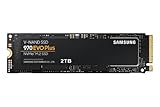
- Always Evolving SSD: The 970 EVO Plus is powered by the latest V-NAND technology and firmware optimization, maximizing the potential of NVMe bandwidth; Comes in storage capacities of up to 2TB, with reliability of up to 1,200 TBW.Computer Platform:PC.Internal Storage : Samsung V-NAND 3-bit MLC. Voltage : 3.3 V 5 % Allowable voltage.Allowable Voltage : 3.3 V 5 % Allowable voltage.
- Breakthrough Read/Write Speeds: The 970 EVO Plus reaches sequential read/write speeds up to 3,500/3,300 MB/s, up to 53% faster than the 970 EVO
- Samsung Magician for Data Security: This software provides a suite of user-friendly tools that help you keep your drive up to date, monitor drive health and speed, and even boost performance
- Superior Heat Dissipation: Samsung’s Dynamic Thermal Guard automatically monitors and maintains optimal operating temperatures to minimize performance drops
- 7 Year Limited Warranty: The 970 EVO Plus provides up to 1200 TBW (Terabytes Written) with 5-years of protection for exceptional endurance powered by the latest V-NAND technology and Samsung's reputation for quality
Thermals, Throttling, and Power Efficiency
The Samsung 970 EVO Plus 2TB is a fast PCIe 3.0 NVMe drive, and like most high-performance M.2 SSDs, its thermal behavior depends heavily on airflow, motherboard layout, and workload length. In a desktop with a decent case fan path and a motherboard M.2 heatsink, the drive typically stays well within its comfort zone during gaming, application launches, file transfers, and general productivity. Under these common workloads, temperatures often sit in the 40°C to 60°C range, with brief spikes during heavy writes.
Sustained workloads are where the controller and NAND have to work harder. Long sequential writes, large project exports, scratch-disk use, and repeated benchmark loops can push the 970 EVO Plus 2TB into the upper 60s or 70s Celsius if it is installed without a heatsink. Samsung’s thermal management helps prevent unsafe operation by reducing performance when temperatures climb too high, but this can show up as lower sustained write speeds during extended transfers. The drive remains responsive, but users moving hundreds of gigabytes at once may see speeds taper after the cache is saturated and thermals rise.
Thermal behavior by system type
- Desktop with motherboard heatsink: Best-case setup for this SSD. The heatsink helps flatten temperature spikes and delays or avoids thermal throttling during large transfers.
- Desktop without heatsink: Fine for gaming and everyday use, but heavy sustained writes can raise temperatures enough to reduce peak performance.
- Laptop or compact PC: More dependent on chassis ventilation. Thin laptops can run warmer, especially if the M.2 slot sits near the GPU, CPU heat pipes, or under insulating covers.
- External NVMe enclosure: Performance varies widely. Aluminum USB enclosures with thermal pads perform much better than plastic or poorly ventilated models.
Power efficiency is solid for the performance class, though the 970 EVO Plus is not the coolest-running NVMe drive on the market. Its Phoenix controller and 3D TLC NAND are tuned for strong throughput and low latency, so power draw can climb during heavy sequential reads and writes. In desktops, this is rarely a concern. In laptops, it can have a modest effect on battery life and surface temperatures compared with lower-power PCIe 3.0 drives designed specifically for mobile efficiency.
Idle power management is generally good when the platform supports modern NVMe power states properly. With the right BIOS, chipset driver, and operating system settings, the drive can drop into low-power states during inactivity, helping laptop battery life and keeping standby temperatures controlled. On some desktop boards, aggressive performance-oriented power settings may keep NVMe drives more active, which can raise idle temperatures slightly without improving everyday responsiveness.
For gamers, the thermal profile is unlikely to be a problem because game loading and asset streaming are usually bursty rather than continuously write-heavy. Creators and workstation users should pay closer attention, particularly if the drive will be used for 4K or 8K media caches, virtual machines, large build directories, or frequent ingest of big footage folders. In those cases, pairing the 970 EVO Plus 2TB with a simple M.2 heatsink is an easy way to preserve sustained performance and reduce controller stress over time.
Endurance, Reliability, and Warranty Coverage
The Samsung 970 EVO Plus 2TB is rated for 1,200 TBW, which means Samsung specifies the drive for up to 1,200 terabytes written over its service life under warranty terms. For a consumer NVMe SSD, that is a strong endurance rating and gives the 2TB model a clear advantage over lower-capacity versions in the same family. In practical terms, writing 100GB every single day would take more than 32 years to reach 1,200TB of writes, far beyond the warranty period and longer than most users will keep the drive in a primary system.
For gaming PCs, endurance is rarely a concern with this model. Game installs are large, but they are not typically rewritten every day. A player who keeps a library of AAA titles, records occasional gameplay clips, and moves files between drives is unlikely to put meaningful wear on the NAND. The 970 EVO Plus 2TB is also well suited to creator workloads such as photo catalogs, 4K video project files, sample libraries, and scratch storage, provided the system has reasonable airflow and the drive is not being hammered by constant write-heavy production tasks around the clock.
Rank #3

- THE SSD ALL-STAR: The latest 870 EVO has indisputable performance, reliability and compatibility built upon Samsung's pioneering technology.Computer Platform:PC.Encryption : Class 0 (AES 256) TCG/Opal v2.0, MS eDrive (IEEE1667), Environmental Specs - Shock : 1,500 G & 0.5 ms (Half sine).
- EXCELLENCE IN PERFORMANCE: Enjoy professional level SSD performance with 870 EVO, which maximizes the SATA interface limit to 560/530 MB/s sequential speeds, Accelerates write speeds and maintains long term high performance with a larger variable buffer
- INDUSTRY DEFINING RELIABILITY: Meet the demands of every task from everyday computing to 8K video processing, with up to 2,400 TBW
- MORE COMPATIBLE THAN EVER: 870 EVO has been compatibility tested for major host systems and applications, including chipsets, motherboards, NAS, and video recording devices. Interface- SATA 6GB/s, compatible with SATA 3GB/s and SATA 1.5GB/s interfaces
Reliability Features
Samsung combines its in-house controller, V-NAND, firmware, and drive management tools, which is one of the reasons the 970 EVO Plus has remained a popular PCIe 3.0 SSD. The drive supports standard NVMe health monitoring through S.M.A.R.T. data, thermal monitoring, and error reporting. It also includes hardware-based encryption support, including AES 256-bit, TCG/Opal, and IEEE 1667, which can be useful in business laptops or systems that require secure storage policies.
- Endurance rating: 1,200 TBW for the 2TB model
- Warranty length: 5 years, or until the TBW limit is reached
- NAND type: Samsung V-NAND TLC
- Health monitoring: S.M.A.R.T. attributes and temperature reporting
- Security support: AES 256-bit, TCG/Opal, IEEE 1667
The 5-year limited warranty is competitive for a premium consumer SSD and matches what buyers should expect from a higher-end NVMe drive. Warranty coverage ends when either the time period expires or the rated write endurance is exceeded, whichever comes first. That structure is standard across the SSD market, and the 2TB capacity gives the 970 EVO Plus enough write headroom for heavy desktop use, development machines, and mixed gaming/content creation systems.
Users planning constant cache, database, surveillance, or write-intensive server workloads should still consider an enterprise SSD with higher sustained write endurance and power-loss protection. The 970 EVO Plus 2TB is a consumer and prosumer drive, not a data-center model. For its intended role, though, its endurance rating, mature platform, long warranty, and Samsung’s track record make it a dependable choice for a high-capacity OS drive, game drive, or fast workspace SSD.
Samsung Magician Software and Drive Management
Samsung Magician is one of the stronger companion utilities in the consumer SSD market, and it adds real value to the Samsung 970 EVO Plus 2TB beyond the hardware itself. The software gives you a clear dashboard for drive health, capacity usage, interface status, temperature, firmware version, and estimated remaining life. For a high-capacity NVMe drive that may hold a full game library, project files, virtual machines, or scratch data, having these details in one place makes routine maintenance much easier than relying on generic Windows tools.
The most useful feature for long-term ownership is firmware management. Samsung occasionally releases firmware updates to improve compatibility, stability, or behavior under certain workloads, and Magician can identify the installed firmware and guide the update process. This is especially helpful for users moving the 970 EVO Plus 2TB between platforms, such as older PCIe 3.0 desktops, compact Mini-ITX systems, laptops, and workstation boards with mulle M.2 slots. The update process is straightforward, but as with any firmware update, users should back up valuable data before applying changes.
Windows Errors? Fix Them Before They Spread
Repair common Windows errors and clear accumulated junk for a smoother, more stable PC - no reinstall needed.Free scan · no reinstallOutdated Drivers Are Slowing You Down
One free scan finds every outdated or missing driver and matches the right update for your exact hardware.Free scan · exact hardware matchDrive monitoring and optimization tools
- Drive Health: Displays overall condition, written data totals, and remaining endurance indicators.
- Temperature Monitoring: Shows current thermal behavior, useful when checking airflow or heatsink effectiveness.
- Performance Benchmark: Provides quick sequential and random speed tests without installing a separate benchmark utility.
- Firmware Updates: Checks for newer firmware and helps keep the SSD current.
- Diagnostic Scan: Runs checks that can help identify abnormal behavior before it becomes a bigger issue.
- Secure Erase: Allows users to wipe the SSD before resale, redeployment, or a clean system rebuild.
For day-to-day users, the built-in benchmark is a convenient way to verify that the 970 EVO Plus 2TB is running at the expected PCIe 3.0 x4 link speed. If the drive is accidentally installed in a slower slot, running through an adapter with limited lanes, or affected by BIOS settings, Magician can help flag the mismatch by showing lower-than-expected results or interface details. This makes it useful not only for enthusiasts but also for creators and professionals who need confidence that their storage is performing correctly.
Samsung Magician also supports over-provisioning, which lets you reserve a portion of the SSD’s capacity to assist with sustained performance and wear management. On a 2TB drive, giving up a small amount of space is less painful than it would be on a 500GB model, and it may benefit users who regularly handle heavy write activity, such as 4K video cache files, large photo catalogs, software builds, or game capture footage. Most casual users can leave the default setup alone, but the option is useful for workstation-style workloads.
Rank #4

- MEET THE NEXT GEN: Consider this a cheat code; Our Samsung 990 PRO Gen4 SSD helps you reach near max performance with lightning-fast speeds; Whether you’re a hardcore gamer or a tech guru, you’ll get power efficiency built for the final boss
- REACH THE NEXT LEVEL: Gen4 steps up with faster transfer speeds and high-performance bandwidth; With a more than 55% improvement in random performance compared to 980 PRO, it’s here for heavy computing and faster loading
- THE FASTEST SSD FROM THE WORLD'S FLASH MEMORY BRAND: The speed you need for any occasion; With read and write speeds up to 7450/6900 MB/s you’ll reach near max performance of PCIe 4.0 powering through for any use
- PLAY WITHOUT LIMITS: Give yourself some space with storage capacities from 1TB to 4TB; Sync all your saves and reign supreme in gaming, video editing, data analysis and more
- IT’S A POWER MOVE: Save the power for your performance; Get power efficiency all while experiencing up to 50% improved performance per watt over the 980 PRO; It makes every move more effective with less consumption
Security features depend partly on the platform and system configuration, but Magician helps expose available encryption and secure erase options. It is also a good place to confirm S.M.A.R.T. data and written bytes over time, which matters for buyers who plan to keep the 970 EVO Plus 2TB through several system upgrades. The software is Windows-focused, so Linux and macOS users will not get the same full management experience, though the drive itself remains usable in compatible systems. For Windows gamers, editors, and power users, Samsung Magician strengthens the overall ownership experience and remains a clear advantage over many budget NVMe alternatives.
Independent reader supportYour contribution helps us test, update, and keep practical guides available for everyone.Pricing, Competition, and Value Verdict
The Samsung 970 EVO Plus 2TB sits in an interesting part of the NVMe market: it is no longer Samsung’s newest enthusiast drive, but it remains widely available and often discounted enough to be a strong upgrade for PCIe 3.0 systems. Its value depends heavily on street pricing. When priced close to budget DRAM-less PCIe 4.0 drives, it can still make sense because it brings a mature controller, onboard DRAM, strong sustained behavior, Samsung’s software ecosystem, and a proven reliability record. When it creeps too close to newer high-end PCIe 4.0 models, the argument becomes weaker for users with a platform that can actually use those faster drives.
For gamers, the 970 EVO Plus 2TB is still a very practical purchase. Game load times are rarely transformed by moving from a fast PCIe 3.0 SSD to a flagship PCIe 4.0 SSD, and the 2TB capacity is more meaningful than chasing benchmark numbers. Modern game libraries can easily consume hundreds of gigabytes, so having enough fast storage for Windows, applications, and a large library matters more than an extra few gigabytes per second of sequential throughput. On a PCIe 3.0 desktop or laptop, the drive remains close to the ceiling of what the interface can deliver.
Creators and workstation users should compare it more carefully. For photo editing, general 4K video work, audio production, coding, virtual machines, and scratch-disk use, the 970 EVO Plus 2TB remains responsive and dependable. However, heavy 8K editing, massive project exports, and repeated multi-hundred-gigabyte transfers can benefit from newer PCIe 4.0 or PCIe 5.0 drives with higher sustained write performance and better heatsink options. The 970 EVO Plus is best viewed as a premium PCIe 3.0 drive rather than a direct replacement for current flagship workstation SSDs.
How it compares with common alternatives
| Drive class | Typical advantage over 970 EVO Plus 2TB | Where the Samsung still competes |
|---|---|---|
| Budget PCIe 3.0 NVMe | Lower price | Better software, DRAM cache, stronger consistency |
| Budget PCIe 4.0 NVMe | Higher peak sequential speeds on newer systems | Proven reliability and strong PCIe 3.0 compatibility |
| Premium PCIe 4.0 NVMe | Much faster peak and sustained performance | Lower sale pricing and enough speed for most users |
| SATA SSDs | Often cheaper and broadly compatible | Far higher throughput and better responsiveness under load |
The strongest buying case is for users upgrading an older PC, AM4 system, Intel 10th-gen or earlier desktop, compact workstation, or laptop with a PCIe 3.0 M.2 slot. In those machines, a newer PCIe 4.0 drive will be limited by the interface anyway, so the 970 EVO Plus can deliver near-maximum practical performance without overspending. It is also a good choice for anyone who values Samsung Magician, easy firmware updates, secure erase support, and predictable long-term behavior over headline benchmark results.
The value verdict is straightforward: buy the Samsung 970 EVO Plus 2TB when it is priced like a high-quality PCIe 3.0 SSD, not like a modern flagship. If the price is only slightly below a strong PCIe 4.0 option such as Samsung’s 980 PRO or 990 EVO/990 PRO, WD’s Black SN850X, Crucial’s T500, or Solidigm’s P44 Pro, newer drives are better for PCIe 4.0-capable systems. But at a meaningful discount, the 970 EVO Plus 2TB remains one of the safest, most balanced NVMe upgrades available, especially for gamers, everyday power users, and creators who need capacity, consistency, and trusted support more than cutting-edge interface speed.
The Tool Desk
Outbyte PC Repair FREERepair Windows errors before they cause bigger problemsFix Now →Outbyte Driver Updater FREEScan for outdated or missing drivers - takes under a minuteDriver Scan →Frequently Asked Questions
Is the Samsung 970 EVO Plus 2TB still worth buying for a gaming PC?
Yes, it is still a strong gaming SSD if the price is right. Game load times and general responsiveness are excellent, and the 2TB capacity is practical for large modern game libraries. Newer PCIe 4.0 drives are faster in benchmarks, but most games do not fully use that extra bandwidth.
Best Value

- Ideal Product
- Easy to use
- Durable product
Does the Samsung 970 EVO Plus 2TB need a heatsink?
For normal desktop gaming and everyday workloads, it usually works fine with motherboard airflow or a basic M.2 cover. During long file transfers, heavy rendering, or sustained write workloads, temperatures can rise enough to reduce performance. If your motherboard includes an M.2 heatsink, it is worth using.
How fast is the Samsung 970 EVO Plus 2TB in real-world use?
The drive feels very fast for booting Windows, launching apps, loading games, and moving large project files. Sequential speeds can reach around 3,500 MB/s reads and 3,300 MB/s writes under ideal conditions, though sustained writes may drop after the cache is filled. For most users, the difference versus newer high-end PCIe 4.0 SSDs is noticeable mainly in large transfers and professional workloads.
Is the 970 EVO Plus 2TB reliable enough for video editing or workstation use?
It is a reliable choice for many creator and workstation tasks, with a 1,200 TBW endurance rating and a 5-year limited warranty. It is well suited for photo libraries, 4K editing projects, scratch storage, and software development workloads. Users with constant heavy writes every day may want to compare it with higher-end professional or newer PCIe 4.0 drives.
What’s actually slowing this PC down?
Pick the symptom - the matching free tool is one click away.
Should I choose the Samsung 970 EVO Plus 2TB or a newer PCIe 4.0 SSD?
Choose the 970 EVO Plus 2TB if you have a PCIe 3.0 system, want proven reliability, or find it at a meaningful discount. Choose a PCIe 4.0 SSD if your system supports it and you regularly move very large files, edit high-bitrate video, or want maximum benchmark performance. For typical gaming and everyday productivity, the practical difference is often small.
Bottom Line
The Samsung 970 EVO Plus 2TB remains a strong NVMe SSD for users who want fast PCIe 3.0 performance, proven reliability, mature software support, and enough capacity for large game libraries, creative projects, or demanding workstation workloads. Its speeds, endurance rating, and Samsung Magician ecosystem still make it a dependable choice, even as newer PCIe 4.0 drives offer higher peak numbers.
If your system is limited to PCIe 3.0 or you find the 970 EVO Plus 2TB at a competitive price, it is easy to recommend. Gamers, creators, and power users looking for a reliable high-capacity upgrade should shortlist it, while those building a brand-new PCIe 4.0 or PCIe 5.0 platform may want to compare current-generation alternatives before buying.
Quick Recap
Product prices and availability are accurate as of the date/time indicated and are subject to change. Any price and availability information displayed on Amazon at the time of purchase will apply.
Do these 3 things before closing this tab:
1Scan for outdated or missing drivers - takes under a minute2Clear out junk files and repair common Windows errors3Fix the driver behind crashes, sound loss and screen glitches



