If a Ryobi USB Lithium battery will not charge, first check its exact model, then inspect the USB-C cable and power source and let the pack return to a normal temperature. The indicator meanings differ between FVB01 and FVB02/FVB03, so use the matching manual rather than troubleshooting it like an 18V ONE+ battery.
Identify the battery model before troubleshooting
Check the label on the pack and confirm that it is a USB Lithium battery. Note whether it is model FVB01, FVB02, or FVB03, then follow the corresponding FVB02/FVB03 operator’s manual or FVB01 owner’s manual. Their charging-status indicators are not identical. Do not apply LED codes from a Ryobi 18V ONE+ charger to these packs.

As an Amazon Associate I earn from qualifying purchases.
Check the USB-C cable and power source
For USB-C charging, reseat the cable at both ends and check for visible damage. If possible, try a known-good USB-C cable and a UL-listed USB power source, or the charger specified for your pack. The manuals identify a cable or power-source problem as a possible charging error; they do not establish that every adapter is compatible.
Recommended Free Tools
The FVB02/FVB03 manual specifies a UL-listed USB source or the FVCH01 charger and warns that a non-UL-listed USB source may create a fire risk. Check your exact model’s manual before choosing a dedicated charger. Ryobi also lists a USB Lithium 3-Port Charger & Power Source; confirm compatibility with your battery and follow that charger’s instructions.
#1 Best Overall
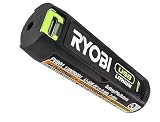
- Convenient Battery Charging: Effortlessly charge your battery
- Built-In LED Light: For clear visibility during use
- Power Source: Supports the RYOBI USB Lithium System
Let a hot or cold battery return to normal temperature
Charging may pause or fail to start if the pack is too hot or cold. Let a hot battery cool naturally, or let a cold one warm naturally, before trying again. Do not charge in extreme heat or cold. The cited manual guidance does not specify a numeric temperature threshold, so do not use an assumed cutoff.
For FVB01, the manual says that if charging has not begun after 30 minutes, the battery or USB-C cable may have an error. That is a troubleshooting cue for this model, not a universal wait time for every USB Lithium pack.
Rank #2

- Genuine, OEM Ryobi Replacement Part
- Ryobi replacement battery fvb01, part number 130690028
Read the light pattern for your exact model
On FVB02/FVB03, the charging-status indicator means:
- Flashing green: charging.
- Solid green: fully charged.
- Flashing red: error.
These packs also have fuel-gauge colors; do not confuse the fuel gauge with the charging-status indicator.
Rank #3

- Stens replacement parts have become a favorite among lawn and landscape professionals thanks to exceptional performance.
On FVB01, the USB-C indicator has a different chart: flashing means charging, solid means fully charged, and an off LED is listed as an error. Its manual identifies a power supply or USB-C cable error as possible explanations. Consult the FVB01 manual rather than interpreting its lights using the FVB02/FVB03 chart.
Independent reader supportYour contribution helps us test, update, and keep practical guides available for everyone.Stop if the pack is damaged, then get authorized service
Do not keep retrying a pack that is swollen, leaking, unusually hot, dropped, or visibly damaged. Do not open, modify, jump-start, short, or bypass its protection electronics. Follow the manual’s direction for service or proper disposal.
Rank #4
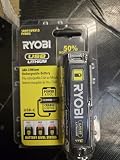
- Stens replacement parts have become a favorite among lawn and landscape professionals thanks to exceptional performance.
If the battery still will not charge with a suitable source, sound cable, and normal temperature, take both the battery and charger to a Ryobi Authorized Service Center for an electrical check. The FVB02/FVB03 manual specifically directs owners to return both for this check when charging fails under normal circumstances. A replacement pack may be appropriate if service determines the battery has failed; match the replacement to your device and confirm its model compatibility.
What’s actually slowing this PC down?
Pick the symptom - the matching free tool is one click away.
Quick Recap
Best Value
Product prices and availability are accurate as of the date/time indicated and are subject to change. Any price and availability information displayed on Amazon at the time of purchase will apply.




