Remote control software lets you connect to and operate a computer or device from another location over a network. Depending on the software and its settings, you may be able to view its screen, use its keyboard and mouse, open applications or files, or administer the device.
What does remote control software do?
At its simplest, the software creates a connection between a local device and a remote computer. The person connecting can then use the remote computer from their own device. The exact capabilities depend on the product, configuration, account permissions, and features enabled.
As an Amazon Associate I earn from qualifying purchases.
For example, a remote desktop session may let you work with applications and files on another computer. Some setups also allow access to network resources or redirect local resources—such as drives, the clipboard, or a camera—into the remote session. Microsoft explains these options in its guide to security warnings when opening Remote Desktop files.
How remote control software differs from related terms
These labels overlap in everyday use, but they can describe different scopes of access. The joint CISA, NSA, FBI, MS-ISAC, and INCD Guide to Securing Remote Access Software distinguishes remote access software, remote administration, and remote monitoring and management.
#1 Best Overall

- 100 FOOT RANGE: Stay nice and cozy in your car and open your gate from 100 ft. away with this convenient CO-Z remote control
- EASY TO PROGRAM: Quickly pair this remote with your existing gate opener system using the ANT button on your opener’s circuit board
- LIGHT YET DURABLE: Constructed from high quality aluminum alloy, our remote has an incredibly low weight and resists wear & tear for years of corrosion-proof use
- WIDE COMPATIBILITY: Open any CO-Z 433.92 MHz sliding gate from a distance with this handy remote control
- GREATER CONVENIENCE: Set the system to automatically close your gate 12, 24 or 36 seconds after opening it with this remote gate opener's auto close feature
- Remote access software: The broad category for connecting to and accessing a computer, server, or network remotely.
- Remote administration: Remote access that includes administrative control of a device or access to its network or applications.
- Remote monitoring and management (RMM): Typically an endpoint agent that continuously monitors a machine or system’s health and status while enabling remote administration.
- Remote desktop access: Connecting to and controlling a remote physical or virtual computer. Microsoft’s Remote Desktop overview describes connecting to and controlling a PC from another device.
When precision matters, describe the specific function—such as screen control, file access, or device administration—rather than assuming every remote-access tool works the same way.
Who uses it, and why?
Organizations use remote-control and remote-access tools to provide help-desk support, troubleshoot devices, maintain systems, and manage IT or operational technology across locations. They can also support business continuity and disaster recovery. Individuals may use remote desktop access to work with applications, files, or network resources on a computer located elsewhere. The joint-agency CISA guide discusses these organizational uses.
Rank #2
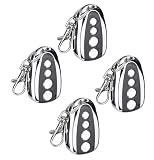
- 100 FOOT RANGE: Stay nice and cozy in your car and open your gate from 100 ft. away with this convenient CO-Z remote control
- EASY TO PROGRAM: Quickly pair this remote with your existing gate opener system using the ANT button on your opener’s circuit board
- LIGHT YET DURABLE: Constructed from high quality aluminum alloy, our remote has an incredibly low weight and resists wear & tear for years of corrosion-proof use
- WIDE COMPATIBILITY: Open any CO-Z 433.92 MHz sliding gate from a distance with this handy remote control
- Compatible CO-Z: Models CO-Z (CG1400, CG1401, CG1800, CG2700, CG3300, CG4400, CG5500, ASSW1, ASSW2, ASSW3, ADSW1, ADSW2, ADSW3, ADSW4, CA1400, CA1401, CA2700, CA2701, CA3300, CA3301, RA1400, RA1401, RA2200, RA2201, RA3300, RA3301, CGDC11, CGDC11S, CGDC18, CGDC18S) NEED TO BE PURCHASED SEPARATELY!!
Is remote desktop software safe?
It can be used safely, but a remote session may provide substantial control over a computer. The risk depends on who can connect, how they authenticate, what permissions they have, and which sharing features are enabled. Legitimate remote-control software can also be abused: CISA’s joint guidance addresses malicious use, and MITRE ATT&CK documents how adversaries may use legitimate desktop-support software for interactive command-and-control in its Remote Desktop Software sub-technique.
Windows Errors? Fix Them Before They Spread
Repair common Windows errors and clear accumulated junk for a smoother, more stable PC - no reinstall needed.Free scan · no reinstallOutdated Drivers Are Slowing You Down
One free scan finds every outdated or missing driver and matches the right update for your exact hardware.Free scan · exact hardware matchQuick Recap
Best Value
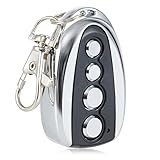
- 100 FOOT RANGE: Stay nice and cozy in your car and open your gate from 100 ft. away with this convenient CO-Z remote control
- EASY TO PROGRAM: Quickly pair this remote with your existing gate opener system using the ANT button on your opener’s circuit board
- LIGHT YET DURABLE: Constructed from high quality aluminum alloy, our remote has an incredibly low weight and resists wear & tear for years of corrosion-proof use
- WIDE COMPATIBILITY: Open any CO-Z sliding gate or any other 433.92 MHz non-encrypted gate from up to 100 feet away with this handy remote control
- GREATER CONVENIENCE: Set the system to automatically close your gate 12, 24 or 36 seconds after opening it with this remote gate opener's auto close feature
Rank #4

- 【Easy to Program】The JUJIANG gate opener remote control is designed to seamlessly campatible with all JUAJING swing and sliding gate openers. Programming is quick and easy, simply use the programing button on the control to pair your remote with your gate opener system.
- 【Safety & Durable】Featuring advanced JUAJING security technology, this gate remote control ensures your gate system remains secure. The compact size makes it easy to carry and the durable metal frame and ABS material provide long-lasting performance and protection against drops. Rest assured knowing you have reliable access to your property with just the push of a button.
- 【100FT Remote Control】The JUAJING gate control remote has an impressive 100-foot range, allowing for convenient operation from near or far. Up to 120 remotes can be paired with one gate opener, and each press of the remote will cause the gate to cycle through open-stop-close-stop-open.
- 【Sliding Cover】The sleek design also features a sliding cover that not only enhances the look but prevents accidental presses when not in use, reducing potential safety hazards. The slide operates smoothly and fits snugly without affecting functionality, adding both beauty and safety while preventing unintentional activation.
- 【Outstanding Customer Support】At JUAJING, we pride ourselves on our exceptional customer support. Enjoy peace of mind with our 30-day worry-free return policy, 12-month warranty, and lifetime technical support. If any issues arise, our team of experts is here to provide prompt and professional solutions tailored to your needs.
Rank #3

- 【Wide Compatibility】The Gate Oener Remote is specifically designed for seamless compatibility with all JUJIANG swing and sliding gate openers. It is also compatible with all GYXEL gate opener models. !!! NOTE: Compatible only with GYXEL & JUJIANG brands. Not compatible with ZUMI CO-Z.
- 【Easy Programming】Press the LEARN button on the control board for 1 seconds , then press and hold button 1 on the remote control. The digital display will show the number, indicating successful programming. The programming process is quick and straightforward—simply press the programming button on the remote to pair it with your gate opener system.
- 【Easy to Clear Codes】Hold and press the LEARN button on the control board for about 6 seconds. If the buzzer sound with a long beep, release the button and the digital display will show 00, which means remove all remotes successfully.
- 【Security & Durability】Built with advanced GYXEL security technology, this access remote ensures your system remains safe and reliable. Compact dimensions for easy portability, with a sturdy metal frame and ABS material ensuring long-lasting performance and effective protection against drop damage. With just a press of a button, you're in confident control of your property access.
- 【100-Foot Range Control】The GYXEL Gate Control Remote delivers an impressive 100-foot (approx. 30 meters) operating range, giving you reliable control from near or far. But please note: trees, walls or other obstacles will shorten the range. A single gate opener can pair with up to 120 remotes. Each press of the button cycles the gate through open–pause–close–pause–open actions.
Reduce the risk of unauthorized access
- Use strong authentication, including multifactor authentication where available, and give access only to permitted users. CISA recommends secure protocols and strong authentication, particularly for direct remote desktop services.
- For Windows Remote Desktop, Microsoft recommends keeping Network Level Authentication enabled where possible, limiting access to permitted users, using strong unique passwords, and enabling remote access only on trusted networks. See Microsoft’s setup guidance.
- Treat unexpected Remote Desktop connection files cautiously. Verify the remote address and publisher, and enable only the resource redirections you need, such as clipboard or drive access. Microsoft explains these warnings in its RDP-file security guidance.
- Organizations should manage and monitor authorized remote-access tools, since legitimate software can be misused.
Product prices and availability are accurate as of the date/time indicated and are subject to change. Any price and availability information displayed on Amazon at the time of purchase will apply.




