Do these 3 things before closing this tab:
1Fix the driver behind crashes, sound loss and screen glitches2Repair Windows errors before they cause bigger problems3Scan for outdated or missing drivers - takes under a minuteIf a hard spending limit is your priority, verify the exact enforcement path before choosing. RelayPlane’s repository lists configurable caps and a kill switch; LiteLLM documents budget controls that depend on database-backed spend; OpenRouter is a managed routing service whose plan pricing is not, by itself, proof of a per-run hard cap. The practical choice is between a local-first proxy, a self-hosted gateway, and managed routing—not three interchangeable ways to set the same limit.
How the three options differ
The descriptions below reflect vendor documentation and project materials available on October 7, 2026. Product behavior, provider support, and pricing can change. Capability descriptions are vendor-published, not independent test results.
As an Amazon Associate I earn from qualifying purchases.
| Decision point | RelayPlane | LiteLLM | OpenRouter |
|---|---|---|---|
| Deployment | Local-first proxy, according to the project repository. | Self-hosted open-source gateway; LiteLLM lists the OSS gateway at $0 on its pricing page. | Managed routing service, as described in OpenRouter’s comparison. |
| Cost controls | Repository lists configurable caps and a kill switch; confirm the behavior in the version you plan to run. | Personal, team, team-member, and agent budgets are documented. Budget enforcement requires database-backed spend; see LiteLLM’s budget documentation. | Plan-level features and BYOK fees are listed on the pricing page. That pricing information does not establish a guaranteed per-run hard cap. |
| Routing | Project describes provider routing and failover; check current provider support and limitations in the repository. | LiteLLM lists fallbacks on its pricing page. | Managed routing with configurable strategies and provider constraints, according to OpenRouter’s comparison. |
| Operating burden | You operate the local proxy and its surrounding infrastructure. | You operate the gateway and, for budget enforcement, PostgreSQL. | OpenRouter describes its managed approach as reducing gateway-operation work; traffic is routed through its service. |
| Price shape | Repository says the project is MIT licensed; hosting and operations remain your responsibility. | OSS gateway license: $0; infrastructure and engineering time are separate. Enterprise is quoted according to LiteLLM’s pricing page. | Paid model usage remains usage-priced. Current BYOK terms are plan-dependent; see the pricing section below. |
Which option is safer for cost caps?
LiteLLM: budget enforcement requires a database
LiteLLM’s documentation says its personal, team, team-member, and agent budgets are enforced against spend read from the database. It explicitly warns that these budgets “none of them cap anything on a DB-less deployment.” The same page says the global litellm_settings.max_budget check is skipped in a DB-less deployment, so requests can continue past the limit. If you rely on LiteLLM budgets as a spending boundary, configure the database-backed setup and verify that it is operating as intended; do not treat a DB-less configuration as a hard cap. See the budget documentation.
Free tools Windows power users keep installed
One-click scans. No signup required.
RelayPlane: listed caps still need version-specific verification
The RelayPlane repository lists configurable caps, a kill switch, and local cost telemetry. Those are useful features for a local-first cost-control workflow, but a feature listing alone does not establish exact enforcement behavior in every version or configuration. Before relying on a cap, check how the current release defines the limit, when it evaluates spend, and what happens to in-flight or subsequent requests when the threshold is reached. The repository is the source for the project’s current implementation details.
#1 Best Overall
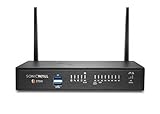
- The latest SonicWall TZ270W series, are the first desktop form factor nextgeneration firewalls (NGFW) with 10 or 5 Gigabit Ethernet interfaces. The series consist of a wide range of products to suit a variety of use cases.
- Reduce complexity and get the business running without relying on IT personnel with easy onboarding using SonicExpress App and Zero-Touch Deployment, and easy management through a single pane of glass
- Drive business growth by investing in next-gen appliances with multi-gigabit and advanced security features, to future-proof against the changing network and security landscape.
- SonicWall 24x7 support provides chat, email, web, and telephone support for technical assistance | Dynamic Support is designed for customers who need continued protection through ongoing firmware updates and advanced technical support
- Hardware: Operating system: SonicOS 7.0 | Interfaces: 8x1GbE, 2 USB 3.0, 1 Console | Management: Network Security Manager, CLI, SSH, Web UI, GMS, REST APIs | VLAN Interfaces: 64 | Access points supported (maximum): 16
OpenRouter: distinguish account terms from a per-run limit
OpenRouter’s pricing page publishes plan features and BYOK fees, but those are not the same thing as a documented per-run hard spending limit. If your requirement is “stop this job once it has spent a specific amount,” confirm that the current account controls enforce that exact boundary rather than assuming plan pricing or routing features do so. The pricing page is the relevant source for current plan terms.
What do the pricing terms mean?
LiteLLM
LiteLLM says on its pricing page, “The open-source gateway is free to self-host, forever.” That is a license-price claim, not a zero-cost deployment: compute, PostgreSQL for database-backed budget enforcement, maintenance, and operational time are separate costs. LiteLLM’s Enterprise tier is priced according to gateway request capacity, deployment architecture, and support needs, with pricing handled through its sales process.
OpenRouter
As listed on OpenRouter’s pricing page on October 7, 2026, Free, Standard, and Business include a monthly allowance of $25,000 in list-price inference without BYOK fees; the page lists a 5% fee after that allowance. Enterprise pricing is custom. These are published plan terms, not a general estimate of model costs, and the page should be checked again before purchase because pricing is volatile. Source: OpenRouter pricing.
What’s actually slowing this PC down?
Pick the symptom - the matching free tool is one click away.
RelayPlane
The project repository identifies RelayPlane as MIT licensed. That does not remove the cost of running and maintaining the proxy or paying providers for model usage. See the repository for the project’s license and current details.
Rank #2
- The latest SonicWall TZ270W series, are the first desktop form factor nextgeneration firewalls (NGFW) with 10 or 5 Gigabit Ethernet interfaces. The series consist of a wide range of products to suit a variety of use cases.
- Reduce complexity and get the business running without relying on IT personnel with easy onboarding using SonicExpress App and Zero-Touch Deployment, and easy management through a single pane of glass
- Drive business growth by investing in next-gen appliances with multi-gigabit and advanced security features, to future-proof against the changing network and security landscape.
- SonicWall 8x5 Support provides chat, email, web, and telephone support for technical assistance | Dynamic Support is designed for customers who need continued protection through ongoing firmware updates and advanced technical support
- Hardware: Operating system: SonicOS 7.0 | Interfaces: 8x1GbE, 2 USB 3.0, 1 Console | Management: Network Security Manager, CLI, SSH, Web UI, GMS, REST APIs | VLAN Interfaces: 64 | Access points supported (maximum): 20
How to choose based on your operating model
Choose RelayPlane when local cost visibility and caps are central
RelayPlane is the closest fit if you want a local-first proxy and its listed cost telemetry, configurable caps, kill switch, and provider routing align with your workflow. Treat those capabilities as project claims to validate against the release and configuration you will deploy, particularly if exceeding a budget would be consequential.
Choose LiteLLM when you need a self-hosted gateway and configurable budgets
LiteLLM fits teams willing to operate a gateway and database-backed budget controls. Its $0 OSS license can make the software itself inexpensive, but the operational total includes infrastructure and upkeep. The database requirement is not an optional detail if you expect documented budgets to enforce limits.
Choose OpenRouter when managed routing is worth the service dependency
OpenRouter is suited to readers who prefer managed routing over running their own gateway. That reduces gateway-operation work, but sends traffic through a managed service. Review current privacy, retention, regional, and data-routing controls directly before using it for sensitive or regulated workloads; the cited comparison does not establish compliance suitability.
What to verify before putting a limit or fallback into production
- Cap behavior: Confirm the threshold scope, what spend data is used, when checks run, and what happens to active and future requests when the limit is reached.
- Failure mode: Determine whether a missing database, telemetry outage, or provider error blocks requests or allows them to continue. LiteLLM explicitly documents fail-open budget behavior for DB-less deployments.
- Routing and fallback: Check the currently supported providers, routing rules, and failure behavior in the exact product version and plan. Do not infer provider coverage or streaming behavior from a general feature label.
- Data flow: Map where prompts and credentials travel. Local or self-hosted deployment and managed routing have different operational boundaries; neither description alone answers retention or regional-compliance questions.
- Total cost: Include model usage, hosting, databases, engineering and maintenance, and any applicable routing or BYOK fees—not just a software license or plan headline.
Verdict
For a self-hosted gateway with documented budgets, LiteLLM is a credible option only when you account for its database dependency; DB-less budgets are not a safe cap. RelayPlane’s listed caps and local telemetry make it a focused candidate for local cost control, with exact behavior to verify in the version you deploy. OpenRouter is the managed-routing choice when reduced gateway operations outweigh the service dependency, but its plan and BYOK terms should not be mistaken for a guaranteed per-run spend limit. Choose according to the enforcement mechanism and data flow you can verify, not a feature label alone.
Quick Recap
Product prices and availability are accurate as of the date/time indicated and are subject to change. Any price and availability information displayed on Amazon at the time of purchase will apply.




