Outdated Drivers Are Slowing You Down
One free scan finds every outdated or missing driver and matches the right update for your exact hardware.Free scan · exact hardware matchPC Slower Than It Used to Be?
A free scan shows the junk files, broken settings and background clutter dragging Windows down - then fixes them in one click.Free scan · Windows 10 & 11If a friend cannot join your Nitrox server, troubleshoot in this order: confirm the server starts without critical errors, make every player’s Nitrox and Subnautica versions compatible, allow the required executables through the firewall, expose UDP port 11000 for internet play, and use the correct server address. A localhost test separates launcher or installation faults from router problems. If players can connect but specific systems are out of sync, the problem may be a documented Nitrox limitation rather than your network.
Playing with friends? Godlike.Host runs hosted Subnautica (Nitrox) servers from 10 data-center locations, with free DDoS protection.
1. Confirm that the Nitrox server actually starts
Do not begin by changing router settings. A server that failed during startup cannot accept a connection, regardless of port forwarding.
| # | Preview | Product | Price | |
|---|---|---|---|---|
| 1 |

|
Subnautica (PS4) | $23.46 | Buy on Amazon |
| 2 |

|
Subnautica + Subnautica Below Zero Double Pack (Nintendo Switch) | $48.46 | Buy on Amazon |
| 3 |
![Subnautica Standard - Nintendo Switch [Digital Code]](https://m.media-amazon.com/images/I/51W8KjDXA1S._SL160_.jpg)
|
Subnautica Standard - Nintendo Switch [Digital Code] | $29.99 | Buy on Amazon |
| 4 |

|
Subnautica: Below Zero - PlayStation 4 | $22.60 | Buy on Amazon |
| 5 |
|
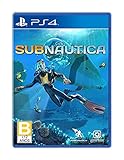
Subnautica - PlayStation 4 | $27.43 | Buy on Amazon |
As an Amazon Associate I earn from qualifying purchases.
Read the server window
- Launch the Nitrox server from the Nitrox setup or launcher workflow.
- Wait for startup to finish and check the server console for critical errors.
- Confirm that the Multiplayer button appears in the game launcher. If it does not, treat the issue as a launcher, installation-path, or bootstrap problem before investigating the internet connection.
For additional evidence, inspect Nitrox logs in %APPDATA%Nitroxlogs. When the game itself is involved, also check Subnautica’s Player.log. Record the first error in time order; later messages are often consequences of the original failure.
When the server will not start
- Incorrect game path: verify that Nitrox points to the actual Subnautica installation used by the host. A path that refers to an old drive or an uninstalled copy can prevent the server from finding required files.
- Missing files: a deployment with missing Subnautica files cannot create a working server. Repair or reinstall the game installation, then select its path again in Nitrox.
- DirectoryNotFound: Nitrox 1.8.1.0 release notes mention fixes for startup failures of this type. Update to a compatible release rather than trying to work around a missing directory manually.
- Address already in use: another process may already occupy the server’s listening port. Close an older Nitrox server instance and other software that may be using the same port, then start Nitrox again.
- Custom data location: the release notes document a
--data-pathoption. If your installation uses a non-default data directory, make sure the launcher or deployment is configured consistently with that option.
Only continue to firewall and router checks after the server remains running and the console is free of blocking errors.
#1 Best Overall
- Descend into the depths of an alien underwater world filled with wonder and peril
- Craft equipment, pilot submarines and out-smart wildlife
- Explore lush coral reefs, volcanoes, cave systems, and more
- Underwater survival and exploration
2. Make every player’s Nitrox and Subnautica versions compatible
A connection can fail before networking is relevant when the host and client are on incompatible builds. Nitrox 1.8.1.0 release notes state that players using Epic Games, Steam, and Microsoft Store editions can play on the latest Subnautica version. That release line also dropped support for older Subnautica versions.
Version checklist
- Install the same compatible Nitrox release on the host and every client.
- Update each Subnautica installation to a version supported by that Nitrox release.
- Check the platform-specific installation selected in each launcher; a client may have more than one game copy.
- After updating, restart Nitrox and the game instead of reusing an already-open server process.
Do not infer compatibility from the platform name alone. Steam, Epic Games, and Microsoft Store players are covered by the 1.8.1.0 notes when they use the latest supported Subnautica build, but an older game version can still be rejected.
3. Allow Nitrox and Subnautica through the firewall
The official hosting guidance says both the host and the joining player should have firewall exceptions for Subnautica.exe and NitroxServer-Subnautica.exe. Apply the exceptions on the machines that run those programs, and enable them for the network profile you actually use.
What to permit
Subnautica.exeNitroxServer-Subnautica.exe
If your security software asks whether to allow a newly updated executable, verify that it is the file from your Nitrox or Subnautica installation and allow it. An exception for an obsolete executable may not cover a newly installed version.
Rank #2
- Survival is key: gather valuable materials, craft tools, manage your hunger and thirst, all while evading the dangerous wildlife that sees you as its next meal
- the mysteries submerged on planet 4546b: you came here in search of answers. You risked everything to get here and you will not leave until you have uncovered the truth…
- exploration: Delve into unique Aquatic and terrain biomes that will unlock not only materials, but the answers that you seek
- build your habitat: crafting and building the comforts of home here. These bases will be integral for your survival from not only the wildlife, but also the harsh environment around you
How to test the firewall hypothesis
- Stop the server and close Nitrox on both machines.
- Confirm the two executable exceptions are present on the host and client.
- Restart the server, then try a local or LAN connection before testing over the internet.
- If a temporary security-policy test is permitted in your environment, use it only briefly and restore protection immediately; a successful test indicates a rule problem, not that the firewall should remain disabled.
Firewall permission is separate from router forwarding. A forwarded port can still be blocked by the host’s local firewall.
4. Expose UDP 11000 for internet connections
Nitrox uses port 11000 UDP. A friend outside the host’s home network cannot reach a self-hosted server unless that UDP traffic reaches the host computer. The official guide describes two broad ways to achieve this: router port forwarding or a VPN-based virtual LAN.
The Tool Desk
Outbyte Driver Updater FREEFix the driver behind crashes, sound loss and screen glitchesFind Drivers →Outbyte PC Repair FREEClear out junk files and repair common Windows errorsFree Scan →Direct port forwarding
- Give the host computer a stable local address through your router’s DHCP reservation or equivalent mechanism, so the forwarding rule does not follow the wrong device later.
- Create a router rule that forwards UDP 11000 to that host computer’s local address.
- Keep the Nitrox server running while testing; a forwarding rule cannot connect to a stopped process.
- Ensure the host firewall permits the Nitrox server and Subnautica executables.
- Give friends the host’s externally reachable address shown or specified by the server setup, not the private address used only inside the home network.
Router interfaces differ, so the labels may be “Port Forwarding,” “NAT,” or “Virtual Server.” The protocol must be UDP and the destination port must be 11000. If your internet provider uses carrier-grade NAT, the router may not have a publicly reachable address; in that case, ordinary forwarding may not work even when the rule looks correct.
VPN-based virtual LAN
A VPN can create a virtual LAN when the router cannot accept inbound forwarding or when carrier-grade NAT prevents direct hosting. Every participant generally needs the same VPN client and must join the same virtual network. The Nitrox guide supports this broad approach without endorsing a particular commercial VPN.
Rank #3
- Dive into a vast underwater world - sub Nautica's ocean range from shallow coral reefs to treacherous deep-sea trenches, lava fields, and bio-luminescent underwater rivers
- Scavenge, craft, and survive - after crash landing in your life pod, the clock is ticking to find water, food, and to develop equipment needed to explore as you collect resources from the ocean
- Construct underwater habitats - build Bases on the sea Floor, choosing layouts and components, and managing hull-integrity as depth and pressure Increase
- Unravel the mystery - signs abound that something is not right and you must Figure out what happened to this planet and what caused you to crash - can you find a way to make it Off the planet alive
- Disrupt the food Chain - lure and distract a threatening creature with a fresh fish, or simply swim as fast as you can to avoid gnashing jaws of roaming predators
| Connection method | Router requirement | Firewall work | Player setup | Best fit |
|---|---|---|---|---|
| Direct port forwarding | Router must permit inbound UDP 11000 and expose the host | Allow Subnautica.exe and NitroxServer-Subnautica.exe on the relevant machines | Friends connect using the host’s externally reachable address | Hosts who control their router and have a reachable public address |
| VPN virtual LAN | Can avoid inbound forwarding when the provider or router blocks it | Allow the game and server through local firewalls and the VPN interface as required | Every participant typically installs the VPN client and joins the same virtual network | Hosts facing carrier-grade NAT or unavailable port forwarding |
The choice is infrastructural rather than a Nitrox gameplay setting: compare router access, carrier-grade NAT, firewall administration, and whether everyone is willing to install the VPN software.
5. Use the right address in Nitrox
Address mistakes are especially common when a setup works locally but not for a remote friend.
Free tools Windows power users keep installed
One-click scans. No signup required.
Localhost and LAN tests
For a self-hosted test on the same computer, the Nitrox setup documentation identifies 127.0.0.1 and localhost as the “My server” route. This test avoids the router and confirms that the launcher, server process, and game installation can communicate.
For another device on the same home network, use the host computer’s local network address as presented by the setup process. This test still avoids internet routing, but it exercises the host firewall and LAN reachability.
Rank #4
- From the award-winning studio, Unknown Worlds Entertainment, presents the return to the world of 4546B with Subnautica Below Zero
- Survival Is Key: Gather valuable materials, craft tools, manage your hunger and thirst, all while evading the dangerous wildlife that sees you as its next meal
- The Mysteries Submerged on Planet 4546B: You came here in search of answers. You risked everything to get here and you will not leave until you have uncovered the truth
- Exploration: Delve into unique aquatic and terrain biomes that will unlock not only materials, but the answers that you seek
- Build Your Habitat: Crafting and building the comforts of home here. These bases will be integral for your survival from not only the wildlife, but also the harsh environment around you
Remote friends
Friends outside the home network need the host’s externally reachable address after UDP 11000 forwarding or a virtual LAN is configured. Do not send them the host’s private LAN address unless they are on that same network.
A Nitrox issue specifically warns that, in one server-entry workflow, you should not append :11000 to the address. Follow the launcher’s expected address fields exactly: enter the address in the form that workflow requests, while the server continues to use UDP port 11000.
6. Fix “Unable to connect to the remote server”
This message describes a failed connection attempt, not one single cause. Check the chain from process to address in this order:
- Server process: ask the host to confirm that the Nitrox server is still running and has no critical console error.
- Version match: verify compatible Nitrox and Subnautica builds on both sides.
- Executable permissions: confirm the firewall exceptions for
Subnautica.exeandNitroxServer-Subnautica.exe. - Address: ensure the client is using the address supplied by the host’s setup, with no stale LAN address or incorrectly appended port.
- Transport: for direct hosting, verify that UDP 11000 forwards to the current host computer; for a VPN, verify that every player is connected to the same virtual network.
If localhost works but an internet client fails, the game and server are probably functional; concentrate on forwarding, carrier-grade NAT, firewall rules, and the address. If localhost fails, return to the server logs, game path, versions, and installation files.
Best Value
- Dive into a vast underwater world - sub Nautica's ocean range from shallow coral reefs to treacherous deep-sea trenches, lava fields, and bio-luminescent underwater rivers
- Scavenge, craft, and survive - after crash landing in your life pod, the clock is ticking to find water, food, and to develop equipment needed to explore as you collect resources from the ocean
- Construct underwater habitats - build Bases on the sea Floor, choosing layouts and components, and managing hull-integrity as depth and pressure Increase
- Unravel the mystery - signs abound that something is not right and you must Figure out what happened to this planet and what caused you to crash - can you find a way to make it Off the planet alive
- Disrupt the food Chain - lure and distract a threatening creature with a fresh fish, or simply swim as fast as you can to avoid gnashing jaws of roaming predators
7. When LAN works but internet play does not
This pattern narrows the fault. LAN success shows that the server can start and communicate inside the local network, but it does not prove that the router exposes it to the internet.
- Check that the forwarding rule targets the host’s current local address.
- Confirm the rule is specifically UDP 11000, not only TCP.
- Recheck the host firewall after any Nitrox or Subnautica update.
- Confirm that the address sent to the remote player is externally reachable.
- Ask whether the internet provider uses carrier-grade NAT. If it does, use a VPN virtual LAN or another hosting arrangement that does not require inbound forwarding.
A successful LAN test is useful because it prevents you from repeatedly reinstalling Nitrox when the remaining fault is router reachability.
8. When joining works but gameplay is out of sync
Not every symptom after joining is a connection failure. Nitrox 1.8.1.0 release notes list known synchronization gaps involving story PDA and terminal content, creatures, Cyclops health, player animations, scanner rooms, fires, and sleep.
If the session connects and only one of those systems behaves differently between players, compare the symptom with that known-issues list before changing ports or replacing network equipment. Router changes cannot implement a feature that the current Nitrox release does not synchronize fully.
Quick Recap
9. A compact recovery sequence
- Close all Nitrox and Subnautica processes, then start one clean server instance.
- Read the server console and inspect
%APPDATA%Nitroxlogsif startup is unclear. - Verify the selected Subnautica path and confirm required files exist.
- Align Nitrox and Subnautica versions for every participant; 1.8.1.0 supports the latest Subnautica build across Epic Games, Steam, and Microsoft Store editions.
- Allow
Subnautica.exeandNitroxServer-Subnautica.exethrough the relevant firewalls. - Test
127.0.0.1orlocalhoston the host. - Test from another device on the same LAN.
- For remote play, forward UDP 11000 or establish a shared VPN virtual LAN.
- Give the remote player the correct externally reachable address and follow the launcher’s address format without adding
:11000where that workflow disallows it. - If the connection succeeds but a listed system is desynchronized, treat it as a known implementation limitation rather than a routing fault.
Product prices and availability are accurate as of the date/time indicated and are subject to change. Any price and availability information displayed on Amazon at the time of purchase will apply.




