What’s actually slowing this PC down?
Pick the symptom - the matching free tool is one click away.
To carry NDI video between locations, use NDI Bridge: configure one endpoint as Host and the remote endpoint as Join, then test the network path and choose an encoding mode suited to your bandwidth and latency needs. Bridge connects NDI production networks over a wide-area network (WAN); it does not make internet performance predictable or remove the need for network setup.
What NDI Bridge does—and what it does not
NDI Bridge is NDI’s documented tool for connecting NDI infrastructures across a WAN. Host and Join modes link remote sites; Local mode can proxy sources on a local network and supports local transcoding use cases. That can make sources available to production systems on connected networks, but it is not a guarantee of a particular bitrate, latency, or uninterrupted delivery.
As an Amazon Associate I earn from qualifying purchases.
NDI describes Bridge as a way to “Connect remotely over WAN.” The exact result depends on the sources, endpoints, encoding choices, and network conditions at both locations.
Do these 3 things before closing this tab:
1Clear out junk files and repair common Windows errors2Scan for outdated or missing drivers - takes under a minute3Repair Windows errors before they cause bigger problemsPlan the workflow and bandwidth first
Map sources, direction, and receivers
List the NDI sources that need to be available at each site, whether feeds need to travel one way or both ways, and how many receivers will use them. This determines how to assign Host and Join roles and helps avoid underestimating the capacity required for multiple simultaneous feeds.
#1 Best Overall

- Compact but Powerful Design: ZowieBox is smaller than a phone, featuring a tally light and LCD screen for streaming status. Capture console gameplay in up to 4K with zero-lag HDMI passthrough, while the built-in video encoder converts video for IP streaming. The IP stream can also be decoded back to a 4K HDMI signal.
- Standalone Game Streaming: Just plug and play—ZowieBox enables PC-free live gaming without affecting gameplay. As an RTMP hardware encoder and HDMI streamer, it delivers stable streaming directly from your source, making it ideal for gaming, live events, and professional broadcasting.
- NDI|HX3 Converter Technology: ZowieBox converts HDMI signals to NDI|HX3/HX2/HX, functioning as an NDI video encoder, or NDI Video Decoder for flexible IP workflows. Certified NDI technology enables low-latency gameplay streaming through OBS/vMix. Note: Encoder and decoder modes cannot run simultaneously; full NDI signals are not supported.
- UVC to HDMI Conversion: Supporting up to 4K@30fps and 1080p@60fps decoding, ZowieBox enables flexible conversion for webcam and video workflows. As a video decoder and HDMI to IP converter, it expands connectivity options for professional video devices. Note: USB capture card functionality is not currently supported.
- All-around Configuration Options: Control ZowieBox through its web UI on a PC, phone, or tablet. Manage connected PTZ cameras, tally light, video/audio, OSD, work mode, streams, network, and system settings. Support for VISCA over IP encoder workflows enables flexible PTZ control, while the dashboard provides video preview and system status.
Do not confuse LAN capacity with internet speed
NDI says gigabit networking is essential to production workflows. Its bandwidth guidance gives a typical 1080p60 NDI stream a data rate of up to 150 Mbps per stream, while noting that bandwidth is not deterministic and should be planned around average utilization. This is NDI’s workflow guidance, not a promised internet bitrate or a universal ISP upload-speed requirement. Allow capacity for the actual number and type of feeds, and check sustained upload and download capacity at both sites.
A gigabit Ethernet switch and suitable cabling can help build a wired local production network. They do not increase an ISP service rate or guarantee WAN stability; they are not mandatory for every setup.
Rank #2

- SDI NDI Encoder Decoder: Encode SDI signals to NDI or decode NDI signals to SDI. It supports NDI|HX3, NDI|HX2, and NDI|HX (Certified), but not full NDI (NDI|HB). Streamlines workflows with high-efficiency NDI|HX formats, ensuring seamless integration between different production systems. Note: ZowieBox cannot be used as an encoder and decoder at the same time. It can only switch between the two working modes, not use both modes at the same time
- AVoIP to NDI and SDI: It can decode AVoIP video streams (RTMP, RTSP, SRT) into NDI and SDI in decoding mode, seamlessly integrating diverse video sources into NDI-compatible workflows for enhanced efficiency in media production and broadcasting
- UVC to SDI Converter: Easily turn your UVC cameras into SDI cameras. With up to 1080@60fps decoding resolution, ZowieBox allows you to unfold more possibilities for webcam devices. Note: USB capture card functionality is not supported
- SDI Extender: Using two ZowieBoxes enables point-to-point transmission: one serves as an SDI encoder/transmitter, while the other functions as an SDI decoder/receiver. This setup allows SDI video signals to be transmitted via a LAN. Note: The SDI signal of ZowieBox (hardware before 10.1.13) is not compatible with ATOMAS SHOGUN INFERNO, SHOGUN ULTRA, Blackmagic Decklink Quad 2
- Standalone Live Streaming: Just plug and play, ZowieBox can stream videos PC-free, not affecting your computer performance at all. Support SRT caller/RTMP(S)/RTSP streaming protocol
Set up NDI Bridge across locations
- Check system compatibility. The NDI Bridge product page lists Windows 10 64-bit or later, Intel or AMD CPUs with SSE4 or later, 6 GB RAM or better, and a 1 Gbps LAN as minimum requirements. Confirm the current product page before installing because software requirements can change.
- Choose Host and Join roles. Configure Bridge at the site that will host the WAN connection and at the remote site that will join it. Make the direction of the feeds and intended receivers explicit before testing.
- Make the host reachable. NDI says Bridge can find the public IP address, but it cannot configure the router’s port-forwarding rule. At least one location needs a public IP address and a network port translated to the local IP address of the Bridge machine. The documented default port is 5990; another port can be selected. Forward the chosen port to the correct Bridge endpoint and confirm the firewall permits the traffic.
- Share the encryption key securely. NDI says Bridge uses 256-bit encryption and all endpoints must use the same encryption key. Treat the key like a password: share it only with intended participants and avoid posting it in public or storing it in an exposed configuration.
- Select an encoding approach. Bridge’s available choices depend on the incoming NDI format. For NDI HX, documentation describes H.264 or HEVC transcoding. For High Bandwidth NDI, choices include SpeedHQ, passthrough, or no transcoding, depending on configuration. Compression can reduce WAN load, but confirm that both systems support the chosen codec and weigh its effect on the production workflow. On Windows 10 and later, an HEVC decoder may require a separate Microsoft Store license.
- Connect, inspect, and tune. Start the connection and use Bridge diagnostics to examine send and receive rates, round-trip time, packet loss, and buffer behavior. Tune settings using the real production path rather than assuming a nominal internet plan describes performance under load.
Choose between direct and compressed transport
| Decision factor | Direct or passthrough approach | Compressed Bridge approach |
|---|---|---|
| Visual requirements | Consider when preserving the source workflow is the priority and both sites have sufficient capacity. | Consider when lower WAN load matters and the selected codec is acceptable for the production. |
| Network capacity | Requires capacity for the actual stream format and number of feeds at both sites. | Compression can reduce transport load; the resulting rate depends on the configuration and source. |
| Latency tolerance | Measure end-to-end behavior on the actual path. | Measure end-to-end behavior on the actual path; codec choice and buffering can affect delay. |
| Format and hardware support | Confirm source format and receiver compatibility. | Confirm encoder and decoder support at both endpoints; HEVC decoding on Windows may require a separate license. |
| Operations | Both approaches require a reachable, configured network path. | Both approaches require a reachable, configured network path and deliberate codec settings. |
There is no universal best mode: the right choice depends on required image quality, available sustained capacity, latency tolerance, simultaneous sources and receivers, codec support, and whether you can configure the router and manage endpoint credentials.
Use buffering and diagnostics to handle variable paths
Bridge’s configurable buffer stores video data and can improve continuity when latency or bandwidth varies, at the cost of added latency. Set it for the actual use case and check the result with diagnostics. A buffer test is described in the NDI 6.1 Bridge documentation and requires both Bridge endpoints to be on that version; do not assume that test is available across mismatched versions.
Rank #3
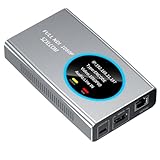
- 【Real-Time IP Workflow】1920×1080@60fps NDI encoder, enabling frame-accurate synchronization for live streaming teams, sports events, game streaming, and multi-camera production. The NDI encoder converts HDMI signals into full NDI video streams with latency below 65 milliseconds, ensuring seamless synchronization of video motion and fast-paced actions. Compatible with vMix/OBS/Wirecast integration.
- 【Flexible IP to Display】A bidirectional all-in-one device that functions as both an NDI encoder and NDI decoder. When used as an decoder, it converts NDI streams into 1080p60 HDMI signals. Decode NDI signals from the production console to HDMI large screens for real-time multi-camera monitoring, project vMix NDI video streams onto meeting room displays, or route live signals to broadcast monitors. Eliminate complex cabling—a single Ethernet cable can simultaneously transmit power and signals. (Select encoder or decoder mode via the NDI backend network interface).
- 【IP-Based Wiring Infrastructure】Using an HDMI-to-NDI converter, a single network cable can replace long-distance HDMI cabling (up to 100 meters), enabling both power supply (PoE+) and network transmission over a single cable, significantly simplifying on-site cabling. Also supports PoE+ or Type-C interface 5V power supply, reducing cabling costs. It is an ideal solution for educational live streaming and recording classrooms, as well as enterprise IT management IP-based production.
- 【Real-Time Status Monitoring】The HDMI decoder is equipped with a Tally indicator light and an LCD screen that displays real-time information, including IP address, network status, encoding/decoding status, video resolution, audio input/output status, and indicator light status. Without the need for a computer, you can monitor the latest program updates in real-time during live events.
- 【Real-Time Monitoring via Uncompressed HDMI Signal Loop-Out】The NDI live streaming encoder supports HDMI loop-out functionality, enabling near-zero latency signal pass-through. This allows for real-time video signal monitoring without interrupting NDI encoder processing and transmission. This provides a simpler setup solution for video production or live streaming.
NDI’s documentation describes Bridge capabilities and controls, not an independently verified end-to-end performance guarantee. Validate rates, packet loss, round-trip time, and buffer behavior under the conditions in which the production will run.
Troubleshooting common connection problems
- The remote Bridge cannot connect: verify the host is reachable from the public internet, the router forwards the selected port to the correct local Bridge IP, and firewall rules allow the connection. Bridge’s ability to discover a public IP does not set up port forwarding.
- Endpoints do not establish the encrypted connection: confirm both use the same encryption key, then check that the intended Host and Join roles and network details match.
- Video is unstable or drops under load: inspect send and receive rates and packet loss, then compare the number and formats of simultaneous feeds against available capacity at each site. Test the path at realistic operating times.
- Video continuity improves but delay is too high: reduce or retune buffering for the latency tolerance, then retest stability. Buffering trades lower sensitivity to path variation for added delay.
- A selected codec will not decode: verify codec support on the receiving system and its operating-system requirements. In particular, Windows 10 and later may require a separate Microsoft Store license for HEVC decoding.
- A local network is fast but the WAN is not: distinguish switch and cabling capacity from ISP upload/download service and path quality. A gigabit LAN does not guarantee WAN throughput or stability.
Check current NDI tools and avoid obsolete workflows
NDI Remote is discontinued; NDI’s tools catalog and documentation say the service was taken offline after critical performance issues. Do not rely on it as a currently working link-based guest workflow. Check the current NDI tools listing and Bridge documentation for changes to availability, version, or requirements before deploying.
Rank #4

- 4K HDMI Encoding with Loop-Through Output – Encode HDMI video up to 4096×2160p30 while using the HDMI loop-through for local monitoring or pass-through to displays and switchers.
- Multi-Protocol & Multi-Destination Streaming – Stream simultaneously via RTMP, RTMPS, SRT, NDI|HX, HLS, and TS over UDP/RTP, supporting modern broadcast and IP workflows.
- Advanced Video Processing & Overlays – Includes de-interlacing, scaling, cropping, aspect ratio conversion, and support for text, image, and clock overlays for branded output.
- Simultaneous Streaming & Recording – Record video directly to internal storage (128 GB), external USB storage, or network locations while streaming live, with support for scheduled and loop recording.
- Flexible Network & Connectivity Options – Equipped with Gigabit Ethernet with PoE and Wi-Fi 802.11 a/b/g/n/ac, plus support for 4G/5G USB modems (not supplied) for fixed or mobile deployments.
Or let it run in the cloud
If the goal is instead to keep uploaded, prerecorded video live on a YouTube channel 24/7, StreamNeo is a separate option—not an NDI Bridge transport tool. Upload a recording or build a playlist, add your YouTube stream key once, and go live. StreamNeo loops the uploaded video from the cloud, so nothing has to stay powered on at home. It supports any uploaded quality up to 4K 60fps at one flat price per slot, automatically recovers if YouTube drops the stream, and the first day is free with no card. Monthly: $9.99 per month. UPI and cards are accepted in India; card checkout is available worldwide. See StreamNeo or plan details, then start the free first day.
Quick Recap
Best Value

- HDMI to SRT/RTMP(S)/RTSP Encoder:Convert HDMI video sources into SRT, RTMP, or RTSP streams for real-time online broadcasting and remote production. Stream directly from cameras, gaming consoles, or other HDMI devices to platforms such as YouTube, Twitch, Facebook Live, or private streaming servers. Ideal for live events, conferences, sports, education, and professional AV applications, delivering stable, high-quality video with low latency.
- SRT/RTMP(S)/RTSP to HDMI Decoder: Decode SRT, RTMP(S), and RTSP network streams and output them through HDMI to TVs, monitors, switchers, and other video equipment. Easily bring remote cameras, drones, action cameras, or surveillance streams to local HDMI displays for real-time monitoring and playback. Ideal for sports events, press conferences, live production, and multi-display applications, providing stable HD video output and seamless integration with devices such as ATEM switchers.
- HDMI to UVC Encoder: Use an HDMI to UVC converter to connect a professional HDMI camera to your computer for high-quality video calls in meetings. It also allows you to link HDMI devices (e.g., cameras or classroom equipment) to teaching computers or projectors for better interactivity. Enables HDMI cameras or sources to connect to computers or streaming devices for high-quality live broadcasts
- UVC to HDMI Decoder: Convert UVC cameras (e.g., USB webcams, action cameras) to HDMI signals for easy connection to conference equipment or large displays or ATEM switcher, enhancing video quality and participation. In education and training, convert UVC signals to HDMI for display on large screens
- SRT/HDMI Encoder & Decoder:SRT (Secure Reliable Transport) provides secure, low-latency video transmission with enhanced stability over challenging network conditions. ZowieBox enables bidirectional conversion between HDMI and SRT streams, allowing reliable remote production, live streaming, and video contribution workflows with high-quality transmission even across long-distance networks.
Product prices and availability are accurate as of the date/time indicated and are subject to change. Any price and availability information displayed on Amazon at the time of purchase will apply.




