What’s actually slowing this PC down?
Pick the symptom - the matching free tool is one click away.
In music, “XML” usually refers to MusicXML: an XML-based format for representing and exchanging digital musical scores. It carries structured notation—such as parts, measures and notes—so compatible applications can share score data. It is not an audio file, and it is not necessarily a replacement for a notation program’s own project format.
What is MusicXML?
The MusicXML introduction describes it as “an XML-based music interchange language.” XML is the underlying way information is structured; MusicXML applies that structure to musical scores, including common Western notation. A document has a score header followed by musical data, organized into elements that applications can interpret. MusicXML introduction and the W3C MusicXML 4.0 tutorial explain the format’s purpose and structure.

As an Amazon Associate I earn from qualifying purchases.
Its central use is interchange: create or edit a score in one compatible application, then pass the score data to another. This is an intended use, not a guarantee that every application imports, exports or displays every feature identically. Check the current documentation for the specific application and features you need.
What information does a MusicXML file contain?
MusicXML represents written score information in a structured form, including parts, measures and notes. The W3C tutorial distinguishes notation elements used to show or print a piece from elements describing a sonic realization, commonly used for MIDI playback. The latter does not turn the file into a recording: MusicXML stores score-related data, not recorded sound. W3C MusicXML 4.0 tutorial
#1 Best Overall
How are MusicXML files organized?
A score can use either of two organizational structures. They contain the same broad kinds of score data, but the nesting order differs; the W3C tutorial notes that the preferred form depends on the application.
| Organization | Hierarchy |
|---|---|
| Partwise | Parts contain measures. |
| Timewise | Measures contain parts. |
How is MusicXML different from MIDI and a notation program’s project file?
MusicXML and MIDI
MusicXML is designed to represent written notation as well as information related to playback. MIDI is associated with performance-oriented musical events rather than a complete written score. A MusicXML file may include sonic-realization data commonly used for MIDI playback, but it is not itself MIDI audio or an audio recording. W3C MusicXML 4.0 tutorial
Rank #2

- 96-page wirebound book
- 12 staves per page
- Music Notation Guide.
MusicXML and native notation formats
MusicXML is an interchange format, not a promise that every application-specific editing detail will transfer. A notation application’s native project format may preserve features optimized for that program or a particular task. The MusicXML introduction says the format is not intended to supersede formats designed for specific uses. MusicXML introduction
How do you open or validate a MusicXML file?
Opening a score
Use a notation application that supports MusicXML, then consult its current documentation for importing, editing or exporting the format and for any feature-specific limitations. Support can vary between applications and features, so do not assume an import will preserve every detail.
Rank #3
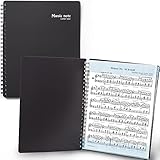
- 🎹 Give Your Rehearsals A Professional Look: Tired of loose printed sheets or messy binder folders for your music notes? This elegant black folder will organize neatly your music sheets while giving a touch of style to your performance.
- 🎹 Write Directly On The Note Page: Our binder organizer makes it easy to insert the sheets into the retaining strips. Only the top and bottom part of each sheet is covered, so you can annotate without reflections - and the plastic strip causes minimum glare, preventing eye fatigue.
- 🎹 Organize Up To 40 Music Sheets Fuss-Free: Unlike standard music file folders that only hold a few note sheets, the MECCALINE music file can hold up to 80 Letter-sized music sheets 8.5 x 11 inches. The Name Tag helps you return easily to the sheet you need.
- 🎹 Keep Your Partitions At The Right Angle: With strong twin springs, this sturdy sheet music binder can be unfolded 180 degrees and lay flat on the piano music stand, offering a comfortable viewing angle that maximizes your performance.
- 🎹 Must-Have Choir Folder For Musicians, Schools: This elite sheet music holder is proudly made in Korea, durable, easy-to-use, and classy. It is lighter, easier portable than similar sheet music protectors, ideal for young or adult artists, orchestras, and school choirs.
Validating the document structure
MusicXML 4.0 was released in June 2021. The official developer documentation identifies XSD as the preferred method for validating MusicXML documents and says DTDs are deprecated as of version 4.0. MusicXML developer documentation
Quick Recap
Rank #4
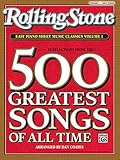
- Arranged by Dan Coates Series: Rolling Stone Easy Piano Sheet Music Classics.
Product prices and availability are accurate as of the date/time indicated and are subject to change. Any price and availability information displayed on Amazon at the time of purchase will apply.




