Recommended Free Tools
To secure an MCP server, audit the full chain around it—not just the protocol code. Check identity and authorization, token handling, OAuth defenses, tool permissions and definitions, untrusted content, execution boundaries, state, and the software supply chain. The nine checks below are an editorial checklist, not a canonical framework published by MCP or OWASP; they organize controls identified in the official MCP security best practices, the MCP authorization security considerations, and the OWASP MCP Security Cheat Sheet.
MCP security spans the host and client, MCP server, tools, data sources, authorization server, and upstream APIs. A sound protocol implementation does not make every connected tool safe: application code still needs to enforce permissions, validate requests and results, and protect sensitive actions. The official guidance reviewed here is under the MCP documentation version path 2026-07-28; check the current specification and living guidance when applying the checklist.
As an Amazon Associate I earn from qualifying purchases.
How to use this MCP security audit
For each check, record what you inspected, the test and its result, the evidence retained, and any remediation owner. Use configuration snapshots, policy decisions, test traces, and relevant logs; redact credentials and other secrets. Treat the checklist as a way to find control gaps, not as a numeric score or proof that a deployment is secure.
What’s actually slowing this PC down?
Pick the symptom - the matching free tool is one click away.
Start by mapping the deployment’s actual trust boundaries and responsibilities. A local server launched by a client and a remote server using HTTP authorization do not have the same execution or transport risks. Some deployments may not use OAuth, and not every server exposes state-changing tools. Scope each test to the components and flows that exist.
#1 Best Overall

- 【Up to 1100 Mbps VPN Speed 】 Hardware-accelerated WireGuard and OpenVPN-DCO deliver up to 1100 Mbps VPN throughput, over 3× faster than Brume 2 for smooth remote access and file transfers.
- 【Three 2.5G Ports & Multi-WAN】Tri-port 2.5GbE design with flexible WAN LAN configuration supports multi-gigabit wired setups, dual-ISP Multi-WAN and failover to keep home and SOHO networks online.
- 【Stealth VPN Obfuscation】VPN obfuscation disguises VPN traffic as regular HTTPS, helping you evade blocking, bypass restrictive networks and maintain stable, private connections.
- 【DPI protection】Deep Packet Inspection with visual dashboards blocks adult/gambling/malicious sites, while SQM and QoS prioritize gaming, calls, and video when bandwidth is tight
- 【OpenWrt & USB 3.0 Expansion】OpenWrt with 1GB DDR4 and 8GB eMMC lets you install plugins and build VPN, ad-blocking or NAS, while USB 3.0 Type‑C connects high-speed storage or 4G/5G dongles
1. Audit identity and authorization
Inspect
Map principals and trust boundaries across the host, client, MCP server, authorization server, and upstream API. Identify which component authenticates each caller and which component makes each access decision. Verify that access is denied by default and that sensitive operations have explicit policy checks. The model’s apparent intent is not an authorization decision.
Test
Call a protected operation without credentials, with an invalid identity, and as a principal lacking the required permission. Confirm each attempt is rejected at the relevant boundary. Then test a sensitive operation with an authorized principal and confirm the policy—not a model-generated explanation—permits it.
Retain and remediate
Keep the trust-boundary map, policy configuration, and redacted allow/deny traces. If a request can succeed without an independently verified identity and authorization decision, add explicit checks at the server or trusted application layer. The official MCP security policy and OWASP cheat sheet provide security context for this review.
2. Audit token audience, storage, and forwarding
Inspect
Check how the server validates incoming tokens, including whether each token is intended for that MCP server or resource. Review where access and refresh tokens are stored and whether secrets can enter logs, caches, error messages, or diagnostic output. Trace whether any client-provided token is sent to an upstream API.
Test
Present a token issued for a different resource and confirm the server rejects it. Trace a request that reaches an upstream API: the MCP client token must not be forwarded. Where upstream access is needed, verify that the server obtains a separate token intended for that API. Search redacted logging and diagnostic paths for secret leakage.
Retain and remediate
Save redacted validation traces, token-flow diagrams, and storage/logging configuration. Bind requested tokens to the appropriate audience or resource; use separate upstream credentials where required, and move secrets out of exposed output paths. The authorization security considerations state: “MCP servers MUST NOT pass through the token they received from the MCP client.” The same guidance calls for secure token storage, says short-lived access tokens SHOULD be used, and requires refresh token rotation for public clients as a MUST. These are distinct protocol statements; do not blur recommendations with requirements. See the authorization security considerations.
3. Audit OAuth flow and redirect defenses
Inspect
For authorization code flows, inspect client PKCE handling, authorization-server metadata, registered redirect URIs, OAuth state checks, and HTTPS use for authorization endpoints and redirects. Confirm the redirect URI registered with the authorization server is the exact URI the client validates, rather than a loosely matched prefix or user-controlled destination.
Rank #2

- 【Processor & OS】Firewall Mini PC with Intel J3710 CPU up to 2.64GHz, 4Cores 4threads 2MB L2 Cache, TDP 6.5w, supports AES-NI. It tested with pf-sens/opn-sense linux ubuntu and other popular open source os. ("DEL" key to enter BIOS)
- 【Interfaces】The firewall pc has 4 * Intel I226 lan ports, 2 * USB3.0 ports, 1 * RS232COM port, 2 * HD port, 1 * DC port. Equipped with VESA mount, you can install the micro pc behind the monitor to save space.
- 【Fanless Design】only 6.5W; fanless heat dissipation design, aluminum alloy shell, efficient and fast heat dissipation, which can withstand temperatures up to 60°C. support 24/7 hours working, no noise.
- 【RAM & Storage】The firewall router equipped with 8G DDR3 RAM, max support 8GB; 128GB mSATA SSD, up to 512GB. Not support HDD. Size:5.27 * 4.98 * 1.43 inches, Weigh:500g, small but powerful.
- 【12 Months Service】You will get a firewall pc and accessories,If you encounter any problems during the use, please contact us through Amazon, we have a professional and efficient team dedicated to serving you.
Test
Exercise the flow with a mismatched redirect URI, missing or incorrect state, and a PKCE challenge/verifier mismatch. Confirm the client rejects each case. Verify that metadata indicates PKCE support and that a technically capable client uses the S256 challenge method.
Retain and remediate
Keep redacted authorization traces, client configuration, and the relevant metadata response. Correct permissive redirect matching, missing state validation, or insecure endpoints. The official guidance says: “MCP clients MUST use the S256 code challenge method when technically capable, as required by OAuth 2.1 Section 4.1.1.” Consult the MCP authorization security considerations for the protocol’s OAuth guidance.
4. Audit least privilege and scope design
Inspect
Compare what each tool actually does with its granted permissions, credentials, and OAuth scopes. Look for broad shared credentials where per-server credentials would limit exposure. Check whether a tool presented as a read operation can cause writes, trigger broader actions, or reach data beyond the intended scope.
Test
Attempt an operation outside the tool’s stated purpose and access an unrelated resource using the same identity. Confirm both are denied. For a nominally read-only tool, test whether its inputs or side effects can modify data or initiate another action.
Do these 3 things before closing this tab:
1Fix the driver behind crashes, sound loss and screen glitches2Repair Windows errors before they cause bigger problems3Scan for outdated or missing drivers - takes under a minuteRetain and remediate
Keep the tool-to-permission map and redacted denied-operation traces. Separate credentials by server where practical, narrow scopes to the work actually required, and split capabilities when a single tool combines read and write authority. OWASP’s MCP Security Cheat Sheet recommends least privilege and careful tool permissions.
5. Audit tool identity, schemas, and change control
Inspect
Review every tool’s name, description, parameter schema, result schema, and effective capability. Look for instructions embedded in definitions, unexpected behavior implied by parameters, or a mismatch between a tool’s description and what its server-side implementation permits. Determine who can change approved definitions and whether those changes are reviewed.
Test
Compare the advertised schema with the server’s behavior. Try unexpected, malformed, or out-of-policy parameters and confirm trusted code rejects them. Change a definition in a test environment and verify that a material change triggers review before it is trusted in production.
Rank #3
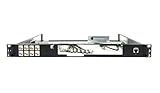
- Designed for SonicWall TZ570 and TZ670 firewalls
- Mounts appliance securely into standard 19-inch racks
- Ensures professional and organized cable routing
- Includes mounting hardware for quick installation
- Perfect for network closets, server rooms, or data centers
Retain and remediate
Version approved definitions and schemas, preserve review records, and require renewed approval when a change adds capabilities or alters behavior. Do not treat a schema or description as a security boundary: enforce constraints in trusted server or application code. OWASP discusses tool definition and validation risks in its MCP Security Cheat Sheet.
Free tools Windows power users keep installed
One-click scans. No signup required.
6. Audit prompt injection and data handling
Inspect
Treat tool output, retrieved documents, and other external content as untrusted input. Review how that content reaches the model and whether trusted code validates tool inputs and outputs before acting on them. Identify sensitive data that a tool can retrieve or return.
Test
Use controlled test content containing instructions that attempt to trigger an unauthorized tool call or disclose sensitive data. Confirm the client or server enforces policy even if the model follows those instructions. Test whether output handling exposes data beyond the requesting principal’s permissions.
Retain and remediate
Keep sanitized test cases and traces showing the attempted instruction, policy decision, and resulting tool calls. Enforce permissions and validate inputs and outputs in trusted application or server code; do not rely on the model to distinguish safe instructions from malicious content. Require human approval for sensitive or destructive actions. OWASP covers these risks in its MCP Security Cheat Sheet.
7. Audit local execution, transport, and sandboxing
Inspect
For a local stdio server, review its startup command, package provenance, environment variables, filesystem and network access, process privileges, and the consent a user receives before launch. Local servers can execute with host privileges, so inspect the actual execution boundary rather than assuming the protocol confines a process. For remote authorization endpoints, verify HTTPS; assess other transport-specific protections separately.
The Tool Desk
Outbyte PC Repair FREEClear out junk files and repair common Windows errorsFree Scan →Outbyte Driver Updater FREEFix the driver behind crashes, sound loss and screen glitchesFind Drivers →Test
In an isolated environment, verify which files, processes, and network destinations the server can reach, and whether it inherits sensitive environment values. Confirm the user can understand what is being launched and what access it requires. For remote authorization, test that insecure endpoint or redirect configurations are rejected.
Retain and remediate
Preserve launch configuration, package/version details, permissions, consent text, and redacted test traces. Restrict privileges and access to only what the server needs; sandbox or isolate it where feasible. Apply the transport-specific protections appropriate to the deployment. See the official MCP security best practices and authorization security considerations.
Rank #4

- HUNSN RJ08 equipped with intel atom D525 processor, compatible with many freebsd based router systems, linux distros, or win.os supported, easy configuration and management
- Compatibility, firewalls for pfsense, untangle, opnsense and other popular open-source software solutions
- Standard 19 inch 1u cabinet, 50w small power, with power cord, all use a big brand memory and ssd/hdd with quality assurance, ready to run straight out of the box
- RJ08 designed with console, 2 x usb2.0, 6 x lan, vga, power switch, ac socket, size at 440 x 255 x 45mm
- Original industry network motherboard, low power consumption, low heat, use dedicated turbo silent cooling fan to ensure long-term operation
8. Audit state handles and cross-user access
Inspect
If a server carries state between calls, determine how handles are created, stored, bound to a principal, and expired. A state handle is not authentication: possession of one must not establish identity or grant authority.
Test
Try predictable, expired, replayed, and cross-user handles. Confirm a handle created for one authenticated principal cannot retrieve or modify another principal’s state, and that every request is authorized independently.
Retain and remediate
Keep redacted traces for each handle test and the server-side binding/expiry policy. Use unpredictable handles, bind them to the verified principal, expire them where appropriate, and authorize every request. The official MCP security best practices and MCP security policy are relevant references.
9. Audit supply chain, monitoring, and incident readiness
Inspect
Review server and package sources, dependency integrity, version changes, vulnerability reporting paths, and the process for approving updates. Check that monitoring covers tool invocations and security events without recording credentials or other secrets. Determine whether logs preserve enough context to investigate a denied or suspicious action.
Test
Trace a representative tool invocation from request through authorization, execution, and result. Verify that relevant events can be correlated and that a simulated security event reaches the responsible operator. Review how a dependency or server update is checked before deployment.
Retain and remediate
Retain version and dependency records, review decisions, redacted event traces, and incident contacts or reporting procedures. Add monitoring and audit controls where gaps prevent investigation, while filtering sensitive values. OWASP recommends monitoring, logging, auditing, and supply-chain controls; its cheat sheet also mentions mcp-scan or an equivalent for poisoned tools. See the OWASP MCP Security Cheat Sheet and the official MCP security policy.
How deployment differences change audit depth
These are practical comparison axes synthesized from the source distinctions, not an official scoring rubric. They help prioritize testing without assigning an unsupported numeric risk score.
| Deployment or capability | What changes in the audit |
|---|---|
| Local stdio server | Examine launch commands, package provenance, inherited secrets, host privileges, filesystem and network reach, user consent, and isolation. |
| Remote HTTP server | Examine endpoint and authorization configuration, HTTPS, token audience, redirect protections, and transport-specific controls. |
| Client-owned boundary | Review how the client discovers, approves, and presents tools, validates definitions, handles OAuth, and obtains user approval for consequential actions. |
| Server-owned boundary | Review authentication, authorization, input validation, upstream credentials, state binding, and enforcement of each operation’s permissions. |
| Read-only tool | Verify that the operation has no write side effect and cannot be used to reach broader data or trigger another action. |
| State-changing tool | Test explicit policy checks and human approval where an action is sensitive or destructive; verify unauthorized or altered requests are rejected. |
| Ordinary data or action | Apply access controls and logging suited to the data and operation the tool actually handles. |
| Sensitive data or action | More closely test authorization boundaries, disclosure paths, approvals, secret-safe logging, and incident evidence. |
What a completed audit should establish
A completed review should leave a defensible record of which components and flows were examined, which checks passed or failed, what evidence supports each result, and who owns each remediation. The audit is not a claim that a protocol-compliant server makes all connected tools trustworthy. In a May 20, 2026 release, the NSA’s Artificial Intelligence Security Center said: “Gaps in MCP design, implementation, and operational posture have created significant and evolving security concerns including serialization risks, trust boundaries, and agent misuse, to name a few, according to the CSI.” The NSA release reinforces why the review must include implementation and operations as well as protocol behavior.
Quick Recap
Product prices and availability are accurate as of the date/time indicated and are subject to change. Any price and availability information displayed on Amazon at the time of purchase will apply.




