For a Node.js pricing rollout, choose the logging tool that can retrieve a specific pricing decision quickly enough to support a stop or rollback—and connect it to the request, release, and any resulting error or trace. Sentry is a natural fit when error and trace context matters most; Better Stack emphasizes hosted log search and operational dashboards; Axiom offers structured telemetry and query options; Seq fits teams already using structured events through Node.js logging frameworks. None is a universal winner. Test each with the same decision event, retention window, and expected volume before committing.
What should a pricing rollout log record?
Emit a structured decision event, not just a free-form message such as “price calculated.” Use stable identifiers and fields that let an operator reconstruct what happened without exposing sensitive customer data. A practical schema is an implementation recommendation, not a required vendor format.
As an Amazon Associate I earn from qualifying purchases.
- When and which event: timestamp and stable event ID.
- Which request: request or trace ID, plus a tenant-safe account reference where needed.
- What was evaluated: pricing or feature-flag key and revision, rollout variant, and pricing-rule version.
- What decision resulted: outcome and a reason code when meaningful to the system.
- What amount: currency and amount in minor units, such as cents.
Do not log payment credentials or unnecessary personal information. Keep the schema consistent across tools, and manage high-cardinality fields so they do not make queries or costs unpredictable. Before rollout, define the stop or rollback condition and verify that an operator can find a decision by request ID, rule revision, and variant within the time available to act.
What’s actually slowing this PC down?
Pick the symptom - the matching free tool is one click away.
How do the four tools fit the workflow?
| Tool | Documented Node.js path | Workflow strengths | Pricing evidence and qualification |
|---|---|---|---|
| Sentry | @sentry/node for SDK initialization, exception capture, and performance tracing. |
Logs can be viewed in the context of spans, traces, and errors; the September 3, 2025 Logs announcement also described real-time streaming, structured-field and message alerts, and dashboards. | Sentry’s 2025 announcement stated 5 GB of logs per month included and $0.50/GB after that. This is a dated announcement, not a guarantee of current terms for every plan or account; verify live pricing and account details. |
| Better Stack | @logtail/node supports structured fields, console-method forwarding, and flushing; its quick start specifies Node.js 12 or higher. |
Its centralized logging guide describes live tail, SQL queries, dashboards, and alerts based on presence or absence of data. | The pricing page observed in 2026 displayed 3 GB/month retained for 3 days, $0.10/GB ingestion, and $0.05/GB/month retention. These are separate cost dimensions; region, plan, and account terms may affect the bill. |
| Axiom | JavaScript options include @axiomhq/js for query and error-capture capabilities and @axiomhq/logging for structured logging and transports; documented Node.js integrations include Pino and Winston. |
Supports logs, traces, metrics, and events; documentation also covers deployment annotations. | Axiom’s FAQ accessed in 2026 described a free Personal plan with 30-day retention and a Cloud plan starting at $25/month. Terms are volatile; check current plan boundaries and pricing for the expected workload. |
| Seq | Official guidance documents @datalust/winston-seq and bunyan-seq; its Node.js options list Pino, Winston, and Bunyan. |
Structured event properties, batching, message templates, and HTTP ingestion to a searchable web interface are documented. | Current pricing and total deployment cost are not established here. Confirm hosting, licensing, retention, and operational costs directly before comparing cost. |
When is Sentry the better fit?
Consider Sentry when the release responder’s central question is how a pricing decision relates to an exception, trace, or release, particularly if the team already uses Sentry. Its Node.js SDK supports exception capture and performance tracing, and its Logs announcement described views that can be scoped to spans, traces, and errors. That proximity can be valuable when an unusual price coincides with an application failure or a slow request.
#1 Best Overall
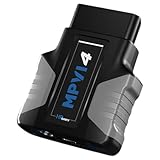
- HPT MPVI4 OBDII Diagnostic Scan Tool (includes 0 Credits) with USB-C Cable
- Works with VCM Suite software 5.2+, downloadable for free. Cleaner, faster logging: Performance on par with VCM Scanner for pro-grade clarity.
- Take advantage of Pro Feature Set capabilities like standalone data logging and PROLINK+ compatibility (sold separately) already built into your new device.
- 0 CREDITS INCLUDED.
- REQUIRES CREDITS TO LICENSE CONTROLLERS. CREDITS SOLD SEPARATELY.
Sentry’s Node.js documentation advises production teams to tune trace sampling: a 100% sampling rate can consume quota quickly. For rollout decisions, test whether the log search and retention available to your account can answer audit and rollback questions, rather than assuming error-and-trace context alone is sufficient.
Sources: Sentry Node.js documentation; Sentry Logs general availability announcement, September 3, 2025.
When does Better Stack suit the workflow?
Consider Better Stack when operators need a hosted logging workflow centered on live tail, SQL queries, dashboards, and alerts. Its JavaScript quick start documents a direct Node.js client and structured fields, while the centralized logging guide describes the operator-facing query and alert features.
Rank #2

- ✅【4 Channels Thermometer Data logger】4 channels thermometer main unit can record 5000 groups temperature, and unlimited data storage when connect to software in PC
- ✅【Wide Measurement Range】The man unit of thermometer measuring range is: -328~2501degreeF (-200~1372degreeC); Range of K type thermocouples: -58~572degreeF(-50~300degreeC)
- ✅【Audible&Visible Alarm】Manually set the upper and lower alarm thresholds. The light indicator will flash and sound will beep when the testing value is higher or lower than the set thresholds
- ✅【Multi-Functional】: HD large screen display, degreeF/degreeC & K/J switchable, multi sampling rates, Max/Min/Average, Data Hold, Auto power-off function(can be cancelled manually)
- ✅【ADJ temperature compensation】Long press ADJ button, then adjust the ADJ Temperature compensation value to complete the calibration procedure, ADJ compensation range: -16~48degreeF (-9~9degreeC)
Model ingestion and retained storage separately: the pricing figures observed in 2026 cover distinct dimensions and a stated short retention allowance. Estimate with the team’s actual daily event volume, desired retention, and region, then confirm the applicable terms. Confirm that alert behavior supports the rollout’s stop condition and that the relevant decision event remains available throughout the rollback window.
Sources: Better Stack JavaScript logging quick start; Better Stack centralized logging documentation; Better Stack pricing.
When should you consider Axiom?
Consider Axiom when flexible event exploration and a structured telemetry stream are priorities. Its JavaScript documentation distinguishes its query-capable client from its structured logging package and describes Node.js transports, Pino and Winston integrations, and deployment annotations. Those features can help relate a rollout decision to a deployment, but the team still needs to settle its event schema and cardinality conventions.
Rank #3

- ✔ 【 Advanced Data Logging & PC Sync】Record up to 1,999 data groups with 9 adjustable interval levels. Seamlessly connect to your PC via the included USB cable for real-time monitoring and data downloads (Compatible with Windows 7, 8, 10, and 11 64-bit OS).
- ✔ 【 A/C/Z Frequency & Fast/Slow Mode】Features A, C, and Z weighting for comprehensive acoustic analysis across a 31.5Hz to 8kHz frequency response. Switch between FAST (0.125s) for fluctuating noise and SLOW (1s) for steady-state sound levels.
- ✔ 【Comprehensive Metrics & Analog Bar】Instantly capture Max, Min, and Average readings, or use the Data Hold function to lock a specific measurement. Features a 4-digit display alongside a dynamic analog bar scale where one segment equals 1dB.
- ✔ 【Smart Audio-Visual Limit Alarms】Features user-adjustable upper and lower thresholds. The meter triggers an immediate buzzer and visual backlight alarm when noise levels exceed or fall below your pre-set limits.
- ✔ 【 Dual Power & Field Ready】 Powered via the included USB micro interface or standard DC sources for continuous monitoring. Complete with an integrated ambient temperature monitor (0–60°C), a clear 4-digit display, an auto-power-off bypass, and a protective carrying pouch.
Before choosing a plan, verify current pricing, retention, and plan boundaries against the workload. The FAQ terms accessed in 2026 described a free Personal plan with 30-day retention and a Cloud plan starting at $25/month; they should not be treated as permanent or as a cost estimate for a particular event volume.
Do these 3 things before closing this tab:
1Scan for outdated or missing drivers - takes under a minute2Clear out junk files and repair common Windows errors3Fix the driver behind crashes, sound loss and screen glitchesSources: Axiom JavaScript documentation; Axiom Node.js documentation; Axiom FAQ.
When does Seq make sense?
Consider Seq when the team already emits structured events and its documented integrations or deployment model fit the environment. Seq’s Node.js guide covers Winston and Bunyan integrations, structured properties, API-key and server-URL configuration, batching, and message templates. Its getting-started documentation describes events sent to an HTTP API and searched in a web interface, and lists Pino, Winston, and Bunyan as Node.js options.
Rank #4

- Compatible with Windows 95 and above
- Graphic and Text Data
- 3 Memory modes: Stop on full, record continuously, or memory rollover
- Real Time Monitoring
- Password protected calibration of each channel
Do not rank Seq on price without current evidence for the deployment you would use. Confirm hosting or self-management, licensing, retention, and the operational work needed to keep the service available.
Sources: Seq Node.js logging guide; Seq getting-started documentation.
Recommended Free Tools
How should you compare cost and rollout readiness?
A single per-GB figure is not a fair comparison when products may charge for different combinations of ingestion, retained data, and other plan allowances. Use the same assumptions for every candidate:
Best Value

- HP Tuners’ mission is to equip enthusiasts, tuning professionals, and aftermarket companies alike with the necessary tools to achieve their unique vehicle goals — horsepower gains, better fuel economy, and everything in between.
- From vehicle diagnostics, data logging, scanning, and calibration, we cover all the bases with our flagship MPVI4 device and VCM software suite — the only tuning and diagnostics solutions you'll ever need for your OBDII equipped import and domestic vehicles. Built for tuning professionals and enthusiasts of any caliber.
- Expected decision-event volume and average event size.
- Required retention, including how long evidence must remain searchable after rollout.
- Region and account or plan terms that affect the estimate.
- Query, dashboard, and alert usage relevant to release operations.
- Any deployment, access-control, or operational ownership requirements.
There is no established cross-vendor benchmark here. The published price figures above are vendor statements or pricing-page observations with dates and qualifications, not independent measurements or equivalent offers. Seq’s current total cost is an open question until checked for the intended deployment.
Run the same retrieval test before choosing
- Emit one representative decision: use the shared event schema and include a known request ID, rule revision, variant, and outcome.
- Find it using the operator’s actual search path: retrieve the event by stable ID and structured fields, not only by scanning a live stream.
- Check required context: connect it to an error, trace, or deployment when the release team needs that relationship.
- Exercise the stop signal: inspect or trigger the dashboard and alert that would support the pre-defined rollout condition.
- Measure and price the workload: record ingest volume, apply the same retention and region assumptions, and estimate monthly cost using current terms.
A product’s documented category features do not prove that a particular account configuration can return the needed evidence within the rollback window. The test should use the team’s logger, runtime, access controls, and release procedure.
Quick Recap
Product prices and availability are accurate as of the date/time indicated and are subject to change. Any price and availability information displayed on Amazon at the time of purchase will apply.
Free tools Windows power users keep installed
One-click scans. No signup required.




