M5Stack’s Cardputer Kit squeezes a keyboard, display, wireless connectivity, and programmable electronics into a pocket-sized device that costs under $30. Rather than trying to be a miniature laptop, it is a microcontroller-powered microcomputer aimed at quick experiments, embedded projects, portable tools, and hands-on learning.
Built around the ESP32-S3, the Cardputer is closer to a self-contained maker gadget than a Linux handheld. It can run custom firmware, interact with sensors and peripherals, handle simple user interfaces, and connect over Wi-Fi or Bluetooth, all while staying small, affordable, and approachable.
| # | Preview | Product | Price | |
|---|---|---|---|---|
| 1 |

|
Cardputer Adv Version (ESP32-S3) | $41.90 | Buy on Amazon |
| 2 |
|
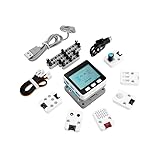
M5Stack Official M5GO IoT Starter Kit V2.7 | $97.90 | Buy on Amazon |
| 3 |

|
M5Stack Official Cap LoRa 1262 for Cardputer Adv (SX1262,ATGM336H) | $23.90 | Buy on Amazon |
As an Amazon Associate I earn from qualifying purchases.
That mix makes it especially interesting for educators, hardware hackers, and anyone who wants a low-cost way to explore programming and embedded systems. Its limitations are part of the design: this is not a full PC, but a compact platform for building focused, practical devices you can actually carry around.
What’s actually slowing this PC down?
Pick the symptom - the matching free tool is one click away.
What the M5Stack Cardputer Kit Is
The M5Stack Cardputer Kit is a pocket-size, self-contained microcomputer built around an ESP32-class microcontroller rather than a desktop-style processor. It combines a small color display, a compact keyboard, wireless connectivity, a battery, and expansion options into a device that looks a little like a tiny handheld terminal. At under $30, it is positioned less as a polished consumer gadget and more as an affordable platform for building, experimenting, and learning.
#1 Best Overall
- CARD-SIZED ESP32-S3 POWERHOUSE: Stamp-S3A core (ESP32-S3FN8) delivers strong processing in a pocket-sized body – ideal for rapid prototyping, IoT development, and embedded system learning.
At its core, the Cardputer is closer to an embedded development board with a screen and keyboard than a miniature laptop. It is designed for running focused programs: sensor dashboards, wireless tools, serial monitors, simple games, automation controllers, classroom coding projects, and portable interfaces for other hardware. Instead of booting a full desktop operating system, it runs firmware and applications written for the microcontroller environment, commonly through tools such as the Arduino IDE, UIFlow, MicroPython-style workflows, or M5Stack’s own development ecosystem depending on the software stack being used.
The “kit” aspect matters. M5Stack’s products are known for modularity, and the Cardputer follows that maker-friendly approach. It is not just a sealed device with one fixed purpose; it is meant to connect to sensors, actuators, add-on modules, and external electronics. For someone who has used ESP32 boards before, the Cardputer packages familiar capabilities into a more convenient handheld form. For someone new to embedded computing, it provides a ready-made interface so they do not have to wire up a separate display, keyboard, battery circuit, and case before writing their first interactive program.
Who it is for
- Makers who want a portable control panel, debugging tool, or wireless project interface.
- Educators looking for a low-cost device that makes embedded programming more tangible than a bare circuit board.
- Students and beginners who want to learn microcontrollers, inputs, displays, and connectivity without assembling everything from scratch.
- Embedded-device tinkerers who need a small programmable terminal for prototyping or field use.
That identity also separates it from Linux-based handhelds such as Raspberry Pi-powered mini computers or small cyberdeck-style devices. Those machines can run shells, browsers, package managers, and heavier applications, but they generally cost more, draw more power, take longer to boot, and require more system administration. The Cardputer trades that general-purpose computing model for immediacy, low cost, and direct hardware interaction. It is the kind of device you pick up to run one custom task well, not the kind you buy to replace a laptop.
Key Hardware Specs and Built-In Features
The Cardputer Kit is built around M5Stack’s StampS3 module, which uses Espressif’s ESP32-S3 microcontroller. That chip is a good fit for a pocketable maker device: it combines a dual-core processor, built-in Wi-Fi, Bluetooth Low Energy, and enough performance for interactive firmware, sensor dashboards, simple games, wireless tools, and embedded control projects. This is not a general-purpose computer processor, but it is considerably more capable than the 8-bit and early 32-bit boards many people first encounter when learning microcontrollers.
On the front, the Cardputer includes a small color display and a compact keyboard laid out for thumb typing. The screen is intended for menus, terminal-style interfaces, status readouts, graphics experiments, and device configuration rather than desktop applications. The keyboard is one of the kit’s defining features because it makes the device usable without immediately attaching a laptop, serial console, or phone. For projects such as Wi-Fi scanning, text entry, scripting experiments, or field configuration tools, having physical keys built in changes how practical the device feels.
The kit also includes several peripherals that normally require add-on boards. Depending on the revision and bundle, the Cardputer platform includes audio hardware such as a speaker and microphone, infrared transmission, an onboard IMU for motion sensing, a microSD card slot for storage, and expansion through M5Stack’s Grove-compatible connector ecosystem. Power is handled through an internal battery system with USB-C for charging and programming, making it more self-contained than a bare development board sitting on a desk.
Core features at a glance
- Controller: ESP32-S3-based M5StampS3 module with dual-core processing.
- Wireless: Integrated Wi-Fi and Bluetooth Low Energy for networked and mobile projects.
- Input: Built-in compact keyboard for on-device interaction and configuration.
- Display: Small color LCD suitable for menus, graphics, status screens, and simple UIs.
- Storage: microSD support for logs, assets, configuration files, and firmware data.
- Audio and sensing: Built-in speaker, microphone, and motion sensing hardware for interactive projects.
- Expansion: Grove-compatible connectivity for sensors, relays, environmental modules, and other add-ons.
- Power and programming: USB-C connection with portable battery operation.
Those built-in parts make the Cardputer more than a novelty keyboard attached to an ESP32 board. It arrives as a small integrated platform for experimenting with embedded interfaces: display output, typed input, storage, wireless communication, sound, and physical-world sensing are all available without designing a carrier board first. For students and workshop settings, that reduces setup friction. For experienced makers, it means more time can go into firmware and project behavior instead of wiring basic input and output components.
Recommended Free Tools
The expansion options are also central to its appeal. Through Grove modules and the broader M5Stack ecosystem, the Cardputer can be paired with temperature sensors, GPS receivers, RFID readers, relay boards, environmental sensors, and other modules. That makes it useful as a handheld controller, a portable data logger, a sensor test terminal, or a custom remote for embedded installations. Its hardware is modest by PC standards, but as a microcontroller kit, the combination of keyboard, screen, battery, wireless connectivity, and plug-in expansion gives it a unusually complete starting point for sub-$30 experimentation.
How a Microcontroller-Powered Microcomputer Differs From a Tiny PC
The Cardputer may look like a very small computer, but it is closer in spirit to an embedded development board than to a pocket Linux machine. Instead of running a desktop-class operating system on an application processor, it is built around a microcontroller designed for direct hardware control, fast startup, low power use, and single-purpose or lightweight interactive programs. That makes the experience very different from using a Raspberry Pi-based handheld, a mini laptop, or a retro-style Linux cyberdeck.
On a tiny PC, the operating system usually provides multitasking, a file system, networking services, package managers, drivers, background processes, and a familiar shell. You can install interpreters, editors, web tools, emulators, and GUI applications much as you would on a larger computer. On the Cardputer, software is typically flashed as firmware or loaded through a more constrained runtime. The program you write is often the main thing the device does: read the keyboard, update the display, scan Wi-Fi, talk to a sensor, send data over serial, or control an external module.
Rank #2
- Comprehensive IoT Starter Kit: The M5GO IoT Starter Kit v2.7 is a cost-effective development kit that includes the Core Controller M5GO and six expansion units with various functions. This kit provides everything you need to kickstart your IoT projects, including sensors, actuators, and splitters.
- Powerful ESP32 Development Platform: The Core Controller M5GO is based on the ESP32 chip, featuring two low-power Xtensa 32-bit LX6 microprocessors with a main frequency of 240MHz. With 16MB FLASH memory, it supports larger program sizes, making it ideal for complex IoT applications.
- Integrated HD IPS Display and Hardware Peripherals: The kit includes an integrated 2.0-inch HD IPS display panel and various hardware peripherals. This allows for a rich user interface and interaction, enhancing the usability and functionality of your IoT projects.
- Compatibility and Expandability: The M5GO IoT Starter Kit v2.7 offers compatibility with M5Stack stacking modules and sensors, providing a wide range of resources and expandability options. The base is also compatible with 8mm size LEGO blocks, allowing for creative and customizable structures.
- Versatile Development Platforms: This kit supports multiple development platforms, including UIFlow, MicroPython, A rduino, and .NET nanoFramework. Whether you prefer graphical programming or traditional coding, the M5GO IoT Starter Kit v2.7 accommodates your preferred development style.
This microcontroller-first model has advantages. The Cardputer can wake quickly, run from a small battery, and interact with pins, buses, radios, and add-on modules without the overhead of a full operating system. For embedded-device tinkerers, that immediacy is part of the appeal. You are not just writing an app that runs on a computer; you are shaping the behavior of the device itself. Tasks such as building a handheld sensor logger, an infrared remote, a BLE controller, a simple terminal, or a classroom programming exercise fit naturally into this environment.
Microcontroller device versus pocket PC
| Area | Cardputer-style microcomputer | Linux-based handheld |
|---|---|---|
| Startup | Typically boots straight into firmware or a launcher | Boots a full operating system with services and user space |
| Software model | Sketches, firmware, embedded apps, lightweight runtimes | Packages, shells, desktop or console applications |
| Hardware access | Direct control of GPIO, I2C, SPI, UART, sensors, and modules | Often mediated through drivers, permissions, and OS layers |
| Best suited for | Prototyping, controls, portable tools, learning embedded concepts | General computing, scripting, servers, emulation, multitasking |
The trade-off is that the Cardputer is not meant to replace a small laptop. You should not expect a full browser, conventional multitasking, large local development environments, or the same software ecosystem available on Linux. Memory, storage, display size, and input are all constrained. Those limits are also what keep the kit inexpensive, compact, and approachable. For makers and educators, the device works best when treated as a programmable instrument: small enough to carry, open enough to modify, and focused enough to make hardware and software feel tightly connected.
What You Can Build or Learn With It
The Cardputer is most useful when treated as a ready-to-hack embedded terminal: it already has a screen, keyboard, battery, enclosure, wireless connectivity, and expansion pins, so you can focus on software and attached hardware instead of first building a handheld from loose modules. For beginners, that makes it a compact way to learn microcontroller programming, input handling, display drawing, wireless communication, and battery-powered design. For experienced makers, it becomes a portable controller, sensor console, or field tool that can be programmed quickly and carried anywhere.
Practical projects that fit the Cardputer well
- Portable serial terminal: connect to development boards, routers, sensors, or other embedded devices for debugging without carrying a laptop.
- Wi-Fi and Bluetooth experiments: build simple scanners, device controllers, BLE dashboards, or local network utilities using the ESP32-S3’s wireless capabilities.
- Sensor readout station: attach environmental, motion, distance, or light sensors through Grove or expansion connectors and display live data on the built-in screen.
- Infrared remote or controller: use the onboard IR emitter for TV, air-conditioner, camera, or appliance-control experiments.
- Macro pad and HID tool: program keyboard shortcuts, text snippets, or USB HID behaviors for controlling a computer or triggering repetitive tasks.
- Mini games and UI demos: create menu systems, text adventures, puzzle games, or sprite-based experiments while learning graphics and input loops.
In education, the Cardputer’s appeal is that it gives students a complete device rather than an abstract development board on a bench. A class can write code that reacts to keys, updates a display, stores settings, sends wireless data, and reads external modules, all on the same piece of hardware. That helps connect programming concepts to visible results: loops become animations, conditionals become menus, and data structures can turn into contact lists, scoreboards, or configuration screens. Because it uses a microcontroller environment, projects can also introduce timing, power use, interrupts, GPIO, I2C, SPI, and other embedded concepts that are often hidden on a conventional computer.
The software path can be as simple or as deep as the user wants. M5Stack’s ecosystem typically supports Arduino-style development, UIFlow-style visual programming on compatible devices, and lower-level ESP-IDF work for developers who want more control. That means a newcomer can start by modifying examples, while an advanced user can write custom firmware, optimize memory use, build wireless protocols, or integrate the Cardputer into a larger automation system. Libraries for displays, sensors, networking, storage, and M5Stack accessories can shorten the distance between an idea and a working prototype.
| Learning area | Example on the Cardputer |
|---|---|
| Embedded programming | Read buttons, manage state, and draw a menu-based interface |
| Wireless communication | Send sensor readings over Wi-Fi or control a BLE peripheral |
| Hardware interfacing | Connect Grove sensors and display live measurements |
| Human-machine interface design | Create keyboard-driven tools with clear prompts and feedback |
For embedded-device tinkerers, the Cardputer is especially appealing as a prototyping shell. Instead of designing a case, selecting a keyboard, adding a battery, and wiring a display before the project even begins, you get a compact base that can host many small utilities. It will not replace a laptop or a Linux handheld for compiling large programs, running desktop software, or multitasking, but it is well suited to focused tools that boot quickly, do one job reliably, and interact directly with real-world hardware.
Price, Availability, and What Comes in the Kit
The M5Stack Cardputer Kit is positioned as an inexpensive entry point into pocketable embedded computing, with a typical price under $30 before shipping, taxes, or regional reseller markups. That puts it in a different buying category from Linux-based handhelds, Raspberry Pi cyberdecks, and retro-style mini laptops, many of which can cost several times more once a display, keyboard, battery, enclosure, and storage are included. For makers and classrooms, the low unit cost is a major part of the appeal: it is cheap enough to experiment with, modify, or hand to students without treating it like fragile lab equipment.
Availability generally depends on M5Stack’s own store and electronics retailers that carry M5Stack modules, such as maker-focused distributors and online marketplaces. Stock can vary, especially when a new batch ships or a project using the Cardputer gains attention online. Buyers should also watch for version details and bundle wording, since listings may differ by region or seller. Some stores sell the complete kit, while others may list accessories, expansion modules, or replacement parts separately.
What is typically included
- Cardputer main unit components: the compact keyboard-and-display handheld built around an ESP32-class M5Stack controller module.
- Integrated display and keyboard: the small color screen and thumb keyboard that make it usable without adding a separate terminal or laptop.
- Battery support: a small rechargeable battery setup designed for portable use, though runtime depends heavily on wireless use, screen brightness, and workload.
- Enclosure and assembly parts: the plastic shell and hardware that turn the electronics into a pocketable device rather than a loose development board.
- Built-in I/O features: common Cardputer features such as Wi-Fi, Bluetooth, infrared, audio, microSD support, and Grove-style expansion connectivity, depending on the exact revision and listing.
One reason the kit feels like good value is that it removes many small costs that normally appear in embedded projects. A developer board alone may be inexpensive, but adding a screen, buttons, battery charging, a case, speaker, and storage slot can quickly exceed the Cardputer’s price. Here, those pieces are already arranged in a coherent handheld format. That makes it easier to start writing firmware, testing sensors, building a simple terminal, or creating a small wireless tool without first designing a carrier board or 3D-printing an enclosure.
Windows Errors? Fix Them Before They Spread
Repair common Windows errors and clear accumulated junk for a smoother, more stable PC - no reinstall needed.Free scan · no reinstallOutdated Drivers Are Slowing You Down
One free scan finds every outdated or missing driver and matches the right update for your exact hardware.Free scan · exact hardware matchProspective buyers should still read the product page carefully before ordering. The Cardputer is usually sold as a kit-style device, so some minor assembly or setup may be expected, and accessories such as USB-C cables, extra microSD cards, Grove sensors, or protective cases may not be included. It also is not a drop-in replacement for a general-purpose computer; the price is low because it uses a microcontroller platform rather than a full application processor with RAM, storage, and a desktop operating system. For the intended audience, that trade-off is exactly what makes it attractive: a self-contained, hackable handheld that costs about as much as a few standalone development boards.
Rank #3
- LONG-RANGE LORA COMMUNICATION: SX1262 chip with -147 dBm sensitivity & +22 dBm TX power across 868~923 MHz – enables ultra-long-range, low-power wireless links ideal for remote IoT data acquisition.
- MULTI-CONSTELLATION GNSS: AT6668 supports GPS, BD2, BD3, GLONASS, GALILEO & QZSS with <1.5m accuracy and 10 Hz update rate – reliable positioning for vehicle tracking and smart city applications.
- DUAL ANTENNA DESIGN: External RP-SMA LoRa antenna (3dBi) and built-in ceramic GPS antenna – maximizes signal reception and anti-interference capability for reliable outdoor deployments.
- VERSATILE MODULATION MODES: Supports FSK, GFSK, MSK, GMSK, LoRa & OOK modulation – offers flexible communication options for diverse IoT protocols and wireless application requirements.
- SEAMLESS CARDPUTER-ADV EXPANSION: HY2.0-4P Grove interface connects directly to Cardputer-Adv – instantly adds LoRa & GNSS capabilities for smart homes, vehicle navigation, and IoT projects.
Limitations to Know Before Buying
The M5Stack Cardputer Kit is inexpensive and unusually capable for its size, but it should not be mistaken for a general-purpose pocket computer. Its ESP32-S3 microcontroller is built for embedded tasks, quick interfaces, wireless projects, and low-power experiments rather than desktop-style computing. You will not be installing a full Linux distribution, running a modern web browser, compiling large projects locally, or using it as a tiny laptop replacement. The appeal is closer to a programmable gadget, controller, terminal, or learning platform than a shrunken Raspberry Pi handheld.
Memory and storage are the biggest practical boundaries. The Cardputer has enough resources for MicroPython, Arduino-style sketches, UI experiments, simple games, sensor dashboards, and network tools, but applications need to be compact and intentional. Large graphical interfaces, heavy encryption workloads, media playback, multitasking, and big local databases are outside its comfort zone. The small display also shapes what feels good to use: menus, status panels, command prompts, and simple visualizations work well, while document editing, long-form reading, and complex configuration screens can feel cramped.
Hardware compromises are part of the price
- Keyboard size: The tiny QWERTY keyboard is useful for commands and short entries, but it is not designed for fast typing or long notes.
- Screen space: The built-in color display is handy for portable projects, yet it limits dense interfaces and detailed graphics.
- Battery expectations: Runtime depends heavily on display brightness, Wi-Fi, Bluetooth, speaker use, and code efficiency, so it may vary widely between projects.
- I/O constraints: Grove expansion and the M5Stack ecosystem make add-ons easy, but this is still a compact board with fewer physical connection options than a bench setup.
- Durability: It is pocketable, but it is still a developer kit; it should be treated more like an electronics module than a rugged field computer.
Software flexibility also comes with a learning curve. Beginners can get started with MicroPython, UIFlow-style tools, or Arduino examples, but many interesting projects still require understanding pins, libraries, serial output, power use, and the ESP32-S3’s limits. Some community examples may need small adjustments as firmware, libraries, or board revisions change. If you expect polished app-store-style software, the Cardputer may feel unfinished; if you enjoy modifying examples and learning how embedded devices work, that same openness is a strength.
The Tool Desk
Outbyte Driver Updater FREEScan for outdated or missing drivers - takes under a minuteDriver Scan →Outbyte PC Repair FREEClear out junk files and repair common Windows errorsFree Scan →Prospective buyers should also consider the accessories they may need after the initial kit. A USB-C cable, microSD card, sensors, Grove modules, external antennas or test leads, and protective storage can add to the real project cost. None of that undermines the Cardputer’s value, but it frames the device accurately: it is a low-cost, self-contained starting point for embedded computing experiments, not a complete substitute for a phone, laptop, or Linux handheld. Buy it for tinkering, teaching, prototyping, and portable control projects, and its constraints become manageable rather than disappointing.
Frequently Asked Questions
Can the M5Stack Cardputer run Linux or desktop apps?
No. The Cardputer is built around an ESP32-S3 microcontroller, not a Linux-capable application processor like those used in Raspberry Pi-style handhelds. It is meant for embedded projects, scripting, sensor work, wireless experiments, and small custom apps rather than running a desktop browser, office software, or standard Linux packages.
What can I actually build with the M5Stack Cardputer?
You can use it for portable IoT controllers, Wi-Fi and Bluetooth tools, sensor dashboards, simple games, keyboard-driven menus, data loggers, infrared or serial control projects, and educational programming exercises. Its built-in screen, keyboard, battery, speaker, and expansion options make it useful for projects that would otherwise require several separate modules.
Is the Cardputer good for beginners?
Yes, especially for beginners interested in microcontrollers, embedded programming, and hardware projects. M5Stack provides an approachable ecosystem, and the device can be programmed with tools such as Arduino IDE, UIFlow, and MicroPython depending on the project. Complete newcomers should still expect to learn some basics about firmware flashing, libraries, pins, and power limits.
Do these 3 things before closing this tab:
1Fix the driver behind crashes, sound loss and screen glitches2Repair Windows errors before they cause bigger problems3Scan for outdated or missing drivers - takes under a minuteHow is this different from a small Raspberry Pi handheld?
A Raspberry Pi handheld typically runs a full operating system and can handle multitasking, Linux software, networking services, and heavier applications. The Cardputer is lighter, cheaper, faster to boot, and better suited to dedicated embedded tasks, but it has far less memory, storage, and processing power. Think of it as a programmable gadget platform rather than a pocket laptop.
What should I know before buying the sub-$30 kit?
The low price makes it attractive, but it is not a finished consumer computer with a polished app store or unlimited software compatibility. The small keyboard and display are best for short commands, menus, and compact interfaces, not long writing sessions or web browsing. You should also check what accessories, cables, expansion modules, or sensors are included by the specific seller, since kit contents can vary.
Bottom Line
M5Stack’s Cardputer Kit is not trying to be a tiny Linux laptop, and that is exactly what makes it interesting. For under $30, it gives makers, students, and embedded-device tinkerers a pocketable keyboard-equipped microcontroller platform for experimenting with code, sensors, wireless features, and custom gadgets.
If you want a general-purpose handheld computer, look elsewhere; if you want an affordable, approachable device for learning, prototyping, and building small interactive projects, the Cardputer is an easy kit to justify. Pick one up if your next project needs more personality than a bare dev board but less complexity than a full operating system.
Free tools Windows power users keep installed
One-click scans. No signup required.
Quick Recap
Product prices and availability are accurate as of the date/time indicated and are subject to change. Any price and availability information displayed on Amazon at the time of purchase will apply.




