Quick wins for a faster PC:
Fix the driver behind crashes, sound loss and screen glitchesFind Drivers →Clear out junk files and repair common Windows errorsFree Scan →Scan for outdated or missing drivers - takes under a minuteDriver Scan →If your Logitech G920 brake feels too stiff, first work out whether the problem is the pedal’s physical resistance or how braking registers in the game. Adjusting brake sensitivity in Logitech Gaming Software (LGS) can change the input response, but it cannot soften the pedal’s spring or rubber resistance. For a genuinely softer physical feel, the commonly shown rubber-block removal is an unofficial modification that requires opening the pedal unit; Logitech does not document or endorse it.
First identify what feels wrong
Notice whether the pedal is physically difficult to press or whether the game’s braking response is uncomfortable. These are different problems:
As an Amazon Associate I earn from qualifying purchases.
- The pedal moves, but braking registers too late or too strongly: adjust brake sensitivity in LGS and check the game’s control mapping.
- The pedal itself takes more force than you want: software settings will not change its mechanical resistance. Pedal-face positioning may improve comfort, while changing the resistance requires a hardware modification.
- The game does not register braking, or the input seems reversed: check the connections and in-game mapping before changing hardware.
Adjust brake sensitivity in Logitech Gaming Software
Logitech documents brake sensitivity for the G920 as an adjustment to pedal response in games, not a way to reduce physical force. The default slider value is 50%, and settings can be assigned per game profile. Logitech’s instructions for adjusting G920 and G29 pedal sensitivity give this path:
- Connect the G920 to a PC and open Logitech Gaming Software.
- Select the G920, then open the Pedals screen.
- Double-click Brake, adjust the sensitivity slider, and confirm the change.
- Test the response in the game profile you use. If the adjustment helps in one game but not another, check that each game is using the intended profile.
Move the slider in small increments and test the result rather than assuming a particular direction or value will suit every game. Logitech’s support page advises checking product compatibility before installing LGS version 8.70 or later; that note does not establish which older release is current for every setup.
#1 Best Overall
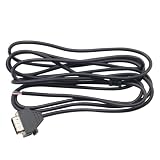
- Compatible Model: For Logi G29 G27 G920 G923 Racing Game Machine
- This product is suitable for G920 PS version, not suitable for G920 Xbox version
- Length: 2m/6.56ft
- Durable and Portable USB cable, made of soft plastic and high-quality metal material
- You will receive: 1 x Cable
Check connections and the game’s brake mapping
If braking is missing, inconsistent, or inverted, follow Logitech’s basic checks before considering an invasive fix. Its pedal troubleshooting guidance recommends verifying wheel power, the pedal connection, the USB connection, and the game’s pedal mapping. The pedal cable connects to the DB-9 female connector under the wheel unit. Some games can invert pedal controls, so confirm that the brake pedal is assigned to braking and behaves in the intended direction.
- Confirm the wheel is powered and the pedal cable is firmly connected to the wheel base.
- Check that the wheel’s USB connection is secure.
- Review the game’s control settings and confirm the brake is assigned correctly and is not inverted.
- If the reading still seems abnormal, compare the behavior in another game or on another PC. A student-contributed iFixit troubleshooting guide also suggests checking calibration and software settings; it is secondary advice, not a Logitech-approved calibration procedure.
What adjustments can—and cannot—change
| Option | What it changes | Use it when | Limits |
|---|---|---|---|
| LGS brake sensitivity | How pedal movement maps to game input | The brake registers too late or its response feels wrong | Does not reduce physical pedal resistance; Logitech documents a 50% default and per-game profiles. |
| Power, connections, and game mapping checks | Whether the game receives and interprets the pedal signal correctly | Braking is missing, inverted, or confusing | Does not soften the pedal; these are Logitech’s troubleshooting checks. |
| Move the pedal face | The pedal’s lateral position | Your foot position or heel-toe comfort needs adjustment | Logitech specifies a 2.5 mm hex key for repositioning the pedal face. This changes position, not resistance. |
| Remove the rubber block | The pedal’s physical feel | You specifically want to undertake a hardware modification | Shown in a creator video, not in Logitech service guidance; results and risks are not established. |
For lower physical resistance: understand the rubber-block modification
A creator video published on March 22, 2025, shows removing the black rubber block from the brake assembly after taking off the pedal plate and rear cover. You can view the G29/G920 stiff-brake modification video, but treat it as an unofficial demonstration, not an official repair procedure.
Rank #2

- Broad Compatibility – This inverted pedal kit is expertly engineered to work flawlessly with Logitech G PRO Pedals, G25, G27, G29, G920, and G923. It's a hassle-free upgrade that elevates your racing setup
- Immersive Inverted Design – Take your simulated racing to the next level with the inverted pedal layout! This design replicates the feel of real racing cars, significantly boosting the realism of your driving experience. It also enhances control precision, allowing you to make more accurate and responsive movements when accelerating, braking, and using the clutch – a must-have for any racing enthusiast aiming for top performance
- Highly Adjustable for Optimal Comfort – Enjoy a personalized driving experience with the kit's adjustable installation angle, height, and footrest position. Whether you have a specific driving style or need to accommodate different body types, these adjustments ensure that you can find the most comfortable and ergonomic position, enabling you to race for hours on end without discomfort
- Durable All-Metal Construction – Built with a high-strength metal frame, this pedal kit offers exceptional stability and reliability. Unlike plastic alternatives that are prone to breaking and wobbling, this all-metal design can withstand the rigors of intense racing sessions, providing long-lasting performance and peace of mind
- Flexible Dual Installation Options – Choose the installation method that suits your needs! The bottom of the kit is equipped with mounting holes, allowing you to securely attach it to any Logitech-compatible racing simulator cockpit. Alternatively, you can use the included suction cups to place it directly on the ground, ensuring a stable and secure fit
The demonstration does not establish that the modification is safe, durable, warranty-neutral, or likely to produce the same result for every G920. Logitech’s support material reviewed here does not document or endorse removing the block. Opening the pedal unit is a substantially different step from changing LGS settings or moving the pedal face, so do not use the 2.5 mm hex key guidance as instructions for disassembling the brake mechanism. Logitech’s support pages report no spare parts listed for the product; that does not establish parts availability in every region or from third parties.
Quick Recap
Best Value

- ✨[Product Overview] 3Pcs Complete Pedal Return Spring Upgrade Kit.
- ✨[Suitable for] Complete Pedal Spring Upgrade for Logitech G25 / G27 / G29 / G920 Racing Wheel.
- ✨[Compatible Models] Suits all driving titles such as; iRacing, GT5, GT6, Forza, Project Cars, GTR2, rFactor/2, Codemasters F1, Assetto Corsa and more.
- ✨[Product Function] Improve lap time and consistancy when compared to an unmodified pedal.
- ✨[Package Included] 1 x Brake Pedal Spring, 1 x Throttle Pedal Spring, 1 x Clutch Pedal Spring.
Rank #4

- Compatibility: Fit G25, G27, G29, G920, G923 racing wheel pedals perfectly.
- Improved Performance: Delivers smoother, more responsive action for enhanced SIM racing control.
- Built to Last: These durable manganese steel-made springs withstand intense gaming sessions while reducing pedal stiffness for fatigue-free play.
- Complete 3-Pc Kit: Includes brake, gas, and clutch springs for a full pedal upgrade.
- Committed to Innovation: We create professional-grade accessories. Contact us anytime for any issues.
Rank #3

- The usb cable pedal cable fit for Logitech G29 G27 G920 USB wire steering wheel cable cord.
- Match with your machine to enhance your gaming experience.
- The G29G27G920 USB cable peal cable made of high quality material,studry and durable.
- Easy to install, easy to connect, plug and play.
- Perfect replacement for the original damaged or missing cable.
Choose the least invasive fix that matches the problem
- Braking input feels wrong, but the pedal moves: adjust LGS sensitivity and check the game profile.
- Input is absent or reversed: verify power, pedal and USB connections, and the game’s mapping.
- Your foot position is uncomfortable: use Logitech’s pedal-face adjustment guidance; it changes position, not force.
- You specifically want lower physical resistance: understand that the rubber-block removal is an unofficial, invasive modification with unestablished risks and results.
Product prices and availability are accurate as of the date/time indicated and are subject to change. Any price and availability information displayed on Amazon at the time of purchase will apply.




