No—documented LGA 1150 desktop systems use DDR3 or DDR3L memory, not DDR4. Intel’s specifications for relevant 4th-generation Core processors list DDR3/DDR3L, and the LGA 1150 motherboard examples below specify DDR3 DIMMs. Check your exact motherboard model and revision before buying replacement RAM.
Why DDR4 does not fit an LGA 1150 system
LGA 1150 identifies the processor socket; it does not make different memory generations interchangeable. Intel’s 4th-generation desktop Core i3 documentation lists DDR3-1333/1600 or DDR3L-1333/1600 MHz for the covered i3-4xxx processors. Intel’s Core i7 documentation likewise lists DDR3 or DDR3L for relevant 4th-generation i7 families. The motherboard specifications cited here call for DDR3 DIMMs.
As an Amazon Associate I earn from qualifying purchases.
DDR4 support on later platforms does not make DDR4 backward-compatible with these LGA 1150 DDR3 boards. The cited Intel and motherboard documents establish no DDR4 adapter or workaround. Do not buy DDR4 for an LGA 1150 board unless documentation for that exact board explicitly supports it.
What RAM the LGA 1150 examples support
Board specifications show why the socket name alone is not enough to select memory:
#1 Best Overall

- Disclaimer: Maximum Speed requires overclocking/PC BIOS adjustments. Maximum speed and performance depend on system components, including motherboard and CPU
- Hand-sorted memory chips ensure high performance with generous overclocking headroom
- VENGEANCE LPX is optimized for wide compatibility with the latest Intel and AMD DDR4 motherboards
- A low-profile height of just 34mm ensures that VENGEANCE LPX even fits in most small-form-factor builds
- A solid aluminum heatspreader efficiently dissipates heat from each module so that they consistently run at high clock speeds
| Motherboard | Published memory specification | Important qualification |
|---|---|---|
| MSI H87-G43 | Four DDR3 DIMMs; 1066/1333/1600 MHz; up to 32 GB; dual-channel; non-ECC unbuffered memory | These limits apply to this model, not every LGA 1150 board. |
| Supermicro C7Z87 | Four DIMM slots; up to 32 GB DDR3-1600 unbuffered non-ECC UDIMM | The product page marks this SKU discontinued; its specifications are model-specific. |
The listed capacities and speeds are not universal LGA 1150 limits. Consult the specification or manual for your own motherboard, including its revision, and check the processor’s memory specification as well.
How to check before ordering RAM
- Identify the motherboard. Find the model name and hardware revision printed on the board, shown in firmware, or listed in your system documentation. Do not rely only on the CPU socket name.
- Open the manufacturer’s specification or manual. Confirm the required memory generation (DDR3 or DDR3L), supported capacity, number of DIMMs, speed, module organization, and voltage.
- Check the processor’s memory specification. Intel lists DDR3-1333/1600 or DDR3L-1333/1600 MHz for the covered 4th-generation Core i3 desktop processors. Its i7 documentation lists DDR3/DDR3L support for the relevant 4th-generation families; the specific processor’s page is the one to verify.
- Match the module type and configuration. Check whether the board requires UDIMMs and whether it supports ECC or buffered memory. For example, the two boards above specify non-ECC unbuffered memory.
- Only then compare compatible modules. A listing such as “DDR3 1600MHz desktop UDIMM memory” is not enough by itself; confirm that its capacity, organization, voltage, and configuration meet your board’s requirements.
Voltage matters too
Intel’s Core i3 desktop support documentation recommends memory adhering to the JEDEC DDR3 specification of 1.5 volts, plus or minus 5 percent. Intel warns that higher voltage can damage the processor or significantly reduce its lifespan. Treat this as guidance for the processors covered by that documentation, and verify the requirements for your exact CPU and motherboard before using a module with a different voltage rating.
Rank #2

- Disclaimer: Maximum Speed requires overclocking/PC BIOS adjustments. Maximum speed and performance depend on system components, including motherboard and CPU
- Hand-sorted memory chips ensure high performance with generous overclocking headroom
- VENGEANCE LPX is optimized for wide compatibility with the latest Intel and AMD DDR4 motherboards
- A low-profile height of just 34mm ensures that VENGEANCE LPX even fits in most small-form-factor builds
- A solid aluminum heatspreader efficiently dissipates heat from each module so that they consistently run at high clock speeds
Do not confuse cooler compatibility with RAM compatibility
Intel Support’s article “Is FCLGA1150 Cooler Compatible with LGA1155?”, last reviewed September 7, 2022, says LGA 1150 and LGA 1155 sockets have the same CPU-cooler mounting holes. That statement concerns cooler mounting only. It says nothing about RAM or processor compatibility; Intel also notes that a cooler’s thermal and power suitability must match the processor.
What’s actually slowing this PC down?
Pick the symptom - the matching free tool is one click away.
Quick Recap
Best Value
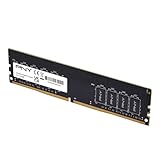
- Experience the benefits of a PC Memory Upgrade with the ability to run more demanding applications simultaneously, and at faster speeds, for a better, smoother, computing experience
- High performance DDR4 Desktop Memory designed for PC enthusiasts and gamers
- Exceptional performance with a frequency speed of 3200MHz (PC4-25600), and backwards compatible with lower frequencies (3000MHz, 2933MHz, 2666MHz, 2400MHz and 2133MHz)
- CAS Latency of 22, 1.2 Volts
Rank #4

- Capacity:DIGIERA DU260 Module 8GB Speed Up To 2666MHz Non-ECC High-Performance Computer Memory 288-Pin 1.2V CL19 UDIMM.
- Compatibility: Compatible With Computers Of All Brands,Designed For Personal And Professional PC That Support 288-Pin UDIMM DDR4 Memory. NOT Compatible With Laptop SODIMM Slots.
- Installation: Plug And Play, Slot-Based Design, Dual Channel Operation, No Driver Installation Required, Quick And Easy To Install.
- Warranty: All DU260 UDIMM DDR4 Products Are Manufactured With High-Quality Components And Undergo Rigorous Testing To Meet Strict Performance Standards. 3 Year warranty.
- ECC Type=Non-ECC, Form Factor=UDIMM, Pin Count=288-Pin, Voltage=1.2V, Rank And Configuration=1Rx16, 1Rx8
Rank #3
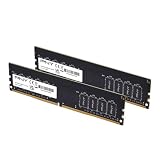
- DDR4 MEMORY TECHNOLOGY – Powered by DDR4 technology, delivering faster performance, greater bandwidth, and improved energy efficiency over earlier memory technologies
- JEDEC STANDARD – Designed to meet JEDEC standards, leveraging high-quality ICs and extensive testing for consistent, reliable operation
- DESIGNED FOR EVERYONE - Designed for smooth everyday performance, including office applications, creative workflows, and home PC builds
- COMPATIBILITY – Engineered for high performance at 3200MHz (PC5‑25600), with compatibility across 3000MHz–2133MHz speeds.
- TOP TIER SPECIFICATIONS – Optimized 288‑pin DDR4 unbuffered DIMM, CL22 timing, and efficient 1.2V operation
Product prices and availability are accurate as of the date/time indicated and are subject to change. Any price and availability information displayed on Amazon at the time of purchase will apply.




