What’s actually slowing this PC down?
Pick the symptom - the matching free tool is one click away.
The HyperX OMEN OLED 34 is a 34.92-inch curved ultrawide QD-OLED monitor built first for high-refresh-rate PC gaming, with a 3440 × 1440 resolution, refresh rates up to 360 Hz, USB-C charging up to 100 W, and an integrated KVM. Independent testing found it strong for PC gaming and useful for productivity, but its console signal limits, OLED burn-in risk with static content, and bright-room black levels are important trade-offs.
What the HyperX OMEN OLED 34 offers
HP’s specifications describe a 34.92-inch QD-OLED panel with a 21:9 aspect ratio, 3440 × 1440 native resolution, a maximum supported refresh rate of 360 Hz, and a specified 0.03 ms gray-to-gray response time. RTINGS describes the screen as curved with an 1800R radius. These are the monitor’s specifications, not a guarantee that a computer will render every game at 360 frames per second; that depends on the graphics hardware, game, resolution, and settings.
As an Amazon Associate I earn from qualifying purchases.
| Feature | HyperX OMEN OLED 34 |
|---|---|
| Panel and aspect ratio | QD-OLED, 21:9 |
| Diagonal and native resolution | 34.92 inches; 3440 × 1440 |
| Maximum supported refresh rate | 360 Hz |
| Specified response time | 0.03 ms GtG |
| Listed brightness and contrast | 300 nits; 1,500,000:1 |
| Video inputs | 1 × DisplayPort 1.4; 2 × HDMI 2.1; 1 × USB-C with DisplayPort Alt Mode |
| USB and audio | 2 × USB-A; 1 × USB-B; 3.5 mm audio output |
| USB-C power delivery | Up to 100 W |
| Stand and mounting | Height, tilt, and swivel adjustment; 100 × 100 mm VESA mounting; bracket included |
HP lists an HDMI cable, DisplayPort cable, and USB-C cable among the included accessories, so the basic video connections do not require a separate cable purchase. The listed warranty is an HP three-year limited warranty. HP also names HyperX OLED CoreProtect; check the warranty terms applicable in your country for specific coverage, exclusions, and burn-in conditions.
How it performs for PC gaming
RTINGS’ independent testing found the monitor very good for PC gaming, citing low input lag, near-instantaneous pixel response, little motion blur, VRR support, and strong picture quality. The 360 Hz ceiling is most relevant to players with a PC capable of producing high frame rates in their chosen games. It is a supported maximum, not a promise of 360 fps in demanding titles.
#1 Best Overall

- QHD RESOLUTION - Get lost in the captivating definition and sharp details of 3.7 million pixels; 2560 x 1440 Quad HD resolution transforms all your content for a remarkable entertainment experience on this 27" diagonal
- QD-OLED PANEL TECHNOLOGY - Experience visuals like never before with an outstanding contrast ratio and a rapid 0.03ms response time, ensuring vivid colors and minimal blur
- NVIDIA G-SYNC TECHNOLOGY - Delivers gameplay that’s sharp, fluid, and stutter-free with minimal input lag
- PLENTY OF PORTS - Easily connect to your gaming and work PCs, console, and headset with two HDMI 2.0 ports, one DisplayPort 1.4, and one 3.5 mm headphone jack
- ALL YOUR FUN, CUSTOM - Make your desk just how you like it and maintain comfort with a fully adjustable stand, including height, tilt, pivot and swivel capabilities
RTINGS reports VRR compatibility with recent graphics cards. A compatible PC and connection are still necessary to use the monitor’s high-refresh and variable-refresh features as intended. The 21:9 format also provides a broad view in games that support ultrawide resolutions, while titles without ultrawide support may show unused screen area or require configuration.
What to expect with PS5 and Xbox
The monitor accepts console signals, but RTINGS’ compatibility testing found substantial limits compared with its PC performance. In that testing, PS5 was limited to 4K at 60 Hz, while Xbox was limited to 1440p at 60 Hz; RTINGS also noted especially significant Xbox compatibility issues. The monitor downscales 4K signals. These findings mean the 360 Hz headline should not be read as a console refresh-rate capability.
Rank #2

- Ultrawide immersion for elite gameplay: Our expansive 34" QD-OLED monitor delivers seamless speed, and super smooth motion with intuitive function and connectivity.
- Sweeping visuals and color: Evolve your field of view with WQHD and an 1800R curve, combined with QD-OLED's incredible color range and clarity that easily immerses you in any world.
- Colorful clarity: Experience the full spectrum of color as intended with DCI-P3 99.3% color coverage and Delta E<2 color accuracy.
- Vast visuals: See every detail with VESA DisplayHDR TrueBlack 400, 1000 nits peak HDR brightness and infinite contrast ratio.
- Unrivaled speed: Adaptive sync technologies like NVIDIA G-SYNC Compatible, AMD FreeSync Premium Pro and VESA AdaptiveSync make games feel effortlessly smooth.
If console gaming is the main use, weigh these reported signal limits against the monitor’s ultrawide PC strengths before buying. Consoles can work with it, but the tested compatibility does not deliver high-refresh console play.
Is it suitable for work and creative tasks?
RTINGS found good text clarity on the RGB Stripe panel, without color fringing in its testing, along with good viewing angles. The ultrawide workspace can also be useful for arranging windows side by side or keeping a long video timeline visible. For editing, RTINGS praised the accuracy of the monitor’s sRGB mode.
Rank #3
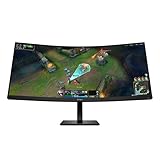
- WQHD RESOLUTION - Give all your entertainment a new level of immersion with impressive 3440 x 1440 resolution; This 34 inch diagonal curved display surrounds you with 4.9 million pixels for captivating definition and sharp details across a 21:9 aspect ratio
- 180HZ REFRESH RATE- For crisp action and responsive gameplay, this fast refresh rate practically removes all artifacting and motion blurring
- VESA DISPLAYHDR 400 - With peak brightness of 400 nits and 4000:1 contrast ratio, experience games how the developers intended with brighter whites, deeper blacks, and richer colors
- MORE COLORS TO PLAY WITH - Get deeper hues and a wide array of colors with 99% sRGB and 95% Display P3 Factory Color Calibrated for precisely recreated colors so lifelike you get lost in your gameplay
- 1MS MPRT WITH OVERDRIVE - How fast your pixels can react to changing frames is critical for fast-paced gaming, and a 1ms MPRT cures even the most action-packed moments are fluid, crisp, and free of motion blur
OLED remains a consideration for office use: static desktop elements such as taskbars and fixed application panels can contribute to burn-in risk over time. That is a risk rather than an inevitable outcome, and the available findings do not establish a lifespan or burn-in incidence rate. RTINGS also cautions that blacks can look gray in bright rooms, so a dimmer viewing environment may better suit dark-scene content.
USB-C, KVM, ergonomics, and mounting
The USB-C input carries video through DisplayPort Alt Mode and can supply up to 100 W of USB Power Delivery. That can simplify a desk setup for a compatible laptop, although HP’s listed port specifications do not establish a specific dock or peripheral configuration beyond the monitor’s listed ports. The built-in KVM switch, identified by HP and RTINGS, lets users share connected peripherals between two computers; USB-A and USB-B ports provide the monitor’s USB hub connections.
Rank #4

- Ultra Wide QHD Curved Display: 34-inch WQHD (3440 x 1440) 1500R curved gaming monitor with overclock to 250Hz refresh rate designed for professional gamers and immersive gameplay
- Fast Response Time: 0.5ms(min) response time to further reduce ghosting creates fluid gaming experience
- FreeSync Premium Pro Technology: Delivers a seamless, tear-free gaming experience by enabling VRR (variable refresh rate) by default
- ASUS Extreme Low Motion Blur Sync: ELMB SYNC technology enables ELMB together with variable refresh rate, eliminating ghosting and tearing for sharp gaming visuals with high frame rates
- High Dynamic Range Support: HDR technology with DisplayHDR 400 compliance supports HDR-10 format to enhance bright and dark areas
The stand adjusts for height, tilt, and swivel. For an arm-mounted setup, the monitor supports the common 100 × 100 mm VESA pattern and includes the mounting bracket. The stand is included, so an arm is optional rather than required.
Price and availability
When the HyperX US product page was accessed on October 7, 2026, it displayed a price of $899.99 against a displayed MSRP of $1,099.00 and marked the monitor out of stock. Those figures are a dated US listing snapshot, not a guaranteed current price or a price for other regions; the listing also notes that MSRP may not match the prevailing market price. Check the local product page and retailer stock before making a purchase.
Best Value

- The latest 5th-Gen QD-OLED Panel – A new RGB Stripe sub-pixel layout for sharper visuals
- DarkArmor Film- Delivers 40% deeper blacks and a 2.5x more scratch-resistant screen surface
- Incredible HDR visual – VESA DisplayHDR True Black 500, Crystal-Clear Motion – VESA ClearMR 15000 certified
- Peak 1300 Nits-delivers a superior HDR experience with 1300 nits peak brightness, Ensures the color meets the market standard – Delta E≤2
- 5-layer tandem OLED panel with EL Gen 3 technology – Light efficiency up to 30%
Who should buy it?
- Consider it for high-refresh PC gaming if your computer can make use of a 3440 × 1440 ultrawide display and you value responsive QD-OLED performance.
- It can suit mixed gaming and productivity if USB-C video and power, the KVM, broad workspace, and tested text clarity match your desk setup.
- Think carefully before choosing it primarily for consoles because RTINGS’ testing reported 60 Hz limits for both PS5 and Xbox in the listed signal modes.
- Account for your room and usage if you work with static screen elements for long periods or need OLED blacks to remain deep in bright ambient light.
RTINGS identifies the MSI MPG 341CQR QD-OLED X36, Dell Alienware AW3426DW, and ASUS ROG Swift OLED PG34WCDN as models using the same fifth-generation QD-OLED panel family. Its review says those alternatives can offer stronger console compatibility, while MSI and ASUS provide DisplayPort 2.1. Compare the exact model’s local specifications, warranty language, price, and stock before choosing; panel-family similarity alone does not establish identical features.
Quick Recap
Product prices and availability are accurate as of the date/time indicated and are subject to change. Any price and availability information displayed on Amazon at the time of purchase will apply.




