Free tools Windows power users keep installed
One-click scans. No signup required.
Yes, an Intel Core i3 can be enough for Zoom’s basic desktop meetings—but the family name alone cannot tell you whether a particular computer will meet your needs. Zoom’s published minimum is a dual-core processor running at 2 GHz or higher, with 4 GB of RAM. It recommends a quad-core processor at 2.5 GHz or higher and 16 GB of RAM. Your i3’s exact model, generation and core count matter, especially for screen sharing and virtual backgrounds.
What Zoom requires from a desktop computer
Zoom’s current desktop requirements set these processor and memory thresholds. They are compatibility guidance, not a guarantee of identical performance on every computer.
As an Amazon Associate I earn from qualifying purchases.
| Component | Minimum | Recommended |
|---|---|---|
| Processor | Dual-core, 2 GHz or higher | Quad-core, 2.5 GHz or higher |
| Memory | 4 GB RAM | 16 GB RAM |
These figures come from Zoom’s system requirements. Zoom does not treat every Core i3 as interchangeable: a processor’s full model number and specifications are more useful than its i3 label.
What that means for meetings and screen sharing
Basic meetings
An i3 that meets Zoom’s minimum processor and RAM requirements may be sufficient for ordinary meetings. Other factors—including the operating system, network connection and what else is running—can affect how the app performs. Zoom says it adjusts bandwidth use to a participant’s network, so an adequate processor alone cannot ensure good video quality.
#1 Best Overall

- Intel i3-n305 (up to 3.8 ghz with Intel turbo boost technology, 6 mb l3 cache, 8 cores); Intel 4k graphics; Windows 11 home; fingerprint reader
- 8gb ddr4 system memory; 256 gb pcie nvme m.2 ssd; dual speakers; long battery life; full-size island style keyboard; HP true vision 720p hd camera with integrated dual array digital microphones
- 15.6in diagonal, full hd, micro-edge, brightview, 250 nits (1920 x 1080); realtek wi-fi 6 (1x1) and bluetooth 5.3 wireless card;
- 1 usb type-c 5 gbps signaling rate (supports data transfer only and does not support charging or external monitors); 2 usb type-a 5gbps signaling rate; 1 ac smart pin; 1 hdmi 1.4b; 1 headphone microphone combo
Screen sharing
Zoom warns that laptops with single- or dual-core processors have reduced screen-sharing frame rates, around 5 frames per second. It recommends at least a quad-core processor for optimum laptop screen sharing. That is Zoom’s guidance, not a promise that every quad-core computer will perform smoothly in every situation. Zoom’s statement and the full system requirements are on its system requirements page.
Which i3 processors support Zoom virtual backgrounds?
Background eligibility depends on the operating system, processor generation and core count, as well as whether you want a still image or a video background and whether you use a green screen. Zoom’s virtual background requirements distinguish among these cases.
Rank #2

- Intel 11th Gen i3 Processor Up to 4.10GHz, 4GB Memory, 128GB SSD
- 14inch Diagonal HD IPS Display, Intel UHD Graphics
- 1x USB Type C, 2x USB Type A, 1x HDMI, 1x Headphone/Microphone Jack, SD Card Reader
- Super-fast Wifi and Bluetooth, Integrated Webcam
- Windows 11 OS, AC Charger Included, Dale Silver Color
Windows
- Image background without a green screen: Zoom lists Intel Core i3-5000 or higher.
- 720p video background without a green screen: Zoom lists an i3 with at least four cores and 8th generation (8000) or higher.
macOS
- Image or video background without a green screen: Zoom lists a four-core i3 at 8th generation or higher.
These examples are not a blanket guarantee that all i3 computers support every background effect. Consult Zoom’s current feature table for the precise platform and background setup you plan to use.
Crashes, No Sound, or Screen Glitches?
Random freezes, missing sound and display glitches usually trace back to one bad driver. Find and replace yours safely.Free scan · under a minutePC Slower Than It Used to Be?
A free scan shows the junk files, broken settings and background clutter dragging Windows down - then fixes them in one click.Free scan · Windows 10 & 11Check your computer before deciding
- Find the full processor model. On Windows, open Settings → System → About and check the processor entry under device specifications. On a Mac, open the Apple menu and choose About This Mac. Record the full model name, not just “Core i3.”
- Check core count and generation. Compare the exact processor with Zoom’s thresholds for your intended use. The i3 name by itself does not establish its clock speed or core count.
- Check installed RAM. Zoom lists 4 GB as a minimum and 16 GB as recommended.
- Confirm your operating system is supported. Zoom’s current desktop requirements list Windows 10 and 11, macOS 10.15 or later, and specified Linux distributions. Its page says Windows 7, 8 and 8.1 support ended with desktop app release 6.0.0, and macOS 10.13 and 10.14 support ended with release 7.0.0. Requirements can change, so verify the current list for your platform.
- Match the check to your use. Consider whether you need only basic meetings, or also frequent screen sharing or a still-image or video background.
- Check the rest of your setup. Zoom requires an internet connection, speakers and a microphone; video requires a webcam. These can be built in or connected. Network conditions can also affect call quality.
When is an upgrade actually necessary?
The published requirements do not establish that you need a new computer simply because it has an i3. If your exact processor and RAM meet the requirements for the features you use, your operating system is supported, and meetings work acceptably for you, the available guidance gives no reason to upgrade based on the processor label alone. If a specific background feature is unavailable or screen sharing is unsatisfactory, compare the computer’s exact specifications with Zoom’s relevant requirements before deciding what to change.
Quick Recap
Rank #3
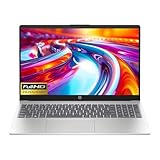
- Intel i3-n305 (up to 3.8 ghz with Intel turbo boost technology, 6 mb l3 cache, 8 cores)(beats i5-1135G7); Intel 4k graphics; Windows 11 home; fingerprint reader
- 8gb ddr4 system memory (up to 32gb); 256 gb pcie nvme m.2 ssd; dual speakers; long battery life; full-size island style keyboard; HP true vision 720p hd camera with integrated dual array digital microphones
- 15.6in diagonal, full hd, micro-edge, brightview, 250 nits (1920 x 1080); realtek wi-fi 6 (1x1) and bluetooth 5.3 wireless card;
- 1 usb type-c 5 gbps signaling rate (supports data transfer only and does not support charging or external monitors); 2 usb type-a 5gbps signaling rate; 1 ac smart pin; 1 hdmi 1.4b; 1 headphone microphone combo
Product prices and availability are accurate as of the date/time indicated and are subject to change. Any price and availability information displayed on Amazon at the time of purchase will apply.




