Grok subscription billing and payments made through PayBox are separate flows. To pay for a Grok subscription, use the billing or app-store route where you bought it. To authorize a payment action through Grok, review PayBox’s permissions and transaction details, approve only what you intend, then verify the completed transaction on the relevant network. A prompt saying a payment was prepared or submitted is not proof that it settled.
First, identify which payment flow you mean
“Grok payments” can mean either paying xAI for a Grok subscription or using a separate payment connector to authorize another transaction. The provider, approval process, and support route differ.
As an Amazon Associate I earn from qualifying purchases.
| Payment path | What you are paying for | Who manages it | How to verify |
|---|---|---|---|
| Grok subscription | A Grok plan or its recurring billing | xAI for web purchases; Apple handles App Store transactions and refunds; Google Play manages subscriptions bought there, while xAI handles refunds for those purchases. See xAI’s Grok FAQ. | Check the account and purchase channel, then review the subscription or receipt with that provider. |
| PayBox connector | A separate payment or wallet action that you ask Grok to prepare or authorize | PayBox is a third-party connector announced for Grok by MoonPay; it is not Grok subscription billing. MoonPay identifies the operator as Launchpad Limited and says it is unregulated. See MoonPay’s announcement. | Use the operation details and, when available, the transaction reference to check the record on the corresponding network. |
Set up PayBox only if you intend to use a third-party payment connector
MoonPay announced PayBox availability in Grok on August 31, 2026. Its documented setup uses a custom MCP connector and OAuth authorization. Connector availability and interface labels can change, so confirm them in the current Grok app before proceeding.
- Open Grok’s connectors page.
- Choose New Connector, then Custom.
- Name the connector PayBox.
- Enter
https://api.paybox.sh/mcpas the connector URL and add it. - Complete PayBox sign-in and OAuth authorization. Review the account and permissions being authorized before continuing.
Grok’s subscription billing does not require this connector. Do not authorize it merely to manage or pay for a Grok plan.
#1 Best Overall
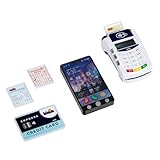
- The PoS terminal with children's smartphone makes shopping a fun play experience
- Features such as credit card slot, contactless payment, and realistic light and sound effects
- The smartphone has 3 buttons with different sound functions and a flash light - perfect for role-playing
- Encourages fantasy, motor skills and first everyday skills through playful payment and shopping experiences
- Dimensions: 20 cm x 12 cm x 5 cm | Suitable for children from 3 years | Batteries required: 5x R03-AAA (Micro) - Not included
Choose permissions and approval settings conservatively
MoonPay describes two PayBox approval modes: Always Ask, which requires passkey approval for each transaction, and Autonomous, which permits activity within limits you define. PayBox’s documentation says sensitive or above-threshold operations pause for passkey approval and that each operation creates an audit event. Those are provider descriptions, not independent verification of this connector’s implementation.
- When learning the feature, or when the recipient or amount matters, choose approval for every transaction.
- If you use limits, set them to the narrowest amount and scope that serve the intended task; do not treat a limit as a substitute for reviewing each proposed action.
- Before authorizing, check the permission and spending limit shown. Decline if either grants broader access than you intended.
Review the proposed payment before approving
Check the transaction details in the approval request rather than relying on the wording of your conversation with Grok. Confirm:
Rank #2
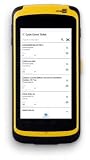
- CipherLab RS51 series mobile barcode scanner dimensions 6.37 x 3.15 x 1.02 inches
- Inventory RFID reader processes payments; tracks inventory; NFC reader for contactless payments from Smartphones
- The CipherLabRS51 series’ is completely mobile, connecting to Wi-Fi and 4G/LTE; 1 year warranty
- Data entry is fingertip, wet or dry, and stylus; capture proof of service with 13MP camera with LED flash
- Replaceable and rechargeable 3.8V 4000 or 3.75V 5300 mAh battery, each charge lasts 12 to 16 hours
- Network: It is the network you intended to use.
- Asset: The currency or token is correct.
- Destination: The recipient address or account matches a trusted source.
- Amount: The amount is correct, including any displayed spending limit.
- Permission: The action fits the authorization you meant to grant.
Address formats and account types can be network-specific. Solana’s documentation describes address validation and user confirmation for cases that require review; see its transaction documentation. If any detail differs from the intended payment, decline and start again with corrected instructions. Do not approve a mismatched transaction in the hope that it can be fixed later.
The Tool Desk
Outbyte Driver Updater FREEScan for outdated or missing drivers - takes under a minuteDriver Scan →Outbyte PC Repair FREEClear out junk files and repair common Windows errorsFree Scan →Verify settlement instead of trusting a submission message
PayBox documents an operation lifecycle of submit, approve, and poll. A request can therefore be submitted without the underlying transaction being complete. Solana’s transaction lifecycle also distinguishes signing and broadcast from later inclusion, confirmation, or expiry; see its transaction pipeline documentation.
Rank #3

- 【High Durability】 - Our 10pcs 13.56Mhz NFC Ntag215 White Cards are built to last, with the capability to be read and written about 100,000 times. This ensures longevity in usage, making them reliable for a wide of applications. With a data retention period of up to 10 years, these cards are for both and commercial use, allowing you to store essential information with confidence.
- 【Premium Material】 - Crafted from new PVC materials, these NFC cards boast a and delicate . Their good toughness and impressive bending resistance make them highly in day-to-day handling. Whether in your wallet or on a keychain, the quality construction ensures they maintain their integrity over time, providing you with a top-notch experience every time you use them.
- 【Convenient 】 - Each card comes with a Siamese sleeve designed to the card , wear and tear from use. By keeping the NFC cards well-protected, you can enjoy hassle- and maintain your information intact, ensuring that they remain in condition for your needs.
- 【Versatile Usage】 - These NFC cards can be utilized with any NFC-enabled device, making them incredibly versatile. From to automating commands like opening URLs, making phone calls, sending SMS, or accessing local files/applications, the possibilities are endless. This adaptability makes them a tool for tech enthusiasts and casual users alike.
- 【Optimal Reading Distance】 - Designed for convenience, our NFC cards have a reading distance of approximately 5-10CM (.97-3.94 inches). This allows for quick and easy access to the stored information, enhancing your overall user experience. Enjoy seamless interaction with your devices while leveraging the advanced technology of these NFC cards to your daily tasks.
- Wait for the operation to report completion and look for its transaction signature or hash.
- Open a trusted explorer or network interface for the transaction’s network and search using that reference.
- Compare the resulting record’s status, recipient, asset, and amount with the approval you intended to give.
- If there is no transaction reference, the status remains pending, or the record conflicts with the approval, do not assume the payment completed. Check PayBox’s operation or audit information and contact the relevant provider.
A passkey approval or successful submission is not, by itself, evidence of settlement. The network record is the way to check whether the transaction was included or whether it expired.
Revoke access when you are finished
PayBox says users can revoke an agent client and that changing permissions requires a new passkey approval. Review the connector and its grants periodically, particularly after using Grok on a shared or unfamiliar device. Revoke access you no longer need through the available PayBox controls.
Rank #4

- Turn your android mobile phone into a POS Terminal - TPV.
- Accept credit card payments.
- App - Integrate your android phone with Stripe payments.
- Accept payments from your mobile phone.
- Accept Visa, MasterCard, American Express, JCB, Discover, and Diners Club. Payments
Manage subscription billing and get support through the right provider
For subscription issues, start with the channel used to purchase the plan. xAI says a subscription is tied to the account used to buy it, so if a plan is missing, check that you are signed in with the purchasing account before assuming you were charged twice.
What’s actually slowing this PC down?
Pick the symptom - the matching free tool is one click away.
- Web purchase: While logged in, use Grok’s billing page to manage the subscription or payment method.
- App Store purchase: Apple handles the transaction and refund route.
- Google Play purchase: Manage the subscription in Google Play; xAI handles refunds for these purchases.
For a billing issue, xAI advises using the in-product Report an issue feature or replying to the receipt email. Include the account email, platform, invoice or receipt number, and a screenshot or conversation share link. For an issue with Grok on X, xAI’s FAQ directs users to X support because xAI does not have operational oversight of Grok on X. See the Grok FAQ.
Best Value

- Rotatable Stand: The stand can rotate 360 degrees for versatile use.
- Compatible Devices: Works with smartphones for easy access and payments.
- Adult and Teen Targeted: Designed for adults and teenagers for secure transactions.
- Black Color: Comes in a sleek black color for modern style.
- ENS Engineered: Made by ENS Engineered Network Systems for quality assurance.
Understand the limits of the safety claims
Payment approvals and transaction checks can reduce mistakes, but they do not make an agentic payment risk-free. xAI’s Consumer Terms say users are responsible for agentic actions they direct and state that “SpaceXAI makes no representations regarding the accuracy, safety, or legality of any Agentic Action and disclaims all liability for Agentic Actions to the fullest extent permitted by law.” Treat PayBox and MoonPay’s descriptions of passkeys and cryptographic controls as provider claims, not an independent security assessment.
Quick Recap
Product prices and availability are accurate as of the date/time indicated and are subject to change. Any price and availability information displayed on Amazon at the time of purchase will apply.




