Colorlib Pricing Table V07 is a free downloadable HTML/CSS layout for presenting membership prices in horizontal rows rather than side-by-side cards. It is designed around coworking plans: each row groups a plan name and icon, feature chips, a price, and a call-to-action button. On phones, the rows reflow into compact cards.
What the V07 pricing layout includes
The design emphasizes a quick scan across multiple membership options. A featured plan stands out through a dark, inverted row and a pill label; other plans use the standard row treatment. On smaller screens, the horizontal layout changes into cards, with the price positioned beside the plan name.

As an Amazon Associate I earn from qualifying purchases.
Colorlib lists the download at 190 KB. That is the file size, not a measurement of page speed or usability. The published example is oriented toward coworking memberships, while Colorlib’s broader collection also suggests this style for services and other pricing pages with more than three options. See the V07 page and download details.
How to decide whether V07 fits your pricing page
V07 is a reasonable starting point when visitors need to compare several fixed-price plans and their included features. Its rows keep plan details in a consistent structure, while the featured treatment can direct attention to one option.
#1 Best Overall
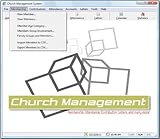
- Church Management All in One Software
- Church Management Membership Management
- Church Management Finance Management
- Choose a different layout if customers need a detailed, cell-by-cell feature comparison, a billing-period toggle, currency switching, a seat or usage calculator, or a custom enterprise quote. Colorlib’s collection includes designs aimed at those patterns.
- Check mobile behavior with your actual plan names, feature labels, and prices. The source describes a compact-card reflow, but does not provide independent device testing.
- Check accessibility before publishing. Confirm that the button and any interactive elements work by keyboard, have clear labels, and are understandable to screen-reader users. The published description does not establish accessibility testing.
These are selection checks, not claims that V07 has been compared or tested against every alternative. Browse Colorlib’s pricing-table collection for layouts with different comparison and interaction patterns.
Implementation, compatibility, and license
Colorlib describes V07 as plain HTML and CSS, without jQuery, Bootstrap files, plugins, or JavaScript. The publisher says it can be used by itself or added to Bootstrap 4, 5, or 6 projects. These are Colorlib’s compatibility claims; no independent integration tests are established here. The page lists the template as 190 KB.
Rank #2
The V07 page is dated September 25, 2026, names Aigars Silkalns as author, gives September 2026 as the release date, and lists CC BY 3.0. Colorlib’s 2026 collection says its templates are free for personal and commercial projects under CC BY 3.0 provided the credit link is kept. Review the terms on the download page before deployment and retain the attribution required by the publisher.
Recommended Free Tools
V07 supplies a presentation layout, not business pricing. Set the plan names, inclusions, prices, and button destinations to match your own offer; Colorlib does not specify what prices should appear in a deployed version.
Quick Recap
Best Value

- AUTOMOTIVE SERVICE-FOCUSED DESIGN: Tailored for automotive services, this Daily Car Service Record Book supports technicians and service writers in auto service shops, service truck operations, and dealership departments by organizing repair appointments, job authorizations, and maintenance tracking with ease. A must-have record book for efficient workflow.
- COMPREHENSIVE LOGGING SOLUTION: Offers 50 spacious 8.5" × 11" sheets for detailed entry of customer details, vehicle repair needs, and service authorizations, ensuring seamless tracking of complex auto maintenance and dealership records.
- BUILT FOR SHOP ENVIRONMENTS: Constructed from high-quality paper and spiral-bound for durability, it withstands daily use in busy auto service bays and service truck operations. This car service record book is easy to flip, write on, or remove pages as needed without tearing or shifting.
- USER-FRIENDLY RECORD KEEPING: Designed for quick and easy use, this record book includes fields for customer names, phone numbers, technician assignments, repair notes, and flat-rate hours—perfect for professional auto services environments where accuracy matters.
- PROFESSIONAL AND VERSATILE: Whether you're scheduling jobs for a service truck, documenting auto service tasks in an independent shop, or maintaining dealership records, this car service record book serves as both a daily planner and an essential automotive services tool for organized, professional work.
Rank #4
![Express Schedule Free Employee Scheduling Software [PC/Mac Download]](https://m.media-amazon.com/images/I/41yvuCFIVfS._SL160_.jpg)
- Simple shift planning via an easy drag & drop interface
- Add time-off, sick leave, break entries and holidays
- Email schedules directly to your employees
Rank #3

- Membership Manage Professional; 100,000 Member Database Tracking and Management Software
- Manage, Track and print member details including Personal information, member status, age group, address/email phone number, photo, member
- Manage, Track and print members payment details
- Manage, Track and print member attendance
- Manage, Track and print calendar with events and which members are attending
Product prices and availability are accurate as of the date/time indicated and are subject to change. Any price and availability information displayed on Amazon at the time of purchase will apply.
Independent reader supportYour contribution helps us test, update, and keep practical guides available for everyone.



