Recommended Free Tools
Use a built-in dwell-click feature when you need a click after the pointer rests; use timed auto-click software when you need repeated clicks at a chosen interval or location. Those are different tools, and their settings and operating-system support vary. On Android, Google documents a built-in mouse-based option; desktop users should check each third-party tool’s compatibility and controls before running it.
Choose the right kind of auto click
First decide what action you need. A dwell click clicks once after the pointer stops moving for a chosen delay. A timed auto-clicker repeats clicks at configured intervals, usually at the current pointer position or at coordinates you specify.
As an Amazon Associate I earn from qualifying purchases.
| Need | Look for | Important distinction |
|---|---|---|
| Click where the pointer rests | A dwell-click accessibility feature | The click follows a pause in pointer movement rather than a repeating schedule. |
| Repeat clicks on a target | Third-party timed-clicking software with interval and count controls | Targeting, click types, platform support, and advanced features depend on the specific product. |
For Android devices used with a mouse, Google’s built-in Autoclick (Dwell timing) is a first-party option. For Windows, Microsoft documents accessibility and automation technologies such as Microsoft Active Accessibility (MSAA) and UI Automation, along with assistive tools and automated scripts; that documentation is not an endorsement of a particular consumer auto-clicker. Google’s Android Autoclick instructions and Microsoft’s Windows accessibility and automation overview describe those respective contexts.
The Tool Desk
Outbyte Driver Updater FREEFix the driver behind crashes, sound loss and screen glitchesFind Drivers →Outbyte PC Repair FREERepair Windows errors before they cause bigger problemsFix Now →Set up dwell clicking on Android
Google Android Accessibility Help describes the feature this way: “If you use a mouse with your Android device, you can set the cursor to take action automatically when the cursor stops moving for a certain amount of time.” Google identifies it as helpful for users with motor impairments. Connect a mouse by Bluetooth or USB, then follow the documented settings path:
#1 Best Overall
![[Upgraded] iKKEGOL USB Foot Pedal Switch Video Game PC Hands Free Footswitch One Key Control Program Computer Mouse Keyboard HID with 2M Cable](https://m.media-amazon.com/images/I/41YLIfFMV-L._SL160_.jpg)
- iKKEGOL 2020 Upgraded USB programmable foot pedal switch is a standard HID device and programmable keyboard and mouse that is triggered by your foot. Free software and easy to setup.
- It's designed for a free hands environment for playing a game, video games, Push to Talk for discord, Streaming,Photobooth, Medical,Zoom, transcription key setting,factory test,instrument control,media play/pause, scanning of images in hospital etc…
- This foot pedal is build with durable, sensitive switches providing you with an easy touch response and minimal resistance. The ergonomic design with a wide pedal and the large size enables you long lasting comfort for your feet, and it can bear weight of more than 100kg
- There are 4 TPU rubber can be used on hard floors, ensure it stays right where you want it. Box contents: 1x USB foot pedal.
- Open Settings.
- Go to Accessibility > Cursor & touchpad accessibility > Autoclick (Dwell timing).
- Turn on Use autoclick.
- Move the pointer to the target and stop moving it. The click occurs after the selected dwell delay.
Google notes that some steps may be limited to Android 11.0 and newer. Labels or availability can vary by device, so consult the Android accessibility instructions for your version.
Adjust the delay and movement tolerance
- Delay before click: Reduce it when you can place the pointer reliably and want a quicker action; increase it when you need more time to position the pointer and avoid an unintended click.
- Click area: Adjust how much pointer movement is allowed while the countdown is active. This can help when small movements would otherwise interrupt the dwell.
- Ignore minor cursor movement: Consider enabling this if slight jitter keeps resetting the timer. Google says the setting is off by default.
Select other actions and keep feedback visible
The floating click-type selector includes left-click, touch and hold, right-click, double-click, drag, and scroll. Choose the action needed for the current task, then switch back to left-click when appropriate. A visible countdown ring shows when the dwell action is approaching, and pause/resume controls let you interrupt or continue the feature.
Rank #2

- iKKEGOL Upgraded with wide pedal, Optical Switch and USB Foot Switch is a standard HID device and programmable keyboard and mouse that is triggered by your foot. Optical Switch is quiet.
- It's designed for a free hands environment for playing a game, Push to Talk, Photobooth, Medical,Zoom, transcription key setting,factory test,instrument control,media play/pause, scanning of images in hospital etc…
- This foot pedal is build with durable, sensitive switches providing you with an easy touch response and minimal resistance. The ergonomic design with a wide pedal and the large size enables you long lasting comfort for your feet, and it can bear weight of more than 100kg.
- There are 4 TPU rubber can be used on hard floors, ensure it stays right where you want it. Box contents: 1x USB foot pedal.
For an Android phone or tablet, a Bluetooth mouse is one documented setup; USB is another. Confirm that the mouse connection and connector are compatible with your particular device.
Free tools Windows power users keep installed
One-click scans. No signup required.
Evaluate third-party clickers by the task
Do not assume that all auto-clickers offer the same functions. Check the product’s official requirements and feature list against the job you need to automate. The Playsaurus download page, for example, lists the following features for its product; these are vendor claims, not universal capabilities:
Rank #3
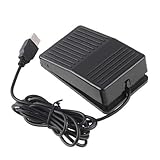
- "With this foot control keyboard, you can control your computer with your foot. And it comes with software allowing it to reproduce any keyboard shortcut or single key."
- "Ideal for playing games, also suitable for factory, hospital,test, instrument control and disabled, etc"
- "Help you win your game by fast control, just step up on the switch, and you can give an attack to your adversary in 0.1 second."
- "Compatible with Dos/Windows 2000/XP/Vista/Win 7, MAC Linux (Note: Can not works with Win 10 and MAC Snow Leopard is not available for this item)"
- "Length x Width x Height (Switch): 3.9"" x 2.4"" x 1.5"" (10 x 6 x 3.7 cm) Plenty of length to extend under any desk"
| Decision point | What to verify | Playsaurus listing |
|---|---|---|
| Operating system and version | Whether the current official installer supports your operating system and its version | The download page lists Windows 10/11, Android 10+, and macOS 11+; it also says the Mac app is Apple-notarized. |
| Target | Whether it clicks at the current cursor position, fixed coordinates, or both | The free version lists current-cursor and fixed-coordinate clicking. |
| Timing and run length | Whether you can set the interval and choose a finite count or an indefinite run | The free version lists configurable intervals and finite or indefinite counts. |
| Click action | Whether the required click type is supported | The free version lists configurable click types. |
| Advanced automation | Whether you actually need macros or recordings, keypresses, scrolling, image recognition, or color detection | The vendor lists these among advanced features. |
The Playsaurus pages conflict on macOS minimum version: the download page says macOS 11 or newer, while the about page says macOS 14 or newer and that Linux is unsupported. Do not treat either macOS minimum as settled; check the current official installer requirements before installing. Both pages list Windows 10/11 and Android 10+. See the Playsaurus download page and Playsaurus about page.
For any product, verify whether its pause or stop control is easy to reach before starting. If the tool offers more automation than you need, prefer the simpler configuration that covers the task.
Rank #4

- APPLICATION - It's designed for a free hands environment for play gaming, singer/guitarist, game with a controller, changing scenes,mute discord, take clips, push to talk ,streaming,muting mic,Photobooth,YouTube,Medical,Zoom, transcription key setting,factory test,instrument control etc. it's let you set pedal to have for what you need,take the strain off a repetitive use injury in your arm.
- EASY TO USE - Plug and Play, software free download from our website, software is easy to setup, and did most of what you would want to of a product, emulation various forms of input. You can assgin many different actions to the pedal, Keyboard/Mouse/String/Multimedia/Game.
- PHOTOELECTRIC PEDAL - Optical pedal, Well made,sturdy and solid with 1.9M /6.2ft USB Cable , responsive, quiet ,there are rubber feet.it avoid sliding around on hardwood floors.
- SUPPORT - Can connect more than one switch to your computer, just programmed individually, then you can plug all foot pedals.
- SYSTEM COMPTIABLE - Programming software offered for Windows and Mac, support Windows 2000/XP/Vista/Win 7/Win 8, Win 10 Win 11,after the program definition of key support Windows/ Linux/ Mac/ DOS and other systems. Once the pedals are configured, it's completely plug and play in other system.
Run clicks cautiously and retain control
- Start with the narrowest task, target, and click count that will accomplish the job.
- Before a long run, confirm that the intended window is active and the pointer or fixed coordinates identify the right target.
- Keep a clear pause or stop method available, and interrupt the run if the active window or task changes.
Repeated input can keep acting on the wrong target if the pointer, active window, or task changes. The product pages cited here do not quantify that risk or establish a universally safe click speed, so choose timing for the specific task rather than assuming a faster setting is better.
Windows Errors? Fix Them Before They Spread
Repair common Windows errors and clear accumulated junk for a smoother, more stable PC - no reinstall needed.Free scan · no reinstallOutdated Drivers Are Slowing You Down
One free scan finds every outdated or missing driver and matches the right update for your exact hardware.Free scan · exact hardware matchCheck game rules before automating input
If you intend to use automated input in an online multiplayer game, check that specific game’s rules and terms first. Playsaurus says some online multiplayer games restrict automated inputs; that warning does not establish the policy for any particular game. The vendor’s about page recommends checking the applicable terms of service.
Quick Recap
Best Value

- Mechanical USB foot switch,Application to sewing machines, electric sewing machines, Dispensing machine, machine tools, medical equipment, insturments, computers office and so on.
- Foot control switch,simulate keyboard shortcuts. It is one key or a few key custom function keyboards, which can customize and key, combination of keys, hotkeys or shortcut keys.
- It is a new multi-function Foot switch combines a keyboard function, mouse function, string function, multimedia function, game controller functions.
- Easy and Convenient: just install the software to customize key based on instructions and the multi - function control button could reduce plenty of repeated workload.Software can be free download from website(the link in the user manual)
Product prices and availability are accurate as of the date/time indicated and are subject to change. Any price and availability information displayed on Amazon at the time of purchase will apply.




