What’s actually slowing this PC down?
Pick the symptom - the matching free tool is one click away.
The Intel HD Graphics 3000 (Sandy Bridge, launched in January 2011) is not officially supported on Windows 10. Intel’s current compatibility table shows a dash for Windows 10 while listing Windows 7, Windows 8 and Windows 8.1 support. You can still try the exact computer-maker driver or a matching legacy package from Microsoft Update Catalog, but a lasting fix may require a supported operating system or newer hardware.
Start by identifying the adapter, recording the installed driver and checking whether Windows is using Microsoft Basic Display Adapter. Then follow the OEM, Intel, clean-install and rollback paths below before deciding whether the generic driver or a hardware replacement is the practical answer.
As an Amazon Associate I earn from qualifying purchases.
What the Intel HD Graphics 3000 problem actually is
Intel HD Graphics 3000 is the integrated graphics processor used with some second-generation Intel Core systems. Intel’s 2025 compatibility table identifies it as a January 2011 Sandy Bridge product. In that table, the Windows 10 entry is “-”, meaning Intel does not list Windows 10 as a supported operating system for this adapter. Windows 7, Windows 8 and Windows 8.1 are listed instead.
Free tools Windows power users keep installed
One-click scans. No signup required.
That status explains why a Windows 10 upgrade can leave the screen working only at a basic resolution, replace the adapter name with Microsoft Basic Display Adapter, or produce Device Manager error code 43. Windows may install a generic display driver so that the computer can show an image, but the hardware-specific features, acceleration and display functions expected from an Intel driver may be unavailable. A package made for HD Graphics 4000 or another processor generation is not automatically compatible with HD Graphics 3000.
#1 Best Overall
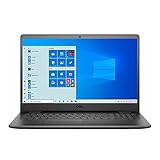
- 11th Gen Intel Core i5-1135G7 Quad-Core Processor 2.4Ghz / 12GB 2666 DDR4 SDRAM / 256GB Solid State Drive
- 15.6-inch Full HD 1920x1080 IPS Display / Intel Iris Xe Graphics
- 802.11ac Wireless and Bluetooth / Integrated Stereo Speakers / Keyboard with numeric keypad / 10/100/1000 Gigabit Ethernet Port / Integrated Webcam with Dual Digital Microphone Array
- Digital Media Reader / Headphone/microphone combo jack / 3-in-1 SD media card reader / 2 x USB 3.2 Type A Ports / 1 x USB 3.2 Type C Port / 1 x USB 2.0 / 1 x HDMI
- 3-cell Lithium Battery / Microsoft Windows 10 operating system (S Mode) / Finish: Black
There are historical Windows 10 packages in Microsoft Update Catalog, but their existence is not a current Intel support commitment. The catalog records version 9.17.10.4229 for 32-bit Windows (x86), dated May 27, 2015, and version 9.17.10.4459 for 64-bit Windows (AMD64), dated May 19, 2016. They are worth treating as carefully matched tests, not guaranteed solutions.
What error code 43 means
Microsoft defines error 43 as the graphics driver notifying Windows that the device is not working properly. It is a status reported by the driver, not proof of one particular cause. An incompatible package, a failed update, firmware or chipset problems, a damaged installation, overheating, or a failing graphics component can all lead to the same status.
Why Microsoft Basic Display Adapter appears
Intel’s identification guidance says that Microsoft Basic Display Adapter or Standard VGA adapter means Windows is using a pre-loaded generic video driver. This fallback can provide basic desktop output while the proper driver is missing, rejected or unable to start. Microsoft documents limitations including no multiple-monitor support in some configurations and poorer playback performance, such as low frame rates or tearing, compared with a hardware-specific driver.
The Tool Desk
Outbyte Driver Updater FREEFix the driver behind crashes, sound loss and screen glitchesFind Drivers →Outbyte PC Repair FREERepair Windows errors before they cause bigger problemsFix Now →Identify the adapter and current driver before changing anything
Do not download a package until you know the exact adapter name, the computer model and the Windows architecture. A wrong-generation or wrong-architecture package can make the installation fail or leave the device in an unstable state.
- Press Windows+X and select Device Manager.
- Expand Display adapters. Record every entry exactly as shown. It may say Intel(R) HD Graphics 3000, Microsoft Basic Display Adapter, Standard VGA adapter, or show a warning icon.
- Right-click the adapter, choose Properties, open the Driver tab and write down Driver Provider, Driver Date and Driver Version. Also note the text on the General tab, including any error code.
- In Settings > System > About, check System type. Windows will identify a 32-bit operating system as x86 and a 64-bit operating system as x64; the catalog calls the latter AMD64.
- Record the exact laptop or desktop model from the manufacturer label, BIOS screen or Windows system information. The same Intel graphics name can be used in several models with different firmware, switchable-graphics arrangements and display connections.
Save a screenshot or written copy of these details. If troubleshooting makes the display unusable, the record helps you return to the previous driver or find the correct OEM package from another computer.
Rank #2

- 【Intel Celeron Processor N4020】Brings the perfect combination of features to make you unstoppable. Get things done fast with high performance, instant responsiveness and best-in-class connectivity.
- 【15.6 inch HD Display】15.6" HD Energy-efficient LED-backlit (1366 x 768) Display delivers a clear, crispy image that’s easy on your eye.
- 【16GB DDR4 RAM】Reams of high-bandwidth DDR4 RAM to smoothly run your graphics-heavy PC games and video-editing applications, as well as numerous programs and browser tabs all at once. 【1TB HDD】offers extra storage for files and photos.
- 【Numeric Keypad】6.4% larger keycaps and a spacious touchpad that makes it easier to navigate your content.
- 【Windows 11 Pro】1 x SD Card Reader, 1 x USB 2.0, 1 x Wedge-shaped lock slot, 1 x Power, 1 x HDMI 1.4b, 2 x USB 3.1 Gen 1, 1 x Headphone & Microphone Audio Jack. 3-Cell, 42 WHr, Integrated battery. Carbon Black.
Prepare a safe driver change
- Back up important files before removing a driver or changing BIOS or chipset software.
- Create a Windows restore point: open Start, search for Create a restore point, select the system drive, choose Create, and give the point a name such as “Before HD Graphics driver test.”
- Download any replacement package before uninstalling the current one so that you are not dependent on a low-resolution connection after rebooting.
- Keep the computer connected to AC power during installation. On a laptop, disconnecting power during a firmware or display-driver change can create additional problems.
- Use only the computer manufacturer’s support site, Intel’s own driver-discovery pages, or Microsoft Update Catalog. Avoid modified “universal” packages that claim to make an unsupported adapter fully compatible.
Manual fix sequence
1. Check the computer manufacturer first
For a laptop or prebuilt desktop, search the manufacturer’s support page by the exact model or service tag. Look for a display, VGA or graphics package that explicitly names Windows 10 and the correct architecture. OEM packages can contain model-specific firmware settings and display-switching customizations that a generic package does not include.
If the support page offers only Windows 7 or Windows 8.1 graphics software, do not assume that a newer Intel package will be better. The absence of a Windows 10 package may reflect the manufacturer’s decision not to support that model on Windows 10. Read the release notes for model restrictions, required chipset software and whether the installer is for 32-bit or 64-bit Windows.
Do these 3 things before closing this tab:
1Fix the driver behind crashes, sound loss and screen glitches2Clear out junk files and repair common Windows errors3Scan for outdated or missing drivers - takes under a minuteInstall the OEM package using its setup program, restart when prompted, and then return to Device Manager. The adapter should show the intended Intel name without a warning icon. Check the Driver tab again and record the resulting version and date.
2. Use Intel’s identification and discovery path
Intel’s driver guidance starts with product identification. Use Intel Driver & Support Assistant, when it runs on the system, or use Intel’s manual driver list to confirm the graphics generation and available packages. Because Intel’s current compatibility table marks HD Graphics 3000 as unsupported on Windows 10, do not expect the assistant to offer a current, officially supported Windows 10 package for this adapter.
If the assistant reports that no supported driver is available, that is an expected result for this hardware and operating-system combination, not an indication that you searched for the wrong model. Return to the OEM page or evaluate a supported operating system rather than substituting an HD Graphics 4000, 5000 or other cross-generation package.
Rank #3

- Dell Latitude E6420 14 LED Notebook Intel Core i5 i5-2520M 2.50 GHz 4GB DDR3 320GB HDD DVD-Writer Intel HD 3000 Graphics Bluetooth No Webcam
3. Consider a matching Microsoft Update Catalog package
When the OEM has no usable Windows 10 package and you need to test a legacy driver, Microsoft Update Catalog contains two relevant historical entries. Match the package to the operating-system architecture before downloading.
| Catalog version | Architecture | Catalog date | How to interpret it |
|---|---|---|---|
| 9.17.10.4229 | x86 (32-bit Windows) | May 27, 2015 | Historical Intel HD Graphics 3000 package; not a current Intel Windows 10 support commitment |
| 9.17.10.4459 | AMD64 (64-bit Windows) | May 19, 2016 | Historical Intel HD Graphics 3000 package; not a current Intel Windows 10 support commitment |
Download only from Microsoft Update Catalog, verify the architecture, and keep the restore point you created. Do not install the AMD64 package on 32-bit Windows or the x86 package on 64-bit Windows. A package can install successfully yet still fail to start if the operating system, firmware or model is outside its intended combination.
4. Install through Device Manager when the catalog download has no normal setup
- Extract the downloaded catalog package if it arrives as a compressed file. The folder should contain driver files, including an INF file.
- Open Device Manager > Display adapters, right-click the Intel or Microsoft Basic Display Adapter entry and choose Update driver.
- Select Browse my computer for drivers, point Windows to the extracted folder and leave Include subfolders enabled.
- Allow Windows to select the matching INF. If it says the best driver is already installed, use Let me pick from a list of available drivers only when the package explicitly identifies HD Graphics 3000 and the correct architecture.
- Restart Windows even if the installer does not demand it. Check Device Manager, the screen resolution and the Driver tab after the reboot.
If Windows refuses the package because it cannot verify compatibility, stop rather than forcing a modified INF. That refusal is evidence that the package does not match the device or operating system as supplied.
5. Clean up a failed installation
When a new installation leaves a yellow warning icon, a black screen after reboot, or the same old driver version, follow Intel’s clean-install guidance for the graphics driver. In practical terms, note the current version, uninstall the display device from Device Manager, select the option to remove the driver package when Windows presents it, restart, and then install the exact OEM or catalog package you selected. Keep the fallback driver available in case the screen returns at a basic resolution.
Do not repeatedly install different generations in succession. Each failed attempt can leave several driver packages in the store and make it harder to identify which one Windows is loading. After one clean attempt, inspect the Driver Provider, date and version again and test a normal restart, sleep/wake cycle and the display outputs you use.
Quick wins for a faster PC:
Fix the driver behind crashes, sound loss and screen glitchesFind Drivers →Repair Windows errors before they cause bigger problemsFix Now →Scan for outdated or missing drivers - takes under a minuteDriver Scan →Rank #4

- 15.6" HD (1366 x 768) Energy-efficient LED Backlight Display, Intel UHD Graphics 60
- Powered by Intel Quad-Core N5000 1.10GHz Processor (Boost up to 2.70 GHz, 4MB Cache)
- 2 X USB 3.0 Gen 1 Type-A, 1 X USB 2.0, 1 X HDMI, Headphone Output/Microphone Input Combo, MaxxAudio Stereo speakers
- LAN (10/100), 802.11b/g/n + Bluetooth, Webcam
- Windows 10 Home 64-bit, 4.96 Lbs , 4-Cell, Black
6. Recover from error code 43
Open Device Manager > Display adapters > Intel HD Graphics 3000 > Properties and read the status text. If it reports code 43, the driver has told Windows that the device is not working properly.
- If the error appeared immediately after an update, open the Driver tab and select Roll Back Driver when the button is available. Restart and test again.
- If rollback is unavailable, repeat the clean-install procedure with the exact OEM package or the architecture-matched catalog package.
- Check the manufacturer’s support page for BIOS and chipset updates that apply to the exact model. Follow the manufacturer’s power and recovery instructions; do not interrupt a BIOS update.
- Run the manufacturer’s built-in hardware diagnostics if offered. A persistent code 43 after clean installation and firmware updates can indicate a graphics chip, motherboard, memory or power problem rather than a missing file.
- Reconnect or test an external monitor only after Windows is stable. A different display cable or panel can expose a separate hardware fault, but it will not make an unsupported driver officially supported.
If code 43 returns with every matching driver, stop treating it as an ordinary download problem. Use the fallback-driver and operating-system decisions described below, and preserve the restore point in case you need to undo the last change.
Independent reader supportYour contribution helps us test, update, and keep practical guides available for everyone.What to do when Windows stays on Microsoft Basic Display Adapter
The generic adapter is a legitimate fallback, not a hidden Intel HD Graphics 3000 driver. It may be adequate for email, documents and a single monitor, but Microsoft documents limitations such as missing multiple-monitor support and poorer video playback performance, including low frame rates or tearing.
First, check whether Device Manager shows the generic name because no Intel package is installed or because an attempted package failed. If the OEM installer and one architecture-matched catalog test both fail, repeated downloads are unlikely to change the compatibility status. Set the screen to a stable resolution, connect only the displays that work reliably, and test video playback before deciding whether the limitations are acceptable.
Do not judge a generic-driver system solely by the desktop image. Hardware acceleration, sleep and wake, brightness controls, HDMI or DisplayPort audio, docking stations and external-monitor arrangements can depend on the model-specific graphics stack. Test each function that matters to your work.
Best Value

- 【High Speed Ram And Enormous Space】8Gb High-Bandwidth Ram To Smoothly Run Multiple Applications And Browser Tabs All At Once; 128Gb Pcie Nvme M.2 Solid State Drive Allows To Fast Bootup And Data Transfer.
- 【Processor】Intel Celeron Processor 4205U (2 Cores, 2 Threads, 2Mb Intel Smart Cache, 1.80 Ghz)
- 【Display】15.6-Inch Hd (1366 X 768) Anti-Glare Led-Backlit Non-Touch Display
- 【Tech Specs】2 X Usb 3.1 Gen 1, 1 X Usb 2.0, 1 X Hdmi, 1 X Combination Audio Jack, 1 X Rj-45 Connector, 1 X Multi-Format Sd Media Card Reader; Wireless-Ac + Bluetooth Combo
- 【Operating System】Windows 11 Home - Beautiful, More Consistent New Design, Great Window Layout Options, Better Multi-Monitor Functionality, Improved Performance Features, New Videogame Selection And Capabilities, Compatible With Android Apps
Choose the option that fits your computer
| Option | When it fits | Main trade-off |
|---|---|---|
| OEM legacy driver | The exact laptop or desktop model has a Windows 10 graphics package | It may be old, model-specific and unsupported by the manufacturer today |
| Microsoft Update Catalog package | The OEM package is unavailable and the x86 or AMD64 architecture matches | The package is historical, with no assurance of complete Windows 10 behavior |
| Microsoft Basic Display Adapter | Stable basic display output matters more than acceleration or extra displays | Limited features and weaker performance, including possible playback tearing |
| Supported operating system or replacement hardware | The driver remains unstable or required applications need modern graphics support | Migration cost, setup effort and possible loss of compatibility with older software |
When an older supported operating system is the better answer
Intel lists Windows 7, Windows 8 and Windows 8.1 for HD Graphics 3000, not Windows 10. Moving back is not a casual fix: verify application requirements, back up data, obtain installation media and confirm that the computer manufacturer still provides the needed chipset, network and graphics drivers. A supported operating system may restore the intended graphics stack, but it also has its own security and lifecycle considerations.
When replacement hardware is the practical answer
Consider a newer computer or a supported graphics platform when you need dependable multi-monitor output, hardware-accelerated video, modern applications, current security updates or frequent sleep and wake. Windows 10’s normal free support ended on October 14, 2025, so an already unsupported graphics adapter combined with an out-of-support operating system is a poor foundation for a long-term workstation.
Targeted checks for common symptoms
After upgrading from an older Windows version
Record which driver worked before the upgrade, then check the OEM page for a Windows 10 package. If none exists, test the matching catalog package once, using a restore point. If Windows falls back to Microsoft Basic Display Adapter, decide whether its limitations are acceptable instead of forcing a cross-generation Intel driver.
Low resolution or a stretched image
Confirm the adapter name and driver version first. A low resolution immediately after setup usually means the generic driver is active. Install the exact OEM package if one exists; otherwise, the catalog test is the only historical option documented here. If the package is rejected, the limitation is compatibility-related rather than a monitor setting.
Multiple monitors no longer work
Check whether Device Manager now shows Microsoft Basic Display Adapter. Microsoft documents that the fallback can lack multiple-monitor support. Test the OEM package and the correct architecture package, then verify each display output after a restart. If the generic driver is the only stable choice, a supported graphics platform may be required for reliable multi-monitor use.
Video playback tears or runs slowly
These symptoms are consistent with the reduced capabilities Microsoft describes for the fallback driver. Confirm that the player is not being limited by a separate application setting, then test a matching hardware driver. Persistent tearing with only the generic adapter is a capability limitation, not evidence that deleting random files or changing unrelated Windows settings will restore acceleration.
Quick Recap
Final checklist before you stop troubleshooting
- Exact adapter name recorded from Device Manager.
- Computer model, Windows edition and 32-bit or 64-bit architecture confirmed.
- Driver provider, date, version and any error code written down.
- OEM support page checked before generic downloads.
- Intel’s identification path checked, with the expectation that HD Graphics 3000 has no current Windows 10-supported package.
- Restore point and backup created.
- If tested, catalog version 9.17.10.4229 used only for x86 or 9.17.10.4459 only for AMD64.
- One clean installation and, where appropriate, one rollback attempted.
- BIOS, chipset and manufacturer diagnostics considered for persistent code 43.
- Basic Display Adapter limitations tested against your actual monitor, playback and application needs.
As an optional shortcut, Outbyte Driver Updater runs on Windows 11, 10, 8 and 7, scans more than 100 devices for outdated, corrupted or missing drivers, installs only official drivers, shows current and recommended versions, and includes driver backup, restore and scheduled scans. It offers a two-day free trial with no credit card, followed by a subscription; results vary and no tool repairs every hardware or driver problem.
Windows Errors? Fix Them Before They Spread
Repair common Windows errors and clear accumulated junk for a smoother, more stable PC - no reinstall needed.Free scan · no reinstallOutdated Drivers Are Slowing You Down
One free scan finds every outdated or missing driver and matches the right update for your exact hardware.Free scan · exact hardware matchProduct prices and availability are accurate as of the date/time indicated and are subject to change. Any price and availability information displayed on Amazon at the time of purchase will apply.




