PC Slower Than It Used to Be?
A free scan shows the junk files, broken settings and background clutter dragging Windows down - then fixes them in one click.Free scan · Windows 10 & 11Crashes, No Sound, or Screen Glitches?
Random freezes, missing sound and display glitches usually trace back to one bad driver. Find and replace yours safely.Free scan · under a minuteUse jsPDF’s built-in legal page format, then render your HTML element with html2canvas and place the resulting canvas on the PDF page. Legal portrait is 8.5 × 14 inches (612 × 1008 points). If the captured content is taller than one page, paginate it: otherwise the image can run past the page edge. The method below produces a raster PDF, so its captured text is not selectable.
What “legal size” means in jsPDF
In jsPDF, format: 'legal' selects a page measuring 612 × 1008 points, or 8.5 × 14 inches, in portrait orientation. The orientation option swaps the page’s width and height for landscape. Use the named format rather than manually entering dimensions unless you need a custom page size.
The unit option determines the units used by jsPDF’s positioning and sizing methods. Choose one deliberately: in is convenient for paper measurements, mm for metric layouts, and pt for PDF coordinates. If you use pixels as the unit, enable jsPDF’s px_scaling hotfix so pixel values are interpreted with the intended scale.
Choose orientation and margins before rendering
Margins are not built into the legal format; you reserve them when you place the image. A 0.5-inch margin on every side leaves an image area 7.5 inches wide by 13 inches high in portrait. The sample code scales the captured element to that usable width and slices the resulting image vertically across pages. If your design is intended to bleed to the edge, set the margin to zero and check how the PDF will be printed.
#1 Best Overall

- HAMMERMILL’S BEST SELLING PRINTER PAPER – You will receive one ream of paper with 500 sheets of 20lb, 92 bright, 8.5" x 14" white copy paper. Legal Size
- 99.99% JAM-FREE PRINTER PAPER - Everyone hates paper jams...You can trust Hammermill paper quality to keep your printer running smoothly. Scroll down to view the Product Description for details
- COLORLOK TECHNOLOGY INCLUDED - Colors on Hammermill copy paper are 30% brighter; blacks are up to 60% bolder and inks dry 3 times faster for less smearing.
- Hammermill copying and printing papers are 100% made in the USA, helping to support 2. 4 million sustainable forestry jobs in America, including family tree farmers. Hammermill is more than just paper
Install the libraries and mark the content to capture
Install jsPDF and html2canvas using your project’s package manager, then import them in a browser-side module. The element should have a stable, specific selector. Give it a deliberate background color and ensure its content has finished rendering before calling html2canvas; otherwise the capture may include a loading state or transparent areas.
npm install jspdf html2canvasFor example, the portion of the page to export can be wrapped in an element such as <main id="print-area">...</main>. Do not include unrelated navigation or controls inside that element unless they should appear on the PDF.
Render legal pages and paginate the captured element
This complete browser-side example sets a legal portrait page, captures the target at a controlled scale, and adds it to as many PDF pages as necessary. It uses the source canvas repeatedly at a negative vertical offset so each PDF page displays the next slice. jsPDF clips the image to each page boundary.
Rank #2

- BLANK PAPER - 8.5" x 14" printer and copying paper works as hard as you do, work great for writing and drawing, note taking.
- 50 SHEETS - This white recycled printer paper with 50 sheets/100 pages per pack, improve your productivity with this daily organizer.
- HIGH QUALITY - Legal Size copying paper is used to high quality 100gsm pure white premium acid-free paper, so you can confidently use most pens, pencils, and markers without ghosting and bleed-through.
- Unpunched Paper - If you are looking for a convenient blank paper for your organizer, planner, notebook, and need to customize the type of holes you’re punching, this paper is perfect for just that.
- PERFECT FOR - Refill blank paper inserts works perfectly with binder notebook planner, ideal for bullet journaling, creative writing, work records, meeting record, class notes, travel diary, poem writing, doodles, project notebook for work, home or school
import { jsPDF } from 'jspdf';
import html2canvas from 'html2canvas';

async function downloadLegalPdf() {
  const element = document.querySelector('#print-area');
  if (!element) throw new Error('Could not find #print-area');

  const pdf = new jsPDF({
    orientation: 'portrait',
    unit: 'in',
    format: 'legal',
  });

  const canvas = await html2canvas(element, {
    scale: Math.min(window.devicePixelRatio || 1, 2),
    useCORS: true,
    backgroundColor: '#ffffff',
    windowWidth: element.scrollWidth,
    windowHeight: element.scrollHeight,
  });

  if (!canvas.width || !canvas.height) {
    throw new Error('html2canvas returned an empty canvas');
  }

  const pageWidth = pdf.internal.pageSize.getWidth();
  const pageHeight = pdf.internal.pageSize.getHeight();
  const margin = 0.5;
  const imageWidth = pageWidth - margin * 2;
  const imageHeight = canvas.height * imageWidth / canvas.width;
  const usableHeight = pageHeight - margin * 2;
  const imageData = canvas.toDataURL('image/png');

  let offset = 0;
  while (offset < imageHeight) {
    pdf.addImage(imageData, 'PNG', margin, margin - offset,
      imageWidth, imageHeight);
    offset += usableHeight;
    if (offset < imageHeight) {
      pdf.addPage('legal', 'portrait');
    }
  }

  pdf.save('legal-output.pdf');
}

// Call from a user action, such as a button click.
downloadLegalPdf().catch(console.error);
The image width is fitted to the printable width, preserving the canvas aspect ratio. imageHeight is therefore the rendered image’s physical height in inches. Each iteration advances the image by the usable page height; the negative y coordinate positions the next vertical section on the following page. This is simple and works well for moderate captures, but it still requires a single full-height canvas in memory.
Free tools Windows power users keep installed
One-click scans. No signup required.
Change the size, direction, or margins
For legal landscape, change the orientation to 'landscape' in the jsPDF constructor and use the same orientation when adding pages. For metric coordinates, use unit: 'mm'; for PDF points, use unit: 'pt'. In either case the built-in legal format still defines the paper dimensions, and the page width and height methods keep the layout calculation tied to the selected orientation.
To use pixels as jsPDF’s coordinate unit, set unit: 'px' and hotfixes: ['px_scaling'] in the constructor. Do not mix pixel values with inch-based margins or coordinates: all positioning values passed to jsPDF must follow the selected unit. The sample avoids that ambiguity by using inches.
Rank #3

- MULTI-PURPOSE COPY PAPER – Hammermill Fore Multi-Purpose 20lb Copy Paper is a high-quality option that runs well through electronic imaging equipment as well as conventional offset presses. 100% USA made to support millions of sustainable forestry jobs.
- 99.99% JAM-FREE GUARANTEE – We guarantee that you will not experience more than one jam in 10,000 sheets of copying paper on high-speed digital equipment or we’ll replace your Hammermill paper purchase. You can trust Hammermill paper quality, guaranteed.
- COLORLOK TECHNOLOGY – This multipurpose paper features ColorLok Technology for colors that are 30% brighter, blacks that are 60% bolder and ink that dries 3x faster. This white copy paper will provide consistently superior results.
- IDEAL FOR EVERYDAY USE – Perfect for use in all home & office printers and all imaging equipment, this Hammermill multi-purpose paper has good opacity to minimize show-through for double-sided printing. It’s also acid-free to prevent yellowing over time.
- SUSTAINABLY MADE IN THE USA – Original Hammermill copy paper is Forest Stewardship Council (FSC) certified which means it is made with renewable resources from third-party certified, sustainably managed forests.
Control capture dimensions and image quality
html2canvas does not take a literal screenshot of the browser. It builds a representation from DOM properties it can read, so its rendering can differ from the displayed page. Its documentation describes the result as a reconstruction based on those properties. Unsupported CSS, inaccessible cross-origin content, and browser canvas limits are common sources of differences.
Scale affects sharpness and memory
The scale option controls how many canvas pixels are rendered per CSS pixel. A higher scale can make small text and fine details look sharper when printed, but it increases canvas width, height, and memory use. Using window.devicePixelRatio is a common starting point; the example caps it at 2 to avoid an unbounded increase on high-density displays. That cap is a practical choice, not a guarantee that a given page will fit every browser’s memory limits. If a capture becomes blank, truncated, or too slow, try a lower scale and test the output at its intended print size.
Recommended Free Tools
The windowWidth and windowHeight options set the virtual window dimensions used for rendering. Matching them to the element’s scrollWidth and scrollHeight can help when the target extends beyond the visible viewport. It does not make unsupported CSS work, nor does it bypass browser canvas limits.
Rank #4
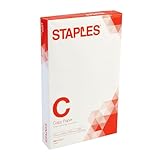
- Sold as 500/Ream.
- Reliable copy paper is perfect for everyday use
- Paper measuring 8.5"W x 14"L
- Paper weight: 20 lbs.
- Brightness rating of 92 for sharp, clear print results
Cross-origin images, fonts, and frames
useCORS: true asks html2canvas to load images using cross-origin access where supported. It only works when the remote image server sends an appropriate CORS header. If it does not, the browser may block the asset; serve it from the same origin or use a same-origin proxy you control. html2canvas cannot read the document inside a cross-origin iframe, so content embedded that way may be absent.
Check the output for missing images, changed fonts, shadows, filters, or other visual differences. A page that looks correct in the browser is not proof that every CSS feature will be reproduced in the canvas. Test representative content in the browsers and deployment environment you support.
Handle very long documents without oversized canvases
A long element can create a canvas large enough to exceed browser limits. The failure may appear as a blank or truncated canvas rather than a clear error. Lowering scale reduces dimensions, but a sufficiently tall document can remain too large even at modest scale. Do not assume that PDF pagination solves this capture problem: the example creates one canvas before it creates any PDF pages.
Best Value

- 10 reams of legal-size multipurpose copy paper (5,000 sheets total)
- Works with laser/inkjet printers, copiers, and fax machines
- High-quality 20-pound weight for economical printing and resistance to paper jams
- Bright white for better contrast; 92 GE brightness
- Acid-free for long-lasting strength; measures 8.5 by 14 inches
For very tall content, split the document into smaller sections before rendering. Capture one section at a time, add its image to the appropriate PDF page, and release the section canvas when it is no longer needed. Design section boundaries around natural content breaks so a heading, table row, or other indivisible block is not cut in half. This uses less peak canvas memory than rendering the entire document at once, though it requires coordinating section dimensions and page placement.
If you need reliable page breaks, define the sections yourself or use a PDF-generation approach that lays out text and components page by page. html2canvas plus addImage treats the result as an image; it does not understand paragraphs or automatically move content to a clean break.
Know what this PDF preserves—and what it does not
Because the captured canvas is inserted as a PNG image, the PDF pages are rasterized. Text in the capture will look like text, but it is not ordinary selectable or searchable PDF text. This approach is useful when preserving a visual snapshot is more important than text extraction and when the browser-side deployment is convenient.
If users need to search, select, copy, or access text with assistive technologies, use a PDF-generation path that creates text and layout as PDF content instead of embedding a page image. That is a different implementation trade-off: it can preserve text, but requires a renderer or layout process beyond this canvas workflow. For image-based output, test legibility at print size, especially for small type, thin rules, and content scaled down to fit a narrow page width.
What’s actually slowing this PC down?
Pick the symptom - the matching free tool is one click away.
Troubleshoot common output problems
- The output is letter size or the wrong dimensions. Check that the jsPDF constructor uses
format: 'legal', and that every additional page is added aspdf.addPage('legal', 'portrait')(or the matching landscape orientation). Inspect the PDF page dimensions in a viewer rather than judging by zoom level alone. - The bottom of the content is missing. Confirm the target element’s scroll dimensions and that its contents were rendered before capture. Check
canvas.heightand reduce capture scale if the canvas is being truncated. For very long material, capture smaller sections instead of one enormous element. - Content runs beyond a page or leaves too much unused space. Verify that
imageWidthis based on page width minus both margins, and thatusableHeightis page height minus both margins. The example preserves the full image’s proportions, so a wide element may become shorter on the page; a narrow element may span more pages. - Images are missing. Check the browser console for cross-origin failures.
useCORS: trueis not a permission bypass: the image host must allow the request. Use a same-origin proxy for assets you are authorized to retrieve, or ensure the images are served from your own origin. - Shadows, fonts, filters, or layout look different. html2canvas reconstructs the DOM rather than capturing the browser’s composited screen. Simplify unsupported styling for the export view, wait until custom fonts and images have loaded, and compare the PDF against the browser rendering.
- The browser becomes slow or the canvas is blank. Reduce
scale, capture fewer elements at a time, and avoid generating a full-document canvas when the document is unusually tall. Large canvases consume substantial memory and may hit browser-specific limits. - The code cannot find the element. Confirm
#print-areaexists when the function runs. If the element is rendered conditionally or populated asynchronously, invoke the export only after it is present and ready.
Or skip the browser setup
If the job is to capture a public webpage rather than an existing client-side DOM element, ScreenshotNeo can return a webpage capture without building a browser-rendering flow yourself. Its API accepts a URL and can return an image or PDF; its PDF options include paper size, margins, orientation, and page ranges. Check the ScreenshotNeo API documentation for the current PDF request parameters and use its PDF output settings to select legal paper. The one-call example below requests a WebP screenshot of Stripe; it is not a legal-size PDF export of your local DOM.
Quick Recap
curl -G "https://api.screenshotneo.com/v1/shot" -d access_key=YOUR_API_KEY --data-urlencode url=https://stripe.com -o shot.webpScreenshotNeo accepts cookie or consent banners before capture and removes more than 60 known consent platforms, newsletter popups, and chat widgets; each of those cleanup steps can be turned off. Bot checks and CAPTCHAs, blank pages, timeouts, failed loads, and cache hits are not billed, and response headers report the page verdict and billing status. Its MCP server provides take_screenshot, get_page_info, and capture_pdf tools for AI agents. The free plan includes 1,000 screenshots a month with no card; paid plans start at $5 for 3,000 shots. Every feature is available on every plan. See ScreenshotNeo and its documentation to choose the right capture mode. Sign up free for 1,000 screenshots a month, with no card required.
Product prices and availability are accurate as of the date/time indicated and are subject to change. Any price and availability information displayed on Amazon at the time of purchase will apply.




