To protect a public game server from DDoS attacks, filter traffic at the hosting provider or a mitigation service before it reaches the server’s internet connection. Confirm that the service supports your game’s actual TCP or UDP traffic, route players through it, then block direct access to the origin. A local firewall helps limit exposed ports, but it cannot restore service if attack traffic has already saturated the upstream link.
Why a firewall alone cannot stop a DDoS
A distributed denial-of-service attack tries to overwhelm a service with traffic or connection attempts. If that traffic fills the internet link between your server and its provider, a firewall on the server or router may reject packets only after they have consumed the capacity needed for legitimate players. Mitigation therefore needs to happen upstream of that bottleneck.
As an Amazon Associate I earn from qualifying purchases.
One attack pattern is UDP reflection: an attacker sends requests to publicly reachable UDP services with the victim’s address spoofed as the source, prompting responses to flood the victim. CISA describes this as a distributed reflective denial-of-service attack and recommends stateful UDP inspection and coordination with upstream providers. See CISA’s alert on UDP-based reflection attacks.
Choose protection that supports your game traffic
Do not assume that protection for a website also protects a game server. Many games use custom TCP or UDP traffic, often on ports and with connection behavior that differ from ordinary web requests. Ask the host or mitigation provider about the exact game, protocol, ports, and server configuration you use.
#1 Best Overall

- Support multiple network access modes such as cellular network and wired network
- Featuring a space-saving design with dimensions of just 79*66*22mm, the device supports DIN-rail or wall mounting for flexible and easy installation in any environment.
- OpenWrt OpenCPU: Build Your Custom Router
- Your Data Security, Our Responsibility
- Multiple DDOS Protection to Defend Against Network Attacks
Game hosting with provider-side protection
This can be the simplest option if you can move the server and the provider supports your game. Confirm the supported game and version, server generation, protected IPs, required rules, and process for correcting false positives. For example, OVHcloud’s Game DDoS Protection is documented for its Bare Metal Game servers. It requires configuration of protected IPs and game protocol and port rules; supported profiles vary by title and server generation. That scope should not be read as coverage for every OVHcloud product or every game.
TCP/UDP reverse-proxy mitigation
A reverse proxy can put a network-level filtering layer in front of an existing server, provided the game traffic is actually routed through it and the origin cannot be reached directly. Check supported protocols and ports, plan eligibility, player source-IP handling, regional locations and latency, and how to adjust rules if legitimate connections are blocked.
Rank #2

- FOR OUR HEALTH: The radiation emitted by the router seriously endangers our health. Prolonged exposure to it with high frequencies may cause headaches, loss of memory, sleep disturbance, and more. Many studies link radiation to a host of other sicknesses and neurological problems. So We need radiation shielding bags to protect our families from harmful radiation.
- QUALITY MATERIALS: The radiation shielding wifi cover is made of Copper/ Nickel/Polyester Fiber which is certified to provide 99.999%protecting across the frequency range of 10KHz to 3GHz and still over 99.6% effectiveness at 5.6GHz. This fabric has good conductivity and a shielding effect.
- PAY ATTENTION: The WIFI router radiation cover is made of high-quality copper-nickel material. When exposed to air for a long time, it will naturally oxidize, and the surface color will appear as spots and turn black. It will not affect its function and shielding efficiency, it just shows the authenticity and high quality of the material.
- BIG SIZE: The router cover measures 14” x 16”, suitable for both Wifi routers with or without antenna and for most types of routers in the market. Our protective bags have Velcro at the seal. You are able to better enclose your router. we suggest wrapping the entire router when you are sleeping or outside. Please note, that the cover is not advised to wash
- GOOD SERVICE: If you are not completely satisfied with your purchase, simply return it to Amazon within 30 days for a full money-back refund. And any questions about the product, just send us an email and we will spare no effort to solve it.
Cloudflare says Spectrum supports game traffic over TCP and UDP. Its documentation says custom TCP/UDP applications require Enterprise with Spectrum as a paid add-on, so this is not equivalent to enabling ordinary website CDN protection. Cloudflare describes Spectrum’s Layer 3–4 protection as protection against TCP- and UDP-based DDoS attacks; that is a vendor description of its own service, not an independent comparison.
Quick wins for a faster PC:
Repair Windows errors before they cause bigger problemsFix Now →Scan for outdated or missing drivers - takes under a minuteDriver Scan →Host or ISP mitigation
Ask your hosting provider or ISP whether it can filter attack traffic before it reaches your access link, whether mitigation is always on or activated after detection, and how to escalate an incident. Provider-side filtering is especially important when you cannot place a proxy in front of the game server. A local firewall remains useful as a second layer, not a replacement for upstream mitigation.
Rank #3
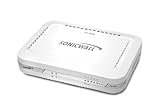
- Firewall Protection: Remote Access Authentication, Content Filtering, Malware Protection, URL Filtering, Web Content Filtering, Deep Inspection Firewall, Reassembly-free Deep Packet Inspection, and
- Firewall Protection (continued): Gateway Antivirus, Anti-spyware, Denial of Service (DoS), Distributed Denial of Service (DDoS), Egress Filtering, Cookies Blocking, Dead Peer Detection
- Encryption Standard: DES, 3DES, AES (142-bit), AES (128-bit), AES (256-bit), SHA-1, MD5 Intrusion Prevention, NAT, PAT, IPSec NAT Traversal, 5 Network (RJ-45) Ports, Fast Ethernet, 10/100Base-TX
- Virtualization: 8000 x Maximum UTM/DPI Connections, 8000 x Maximum Connections, 1000 x New Connections/Sec, 1 x SonicPoints Supported, 5 x Site-to-Site VPN Tunnels, 5 x VLANS
- USB Port, AC Adapter (Power Source) 12 V DC, Management Port, 32 MB Flash Memory, 256 MB Standard Memory, Secure Digital (SD) Card , Height: 1.4", Width: 7.5", Depth: 5.6
Compare options by the details that affect players
| Option | Best fit | What to verify |
|---|---|---|
| Game hosting with provider-side protection | Operators who can choose or move hosting and whose game has a supported profile | Game and version coverage, server range, each protected IP, required firewall configuration, false-positive handling, and current plan scope |
| TCP/UDP reverse-proxy mitigation | An existing origin or custom game protocol that can be routed through a proxy | Exact protocols and ports, plan entitlement, origin lock-down, player source-IP handling, latency and regions, and rule-tuning process |
| Host or ISP mitigation plus local firewall | A baseline for any public server and an incident-response path | Whether filtering happens before the access link is saturated, how to reach emergency support, and which narrow local allow rules are needed |
There is no cross-provider performance or cost comparison established here. Compare providers on game and protocol coverage, where filtering occurs, latency stability, origin concealment, false-positive handling, configuration effort, escalation support, and total commercial terms. Verify current eligibility, supported profiles, regions, and pricing directly with the provider.
Independent reader supportYour contribution helps us test, update, and keep practical guides available for everyone.Configure the server so attackers cannot bypass protection
- Inventory what is exposed. Record every public IP, game title and version, required TCP and UDP ports, query or status ports, voice and administration services, and whether multiple games share an address. Identify which traffic must pass through the mitigation service.
- Set up the provider edge. Create the required protected-IP and game protocol or port rules. Ask what happens to unsupported traffic and how to investigate or tune false positives before relying on the configuration.
- Move players onto the protected route. Update the connection address or DNS records as appropriate so player traffic goes through the proxy or provider edge. A proxy does not protect traffic that continues to connect directly to the origin.
- Replace and restrict the origin address. After migration, replace the old public IP where feasible. At the origin firewall, allow inbound traffic only from the mitigation provider’s documented ranges and only on required ports. Cloudflare likewise recommends replacing the origin IP after migration and allowing only Cloudflare address ranges, to prevent direct-IP bypass.
- Preserve only required services. Use a default-deny policy where the provider’s firewall supports it, then allow the game’s necessary protocols and ports. Keep administration and unrelated services off the public interface or restrict them to trusted addresses. OVHcloud recommends default-deny rules for its Game firewall and requires rules on each protected IP.
- Check player identity requirements. Some game functions may rely on the connecting player’s source IP. Confirm that the proxy supports the mechanism your game needs before deployment; do not weaken origin restrictions to work around missing source-IP information.
Prepare for an attack and test safely
Before an incident
- Keep the provider’s emergency contact and escalation steps accessible to more than one administrator.
- Know how to request mitigation tuning and what information the provider needs.
- Make sure server and network logs can help establish when the issue began and which addresses or ports are affected.
During an incident
- Contact the hosting provider or mitigation service promptly; local filtering cannot fix an already saturated upstream link.
- Share timestamps and relevant network-flow or packet evidence, plus the affected public IPs and ports.
- Describe the symptom precisely: packet loss, high latency, failed connections, or server resource exhaustion. These can require different investigation.
- Ask the provider to confirm whether traffic is being filtered upstream and whether any rules are blocking legitimate players.
Testing
Test only infrastructure you own or are explicitly authorized to test, following the mitigation provider’s approved procedure. Cloudflare’s DDoS simulation guidance limits simulations to internet properties owned by and under the control of the account owner. Do not use an unapproved stress-testing service or target third-party networks.
Set realistic expectations for mitigation
Mitigation can reduce disruption, but no vendor statement establishes universal uptime under every attack or deployment. Cloudflare’s 2026 documentation, last updated April 15, states an average of up to three seconds to detect and mitigate Layer 3–4 attacks at its edge. That is a vendor-reported average, not a guarantee for an individual server or attack. Also account for false positives: Cloudflare documents sensitivity adjustment and logging as tools for investigation.
Quick Recap
Product prices and availability are accurate as of the date/time indicated and are subject to change. Any price and availability information displayed on Amazon at the time of purchase will apply.




