What’s actually slowing this PC down?
Pick the symptom - the matching free tool is one click away.
First confirm that Kannada text renders correctly in your browser; a screenshot only records what the browser displays and cannot repair missing glyphs or faulty character shaping. In Chrome, check the text’s rendered font and wait for the page’s font resources to load, then use DevTools Device Mode to capture the visible viewport or the full page.
Check the Kannada text before you capture it
- Open the webpage and navigate to the exact Kannada text you need. Confirm that it is visible and correctly shaped on screen.
- In Chrome, open DevTools and inspect an affected text element. Use the rendered-font details to see which typeface actually displays the text. A CSS
font-familydeclaration shows the requested family, but the rendered-font view can reveal that the browser used a fallback instead. Chrome DevTools rendering tools - If the page should load a web font, open DevTools’ Network panel and check whether its font request succeeded. Reload the page after checking, then wait for the page and font resources to settle before taking the final screenshot. Chrome documents using Network activity alongside screenshots of page loading, which can help distinguish a settled page from an intermediate loading state. Chrome DevTools Network panel
Capture the viewport or the whole page in Chrome
Chrome DevTools Device Mode offers two relevant capture choices. Use the viewport capture when you want only what is currently visible; use the full-size capture when the image must include content below the fold. Chrome DevTools Device Mode

As an Amazon Associate I earn from qualifying purchases.
- Open DevTools and turn on Device Mode.
- When the Kannada text is visible and correctly rendered, open the Device Mode options menu.
- Choose Capture screenshot for the visible viewport, or Capture a full size screenshot for the entire page.
Why Kannada can look broken
Kannada text is not always rendered as a simple one-character-to-one-glyph sequence. Unicode explains that shaping software maps character sequences to contextual conjunct glyphs in suitable fonts. As the Unicode Standard puts it: “A Kannada script font contains the conjunct glyph components, but they are not encoded as separate Unicode characters because they are simply ligatures.” Unicode Standard, Version 17.0, Kannada-script discussion
That means a missing font and a shaping problem can produce different symptoms. Empty boxes or absent characters suggest that the needed glyphs are unavailable or that a font did not load. Visible characters with misplaced vowel signs or malformed conjuncts point toward a rendering or shaping difference. Capturing either problem preserves the faulty pixels; it does not fix them.
#1 Best Overall

- Transparent Keyboard Stickers Enables you to Write a foreign language with your software. Graphic May Vary. White Overlays. Be sure to clean your keyboard, or start with a new keyboard, before applying the Stickers, to assure long lasting use.
- The Overlay adhesive firmly attaches the overlay in place without damaging the keyboard key or the original key legend. The adhesive will not ooze, harden or wear out.
- These keyboard stickers are transparent with the character set displayed in a unoccupied corner of each key. The existing letters on your keyboard show through the sticker. High Quality. Overlays are manufactured of durable Lexan. They won't tear, crack, discolor, or slip off even after years of use.
- If desired, Overlays may be removed without causing damage to the original key or the legend on the key.
- All printing is on the reverse side of the overlay (i.e., underneath) so that the printing will not rub or scratch off in normal use.
Diagnose missing glyphs and malformed shaping
Boxes or missing characters
- Use the rendered-font details in DevTools to check whether the browser fell back to another typeface.
- Check the Network panel for a failed web-font request, then reload after resolving the load issue if you control the page.
- Prefer identifying the actual font problem before installing a fallback-font extension. A third-party extension listing is not, by itself, evidence that an extension is safe, maintained, or appropriate for your device.
Visible text with incorrect marks or conjuncts
- Compare the same page and exact text in a second browser. If possible, compare another operating system as well.
- For a reproducible bug report, preserve the literal text and its Unicode code points, and record the font and rendering environment.
- Do not assume an old browser or font issue still affects current releases. Historical reports involving Noto Sans Kannada, Chrome, macOS/Core Text, and conjunct rendering are diagnostic examples, not proof of a present-day defect. Noto Fonts issue 178 Noto Fonts issue 184 WebKit bug 16230
Or skip the browser setup
ScreenshotNeo can return a webpage screenshot through one API request. Its clean-shot steps accept cookie or consent banners like a visitor and remove more than 60 known consent platforms, newsletter popups, and chat widgets; each step can be turned off. Bot checks, blank pages, timeouts, failed loads, and cache hits are not billed, and the response identifies the page verdict and billing status in headers. An MCP server provides screenshot tools for AI agents and MCP clients.
For example, save a screenshot of a page with Kannada text using cURL:
curl -G "https://api.screenshotneo.com/v1/shot" -d access_key=YOUR_API_KEY --data-urlencode url=https://stripe.com -o shot.webpReplace the target URL with the Kannada webpage you need to capture. See the ScreenshotNeo API documentation for request options. The free plan includes 1,000 screenshots per month with no card; paid plans start at $5 for 3,000. Sign up for 1,000 free screenshots a month, with no card.
PC Slower Than It Used to Be?
A free scan shows the junk files, broken settings and background clutter dragging Windows down - then fixes them in one click.Free scan · Windows 10 & 11Outdated Drivers Are Slowing You Down
One free scan finds every outdated or missing driver and matches the right update for your exact hardware.Free scan · exact hardware matchFrequently Asked Questions
Can a screenshot fix Kannada characters that are already displaying incorrectly?
No. A screenshot records the browser’s rendered pixels; correct the font or rendering problem before capture.
Should I use a Chrome extension to add Kannada fonts?
First check the actual rendered font and whether the expected font request succeeded. A store listing alone does not establish that an extension is safe or suitable.
Quick Recap
Best Value

- 【Quiet & Comfortable Typing】 Designed with low-profile membrane keys, this keyboard delivers soft keystrokes and significantly reduces typing noise, creating a quiet and focused workspace. It is perfect for offices, libraries, late-night work, or any shared environment where silence is valued.
- 【Full-Size Ergonomic Layout】 Featuring a standard 104-key layout with a 3-zone design, this computer keyboard supports efficient data entry and multitasking. Adjustable tilt feet and anti-slip pads allow you to customize the typing angle for optimal comfort and stability during long working sessions.
- 【7-Color RGB and 2 Modes】 Personalize your desk with 7 vibrant colors, 4 brightness levels (High/Medium/Low/Off), and 2 lighting modes (Static or Breathing). This keyboard helps create your ideal typing atmosphere—even in the dark.
- 【Convenient FN Multimedia Shortcuts】 Equipped with 12 FN+F key combinations, this keyboard provides quick access to volume control, mute, media playback, email, homepage, calculator, and more. With just one press, you can handle essential tasks faster and keep your workflow smooth.
- 【Durable & Spill-Resistant Design】 Built with a sturdy frame and a spill-resistant conductive film, this wired keyboard is protected against accidental water splashes. Each key is rated for up to 80 million keystrokes, ensuring reliable performance for years of daily use at home or in the office.
Rank #4

- Media-Friendly: The K400 Plus wireless touch TV keyboard gives you integrated, comfortable control of your PC-to-TV entertainment, eliminating the clutter of a separate keyboard and mouse
- Plug-and-Play: Simply plug the Unifying receiver into a USB port and the wireless touchpad keyboard is ready to go; adjust controls using the Logitech Options Software to save preferred settings
- Power-Packed: Built with laid-back control in mind, this wireless TV keyboard has a reliable and long battery life of up to 18 months (2), including an on/off button to help it go even longer
- Wireless Freedom: Designed for seamless comfort and control, this HTPC keyboard boasts a range of up to 33 ft (1) wireless connectivity, with quiet keys and a large touchpad for easy navigation
- Broad Compatibility: Designed for use with Windows 7, Windows 8, Windows 10 and later, Android 7 or later, and Chrome OS
Rank #3
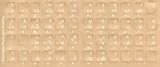
- Transparent Keyboard Stickers Enables you to Write a foreign language with your software. Graphic May Vary. White Overlays. Be sure to clean your keyboard, or start with a new keyboard, before applying the Stickers, to assure long lasting use.
- The Overlay adhesive firmly attaches the overlay in place without damaging the keyboard key or the original key legend. The adhesive will not ooze, harden or wear out.
- These keyboard stickers are transparent with the character set displayed in a unoccupied corner of each key. The existing letters on your keyboard show through the sticker. High Quality. Overlays are manufactured of durable Lexan. They won't tear, crack, discolor, or slip off even after years of use.
- If desired, Overlays may be removed without causing damage to the original key or the legend on the key.
- All printing is on the reverse side of the overlay (i.e., underneath) so that the printing will not rub or scratch off in normal use.
Product prices and availability are accurate as of the date/time indicated and are subject to change. Any price and availability information displayed on Amazon at the time of purchase will apply.




