In AION 2, dismantling gear is called Extract. Before you use it—or sell, delete, or otherwise clear an item—check its restrictions and possible uses, look for a supply-request marker, and read the action’s confirmation screen. The live extraction preview is the authority on what that item will cost and return.
What to check before clearing an item
Open the item in your Cube and read its description and restriction information. Consider whether it may be needed for equipment, a game system, or later use, and whether the current client offers a storage or other use option. Item eligibility and restriction meanings are not established as universal across all items, so inspect the item itself rather than assuming every piece of gear can be sold or extracted.


As an Amazon Associate I earn from qualifying purchases.
- Keep or store it if you may need it later or are unsure what it does.
- Check for a supply request before extracting potentially eligible low-quality gear.
- Compare shop sale and Extract only after confirming the item is eligible and checking the price, cost, or reward shown in the client.
Check for a supply request first
A community guide last verified September 23 says some marked drops can be turned in for supply-request rewards, and that a turn-in may be more useful than dismantling. Look for a request marker on the item and check the relevant request interface before consuming it. The guide’s directions and eligibility may vary by build; treat the live client as authoritative.
How to extract gear
- Open the Cube and select the gear you are considering.
- Open the flask or beaker action in the item description to access Extract.
- Review the extraction panel. Check that the selected item will be consumed, note any Kina charge, and read the listed rewards.
- Confirm only if the displayed cost and reward are acceptable and you are certain you do not want to keep or use the item.
A VGC guide published October 1 describes this flow and reports rewards such as Enhance Stones and a cosmetic skin. Those are examples, not guaranteed outcomes: the preview for the specific item in your current client is the final word on its cost and yield.
When to sell instead
If you want Kina, check the item’s shop-sale option and the price before committing. A sale and an extraction are different actions: a sale gives the displayed proceeds, while extraction consumes the item for the materials or other rewards shown in its preview. Neither action is established as available for every item.
NCSoft’s global Restoration Schedule says a mistaken NPC shop sale may be restorable once per account per year, with the proceeds recovered, but restoration is not guaranteed in every case. It specifically excludes items sold to clear inventory: “Items sold to free up inventory space, etc., cannot be restored.” Do not treat restoration as a safety net for routine inventory cleanup.
Rank #2
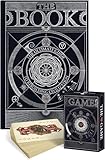
- The book: The Hungry Minds wonder book is about medicine, basic materials and tools used in inventions, mechanisms, military arts, hearth and home, farming, entertainment, musical instruments, and society. Every chapter is a new world to explore!
- Beautiful coffee table book: An informative hardcover encyclopedia of human evolution is a pure art object that would perfectly fit your coffee table. The book is around 13x9 inches and 4.5 pounds, printed with high-quality mat art paper. Open history books for adults on any page and begin your journey into the world of invention.
- Carefully crafted illustrations: The encyclopedia of history is full of high-quality images with the fine details made by our talented team of illustrators. Hand-drawn pictures will create a special atmosphere and take you to the mysterious world of discoveries.
- Playing Cards with a Collectible Value. Whether you’re a casual player or a serious collector, these cards offer a blend of functionality and collectible appeal.
- Adorable Design: The cute and stylish design of these playing cards makes your card games more enjoyable and visually appealing, adding a touch of elegance and fun to your game nights with family and friends.
Extraction, deletion, and recovery limits
Do not treat selling, extracting, and deleting as interchangeable ways to free space. They have different outcomes, and an incorrect action may be difficult or impossible to reverse. NCSoft’s global policy lists mistaken extraction as potentially restorable once per account per year, subject to exceptions and the policy’s non-guarantee language. Extraction of wings and Arcana cannot be restored under that policy.
The Tool Desk
Outbyte Driver Updater FREEFix the driver behind crashes, sound loss and screen glitchesFind Drivers →Outbyte PC Repair FREEClear out junk files and repair common Windows errorsFree Scan →NCSoft announced an automatic equipment Extract function inside the inventory Cube in its March 11, 2026 update announcement. The announcement confirms the feature was announced, but does not establish its current settings or guarantee that it is available in every regional client. Check your own Cube and regional client rather than assuming the automation is present or configured a particular way.
Quick Recap
Best Value
Rank #4
Rank #3

- DEVELOPS DEXTERITY, OBSERVATION AND LOGIC: Players use their logic to align the books following the challenge instructions.
- PROGRESSIVE CHALLENGES: Play trough all 40 challenges and solve 4 level of difficulty.
- WOODEN PIECES: Made of chunky wood pieces that are easy to manipulate and develop dexterity at any age! Includes a cute leveler to keep every piece in balance.
- PLAY SOLO OR WITH A FRIEND: Share the challenge with a friend or play as a solo brainteaser
- ANOTHER LOGIC PUZZLE GAME BY FOXMIND: Develop your logic skills even more with our Brainbuilder series that offer more logic puzzles to solve. Starting ages 8 and up!
Product prices and availability are accurate as of the date/time indicated and are subject to change. Any price and availability information displayed on Amazon at the time of purchase will apply.




