Keep an Ethernet plug from carrying the cable’s weight: route the cable with slack, support it along the run, avoid tight bends and crushing ties, and follow the cable and connector maker’s instructions. For four-pair balanced twisted-pair cable, ANSI/TIA-568.0-E gives a general minimum inside bend radius of four cable diameters; use a larger manufacturer-specified radius when required.
Plan a route that does not pull on the connector
Before laying the cable, choose a path that reaches the equipment without stretching the cable taut or forcing a sharp turn at the jack or plug. Leave enough slack near outlets and equipment for ordinary movement and servicing, but support the run so that slack does not become a hanging loop whose weight tugs on the termination.
As an Amazon Associate I earn from qualifying purchases.
Secure the cable to the route at suitable points rather than relying on the connector to hold it in place. ANSI/TIA-568.0-E says stress from suspended runs and tightly cinched bundles should be minimized. The standard does not establish one universal support spacing for Ethernet cable; use the cable maker’s instructions, project specification, and applicable local requirements.
How tight can you bend an Ethernet cable?
For four-pair balanced twisted-pair cable, ANSI/TIA-568.0-E specifies a minimum inside bend radius of four times the cable diameter, both during installation and when the cable is at rest. The same four-diameter minimum applies to four-pair cord cable. Measure the curve at its inside edge, not from its center or outside.
#1 Best Overall

- Improve organization and protect your networking cables with the Ethernet strain relief boos; Durable strain relief boot supports RJ45 cables, including Cat6 Ethernet cable
- Strain relief boots provide additional support for thicker Category 6 Ethernet cable; Strain relief boot reduces strain on the cable connector and the Ethernet port for improved durability
- RJ45 boots support Cat6 cables with an outer diameter of up to 6.5mm; Provide durability to custom-made Cat6 Ethernet cables with durable Cat6 strain relief boots
- Cost-effective 100-pack of Ethernet cable ends provides plenty of boots for creating a large number of custom-length cables; Improve the durability of custom-made cables with strain relief boots
- Example: If a cable is 6 mm in diameter, four diameters equals a 24 mm minimum inside radius. This is an arithmetic example of the standard’s rule, not a separate published cable specification.
- Manufacturer instructions take precedence when stricter: If the specific cable requires a larger bend radius, preserve the larger radius.
- Route around corners smoothly: Use a broad curve instead of folding the cable around an edge, pinching it in a door, or forcing it tightly against a surface.
The four-diameter rule is a general limit for the cable types named in the standard, not a universal allowance for every cable construction or connector. ANSI/TIA-568.0-E was approved March 24, 2020; its accessible copy is hosted by StudyLib, so check the currently adopted standard and local requirements for regulated installations: ANSI/TIA-568.0-E, section 6.1.
Support and bundle the run without squeezing it
Choose cable supports that hold the run in place without flattening the jacket. TIA says cable bindings, if used, should be loosely fitted and easy to move. Do not cinch a zip tie tightly against the cable or use a clip that deforms it.
Rank #2
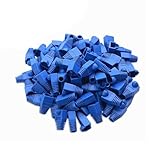
- Durable RJ45 Strain Relief Boots Design : RJ45 connectors from dust, , and bending stress while extending patch cable life. Soft PVC material offers flexible fit for Cat5/5e/6 cables with outer diameters up to 6.5mm, keeping connections tidy and reliable rj45 strain relief boots
- Color-Coded Organization for Easy Maintenance :Multiple color options help you quickly identify cables in server rooms or home offices, reducing mix-ups during routine maintenance. Color variety supports consistent labeling and efficient troubleshooting blue rj45 boots
- Easy Fit, Wide Compatibility :Plug covers compatible with Cat5, Cat5e, Cat6, and Cat6a pass-through connectors, providing protective coverage for crimped RJ45 ends without hindering plug insertion or removal cat6 pass through connectors
- Value-Pack Convenience for Large Setups :Bulk packs deliver ample boots for constructing numerous custom-length cables, enabling tidy cable management across multiple workstations and network racks without frequent reorders cat6 ethernet cable
- Secure Fit and Reliable Shielding Support :Rugged boot construction adds reinforcement at the connector interface, reducing strain on the RJ45 plug and improving durability in daily network operations across various environments cat6 shielded rj45 connectors
Hook-and-loop cable ties can keep a bundle organized when fastened loosely enough not to compress the cables. A Government of Ontario Category 6A specification also names Velcro tie-wraps and warns against pressure that could deform the jacket or the internal pair and conductor geometry. That specification applies in its provincial and project context, rather than serving as universal code: GO-ITS 580TES.
Free tools Windows power users keep installed
One-click scans. No signup required.
- Check that the bundle remains round and that the jacket is not visibly flattened.
- Use a support that can be adjusted or fitted loosely, and that keeps cable weight off the connector.
- Keep the cable’s bend radius intact where it enters and leaves supports.
- Select support spacing and fixing methods for the particular cable, surface, and installation environment; do not assume a single interval applies to every Ethernet run.
Pull gently and protect the termination
Pull the cable without forcing it
ANSI/TIA-568.0-E sets 110 N (25 lbf) as the maximum installation pulling tension for four-pair balanced twisted-pair cable. Treat this as an upper limit, not a target force; follow a lower limit if the cable manufacturer specifies one. If the cable snags or needs excessive force, stop and reassess the route rather than hauling harder.
Rank #3

- Durable RJ45 Strain Relief Boots Design : RJ45 connectors from dust, , and bending stress while extending patch cable life. Soft PVC material offers flexible fit for Cat5/5e/6 cables with outer diameters up to 6.5mm, keeping connections tidy and reliable rj45 strain relief boots
- Color-Coded Organization for Easy Maintenance :Multiple color options help you quickly identify cables in server rooms or home offices, reducing mix-ups during routine maintenance. Color variety supports consistent labeling and efficient troubleshooting blue rj45 boots
- Easy Fit, Wide Compatibility :Plug covers compatible with Cat5, Cat5e, Cat6, and Cat6a pass-through connectors, providing protective coverage for crimped RJ45 ends without hindering plug insertion or removal cat6 pass through connectors
- Value-Pack Convenience for Large Setups :Bulk packs deliver ample boots for constructing numerous custom-length cables, enabling tidy cable management across multiple workstations and network racks without frequent reorders cat6 ethernet cable
- Secure Fit and Reliable Shielding Support :Rugged boot construction adds reinforcement at the connector interface, reducing strain on the RJ45 plug and improving durability in daily network operations across various environments cat6 shielded rj45 connectors
Preserve cable geometry at the jack or plug
Follow the connecting hardware manufacturer’s termination instructions and keep the cable’s pair geometry as close as possible to the termination. For Category 5e, 6, 6A, and 8 terminations, the standard lists 13 mm (0.5 in) as the maximum pair untwist. That value concerns the untwisting of pairs at termination; it is not a measurement for how far cable must extend into a boot or where a strain-relief clamp must sit.
Independent reader supportYour contribution helps us test, update, and keep practical guides available for everyone.How do I stop an Ethernet cable from bending at the connector?
- Reroute for a gentle approach. Avoid a sharp turn immediately beside the jack or plug, and preserve the required bend radius.
- Provide appropriate slack. Leave enough for normal movement and servicing so the cable does not pull sideways on the connector.
- Support the cable on the route. Use a suitable cable support to carry the run’s weight instead of letting it hang from the termination.
- Check the hardware instructions. Use the connector maker’s strain-relief and termination method; there is no universal sourced distance for placing a strain-relief clip from an Ethernet plug.
Some guidance is specific to an industrial installation: a Siemens industrial LAN guide gives an approximate one-metre strain-relief distance from a connection. Treat that as an example for the guide’s context, not a general residential or office rule, and confirm that it applies to the particular cable and installation: Siemens industrial LAN installation guide.
Quick Recap
Best Value

- Improve organization and protect your networking cables with the Ethernet strain relief boos; Durable strain relief boot supports RJ45 cables, including Cat6 Ethernet cable
- Strain relief boots provide additional support for thicker Category 6 Ethernet cable; Strain relief boot reduces strain on the cable connector and the Ethernet port for improved durability
- RJ45 boots support Cat6 cables with an outer diameter of up to 6.5mm; Provide durability to custom-made Cat6 Ethernet cables with durable Cat6 strain relief boots
- Cost-effective 200-pack of Ethernet cable ends provides plenty of boots for creating a large number of custom-length cables; Improve the durability of custom-made cables with strain relief boots
Rank #4

- Improve organization and protect your networking cables with the Ethernet strain relief boos; Durable strain relief boot supports RJ45 cables, including Cat6 Ethernet cable
- Strain relief boots provide additional support for thicker Category 6 Ethernet cable; Strain relief boot reduces strain on the cable connector and the Ethernet port for improved durability
- RJ45 boots support Cat6 cables with an outer diameter of up to 6.5mm; Provide durability to custom-made Cat6 Ethernet cables with durable Cat6 strain relief boots
- Color-coded Category 6 boots come in eight colors; Package of Cat 6 strain relief boots includes 25 boots in each color: blue, white, purple, yellow, gray, green, red, and black; Color-code networking cables for easy identification in the server room or a home office
- Cost-effective 200-pack of Ethernet cable ends provides plenty of boots for creating a large number of custom-length cables; Improve the durability of custom-made cables with strain relief boots
Quick checks before you finish
- The cable reaches the equipment without being taut or hanging its weight from the connector.
- Curves meet the cable’s specified minimum bend radius; for the four-pair cable types covered by TIA’s general rule, that is at least four cable diameters inside.
- Ties and clips hold the cable without squeezing, flattening, or damaging its jacket.
- The route and support method follow cable and connector manufacturer instructions and applicable local requirements.
- The pull did not exceed the cable’s rated limit, and the termination preserves the specified pair geometry.
Product prices and availability are accurate as of the date/time indicated and are subject to change. Any price and availability information displayed on Amazon at the time of purchase will apply.




