Your notes stay private only to the extent that the task manager, its integrations and any AI provider handle them as you expect. “Encrypted” alone does not answer who can read a note during AI processing, which fields are protected, or how long copies may remain. Before adding sensitive details, check the data flow for each feature, send only what it needs, and keep information that should not leave your control out of its prompts.
Understand where a note goes
A task manager may store a note in a local database, sync it to a cloud service, include it in a backup, or send some of it to an AI provider when you request a feature. These are separate stages, and a privacy claim about one stage does not establish how the others work.
For each app, look in its current privacy policy and settings for the storage location, whether sync is optional, which fields are encrypted, when data is decrypted, who controls the keys, and what happens to backups. Check the same details for integrations and connected accounts, not just the app’s main notes feature.
What “encrypted” does—and does not—tell you
Ask whether encryption covers stored content, sync traffic, backups and AI processing. Also ask where encryption and decryption occur and who holds the keys. A service may encrypt content on a device before cloud upload yet still need readable text to perform an AI action.
#1 Best Overall

- Never Forget Passwords Again: Record 468 passwords, with space for updates; Say goodbye to password woes! Secure Pass Keeper Book keeps you covered
- Secure Your Secrets: Discreet appearance, pocket-sized convenience; The ultimate keeper of privacy in your hands, sized at 4.1''x 5.8''
- Master your passwords with Alphabetical Tabs: 24 sections, each storing up to 18 passwords; Ample writing space to update and secure passwords; Add personal hints and notes for extra security; # Index tabs for frequently used passwords; Plus, lined note pages for convenient note-taking
- Enduring Vegan Leather: Exquisite Texture; 100 GSM Paper Resists Ink Bleed-through, Ensuring Long-lasting Value; Elevate Your Password Management
- Added Functionality: Sturdy Pen Loop, Elastic Band and Inner Pocket; Enjoy 180° Lay Flat for effortless writing, 360° Flipping for comfortable reading from any angle with spiral binding; A practical gift for family, friends, and partners
For example, Shallow says selected content is encrypted on-device before optional cloud sync, while metadata remains unencrypted for product features. Its policy also says that when a user invokes an AI action, relevant task content is decrypted on the device before it is sent to Anthropic. Those statements describe different parts of the flow, not a contradiction: encryption during storage or sync does not mean the AI provider receives ciphertext. Shallow’s policy is dated February 26, 2026.
Check what each AI feature sends
Do not assume an app sends only the words in the prompt box. A feature may attach the task, its notes, an email, an image or other context. Find out whether AI use is opt-in, what exact fields and attachments are included, which provider receives them, and whether prompts or responses are retained or used to train models. These terms can vary by feature and change over time.
Rank #2

- NEVER FORGET YOUR PASSWORDS AGAIN - Store your passwords & online login details safely in this password notebook. Quick & easy to use, you'll never have to reset forgotten passwords again.
- ALPHABETICAL A-Z TABS - Password book with alphabetical tab system for easy to record the passwords you need
- LOADS OF SPACE FOR MULTIPLE LOGINS - The password journal with 128 pages total, 3 entries per page. The Logbook also has space to write 2 pages important data,2 internet service provider, 2 pages wireless & email settings, 2 pages software license information & 5 pages notes
- HIGH QUALITY & MEASURE - The password keeper book is used to high quality 120gsm pure white acid-free paper that won't bleed through.Password notebook size of 6.4" x 8.5". Pick the size best suited for your needs!
- CHANGE YOUR PASSWORD REGULARLY - New password? No Problem! Keep your account safe by updating your password frequently, Password books for seniors, Each website has 4 password lines, and you can easily update your new password
- Suggested subtasks: Jupiter Optimus says a task’s notes accompany a request when the user asks for AI-generated subtasks. Its September 12, 2026 policy says tasks and related content are stored in the user’s private iCloud database and describes a vault encrypted on-device. Read Jupiter Optimus’s policy.
- AI answers: Neeos says the portions needed to answer a message are sent in readable form to OpenAI or Anthropic after the user agrees. Its September 29, 2026 policy also describes readable Siri and Spotlight indexing as an optional device-level setting. Read Neeos’s policy.
- Email assistance: Task Flow says its enabled Email Assist feature may send an email’s subject and body text to OpenAI. Its policy, effective June 30, 2026, says API request and response data may be retained for up to 30 days for abuse and misuse monitoring, subject to settings and legal exceptions. Read Task Flow’s policy.
The examples are policy statements, not independent confirmation of implementation, and they do not establish a universal ranking of task managers. Check the current policy and in-app controls for the app and feature you actually use.
Reduce what you expose
If an AI feature needs context, give it the smallest useful excerpt rather than an entire project or personal history. Remove names, addresses, account identifiers and other identifying details when the task can be completed without them. Before submitting an attachment or screenshot, inspect it for unrelated messages, documents, notifications or other sensitive information.
Do these 3 things before closing this tab:
1Clear out junk files and repair common Windows errors2Fix the driver behind crashes, sound loss and screen glitches3Repair Windows errors before they cause bigger problemsRank #3
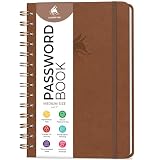
- FIND ANY PASSWORD YOU NEED EASILY: Tired of wasting precious time remembering the right password? With Clever Fox Spiral Password Book, you can record up to 440 passwords and organize them alphabetically, so you can find any password you need in no time.
- TAKE YOUR INTERNET SAFETY TO THE NEXT LEVEL: Every day, hackers come up with new ways to steal valuable data stored digitally. This password keeper book is an effective way to keep your login details offline, so no hacker can ever reach them. Moreover, you can now create unique, complex passwords for each account without risking forgetting them.
- LAMINATED TABS, SPIRAL BINDING & OTHER FEATURES: This password journal has convenient letter tabs to easily locate any information you need. The tabs are laminated to ensure they withstand daily wear and tear. Durable double wire binding helps you flip the pages effortlessly and write comfortably wherever you are. The internet password book with tabs also features a convenient elastic band to keep the pages together, plenty of lined pages to add extra notes, and a back pocket for loose papers.
- MADE TO LAST WITH PREMIUM-QUALITY MATERIALS: We ensure this password organizer lasts a lifetime using only premium-quality materials. The password manager has a soft-touch vegan leather hardcover and thick 120gsm paper that is bleed- and smudge-resistant. The password log book comes in medium format and measures 6.1 by 7.7 inches.
- ✓ GUARANTEE & RETURNS – We hope that our password book with alphabetical tabs will help you store and use your login details efficiently. Otherwise, we will happily exchange or refund your internet address and password logbook if you are having any quality issues or are not completely satisfied with your pasword keeper book for any other reason. Reach out to us via an Amazon message for an easy refund of this password notebook with alphabetical tabs.
Shallow specifically warns that screenshots can capture sensitive material and recommends reviewing them before sending. Its policy says invoked AI actions send relevant plaintext content to Anthropic. See Shallow’s policy.
- Keep passwords, recovery codes, financial details, health information and confidential work material out of AI prompts unless the service is suitable for that information and the feature genuinely requires it.
- Turn off AI features you do not use, or avoid invoking them on tasks that contain sensitive notes.
- Review the text and attachments that will be sent before confirming an AI action, where the app provides that opportunity.
Review sharing, integrations and account access
A note can become exposed through access controls even if no AI feature processes it. Check whether tasks are private by default, who can access shared projects, which integrations or agents can read task data, and which accounts are connected. Disable permissions and connections that are not needed, and periodically review who or what still has access.
Rank #4

- USB Type-C connector suits a variety of devices. Compatible with Microsoft Windows & macOS
Google says saved Tasks content is private unless shared, is encrypted in transit and at rest, and can be downloaded through its account data tools. Google also says the content is processed to provide product functionality and is not used for advertising. These statements describe Google Tasks, not a general guarantee about other task managers. Google’s information about Tasks data was accessed October 4, 2026.
Independent reader supportYour contribution helps us test, update, and keep practical guides available for everyone.Plan for export and deletion
Check how to export notes and what account deletion removes. Ask whether deletion applies to backups, non-production systems and copies held by subprocessors, and whether the service states a retention schedule. Do not infer that deleting a task instantly erases every copy.
Quick wins for a faster PC:
Scan for outdated or missing drivers - takes under a minuteDriver Scan →Repair Windows errors before they cause bigger problemsFix Now →Fix the driver behind crashes, sound loss and screen glitchesFind Drivers →Best Value

- Transfer speeds up to 10x faster than standard USB 2.0 drives (4MB/s); up to 130MB/s read speed; USB 3.0 port required. Based on internal testing; performance may be lower depending upon host device. 1MB=1,000,000 bytes
- Backward compatible with USB 2.0
- Secure file encryption and password protection(2)
The European Data Protection Board’s June 2025 technical material advises organizations to identify personal-data stores, including backups and non-production environments, set retention requirements and ensure secure erasure. It cautions that deleting a file or shutting down a cloud instance may not remove all stored copies. That guidance is a useful reminder to look for backup and retention details rather than treating a delete button as proof of immediate erasure. Read the EDPB technical document.
A practical privacy check before adding notes
- Check storage and sync: In the app’s privacy policy and settings, identify where notes are stored, whether sync is optional, which fields are encrypted, who controls the keys, and whether backups are covered.
- Inspect each AI feature: Confirm whether it is opt-in, what text and attachments it sends, which provider receives them, and what the app and provider say about retention and model training.
- Minimize the input: Use only the relevant excerpt, remove unnecessary identifiers, and review screenshots and attachments before submission.
- Limit access: Turn off unneeded sharing and integrations, then review collaborators, connected accounts and agent permissions.
- Check recovery and removal: Find the export and account-deletion procedures, plus any stated backup or subprocessor retention timelines.
- Recheck after changes: Review current settings and policies when the app adds or changes AI features, integrations or sync options.
For high-stakes notes, look for current security documentation and independent assurance rather than relying on policy language alone. The cited product information consists of vendor statements; it does not independently verify how the services are implemented. If you cannot establish that a service is appropriate for a particular note, keep that information out of it.
Quick Recap
Product prices and availability are accurate as of the date/time indicated and are subject to change. Any price and availability information displayed on Amazon at the time of purchase will apply.




