Quick wins for a faster PC:
Clear out junk files and repair common Windows errorsFree Scan →Fix the driver behind crashes, sound loss and screen glitchesFind Drivers →The safe way to move a ProcessWire website is to clone the complete application and database, reproduce a compatible PHP/web/database stack on the new VPS, change the environment-specific values in /site/config.php, test the clone privately, and only then change DNS. Keep the old VPS untouched until the new server has handled real traffic, administration, scheduled jobs, mail, and backups for your agreed rollback period.
Antihost offers Linux VPS plans with full root access, unlimited traffic on a 1 Gbps port and a 14-day free trial.
What a ProcessWire migration actually includes
A ProcessWire site is more than a database and a theme. A reliable migration preserves four parts together:
As an Amazon Associate I earn from qualifying purchases.
- The
/wiredirectory, which contains the ProcessWire core installation and modules. - The
/sitedirectory, which contains the site’s configuration, templates, stylesheets, scripts, cache files, uploaded assets, and custom modules. - The document-root files that route requests into ProcessWire, especially the root
index.phpand.htaccess. - The database, including page data, users, settings, field definitions, and module data.
ProcessWire’s own structure documentation describes /wire as the installation and module directory and /site as everything unique to a particular site. Omitting either directory can produce a site that appears to load but is missing templates, configuration, modules, or uploaded content.
The migration also includes server-side items that are not inside the ProcessWire tree: PHP version and extensions, web-server rules, cron jobs, TLS certificates, outbound mail configuration, firewall rules, monitoring, backups, and any third-party integration credentials. Inventory these before copying files so that the new VPS reproduces the old environment intentionally instead of by guesswork.
#1 Best Overall

- Backs up any type of file from computers or any storage device, audio recorder, video recorder, etc. that is attached to the computer.
- No Duplicates - Backs up each file only once and if new versions of files are discovered, the latest version is backed up automatically.
- Surveillance Tool Companion - Ideal for investigators, law enforcement, or anyone that has to manage many files from many different devices.
- No Cloud Accounts - Cloud backups can be useful but they can also be expensive and dangerous. Physical backups mean your files are always with you and not on someone else's computer.
- Unlimited Uses - Use it on as many computer, devices, or drives as you want and back up as often as you like until you fill up the drive.
Plan the move before touching production
Record the current environment
Create a written inventory of the source VPS. Record the PHP version, database engine and version, web server and its virtual-host rules, document-root path, scheduled jobs, TLS certificate arrangement, mail delivery method, custom ProcessWire modules, writable directories, and environment-specific values in /site/config.php. Include any external services that depend on the old IP address or hostname.
This inventory gives you a comparison point after the move. It also reveals tasks that a file copy cannot perform, such as recreating a cron entry or issuing a new certificate.
Lower DNS TTL when appropriate
If you control DNS and a cutover is planned, lower the record’s time-to-live ahead of the migration. Do this early enough for existing resolvers to observe the shorter value. TTL changes cannot force every resolver to forget an old answer immediately, so keep the old VPS online throughout propagation.
Schedule a content freeze
Arrange a short period during which editors do not create or modify content. The final database export and the final file synchronization must represent the same site state. If uploads or edits continue while you are exporting, the database can reference files that were not copied, or files can arrive without the database records that make them visible.
Build a compatible destination VPS
Install a supported operating system and a web stack before importing the site. ProcessWire’s installation requirements specify the following baseline:
| Component | Requirement | Why it matters during migration |
|---|---|---|
| Web server | Apache or a 100% compatible server | ProcessWire’s documented configuration assumes Apache behavior unless an equivalent server configuration is supplied. |
| PHP | PHP 8.x is recommended | The destination must run the site’s code and installed modules on a supported PHP release. |
| Database access | PDO support in PHP | ProcessWire needs the PDO driver to connect to its database. |
| Database server | MySQL 5.6 or newer; equivalent MariaDB versions are supported | The imported schema and application queries must be accepted by the destination engine. |
| URL rewriting | Apache mod_rewrite and .htaccess support, or a deliberate equivalent |
ProcessWire relies on rewrite behavior for clean URLs and routing. |
| Image processing | PHP GD2 or ImageMagick | Image fields, resizing, thumbnails, and other image operations depend on one of these libraries. |
Match versions deliberately
Use the inventory to decide whether the new VPS should match the old PHP and database versions initially or move to newer supported versions as a separate, tested change. A migration is easier to diagnose when the server move does not also introduce an unplanned runtime upgrade. If you do change versions, test custom modules and image operations especially carefully.
Free tools Windows power users keep installed
One-click scans. No signup required.
Apache, nginx, and equivalent servers
Apache is the documented target. nginx or another non-Apache server can host ProcessWire, but its rewrite and access rules must deliberately reproduce the behavior of .htaccess. ProcessWire’s official support is for Apache; non-Apache deployments require an equivalent configuration and a security review. Do not simply copy .htaccess and assume nginx will read it.
Prepare the operating environment
Create the destination virtual host, document root, database service, PHP handler, TLS plan, log locations, and firewall policy. Create the web-server user and group that will own or access the site. Decide where backups will be stored and how you will monitor disk space, database health, uptime, and certificate expiry. The destination should be able to serve a simple test file before ProcessWire is installed into it.
Make complete, restorable backups
Do this before changing production. ProcessWire’s upgrade guidance explicitly advises backing up the database and all site files so that you can revert. Keep at least one copy outside the old VPS, and do not treat a file transfer that has not been verified as a backup.
Export the database consistently
Use a transaction-consistent export appropriate to your database engine. A typical MySQL or MariaDB example is:
Crashes, No Sound, or Screen Glitches?
Random freezes, missing sound and display glitches usually trace back to one bad driver. Find and replace yours safely.Free scan · under a minuteWindows Errors? Fix Them Before They Spread
Repair common Windows errors and clear accumulated junk for a smoother, more stable PC - no reinstall needed.Free scan · no reinstallmysqldump --single-transaction --routines --triggers -u processwire_user -p processwire_db > processwire.sqlThe command prompts for the password rather than placing it in shell history. Adjust the options to your privileges and database setup; the important result is a complete dump that can be imported into an empty destination database. Confirm that the export finished without errors and note its size.
Archive the entire document root
Archive the full document root, including hidden files. An archive made from the directory itself includes files such as .htaccess:
tar -czf processwire-files.tgz -C /var/www/example-site .Replace the path with the actual document root. Do not omit /site/assets, custom modules, or files outside the usual ProcessWire directories that your project uses. If you maintain deployment files, build scripts, or a separate public directory, include them as well.
Verify and store the backups separately
Generate checksums and copy both artifacts to storage that does not depend on the source VPS:
Do these 3 things before closing this tab:
1Repair Windows errors before they cause bigger problems2Fix the driver behind crashes, sound loss and screen glitches3Clear out junk files and repair common Windows errorsRank #2
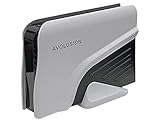
- Built-in 8TB Capacity USB 3.0 External Gaming Hard Drive (7200RPM Enterprise HDD, Designed for 24/7)
- According to PS5 website, You can play PS4 games directly from USB extended storage, which lets you save space on your PS5 console storage for PS5 games. To play PS5 games, you need to copy game data from your USB extended storage drive back to your PS5 console's internal SSD storage. It’s much quicker to copy a PS5 game from USB extended storage than to re-download it.
- Compatible with PS5 Game Console, Expand game console storage instantly! NOTE: You cannot download PS5 games direct to USB Hard Drive, It has to download to internal SSD and then "Move/Copy" to USB HDD after that. (about 3 ~ 5 min transfer a game)
- PS5 Game has to play on internal SSD, you can "Move & Store" your PS5 Games from SSD to USB HDD when you're not play it. And it's always faster than re-download it online. That will free up your Internal SSD Space for more games.
- This external hard drive boasts a brand-new, premium HDD case paired with a excellent refurbished, top-tier internal 7200RPM enterprise hard drive from a leading manufacturer. With zero bad sectors and 100% health, it has passed rigorous factory quality tests to ensure exceptional performance and reliability. Fully researched and tested for outstanding performance and compatibility with PC & gaming consoles, it stands as the top choice in external gaming hard drives.
sha256sum processwire.sql processwire-files.tgzRecord the checksum output with the backup date. A second storage location protects you if the source disk fails during the migration. Encryption, retention, restore testing, and egress costs are operational decisions for the backup service you choose; whatever the service, verify that you can retrieve the files.
Practice a restore when possible
Restore the dump into a test database and unpack the files into a disposable document root. This catches truncated archives, missing privileges, incompatible character sets, and assumptions about absolute paths before the production cutover. A backup that has never been restored is an untested recovery plan.
Copy the complete ProcessWire application
Files that must travel
| Path or item | Role | Migration action |
|---|---|---|
/wire |
ProcessWire core and included modules | Copy the complete directory without mixing files from another ProcessWire release. |
/site |
Configuration, templates, custom modules, styles, scripts, caches, and uploaded assets | Copy the complete directory, including /site/assets and hidden files inside it. |
Root index.php |
Entry point that boots ProcessWire | Place it at the same relative document-root location. |
Root .htaccess |
Apache rewrite and access behavior | Copy it for Apache, then review equivalent rules if using another web server. |
| Other project files | Custom front-end code, deployment files, or scripts used by the site | Include every file in the document root that the inventory identifies as part of the application. |
Unpack the archive at the destination document root, preserving directory names and filename case. Linux filesystems are case-sensitive; a template or module that happened to work on a case-insensitive development machine can fail after deployment.
Preserve ownership and permissions
Set ownership so the web process can read the application and write only to directories that genuinely need writes, such as asset or cache locations. Do not make the entire document root broadly writable. Check permissions after extraction rather than assuming the archive preserved the source VPS’s numeric user and group IDs.
Handle caches carefully
ProcessWire cache files can be copied, but stale caches can also preserve old hostnames or paths. After the new configuration is in place, clear or rebuild caches using the site’s normal administrative or deployment procedure. Do not delete uploaded assets while attempting to clear a cache; /site/assets may contain user files as well as generated data.
Create and import the destination database
Create a dedicated database and least-privilege user
Create the destination database with the intended character set and collation, then create a dedicated user with only the privileges the site requires. Avoid reusing a server-wide administrative account in /site/config.php. Record the database name, username, password, host, port if applicable, and socket or connection details that the new server uses.
Import and check the result
Import the verified dump into the empty database using the database engine’s client. Watch the import output for errors rather than assuming a command that returns to a prompt succeeded. Check that the expected tables exist, that the row counts are plausible, and that the database user can read and write as required by the application.
Confirm that the PHP PDO driver for the selected database is enabled before testing ProcessWire. A database server can be healthy while PHP still fails because its driver is missing or loaded for a different PHP version.
What’s actually slowing this PC down?
Pick the symptom - the matching free tool is one click away.
Do not destroy the source database yet
Leave the source database intact until the new site has passed functional checks and the rollback period has ended. A successful import is not proof that all application behavior, scheduled jobs, or writes are working.
Update /site/config.php for the new server
ProcessWire’s configuration reference specifically calls out changing the new hostname or hostnames in /site/config.php when moving between servers. Review every environment-specific value, not just the database password.
Values commonly requiring a change
- The primary hostname and any allowed hostnames.
- Database host, database name, username, password, port, or socket settings.
- Absolute filesystem paths if the document root changed.
- HTTPS or secure-cookie flags that depend on the new TLS arrangement.
- Environment-specific API keys, webhook secrets, and service endpoints.
- Mail transport, sender domains, SMTP credentials, or local mail settings.
- Any debugging or development flags that must not remain enabled in production.
Keep secrets out of publicly readable files and set restrictive permissions on config.php. If your deployment uses environment variables or a secrets store, reproduce that mechanism on the new VPS rather than hard-coding credentials during the move.
Test the new VPS before changing DNS
Do not use the public DNS cutover as your first test. Use a temporary hostname, a staging host, or a hosts-file override that maps the real hostname to the new VPS from your own computer. A hosts-file override lets you test the production hostname while ordinary visitors continue reaching the old server.
Run a functional test matrix
| Area | What to test |
|---|---|
| Front end | Homepage, representative templates, navigation, pagination, search, 404 pages, redirects, canonical URLs, and any language or member-only areas. |
| Administration | Admin login, editing a page, saving a field, publishing content, and logging out. |
| Files and images | Upload an image or document, confirm generated sizes, open the file publicly, and verify that existing assets still resolve. |
| Forms | Submit every important form, validate error handling, and confirm that notifications arrive at the intended mailbox. |
| HTTPS | Certificate validity, HTTP-to-HTTPS redirects, secure cookies, mixed-content warnings, and canonical scheme. |
| Scheduled work | Run each cron job safely, confirm its PHP path and working directory, and check that it does not execute twice during transition. |
| Integrations | Payment, analytics, webhooks, search indexing, storage, or other external services listed in the inventory. |
| Operations | Access logs, PHP logs, database errors, disk space, backup jobs, monitoring alerts, and log rotation. |
Inspect logs while testing
Keep the web-server error log, access log, PHP log, and database log visible while exercising the site. A blank page, redirect loop, or failed form often has a precise cause in a log entry even when the browser shows only a generic error. Remove temporary verbose debugging from the production configuration after diagnosis.
Check write permissions without overexposing the site
Confirm that the web process can write to the directories ProcessWire needs for uploads, caches, and generated image variations. At the same time, verify that source files, configuration files, and unrelated directories are not writable by every local user or exposed for direct download.
Rank #3

- Sleek profile design with a matte, smudge resistance finish
- Plug and play; Easy to use with no software to install
- Quickly add more storage capacity to your PC and other compatible devices
- USB 2.0 compatible with no external AC power cord needed. System requirements - Formatted NTFS for Microsoft Windows 10, Windows 8.1, and Windows 7. Requires reformatting for Mac OS v10.12 /OS X v10.11 / v10.10. Available USB 2.0 or USB 3.0 Port
Cut over with a final synchronization
Freeze, dump, and synchronize one last time
- Announce the short content freeze and stop editors or integrations that write content.
- Create a final consistent database dump from the old VPS.
- Copy files created or changed since the first transfer, including uploads and generated assets that must be retained.
- Import the final dump into the destination database and apply the final configuration values.
- Repeat the highest-value smoke tests privately on the new VPS.
The goal is for the destination database and files to describe the same moment. If the site receives continuous uploads, document how those files are synchronized and pause the upload path during the final step.
Change DNS and provision TLS
Point the relevant DNS records to the new VPS. Obtain or renew TLS certificates for every hostname the site serves; a certificate tied to the old server does not automatically appear on the new one. Expect some visitors to reach the old VPS until cached DNS answers expire.
Monitor the first hours and days
Watch uptime, access and error rates, PHP warnings, database connections, disk usage, outbound mail, cron results, and administrator activity. Check that backups run on the new server and that monitoring checks the new address. Keep the old VPS available and unchanged until traffic, administrative operations, scheduled jobs, and backups have remained healthy for the agreed rollback period.
Troubleshoot common migration failures
Every URL returns a 404
Check that the virtual host points to the correct document root, that the root .htaccess was copied, and that Apache rewrite support is enabled. On nginx or another server, inspect the equivalent rewrite configuration rather than expecting .htaccess to be read.
The site shows a 500 error or a blank response
Read the PHP and web-server logs first. Common causes include an unsupported PHP release, a missing extension, a syntax error in a custom module, incorrect file permissions, or a path in config.php that still points to the old filesystem. Verify the PHP version used by the web server, not only the version printed by a command-line shell.
Recommended Free Tools
ProcessWire cannot connect to the database
Recheck the database host, name, user, password, port, and socket values in /site/config.php. Test the same credentials from the destination host, confirm that the PDO driver is loaded, and verify that the database user is allowed to connect from the web server’s address.
Images or uploads fail
Confirm that /site/assets was copied, that its writable subdirectories have the correct ownership, and that GD2 or ImageMagick is available to the active PHP runtime. An image library installed for a different PHP version does not help the PHP process serving the site.
Admin login redirects repeatedly
Check the hostname in config.php, HTTPS detection, secure-cookie settings, proxy headers, and the browser’s old cookies. A mismatch between the URL you test and the hostname ProcessWire considers valid can prevent a session from being accepted.
Mail or cron jobs stop working
Recreate jobs on the new VPS with the correct PHP binary, working directory, user, and environment. Verify mail transport and sender authentication independently; DNS and firewall changes can affect delivery even when the ProcessWire form itself works.
The Tool Desk
Outbyte PC Repair FREERepair Windows errors before they cause bigger problemsFix Now →Outbyte Driver Updater FREEFix the driver behind crashes, sound loss and screen glitchesFind Drivers →Choose the new VPS using operational criteria
Technical compatibility is necessary but does not identify the best destination. Compare candidates on the controls and recovery capabilities you will actually use:
| Decision area | Questions to answer |
|---|---|
| Version control | Can you select and change PHP and database versions, and can you test upgrades before applying them? |
| Web-server access | Do you control Apache or nginx configuration, rewrite rules, virtual hosts, and TLS termination? |
| Storage and I/O | Is disk capacity sufficient for the database, uploaded assets, logs, backups, and growth? Is storage performance appropriate for the site’s workload? |
| Snapshots and backups | Are snapshots available, how long are they retained, and can you restore them to a usable server? |
| Region and latency | Is the server region close to the audience, editors, databases, and external services that the site calls? |
| Networking | Are IPv4 and IPv6 available as required, and can reverse DNS, firewall rules, and additional addresses be configured? |
| Monitoring | Can you receive alerts for downtime, disk exhaustion, resource saturation, certificate expiry, and failed backups? |
| Support and recovery | What response channel exists during an outage, and how clear is the restore process? |
| Total monthly cost | Include compute, storage, snapshots, backup storage, transfer or egress, addresses, and any managed-service fees. |
ProcessWire documentation establishes the compatibility requirements but does not rank VPS providers or publish current provider pricing. Make the hosting decision from your workload, recovery objectives, and administrative access rather than from a compatibility checkbox alone.
Keep a rollback plan until the migration is proven
A rollback is a controlled return to the old VPS, not an improvised DNS change. Define in advance what failure triggers it: persistent errors, missing writes, broken administration, failed scheduled jobs, or unacceptable downtime. During the rollback window, keep the old application, database, certificates, and configuration available and do not allow two servers to accept independent content edits.
If you must roll back after the new server has accepted writes, first determine which records and uploaded files were created there. Reconcile or preserve those changes before directing editors back to the old server. Otherwise, a rollback can silently discard new content even though the old site appears healthy.
Quick wins for a faster PC:
Fix the driver behind crashes, sound loss and screen glitchesFind Drivers →Clear out junk files and repair common Windows errorsFree Scan →Scan for outdated or missing drivers - takes under a minuteDriver Scan →Once the agreed period has passed, take a final backup of the new VPS, document the completed configuration, remove obsolete secrets and access, and decommission the old server only after confirming that no DNS record, cron job, webhook, monitoring check, or backup process still depends on it.
Quick Recap
Product prices and availability are accurate as of the date/time indicated and are subject to change. Any price and availability information displayed on Amazon at the time of purchase will apply.




