Crashes, No Sound, or Screen Glitches?
Random freezes, missing sound and display glitches usually trace back to one bad driver. Find and replace yours safely.Free scan · under a minutePC Slower Than It Used to Be?
A free scan shows the junk files, broken settings and background clutter dragging Windows down - then fixes them in one click.Free scan · Windows 10 & 11Manage WhatsApp client conversations in Webex through Webex Contact Center’s WhatsApp digital channel. Before launch, verify the business and establish a WhatsApp Business Account (WABA) number, configure how WhatsApp contacts are handled, and review the tenant’s security, retention and access settings. Webex controls can help manage product behavior and data exposure, but they do not determine whether your organization meets its legal, contractual or industry-specific obligations.
Set up the WhatsApp channel
- Verify the business and establish the WABA number. Cisco’s Set up digital channels in Webex Contact Center directs organizations to work with their account manager on business verification and WhatsApp Business Account setup.
- Configure WhatsApp contact handling. Set up WhatsApp as a digital channel in Webex Contact Center and define how incoming conversations are handled.
- Confirm availability for your organization. The cited Cisco setup guide does not establish a universal onboarding timeline or all regional eligibility requirements. Confirm availability and setup details with Cisco or your account manager before promising a launch date.
Prepare agents for WhatsApp’s documented behavior
Train agents on the channel’s practical limitations before they handle client conversations. Cisco’s digital-channel guide documents the following behavior:
As an Amazon Associate I earn from qualifying purchases.
- WhatsApp voice messages are unsupported.
- Customers do not receive real-time read receipts when an agent reads a message.
- If a customer uses WhatsApp’s Delete for Everyone feature, the deleted message remains visible in Agent Desktop.
- Multimedia content arrives as attachments, and text formatting is limited.
Include attachment handling in your organization’s data-handling procedures; a message may carry sensitive information in a file even when its text does not.
Do these 3 things before closing this tab:
1Scan for outdated or missing drivers - takes under a minute2Repair Windows errors before they cause bigger problems3Fix the driver behind crashes, sound loss and screen glitchesUnderstand which controls cover which data
Webex Contact Center security settings do not apply uniformly to every channel or data surface. Use each control only for the function Cisco documents.
#1 Best Overall

- Handset Connectivity Technology: Corded
- Base Unit Connectivity Technology: Corded
- IP Phone Technology: VoIP
- Total Number of Phone Lines: 4
- Caller ID: Yes
| Control or surface | What the cited Cisco documentation establishes | What it does not establish |
|---|---|---|
| Sensitive-data masking in Agent Desktop | Control Hub’s Contact Center security settings can mask selected sensitive details in Agent Desktop. | It does not encrypt backend data, cover Supervisor Desktop, or ensure that PII is absent from network or console logs. Attachments may also contain PII. |
| Voice recording pause and auto-resume | These settings address voice calls. Call metadata continues to be recorded while voice recording is paused. | They do not pause, redact or otherwise control WhatsApp digital messages. |
| Attachments and logs | They are potential exposure surfaces to consider when applying data-handling and enterprise controls. | The cited masking feature does not establish that attachments, backend data or logs are masked or encrypted. |
| Supervisor access | Supervisor Desktop is outside the scope of the cited Agent Desktop masking feature. | That masking setting alone does not protect sensitive details displayed to supervisors. |
Review any applicable enterprise data-loss-prevention controls separately. Do not treat an interface mask as a substitute for encryption, log governance or access controls.
Set and verify retention in the tenant
Webex Contact Center provides retention settings for recordings and transcripts, but Cisco’s cited retention pages describe differing scopes and ranges. The Manage retention policies in Control Hub page states a 1,095-day default for new organizations in the Contact Center policy. The dedicated Manage Retention and Purge Recordings and Transcripts in Webex Contact Center article describes a 7-to-3,600-day range for Contact Center voice recordings, while another compliance page describes a 1-to-3,600-day range. These figures should not be treated as one universal range for every data type or tenant.
Rank #2
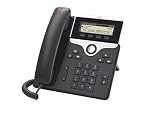
- NOTE: This device is optimized for Cisco Webex Calling. Cisco Webex subscription to be purchased separately
- FIXED FUNCTION KEYS: One-touch access to service, messaging, directory, hold/resume, transfer, and conference features
- FULLY PROGRAMMABLE: Set up line keys to support either lines, such as directory numbers, or call features like speed dialing
- OPTIMAL PERFORMANCE: Class 1 PoE with 10/100BASE-T Ethernet connection through two RJ-45 ports
- COMPATIBILITY: Integrates with other industry-leading call control platforms that may require additional licenses or services
- Review the retention setting currently available in your organization’s Control Hub tenant, including the policy’s scope and eligibility.
- Confirm which records the policy covers, rather than assuming a voice-recording setting also governs WhatsApp messages or transcripts.
- Choose the applicable retention period with your organization’s legal and privacy advisers, taking contracts and industry obligations into account.
- Verify purge behavior in the tenant. Cisco warns that rollout may be progressive, purge may not occur on the exact scheduled date, and some expired records may take time to be deleted.
Limit integration access and validate transcript handling
Webex integrations require an authorized user with appropriate permissions. For an integration that accesses Contact Center data:
- Confirm that the authorizing user has the necessary role and permissions.
- Request only the OAuth scopes needed for the integration, and check the requirements for each specific API. Webex for Developers documents these requirements in Webex Contact Center Integrations and Integration Scopes.
- Protect client secrets as credentials and restrict their access according to your organization’s practices.
- Check that the archive, review or export tool can handle the WhatsApp message and attachment payloads described in Webex for Developers’ Guide for Digital Transcripts. Validate the behavior of the particular integration before relying on it to preserve every content type.
Separate product configuration from compliance decisions
The documented Webex controls describe product behavior; they do not decide whether a particular use of WhatsApp complies with applicable law, contract or industry rules. Requirements for retention periods, consent, client notices, legal holds, cross-border transfers and external archiving depend on the organization’s jurisdiction, industry and agreements. Obtain organization-specific legal or privacy advice, and verify any applicable WhatsApp Business policy separately.
Quick Recap
Best Value

- FULL FEATURED IP PHONE – Wideband audio with five programmable line keys which you can configure to support either multiple directory numbers or calling features such as speed dial. You can also boost productivity by handling multiple calls for each directory number and fixed-function keys give you one-touch access to applications, messaging, directory, as well as often-used calling features such as hold/resume, transfer, and conference. Backlit acoustic keys provide flexibility for audio path selection and switching. It is intended to delivers high-fidelity, reliable, secure, and scalable voice communications for small to large enterprise businesses. The full-duplex speakerphone gives you flexibility in placing and receiving calls with hands free.
- LARGE LCD DISPLAY – Backlit pixel-based display provides features such as date and time, calling party name, calling party number, digits dialed, and presence information. The display is easy to view and the buttons and keys are easy to use. The 5-in. high-resolution (800 x 480) widescreen backlit grayscale display grayscale display provides scrollable access to calling features and text-based XML applications.
- EASILY ENHANCE YOUR COMPANY - The Cisco IP Phone 8811 is designed to grow with your organization and enhancements to your system capabilities while being more energy-efficient and ecofriendly. The dynamic feature set allows the phone to keep pace with your requirements through regular software updates. Firmware changes can be downloaded from Cisco.com. No hands-on moves and changes are required with the phone you can simply pick up the phone and move to a new location anywhere on your network.
- LOOKS & WORKS LIKE NEW - This Certified Refurbished product is tested and certified to look and work like new. The refurbishing process includes functionality testing, basic cleaning, inspection, and repackaging. The product ships with all relevant accessories, a minimum 90-day warranty, and may arrive in a generic box.
Rank #4

- Easy to set up - Connect the phone to your RJ11 telephone jack by the phone line included in the parcel, no need extra batteries or accessories to start working.
- Caller ID Display - the LCD Phone screen displays the number, real time and date. 50 groups of incoming calls memory; 16 groups of outgoing calls memory;
- Functional and Practical: This corded phone includes caller ID display, phone number record, Hold and redial functions. It is a traditional simple functional basic landline for home or office daily use.
- Clear Voice: The call quality is stable and clear, very practical for home or office use.
- Battery Free: this basic desk phone is landline powered and works without batteries. No worry about constant power off.
Rank #3
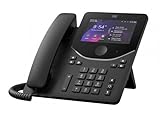
- Handset Connectivity Technology: Corded
- Base Unit Connectivity Technology: Corded/Cordless
- IP Phone Technology: VoIP
- Wireless Technology: Bluetooth
- Wireless Technology: Wi-Fi
Product prices and availability are accurate as of the date/time indicated and are subject to change. Any price and availability information displayed on Amazon at the time of purchase will apply.




