To handle realtime message-size limits in a Python video consultation room, first identify the transport or provider packet API and its effective limit. Keep latency-sensitive events small, stream or move bulk content elsewhere, and chunk only when the application can safely reassemble it. Apply backpressure so a full send queue does not keep growing.
1. Find the limit that actually applies
There is no universal “WebRTC maximum” or “WebSocket maximum.” A room may use WebRTC data channels, WebSockets, or a provider SDK’s packet abstraction, and each layer can impose a different limit. The sending endpoint’s capability, the receiver’s advertised capacity, SDK policy, library settings, and any proxy or application validation may all matter.
As an Amazon Associate I earn from qualifying purchases.
For WebRTC data channels
Check the negotiated SDP max-message-size and the Python library’s reported send capability, where available. RFC 8841 says a sender must not exceed the peer’s advertised maximum. If the SDP attribute is absent, the RFC default is 64 KiB; that is a fallback, not a universal limit for every deployed connection. A value of zero means the endpoint is willing to handle any size, subject to available memory. RFC 8841
The effective WebRTC maxMessageSize accounts for both the remote receive limit and the local send capability, so inspect the negotiated value rather than relying on one endpoint’s configuration alone. W3C WebRTC specification
#1 Best Overall

- 【Crystal Clear Audio Quality】Our Omnidirectional pattern condenser microphone accurately captures your voice, making it perfect for dictation, online classrooms, and more.
- 【Active Noise-Cancelling】Come in CMTECK CCS2.0 SMART CHIP with Omnidirectional Polar Pattern, which can effectively block the background noise. The pop filter prevents plosives from overloading the microphone, ensuring only your voice is heard.7
- 【Convenient Mute Button with LED Indicator】You can quickly mute/un-mute the microphone with the Mute Button and the built-in LED light lets you know the working status(Greenlight: Connected; Red light: Mute mode).
- 【Easy to use】 No drivers needed, just plug and record without external power supply, directly connect the microphone to a USB compatible device, well compatible with Windows(7, 8 and 10), Mac OS and PS4 (NOT compatible with Raspberry Pi/Linux/Android)
- 【Mini size with Adjustable Gooseneck】Adopted flexible and adjustable gooseneck metal pipe, easily adjust position 360 degrees to suit user comfort. The compact and stable base maximizes your desktop space.
With aiortc, consult the SCTP capability maxMessageSize and the version-specific documentation for the library you deploy. Do not assume another provider SDK exposes the same property or uses the same packet semantics. aiortc API documentation
For WebSockets and provider SDKs
Check the receive limits of the WebSocket implementation, proxy, and application, as well as any SDK-specific packet ceiling. WebSocket fragmentation lets one logical message span multiple frames; it does not define a safe application-level size policy or guarantee that the receiver will accept an arbitrarily large message. RFC 6455
Rank #2

- Omnidirectional Microphone - It is not a Speaker or Speakerphone, it is a condenser microphone. The microphone has an omnidirectional pickup pattern with a pickup distance of 11.5 ft, making it easy to capture the most subtle sounds from 360° directions and transmit the sound more loud and clear. Participants can hear each other without raising their voices.
- Made for Conferences - This microphone is perfect for small or medium meetings over an internet network by using Skype/GoToMeeting/WebEx/Hangouts/Fuze/VoIP/Zoom and other softwares. You can also use it for court reports, seminars, remote training, business negotiations, video chats, etc.
- Plug & Play, No Drivers Required - The microphone is compatible with all operating systems - both Windows and macOS. You just need to plug the microphone to start recording. If there is no response after inserting the mic, please go to the microphone setting of your computer and select the mic as the INPUT device.
- Convenient Mute Button - Quickly mute/unmute your microphone. The built-in blue indicator light for checking whether the USB microphone is working.
- Well Designed Cable - The microphone is constructed of sturdy and metal material and the base is fitted with an anti-slip mat which keeps it stable on desktop during use. It is small, convenient and does not require much space when in use. Connected with a 1.8m nylon shielded wire, it effectively eliminates signal interferences to achieve the best recording results.
For example, LiveKit documents a maximum 15 KiB user payload for reliable packets because its routing headers use part of the 16 KiB protocol limit. For lossy packets, it recommends no more than 1,300 bytes; larger packets may be fragmented, and losing a constituent packet loses the overall packet. These are LiveKit-specific figures, not general WebRTC limits. LiveKit packet documentation
What’s actually slowing this PC down?
Pick the symptom - the matching free tool is one click away.
2. Keep routine room events compact
Chat notifications, control events, and status updates compete for responsiveness with other traffic. Remove redundant JSON fields and avoid putting a full transcript, image, or binary object into a routine event. Measure the encoded payload in bytes, not the number of characters: UTF-8 characters can take different numbers of bytes, and the transport or provider may add its own envelope.
Rank #3

- Studio-Quality Sound for Clear Podcast Recording – The K66 USB podcast microphone delivers studio-quality, broadcast-level audio using a high-performance condenser capsule and cardioid pickup pattern that focuses on your voice while reducing unwanted background noise. Designed as a reliable microphone for PC, it features a wide 40Hz–18kHz frequency response and a 46kHz sampling rate to reproduce rich lows, smooth mids, and clear highs for natural, detailed vocals. With –45dB ±3dB sensitivity, it captures balanced sound without distortion during expressive speaking. Ideal for podcasting, voice-over, online classes, meetings, and professional content creation.
- Intelligent Noise Reduction Mode for Cleaner Podcast Audio – This podcast microphone features an advanced Noise Reduction Mode designed for clearer, more focused voice recording in real-world environments. Press and hold the mute button to enable noise reduction (blue indicator). In this mode, the microphone helps reduce keyboard clicks, PC fan noise, air conditioner hum, and background chatter. Default Mode maintains a warm, natural vocal tone for quiet spaces. Designed as a reliable microphone for PC, it allows creators to identify the active mode instantly and adapt as needed, ensuring clear audio for podcasting, gaming, streaming, online classes, meetings, and recording.
- True Plug-and-Play USB Microphone with Wide Device Compatibility – Engineered for effortless plug-and-play use, the K66 USB microphone requires no drivers, apps, or software installation. Simply connect and start recording on Windows PC, Mac, laptops, PS4, PS5, and tablets. Included USB-C and Lightning adapters ensure seamless compatibility with iPhone, iPad, and modern USB-C phones and devices, making it easy to switch between desktop and mobile recording. Ideal for creators working across multiple platforms, this microphone delivers consistent, high-quality audio for YouTube, TikTok, Twitch, Zoom, Discord, OBS Studio, Streamlabs, podcasting, livestreaming, and professional voice recording.
- Real-Time Zero-Latency Monitoring with Adjustable Volume Control – This podcast microphone features real-time, zero-latency monitoring through a built-in 3.5mm headphone jack, allowing you to hear exactly what’s being recorded without delay. Designed as a reliable microphone for PC, it includes a dedicated monitoring volume control that lets you adjust headphone listening levels independently for accurate and comfortable audio monitoring. Real-time feedback helps identify distortion, background noise, or uneven volume before it affects your final recording, making this podcast microphone ideal for podcasting, streaming, online teaching, voice-over work, and professional content creation.
- Precision Audio Adjustment Knobs for Full Sound Control – This podcast microphone gives creators hands-on control with dedicated knobs for microphone volume, monitoring volume, and echo adjustment. Fine-tune mic gain to maintain clear, balanced vocal output, adjust headphone monitoring levels independently for comfortable listening, and add or reduce echo to enhance depth and presence. Designed as a reliable PC microphone, these intuitive physical controls allow fast, on-the-fly adjustments without software, helping identify distortion, background noise, or level inconsistencies instantly. Ideal for podcasting, streaming, ASMR, voice-overs, singing, and professional multi-platform recording.
RFC 8831 recommends limiting message size to 16 KB when message interleaving is unsupported, to reduce the risk that one large message monopolizes the SCTP association. This is responsiveness guidance, not a universal hard cap. RFC 8831, section 6.6
3. Chunk only when the application can reassemble safely
When a logical message must travel as multiple packets, define an application-level format rather than assuming transport fragmentation will provide the behavior your application needs. Each chunk should fit below the applicable limit after accounting for its envelope.
Rank #4
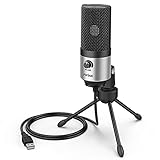
- [Sounds fuller and richer] This external laptop microphone is a welcome improvement in the virtual meeting environment, providing increased clarity and greater noise reduction. You can easy to be heard and understood, and will be more relaxed and comfortable during conferences.
- [Plug & play] Recognized both in pc and laptop immediately, this computer conference mic works well for Zoom, WebEx, Teams, Discord and making videos. The stand up mic doesn't take up much space for work from home situations, and is convenient for traveling. (Incompatible with Xbox.)
- [Easy control & adjustment] The knob on the front of the desk mic comes in handy to increase / reduce sound. You can also turn it all the way down to mute the mic. With the help of the included pivot mount, you can quickly adjust the angle and position of the mic for zoom meetings or chatting.
- [Multipurpose] The directional condenser mic is sensitive that it picks up your faintest whisper. For online meeting and web calls you can leave the pc mic closer to your monitor and still facing you. For recorded talks and lectures you can pull it to the front edge of your desk and it's not in the camera's view at all.
- [You will get] The package comes with a computer microphone with pivot mount, 6ft non-detachable usb cable, a tripod stand and user’s manual. The silver microphone has a clean look and will match with your laptop and other setup in the home office very well. (Note: If your laptop only has USB C port, you will need a genuine lightning adapter for connection.)
- Attach a unique message ID and a sequence number to each chunk.
- Include a final-chunk marker or a declared chunk count, plus an integrity check.
- Set a reassembly timeout and a maximum total byte count.
- Choose how to handle duplicates, missing chunks, and incomplete messages; reject or discard them if they cannot be recovered safely.
Do not use WebRTC’s deprecated PPID-based partial-message mechanism as a general-purpose solution. The application must validate the assembled message and bound memory use even if the transport delivers its parts successfully.
4. Stream larger content where the SDK supports it
For longer text or binary content, a stream can avoid building one very large packet in memory before sending. Write incrementally and consume incrementally. LiveKit’s Python reference documents ByteStreamWriter.write(bytes), TextStreamWriter.write(str), and asynchronous byte and text readers. Its room configuration also provides a maximum decompressed incoming stream payload; an oversized stream terminates with an error. LiveKit Python room reference
Best Value

- Natural Audio Clarity: The TONOR TM310 microphone features a supercardioid directional pickup design, optimizing its front sound capture capability. Powered by a high-quality dynamic core, it greatly reduces pickup from the back and sides, effectively minimizing noise interference during use. Upgrade your audio experience and enjoy a clearer sound
- Unique Clip-on Structure: Securely attaches the microphone above the computer, ensuring stability at any clamping angle. The clip-on structure can hold onto any computer or monitor, minimizing desk space. Additionally, the soft material covering the clip protects the screen and desk from scratches
- Wide Compatibility: Includes Type C to Type C USB cable and a Type C to USB A adapter, making it compatible with all computers. It’s a plug and play device that doesn’t require any drivers. Works seamlessly with Windows (7, 8, 10, and 11), macOS and PS4/5, not recommended for use with smartphones
- Adjustable Angle: With its adjustable rotational joint, this usb microphone offers 360-degree horizontal rotation and -25°to 10°vertical adjustment. This ensures optimal performance and sound capture, fulfilling your specific needs
- Mute & Reduce Noise Button: Microphone for pc features a single button with an LED indicator that combines mute and noise reduction functions. Tapping the button and seeing a red light indicates the microphone is muted. Tapping it again and seeing a blue light indicates the microphone is unmuted. Long-pressing the button activates the noise reduction feature, indicated by a green light
Use the stream API and error-handling behavior documented for the SDK version you deploy. A stream’s aggregate-size policy is distinct from a packet’s per-message limit.
5. Separate bulk transfers and apply backpressure
Move files and other bulk content out of the realtime event path
For files, large images, or long transcripts, use an authenticated HTTP or object-storage transfer path. Send a small room event with a reference or transfer status instead of placing the full content in a latency-sensitive packet. Keep access control and reference lifetime appropriate to the consultation.
Pause production when the send queue grows
In aiortc, monitor the data channel’s bufferedAmount and use bufferedAmountLowThreshold to resume sending when the buffer falls. Stop or slow the producer while the queue is high rather than continuing to add chunks. Large SCTP messages can delay traffic on other channels when interleaving is unavailable, so backpressure protects responsiveness as well as memory. aiortc API documentation
Recommended Free Tools
What to verify before deployment
- Confirm the transport, deployed library or SDK version, negotiated receive and send limits, and provider-specific packet policy.
- Test encoded payloads near the limit across the peer combinations your room supports, including oversized inputs and failed or incomplete transfers.
- For chunking, verify that total-size limits, timeouts, integrity checks, duplicate handling, and recovery behavior work together.
- For streaming or bulk transfers, check how errors surface and ensure producers stop when consumers or send queues cannot keep pace.
Limits can differ across client and server versions and between the packet API and the underlying transport. Documentation defines the relevant policies; it does not establish how a particular deployment will behave under load.
Quick Recap
Product prices and availability are accurate as of the date/time indicated and are subject to change. Any price and availability information displayed on Amazon at the time of purchase will apply.




