Wrap the PNG in an HTML link: <a href="https://example.com/page"><img src="/images/example.png" alt="Open the example page"></a>. The href is the page visitors open, src is the PNG file, and alt explains the link’s purpose when the image cannot be seen.
The basic PNG link pattern
Use a real <a> element around the image. Do not put href on <img>; href belongs to the anchor, while src belongs to the image.

<a href="https://example.com/page">
  <img src="/images/example.png" alt="Open the example page">
</a>
Save that markup in an HTML document, replace both URLs, and load the document in a browser. Clicking the PNG opens the destination. Because the anchor has a real href, keyboard users can reach it with Tab and activate it with Enter.
What each part means
| Markup | Purpose | What to enter |
|---|---|---|
<a> |
Creates the hyperlink | Wrap the entire image |
href |
Destination to open | A page URL, file URL, email address, or same-page fragment |
<img> |
Embeds the image | Place it inside the anchor |
src |
Location of the PNG | A valid absolute or relative image path |
alt |
Text alternative and link name | Describe what activating the link does |
Choose the correct URL format
Absolute URLs
An absolute URL includes the full scheme and host. It is useful when the image or destination is hosted on another site.
Outdated Drivers Are Slowing You Down
One free scan finds every outdated or missing driver and matches the right update for your exact hardware.Free scan · exact hardware matchPC Slower Than It Used to Be?
A free scan shows the junk files, broken settings and background clutter dragging Windows down - then fixes them in one click.Free scan · Windows 10 & 11#1 Best Overall
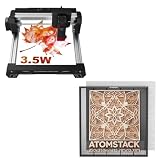
- 【On-The-Go Hotspot Crafting】 Link your phone directly to the 3.5W laser via hotspot with no internet router needed, relying on the F2N base to safely catch debris in field environments.
- 【Fixes Wrinkled Materials】 The advanced integrated clamping tools easily solve the frustration of working with imperfect, curved, or wrinkled wood veneers away from home.
- 【Rigid Structural Performance】 Benefit from the extra-thick 20x20mm aluminum frame that absorbs operational forces, ensuring crisp engraving even on uneven material profiles.
- 【Efficient Ash & Dust Collection】 The open honeycomb cells drop cutting soot directly onto the removable steel protector plate, making workspace cleanup quick and painless.
- 【Multi-App & OS Versatility】 Easily switch between desktop software (LightBurn/LaserGRBL) and mobile apps on iOS/Android while taking full advantage of the F2N's 350x350mm layout.
<a href="https://www.example.com/pricing">
  <img src="https://cdn.example.com/assets/pricing.png" alt="View pricing">
</a>
Site-relative paths
A site-relative path starts at the website root, so it remains easy to understand when both resources belong to the same site.
<a href="/guides/getting-started">
  <img src="/images/getting-started.png" alt="Read the getting started guide">
</a>
Document-relative paths
A path without a leading slash is resolved from the current HTML file’s folder. For example, if article.html is in /guides/, images/example.png means /guides/images/example.png. Moving the HTML file can therefore change where the browser looks.
Fragments and other destinations
The destination can be a section on the same page:
<a href="#details">
  <img src="/images/details.png" alt="Jump to details">
</a>

<h2 id="details">Details</h2>
Use a normal URL or fragment instead of href="#" or javascript:void(0). Fake links interfere with bookmarking, copying, new-tab behavior, keyboard access, and operation when JavaScript is unavailable.
Write useful alternative text
The correct alt value depends on the image’s role. When the image is the only content of the link, its alternative text must state the link’s unique function—not merely identify it as a “PNG” or “image.”
When the image is the only link content
<a href="/download/report">
  <img src="/images/report-cover.png" alt="Download the annual report (PDF)">
</a>
When nearby text already names the destination
If the anchor includes meaningful text alongside a decorative PNG, use an empty alternative:
<a href="/about">
  <img src="/images/arrow.png" alt="">
  Read about us
</a>
An empty alt tells assistive technology not to announce decorative content. Do not omit the attribute: missing alt can cause the filename or an unhelpful announcement to be exposed.
Describe the action, not the file name
Prefer alt="View the pricing page" over alt="pricing-final-2.png". If the image itself contains important words, include an equivalent concise description, but avoid repeating a visible link label.
Make the link predictable and usable
Preserve keyboard behavior
Do not replace the anchor with a click handler on a <div> or <span>. A native anchor with href receives focus, supports Tab navigation, and activates with Enter without extra JavaScript.
The Tool Desk
Outbyte PC Repair FREERepair Windows errors before they cause bigger problemsFix Now →Outbyte Driver Updater FREEScan for outdated or missing drivers - takes under a minuteDriver Scan →Decide whether to open a new tab
Opening the current page is the least surprising default. If you intentionally open another tab, say so in the accessible name and use the appropriate relationship:
<a href="https://example.com" target="_blank" rel="noopener">
  <img src="/images/partner.png" alt="Visit partner site (opens in a new tab)">
</a>
Control image dimensions without changing the link
CSS can size the PNG while the anchor remains the clickable element:
.linked-png {
  display: inline-block;
  max-width: 100%;
  height: auto;
}

.linked-png img {
  display: block;
  width: 320px;
  max-width: 100%;
  height: auto;
}
Apply the class to the anchor or image. Avoid forcing a distorted width and height ratio. A visible focus style helps keyboard users find the link:
.linked-png:focus-visible {
  outline: 3px solid #145cff;
  outline-offset: 4px;
}
Complete page example
<!doctype html>
<html lang="en">
<head>
  <meta charset="utf-8">
  <meta name="viewport" content="width=device-width, initial-scale=1">
  <title>Linked PNG example</title>
  <style>
    .linked-png { display: inline-block; }
    .linked-png img { display: block; max-width: 100%; height: auto; }
    .linked-png:focus-visible { outline: 3px solid #145cff; outline-offset: 4px; }
  </style>
</head>
<body>
  <main>
    <h1>Explore the guide</h1>
    <a class="linked-png" href="/guides/getting-started">
      <img src="/images/getting-started.png" alt="Read the getting started guide">
    </a>
  </main>
</body>
</html>
How to do this in a CMS or site builder
- Upload the PNG to the media library and copy or select its image URL.
- Insert an Image or Picture block where it should appear.
- Use the block’s Link, Link to, or Make clickable control and enter the destination page.
- Fill in the Alternative text field with the link’s purpose. If visible text already names the destination and the image is decorative, use an empty alternative where the editor permits it.
- Publish or preview, then inspect the generated HTML. The expected structure is an anchor containing an image:
<a href="..."><img src="..." alt="..."></a>.
Editors differ in labels and may add their own classes, but the underlying semantics should not change. If the editor creates an image URL in href, it will open the PNG itself rather than the page you intended.
Free tools Windows power users keep installed
One-click scans. No signup required.
Verify the result before publishing
- Open the page in a browser and click the PNG.
- Press Tab until the image link receives focus, then press Enter.
- Check that the destination is the expected page, not the PNG file.
- Temporarily disable image loading or inspect the rendered markup and confirm the alternative text still explains the link.
- Test on a narrow viewport to ensure the image does not overflow its container.
- Copy the image URL into a new tab. A missing image usually indicates a spelling, case, folder, or deployment-path error.
Troubleshooting common failures
| Symptom | Likely cause | Fix |
|---|---|---|
| Clicking does nothing | The image is not inside an anchor, or the anchor has no valid href |
Wrap the image in <a href="destination"> and remove click-only JavaScript |
| The PNG opens instead of the web page | The PNG URL was entered in href |
Put the page URL in href and keep the PNG URL in src |
| Broken-image icon appears | src is misspelled, case differs, or the relative path is based on another folder |
Verify the exact deployed URL and resolve the path from the current document |
| Screen reader announces an unhelpful name | alt is missing, generic, or only contains a filename |
Describe the destination or action; use alt="" only for a decorative image beside meaningful text |
| Keyboard users cannot find it | A non-semantic element replaced the anchor, or focus styling was removed | Use a native anchor with href and retain a visible :focus-visible outline |
| Image looks stretched | CSS width and height ignore the source ratio | Set one dimension, use height:auto, and constrain with max-width:100% |
| Link works locally but not after deployment | A document-relative path changed when files moved or the server uses a different base path | Use a site-relative or absolute URL appropriate to the deployed site |
Or skip the browser setup
If your goal is to generate PNG screenshots of web pages rather than hand-author a clickable image, ScreenshotNeo returns a screenshot from one GET request. It accepts cookie and consent banners before capture and removes more than 60 known consent platforms, newsletter popups, and chat widgets. Bot checks, CAPTCHAs, blank pages, timeouts, failed loads, and cache hits are not billed, and response headers identify the page verdict and billing status.
For a PNG or WebP response, use cURL:
curl -G "https://api.screenshotneo.com/v1/shot" -d access_key=YOUR_API_KEY --data-urlencode url=https://stripe.com -o shot.webpPython:
import requests
r = requests.get("https://api.screenshotneo.com/v1/shot", params={"access_key": "YOUR_API_KEY", "url": "https://stripe.com"}, timeout=90)
open("shot.webp", "wb").write(r.content)
Node.js:
const q = new URLSearchParams({ access_key: 'YOUR_API_KEY', url: 'https://stripe.com' });
const res = await fetch(`https://api.screenshotneo.com/v1/shot?${q}`);
See the ScreenshotNeo documentation for request options. Its MCP server provides take_screenshot, get_page_info, and capture_pdf tools for Claude, Cursor, and other MCP clients. Every plan includes features such as full-page capture, CSS-selector element capture, device presets, custom JavaScript and CSS, waits, blocking rules, cookies, headers, geolocation, PDF output, caching, signed links, webhooks, bulk capture, and a usage API. The Free plan includes 1,000 screenshots per month without a card; paid plans start at $5 for 3,000 screenshots. Create a free ScreenshotNeo account.
FAQ
Can a PNG link to a PDF or download?
Yes. Put the PDF URL or download URL in the anchor’s href. The image remains in src.
Does the PNG need to be hosted on the same domain?
No. Absolute image and destination URLs can point to different hosts, provided the browser can fetch the image.
Recommended Free Tools
Should I add a title attribute?
Usually no. A precise link name in visible text or alt is more reliable than a tooltip-only title.
Why does my CMS show an image URL field and a link field?
The image URL populates src; the link field populates href. Fill them with different values when the PNG should open a page.
Frequently Asked Questions
Can a PNG link to a PDF or download?
Yes. Put the PDF or download URL in the anchor’s href; keep the PNG location in src.
Does the PNG need to be hosted on the same domain?
No. Absolute image and destination URLs may use different hosts if the browser can fetch the image.
Should I add a title attribute?
Usually not. A useful visible label or alt value is more dependable than a tooltip-only title.
The Bottom Line
Use <a href="destination"><img src="image.png" alt="link purpose"></a>: href opens the page, src loads the PNG, and alt makes the image-only link understandable and keyboard-usable.
Quick Recap
Product prices and availability are accurate as of the date/time indicated and are subject to change. Any price and availability information displayed on Amazon at the time of purchase will apply.




