Do these 3 things before closing this tab:
1Fix the driver behind crashes, sound loss and screen glitches2Repair Windows errors before they cause bigger problems3Scan for outdated or missing drivers - takes under a minuteIn OBS, add the meditation as a Media Source and enable Loop. That makes the file repeat when playback reaches its end. It does not guarantee a gapless transition for every recording: if you hear silence or a click at the join, inspect the file’s beginning and ending and test an edited or WAV export. The separate Restart playback when source becomes active setting controls what happens when the source becomes visible in a scene; it is not the repeat control.
Set up a single meditation file to repeat
- In OBS, select the scene where the meditation should play. In the Sources panel, add a Media Source and choose the local audio file.
- In the Media Source properties, enable Loop. OBS documents this option for repeating a media file after playback completes. Its listed supported audio formats include MP3, AAC, OGG and WAV. See the OBS Project’s Media Sources guide (dated January 11, 2022); labels or behavior may vary in a later installed build.
- Choose Restart playback when source becomes active according to how you want scene changes to behave. When enabled, the source restarts when it becomes active—visible in the current scene. This affects activation, not whether playback repeats at the end. OBS’s source API reference documents media restart operations.
- Start playback and listen through the file’s end-to-start boundary. Check the output that matters to you—the stream or recording—not only local monitoring, which may not reflect the final output path.
Choose the right OBS source
| Source | Best fit | Repeat control | Requirement or trade-off |
|---|---|---|---|
| Media Source | One local meditation file | Loop | Direct option for a single file; no VLC installation is needed just to repeat it. |
| VLC Video Source | A playlist of files | Loop Playlist | Requires VLC. OBS says to use 64-bit VLC with 64-bit OBS. |
OBS documents the VLC source’s playlist loop and visibility behavior alongside the Media Source properties in its Media Sources guide. For one meditation recording, use Media Source unless you specifically need playlist handling.

As an Amazon Associate I earn from qualifying purchases.
If you still hear a gap at the join
- Check the audio itself. Listen to the last seconds and first seconds of the file. Silence at either edge, a fade-out followed by a fade-in, or an abrupt edit can make the repeat point audible even when Loop is enabled.
- Make a test export. If the boundary looks clean but the gap persists, prepare a WAV export with the start and end edited for the transition, then compare it with the original in OBS. WAV is a comparison to try, not a universal fix.
- Test the actual output again. Play through the full boundary in the stream or recording where you noticed the problem. Change one thing at a time so you can tell whether the edit or export affected it.
One OBS Studio issue reporter described an approximately half-second dead spot in one MP3 loop that was not present in the equivalent WAV. That is an individual report, not a controlled test: it does not show that MP3 loops always gap or that WAV is always seamless.
The Tool Desk
Outbyte PC Repair FREEClear out junk files and repair common Windows errorsFree Scan →Outbyte Driver Updater FREEFix the driver behind crashes, sound loss and screen glitchesFind Drivers →Troubleshoot common loop problems
- The file plays once and stops: confirm Loop is enabled on the Media Source. For a VLC playlist, check Loop Playlist.
- The file does not start after changing scenes: review the Media Source’s Restart playback when source becomes active behavior. VLC has its own visibility behavior settings. These settings concern activation or visibility, not repeating at the end. An older OBS forum discussion addresses automatic playback; treat it as community guidance rather than a current authoritative specification.
- The VLC Video Source is unavailable: install VLC and, if OBS is 64-bit, use 64-bit VLC.
- A short silence happens precisely at the repeat point: inspect the file’s edges and compare a carefully prepared WAV export; the single reported MP3/WAV case is not enough to diagnose every file.
Or let it run in the cloud
If your goal is to keep a YouTube channel live with a prerecorded meditation, StreamNeo is a cloud option: upload the recording, add your YouTube stream key, and go live. It loops uploaded videos, so nothing has to stay on at home; it streams the upload as made, up to 4K 60fps, at one price per slot, and automatically recovers if YouTube drops the stream. The first day is free with no card. Monthly: $9.99 per month. StreamNeo is for YouTube streams from uploaded videos, not a live camera feed. See StreamNeo or start the free day.
#1 Best Overall

- TRANQUIL NATURE SOUNDS: Experience the soothing embrace of Tim Janis' nature sounds CD. Let the calming melodies transport you to serene landscapes, offering a natural remedy for relaxation.
- MEDITATIVE ESCAPE: Elevate your meditation journey with this guided meditation CD. Immerse yourself in the harmonious tunes that create an ambiance of calm, enhancing your mindfulness practice.
- RESTFUL SLEEP AID: Drift into deep slumber with sleep music designed for restful sleep. Let the gentle melodies lull you into tranquility, promoting a peaceful and rejuvenating night's rest.
- CALMING SPA AMBIANCE: Transform your space into a spa-like haven with calming music that melts away stress and anxiety. Create your own oasis of relaxation and serenity, whether you're unwinding after a long day or practicing yoga.
- STRESS RELIEF THROUGH MUSIC: Embrace the power of music as a calming force in your life. This relaxation CD offers a collection of relaxing melodies that provide relief from the pressures of the day, fostering a sense of inner peace and well-being.
Frequently Asked Questions
Can I use an MP3 meditation file in an OBS Media Source?
Yes. OBS lists MP3 among the supported Media Source audio formats.
Does OBS guarantee a gapless repeat for every meditation file?
No. The documented Loop option repeats playback, but the cited OBS guide does not promise a gapless boundary for every file.
Quick Recap
Rank #4
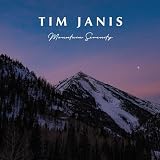
- TRANQUIL NATURE SOUNDS: Experience the soothing embrace of Tim Janis' soothing music CD. Let the calming melodies transport you to serene landscapes, offering a natural remedy for relaxation.
- MEDITATIVE ESCAPE: Elevate your meditation journey with this guided meditation CD. Immerse yourself in the harmonious tunes that create an ambiance of calm, enhancing your mindfulness practice.
- RESTFUL SLEEP AID: Drift into deep slumber with sleep music designed for restful sleep. Let the gentle melodies lull you into tranquility, promoting a peaceful and rejuvenating night's rest.
- CALMING SPA AMBIANCE: Transform your space into a spa-like haven with calming music that melts away stress and anxiety. Create your own oasis of relaxation and serenity, whether you're unwinding after a long day or practicing yoga.
- STRESS RELIEF THROUGH MUSIC: Embrace the power of music as a calming force in your life. This relaxation CD offers a collection of relaxing melodies that provide relief from the pressures of the day, fostering a sense of inner peace and well-being.
Rank #3

- GUIDED MEDITATION CD GIFT SET - This comprehensive set contains all of the popular guided meditations offered by wellness expert Bonnie Groessl
- STRENGTHEN YOUR EMOTIONAL WELL-BEING – Who doesn’t want to feel better and be happier? The guided meditations in this 4-CD set are designed to help you sleep better, relax more and even lose weight.
- LEVERAGE the POWER of YOUR MIND – Recruit the power of your subconscious mind with this essential mind-body connection audio system. Learn to link the strengths and desires of your conscious mind, subconscious mind and your body for ultimate happiness.
- 4 GREAT TITLES IN ONE PACKAGE – This gift set includes: “Restful Sleep: Guided Meditation for Self-Hypnosis”; “Relax: Guided Meditations to Ease Stress and Anxiety”; “Meditation for Busy People: Guided Meditation for Self-Hypnosis”; and “Weight Loss: Guided Meditations for Self-Hypnosis”
- GIFT-GIVING FLEXIBILITY – The individually wrapped CDs give you the option of breaking up the set for specific friends or family members.
Rank #2

- On Monk Meditations (Batiste Piano Series, Vol
Product prices and availability are accurate as of the date/time indicated and are subject to change. Any price and availability information displayed on Amazon at the time of purchase will apply.




