Install Wireshark from Ubuntu’s APT repositories with sudo apt install wireshark, then configure capture access so the packet-capture helper can run with the privileges it needs while the graphical application stays unprivileged. This guide covers Ubuntu 24.04 LTS and 26.04 LTS, choosing an interface, capturing and filtering packets, saving a file, and fixing common permission problems. Captures can contain sensitive network data; only capture traffic you are authorized to inspect.
What Wireshark does—and what it can see
Wireshark is a graphical network-protocol analyzer. It can capture packets visible to a selected interface, decode protocol fields, display packet bytes, filter packets, and open or save capture files such as .pcapng and .pcap. Its command-line counterpart, TShark, uses the same capture and protocol-dissection ecosystem.
A normal capture is not a view of every packet on a network: it generally shows traffic visible to the selected host and interface. Wi-Fi monitor mode, switch mirroring, USB capture, virtual networks, and encrypted application traffic each have separate requirements or visibility limits. Ubuntu’s Wireshark manual describes the program’s capture and file-format options.
Before installing
- Use a supported Ubuntu installation and an account with
sudoaccess. - APT needs network access to retrieve packages.
- Ubuntu must recognize the interface you intend to capture on.
- For live capture, you need permission to inspect traffic on that machine and network.
Ubuntu’s package archive lists Wireshark in Universe, including packages for Ubuntu 24.04 LTS and 26.04 LTS. The exact package version depends on your Ubuntu release and enabled updates; the repository version is not necessarily the newest upstream release. See Ubuntu’s Wireshark package listing and Ubuntu’s documentation portal.
#1 Best Overall
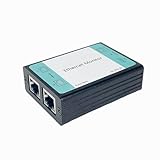
- ☑️1.Professional Network TAP for Monitoring: Network TAP for 10/100Base-T Ethernet links, enabling real-time monitoring and data capture. Equivalent to a port mirror on a switch.
- ☑️2.Multi-Function Sniffer & Analyzer: Acts as a network sniffer, network analyzer, and packet capture tool—ideal for troubleshooting, security auditing, and performance analysis.
- ☑️3. Wide Software Compatibility: compatible with Wireshark, Tcpdump, and other packet analysis software, Easily integrates with Windows and Linux and MacOS.
- ☑️4. Reliable Non-Intrusive Monitoring: No drivers or additional setup are required. Simply connect the device to capture both normal traffic and error packets without affecting data transmission. The passive design ensures zero interference with the network.
- ☑️5. Compact, rugged, and reliable packet capture tool: The compact, pocket-sized metal enclosure is durable and robust, providing effective electromagnetic interference (EMI) shielding to ensure stable network transmission.
Install Wireshark with APT
-
Refresh the package index:
sudo apt update -
Install the graphical application and its dependencies:
sudo apt install wiresharkUbuntu’s package may also install or configure shared components such as
wireshark-common. The official Wireshark installation guide documents APT installation on Debian and Ubuntu. -
Check the installed version and capture helper:
wireshark --version
dumpcap --version
To see which version APT would install or has installed, use apt policy wireshark. Do not assume Ubuntu’s candidate matches the latest upstream release.
Choose who can capture packets
During package configuration, Ubuntu may ask, “Should non-superusers be able to capture packets?” This setting matters: installing Wireshark alone does not necessarily let an ordinary account capture live traffic. The Debian packaging choice and its consequences are described in the Wireshark Debian packaging instructions.
Recommended Free Tools
For a personal desktop: allow the intended user
Choose Yes if you want your account to capture directly and you accept that membership in the wireshark group grants packet-capture capability. Add your account to the group:
sudo usermod -aG wireshark "$USER"Log out of Ubuntu and back in so the new group membership applies. For a temporary new shell, newgrp wireshark can activate the group there. Check the active groups with:
groupsThe output should include wireshark.
When to choose No
Choose No on a shared machine where capture access should remain restricted, or if you only need to inspect existing capture files. Under this packaging configuration, capture remains restricted rather than being granted to members of the wireshark group.
Change the choice later or revoke access
To revisit the package prompt, run:
sudo dpkg-reconfigure wireshark-commonIf you enable ordinary-user capture, add the intended account to the group as above and start a fresh login session. To remove your account’s group access:
Windows Errors? Fix Them Before They Spread
Repair common Windows errors and clear accumulated junk for a smoother, more stable PC - no reinstall needed.Free scan · no reinstallOutdated Drivers Are Slowing You Down
One free scan finds every outdated or missing driver and matches the right update for your exact hardware.Free scan · exact hardware matchsudo gpasswd -d "$USER" wiresharkLaunch Wireshark without running the GUI as root
Open the application launcher, search for Wireshark, and start it, or run:
Rank #2

- Camera Tester and 2.4G Spectrum Analyzer with 7" Retina Touch Screen
wiresharkDo not routinely run sudo wireshark. Wireshark’s privilege-separation design keeps the GUI and most analysis code running as your normal user while the limited dumpcap helper handles privileged capture. Running the entire GUI as root increases the amount of software with elevated privileges and can leave root-owned files in your home directory. See the Wireshark Developer’s Guide and capture-privileges documentation.
Find the interface carrying the traffic
Modern Ubuntu systems commonly use predictable interface names rather than assuming eth0 or wlan0. List system interfaces with:
ip linkList interfaces Wireshark can capture on with:
wireshark -DIn the GUI, use the interface list and its packet counters to spot activity. Common names and uses include:
Do these 3 things before closing this tab:
1Scan for outdated or missing drivers - takes under a minute2Repair Windows errors before they cause bigger problems3Fix the driver behind crashes, sound loss and screen glitcheswlp...: usually wireless networking.enp...: usually wired Ethernet.lo: loopback traffic between processes on the same host.docker0,br-..., and other virtual or tunnel interfaces: traffic on a bridge, container, VPN, or virtual network.
For ordinary internet traffic, choose the active Wi-Fi or Ethernet interface. If a VPN is in use, relevant traffic may appear on its tunnel interface; traffic inside a VM or container may be visible on a virtual interface instead of the physical adapter. The -D option lists capture interfaces; if the list is empty, check permissions, interface state, and whether your execution environment exposes the interface. See the Ubuntu Wireshark manual.
Start a capture, inspect packets, and save it
-
Open Wireshark and double-click the interface you want, or select it and press the shark-fin Start button.
-
Generate a small amount of known traffic, such as opening a website or performing a DNS lookup.
-
Press the red-square Stop button when you have enough data.
Special offer. See more information about Outbyte and uninstall instructions. Please review EULA and Privacy policy. -
Use File → Save As and keep the default
.pcapngformat unless a specific older tool requires.pcap.
The packet list shows one row per packet with fields such as time, source, destination, protocol, length, and summary. Select a row to inspect its expandable protocol fields and raw hexadecimal/ASCII bytes in the packet details and bytes panes. Menu labels can vary a little by version, but useful actions include right-clicking a field to Apply as Filter or Prepare a Filter, following a TCP stream, and using Statistics views for protocol hierarchy, endpoints, conversations, or I/O graphs.
Rank #3

- ☑️1.Professional Network TAP for Monitoring: Network TAP for 10/100/1000Base-T Ethernet links, enabling real-time monitoring and data capture. Equivalent to a port mirror on a switch
- ☑️2.Multi-Function Sniffer & Analyzer: Acts as a network sniffer, network analyzer, and packet capture tool—ideal for troubleshooting, security auditing, and performance analysis.
- ☑️3. Wide Software Compatibility: compatible with Wireshark, Tcpdump, and other packet analysis software, Easily integrates with Windows and Linux and MacOS.
- ☑️4. Reliable Non-Intrusive Monitoring: No drivers or additional setup are required. Simply connect the device to capture both normal traffic and error packets without affecting data transmission. The passive design ensures zero interference with the network.
- ☑️5. Compact, rugged, and reliable packet capture tool: The compact, pocket-sized metal enclosure is durable and robust, providing effective electromagnetic interference (EMI) shielding to ensure stable network transmission.
Use display filters first; use capture filters deliberately
Wireshark has two different filter languages and timings. A display filter is applied to packets already captured: it hides non-matching packets from view but does not remove them from the capture. A capture filter is applied before capture, limiting which packets are collected. For beginners, start with display filters because they are reversible; a too-restrictive capture filter can prevent wanted packets from ever being saved.
Display-filter examples
Enter these in the display-filter bar:
dns— show DNS packets.http— show HTTP packets.icmp— show ICMP packets.tcp.port == 443— show TCP packets using port 443.ip.addr == 192.168.1.10— show IP packets involving that address.ip.addr == 192.168.1.10 && tcp— show TCP packets involving that address.tcp.flags.syn == 1 && tcp.flags.ack == 0— show initial TCP SYN packets without the ACK flag.
Capture-filter examples
Set a capture filter before starting the capture. These examples use libpcap/BPF syntax:
Quick wins for a faster PC:
Fix the driver behind crashes, sound loss and screen glitchesFind Drivers →Repair Windows errors before they cause bigger problemsFix Now →host 192.168.1.10— capture traffic to or from that host.port 53— capture traffic on port 53.tcp port 443— capture TCP traffic on port 443.net 192.168.1.0/24— capture traffic to or from that network.
Filter names and syntax are not interchangeable: in TShark, -f sets a capture filter and -Y sets a display filter.
Use TShark on Ubuntu Server or from a terminal
If you do not need the GUI, install the command-line analyzer separately:
sudo apt update
sudo apt install tshark
For package installation details, see the TShark installation guide. Once capture permissions are configured, these commands cover common tasks:
# List capture interfaces
tshark -D

# Capture 100 packets and save them
tshark -i <interface> -c 100 -w capture.pcapng

# Read a saved capture
tshark -r capture.pcapng

# Read it while displaying DNS packets only
tshark -r capture.pcapng -Y 'dns'

# Capture port 53 traffic (capture filter)
tshark -i <interface> -f 'port 53' -w dns.pcapng

# Print selected fields from DNS packets
tshark -r capture.pcapng -Y 'dns' -T fields -e frame.time -e ip.src -e ip.dst -e dns.qry.name
Here, -i selects the interface, -c stops after the specified packet count, -w writes a capture file, -r reads one, -f applies a capture filter, and -Y applies a display filter. Consult the TShark manual for additional options. If permissions have not been configured, a temporary sudo tshark invocation can help diagnose whether access is the problem, but it is not the preferred routine setup.
What’s actually slowing this PC down?
Pick the symptom - the matching free tool is one click away.
Protect capture files
Packet captures may contain DNS queries, internal addresses and hostnames, device identifiers, login metadata, cookies, and unencrypted application data. Keep captures private and limit access to a file with:
chmod 600 capture.pcapngReopen the file in Wireshark with wireshark capture.pcapng or inspect it in TShark with tshark -r capture.pcapng. Before sharing a capture, remove or anonymize sensitive traffic where possible; a binary file is not automatically safe to distribute.
Troubleshoot missing interfaces or permission errors
No interfaces are listed, or capture says permission denied
Check access and interface visibility in this order:
Rank #4

- The Zigbee CC2531 Sniffer Wireless Transmission Rate: 250 Kbaud;Power Consumption:<20mA (receiving);<25mA (transmission)
- Protocol Analyzer Operating Frequency:2.405-2.485GHz
- Wireless CC2531 Sniffer Module USB Dongle, CC2531EMK Compatible, Zigbee USB Dongle
- Extend out 8 IO ports, can matching different firmware (Sniffer And BTool) to achieve bluetooth adapter and protocol analyzer function
- Protocol Analyzer Size:41*16*1.6mm,Panel thickness: 1.6 mm
-
Confirm that your current session has the capture group:
Recommended: Update Every Outdated Driver on Your PC in One Scan - Free →Recommended: PC Feels Slow? A Free Scan Shows What's Dragging Windows Down →Recommended: Crashes or Glitches? A Free Driver Scan Usually Finds the Culprit →Special offer. See more information about Outbyte and uninstall instructions. Please review EULA and Privacy policy.groupsIf
wiresharkis absent after adding yourself, log out and back in. -
Confirm Ubuntu sees network interfaces:
ip linkIf the interface is down or absent here, Wireshark cannot make it available; address the system or driver state first.
-
Check what the capture program can list:
wireshark -D -
Check the helper path and, if needed, its capabilities:
command -v dumpcap
getcap "$(command -v dumpcap)"
If
dumpcapis missing, confirm the package installation. If you selected No for ordinary-user capture, revisit the package configuration:Special offer. See more information about Outbyte and uninstall instructions. Please review EULA and Privacy policy.sudo dpkg-reconfigure wireshark-commonThen enable the intended user if appropriate and start a fresh login session.
Do not change permissions on arbitrary binaries as a first response. Wireshark’s capture documentation describes manual Linux capability setup as an advanced fallback, such as sudo setcap cap_net_raw,cap_net_admin+eip /usr/sbin/dumpcap; some systems place the helper at /usr/bin/dumpcap. Prefer the Ubuntu package configuration and verify the actual path before considering manual changes. See Wireshark’s capture-privileges guidance.
Container, virtual machine, or remote session
A container or restricted environment may not have access to the host interface or the Linux CAP_NET_RAW and CAP_NET_ADMIN capabilities needed for capture. Capture on the host where possible. Adding capabilities to a container changes its security boundary and should be done only with an understanding of the implications. In a VM, select its virtual adapter and remember that the hypervisor determines what traffic it can see.
Wi-Fi monitor mode, USB, and encrypted traffic
A capture on a connected Wi-Fi interface generally shows traffic visible to that host; it does not automatically collect every nearby wireless frame. Monitor mode requires a compatible adapter, driver support, and suitable channel configuration, and may interfere with the normal Wi-Fi connection. Ordinary Linux capture capabilities do not automatically enable non-root USB capture; consult the Debian packaging notes for that limitation.
The Tool Desk
Outbyte Driver Updater FREEFix the driver behind crashes, sound loss and screen glitchesFind Drivers →Outbyte PC Repair FREERepair Windows errors before they cause bigger problemsFix Now →Wireshark can still show metadata and protocol structure for encrypted connections, but it cannot simply reveal modern TLS payloads without appropriate session keys, endpoint cooperation, or other valid decryption material.
When to use a newer upstream build
Ubuntu APT is the appropriate default for most users because it integrates with the system package manager and supplies a version selected for that Ubuntu release. Consider an upstream package or another carefully verified source only when you specifically need a feature or fix unavailable in your release’s candidate. Such sources require additional version and dependency maintenance; do not add an unverified PPA just to chase a version number. Compare apt policy wireshark with wireshark --version to identify the installed Ubuntu package before changing sources.
Quick Recap
Product prices and availability are accurate as of the date/time indicated and are subject to change. Any price and availability information displayed on Amazon at the time of purchase will apply.




