The Tool Desk
Outbyte Driver Updater FREEScan for outdated or missing drivers - takes under a minuteDriver Scan →Outbyte PC Repair FREEClear out junk files and repair common Windows errorsFree Scan →“WHMCS verification failure” covers several unrelated problems, and each one has a different fix. The exact message on screen tells you which layer is rejecting the request: a CAPTCHA score threshold, a CAPTCHA key that is not authorized for the current domain, a client’s email confirmation link, or a mail server that rejects the sending address. Identify that message first, then use the matching section below. Most fixes are a single setting change. The one exception is an emergency database update for a self-hosted administrator lockout, covered near the end.
| Message or symptom | Layer that is failing | Go to |
|---|---|---|
| “Captcha verification failed. Contact support for more information.” | CAPTCHA score threshold | CAPTCHA score section |
| “ERROR for site owner: Invalid domain for site key” | CAPTCHA key authorization for the domain | Invalid site key domain section |
| Client account stays unverified after signup or an email change | Client email verification link | Client email section |
| “Sender Verify Failed” | SMTP sender address | Sender Verify Failed section |
| Admin Area is locked out after a CAPTCHA change (self-hosted only) | Stored CAPTCHA configuration | Emergency recovery section |
CAPTCHA says “Captcha verification failed”
This is the most direct match for a WHMCS verification failure. The message means the CAPTCHA provider scored the visitor below the threshold WHMCS is enforcing, so the fix is usually in the threshold setting rather than in the visitor’s browser.
As an Amazon Associate I earn from qualifying purchases.
Adjust the score threshold
- Go to Configuration > System Settings > General Settings > Security.
- If you use Google reCAPTCHA v3, lower the reCAPTCHA Score Threshold.
- If you use hCaptcha, raise the hCaptcha Score Threshold.
- Submit the affected form again to test the change.
The direction is easy to get backwards. WHMCS documentation states that “hCaptcha and reCAPTCHA v3 both use score thresholds, but their scoring systems are inverted.” Moving the slider the wrong way makes the check stricter for legitimate visitors, which is the opposite of what you want.
Quick wins for a faster PC:
Repair Windows errors before they cause bigger problemsFix Now →Scan for outdated or missing drivers - takes under a minuteDriver Scan →Use logged scores instead of a copied number
If Module Logging is enabled, review visitor scores in Configuration > System Logs. Choose a threshold based on the scores you observe for real visitors, then test it. WHMCS documentation gives the direction to move the setting but does not publish a universal numeric threshold, so a value copied from a forum post may not suit your installation or provider.
#1 Best Overall

- Upgraded Two Zipper Pockets: Forvencer server books feature two secure zipper pockets for better organization of coins, cash, and receipts, ensuring that everything you collect has a safe and secure place
- Smart Storage & Quick Access: Designed with 8 multi-functional compartments, the right side includes a guest receipt pad, while the left has a money pocket, ticket pocket, and credit card slot. Two small clear pockets store bills, receipts, and other visible items. A stitched pen loop ensures you always have your favorite pen ready
- High-quality & Easy to Clean: Crafted from high-quality PU leather with heavy-duty stitching, this server book is built to last. It resists tears, scratches, and its waterproof surface makes cleaning easy with just a damp cloth or a non-chlorine sanitizer
- Perfect Fit for Your Apron: Measuring 5” x 8”, this compact organizer is slightly smaller than other models, making it ideal for bending or sitting while carrying in your server apron. It holds everything a waitress needs—a place for everything
- What's Included: This server organizer comes with multiple open and zippered pockets to store money, receipts, tips, etc. Clear sleeves are perfect for keeping menus or special lists while serving. Available in a variety of colors, allowing you to express yourself even when in uniform
The message on whmcs.com itself
WHMCS’s own customer site uses CAPTCHA on submissions, and the same message can appear there. WHMCS’s customer-facing guidance lists three possible causes: use of a VPN or shared network, an ISP-assigned IP address that looks suspicious, and possible malware on the device. This guidance applies to whmcs.com only. It is not a diagnosis for a self-hosted installation.
- Existing clients: sign in, then retry.
- Visitors who are not clients: disconnect from the VPN or shared network, refresh the page, and resubmit.
- Still failing: contact an IT professional, your network administrator, or your ISP. WHMCS states that its customer-service team cannot bypass this check.
CAPTCHA says “Invalid domain for site key”
This message is a site-key authorization problem, not a score problem. The provider key is not valid for the domain WHMCS is running on. WHMCS documentation notes that this can happen after you move WHMCS to a different domain or subdomain, or after you switch the CAPTCHA type.
Rank #2

- Eye-Catching & Stylish Design: Designed with unique and fun patterns that add personality to your work essentials. The stylish server book helps you stand out from coworkers while creating a more professional and enjoyable work experience
- Durable Vegan Leather Material: Made from quality PU vegan leather that is soft, durable, water-resistant, and easy to clean. Reinforced metal corner protectors help prevent daily wear and extend the life of the server book
- 7 Organized Storage Compartments: Features 7 functional storage spaces including card slots, cash pocket, zipper coin pocket, guest check holder, menu pocket, receipt section, and pen holder to keep everything organized and easy to access
- Perfect Size for Aprons & Daily Work: Compact and lightweight design fits comfortably into most server aprons without adding bulk. Helps keep your hands free while staying organized during busy shifts
- Ideal for Restaurants, Bars & Cafes: Perfect for waiters, waitresses, bartenders, servers, cafes, food trucks, and restaurants. A practical work accessory that helps improve efficiency and customer service
- Confirm the exact hostname WHMCS is serving, including any subdomain.
- Add that hostname to the authorized domains in your Google reCAPTCHA or hCaptcha provider configuration.
- Retry the form.
If you do not want to manage a provider account, WHMCS also describes switching to its default CAPTCHA option. That option does not require an account with either provider.
Client email verification never completes
WHMCS sends a verification notice when a new user registers or an existing user changes an email address. Verification is a two-step process: the user follows the link in the email, then signs in to the Client Area to finish it. WHMCS documentation states that “the validation link in each verification email is valid for 60 minutes.”
Rank #3

- Smart Organization with Multiple CompartmentsStay organized during every shift with 7 practical pockets and compartments designed for your serving essentials. Store guest credit cards, receipts, order notes, and reference materials with ease. Clear pockets provide quick visibility, while the built-in pen holder keeps your pen secure and ready whenever you need it.
- Slim Server Book Fits Apron Pockets Measuring only 5 x 7.6 inches, this lightweight server book is designed to fit comfortably into standard restaurant apron pockets. The compact design holds standard guest check pads (not included) while keeping your hands free and your essentials within easy reach during busy shifts.
- Classic Black Polka Dot Style Bring a touch of personality to your restaurant uniform with a stylish black and white polka dot pattern. The timeless design combines a professional appearance with a fun, fashionable accent, making it a perfect choice for servers who want to stand out while staying polished.
- Durable Waterproof PU Leather Construction Made with premium PU leather, this server book offers a smooth, high-quality feel with a waterproof exterior. Built for the fast-paced food service environment, it helps protect your essentials from spills, stains, scratches, and everyday wear.
- Easy-Care Surface for Busy Restaurant Shifts with servers in mind, the smooth PU leather surface wipes clean quickly with a damp cloth. Keep your server book looking fresh, clean, and professional even after repeated exposure to food, drinks, and daily restaurant messes.
- Open the verification email and follow the link within 60 minutes of it being sent.
- Sign in to the Client Area to complete verification.
- If the link has expired, sign in and select the resend option in the verification banner to receive a new link.
Unverified users can still use the Client Area, their services, and support resources before they complete verification. Administrators can check a client’s status on the Summary tab of the client profile. If a customer says they never received the email, check the expiry first, then confirm that the mail system is sending correctly (see the next section), because a delivery problem and an expired link look identical to the customer.
Email sending reports “Sender Verify Failed”
This error comes from the mail server, not from CAPTCHA or client accounts. WHMCS documentation states: “This error indicates that the sending email address is invalid or does not exist on the SMTP server.” WHMCS is configured with a sender address that the server does not recognize.
Rank #4
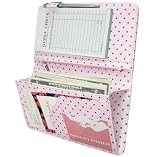
- [Large Capacity & Apron-Friendly] Measuring an oversized 4.7 x 9 inches, this larger server book provides extra room for taller receipts, guest checks, and menus while still fitting perfectly into standard restaurant aprons. (Note: apron and guest check pads are not included.)
- [Secure Magnetic & Zipper Pockets] Features a powerful magnetic closure pocket to securely hold large amounts of cash flat, alongside a heavy-duty zippered pocket to keep coins from falling out. Perfect for keeping your bills, receipts, change, and credit cards safely locked away during a hectic shift.
- [Charming Pink & Coffee Polka Dots] Crafted from high-quality, soft PU faux leather, this server book features a unique pink background accented by trendy coffee-colored polka dots. This eye-catching, stylish design adds a fun touch of personality to your uniform and is sure to get compliments from your guests.
- [Professional Craftsmanship & Durability] Built to withstand the grueling, fast-paced demands of the food service industry. Engineered with reinforced seams and meticulous stitching that won't fray, this lightweight organizer offers a polished, high-end look that stands up to daily wear and tear.
- [The Ultimate Shift Organizer] The perfect shift companion for busy waitstaff, servers, and bartenders. Whether you are holding cash, writing down orders, or tracking daily food and wine specials, this stylish book keeps you organized, fast, and efficient under pressure.
- For system email, check the Email Address under Configuration > System Settings > General Settings > General.
- For support-ticket reply importing, check the From Address under the Mail tab.
- Make sure each address matches a real mailbox or account on your SMTP server, spelled exactly as the server expects it.
Other email-sending failures
If mail fails but the message is not “Sender Verify Failed,” go to Configuration > System Logs and find entries from the time of failure. WHMCS’s email troubleshooting guide separates several causes, and each needs a different fix:
Free tools Windows power users keep installed
One-click scans. No signup required.
- SMTP connection problems
- Rejected credentials
- Invalid sender addresses
- Template syntax or security errors
- Rejections from the receiving server
Work from the exact logged error. Changing unrelated mail settings in response to a general failure rarely helps and can introduce a new fault.
Best Value
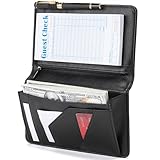
- Magnetic Protection: Enhanced Dual Magnetic Protection - The magnetic closure buckle design effectively prevents items from falling out. The interior features a magnetic high-capacity cash pocket that can hold both cash and receipts simultaneously, while a zippered pocket securely stores coins and bills.
- PU Leather: Crafted from premium PU leather with exquisite workmanship, featuring even stitching and easy cleaning. The thickened design makes the server book thicker and Resistant to deformation, strong and durable.
- Multi-functional Compartments: Accommodates cash, credit cards, receipts, loose change, guest checks, pens, and more to meet all your storage needs.
- Best Size: 8 x 5 x 0.9 inches, It is a moderate size that fits most aprons, perfect for carrying around and will make your service job easier.
- Exquisite Design: Professional layout design alleviates service pressure while maintaining orderly organization, enhancing service efficiency. Even in fast-paced restaurant environments, it preserves a professional image and showcases distinctive charm.
Emergency recovery when CAPTCHA locks you out of the Admin Area
This procedure applies only to self-hosted installations where a CAPTCHA configuration prevents you from reaching the WHMCS Admin Area. WHMCS documents clearing the stored CAPTCHA setting in the database, signing in, and then reconfiguring CAPTCHA. It is a recovery step, not a routine fix. Use the normal threshold or domain fixes above whenever you can reach the Admin Area.
- Confirm that you have direct database access to the WHMCS installation.
- Back up the database and record the current CAPTCHA settings so you can restore them.
- Run the documented statement:
UPDATE tblconfiguration SET value = '' WHERE setting = 'CaptchaSetting';- Sign in to the Admin Area.
- Reconfigure CAPTCHA under Configuration > System Settings > General Settings > Security, using the threshold direction or site-key steps described above.
Version and menu-label notes
Menu paths in this guide follow WHMCS 8.13 documentation, last updated in August 2026. Client email verification details follow WHMCS 8.10 documentation, updated in the same month. Labels can change between releases, so compare the names on your screen with the paths above before you start. WHMCS does not publish a success rate for any of these fixes. Treat them as steps to test in order, not as guaranteed results.
Quick Recap
Product prices and availability are accurate as of the date/time indicated and are subject to change. Any price and availability information displayed on Amazon at the time of purchase will apply.
What’s actually slowing this PC down?
Pick the symptom - the matching free tool is one click away.




