To find the Moon and Jupiter, set your location and observing time in a sky-chart app or current star chart, then use each object’s direction and height above the horizon to guide your search. There is no universal compass direction or hour: both depend on where you are and when you look.
Find the Moon and Jupiter with a phone
- Open a planetarium or sky-chart app. NASA says a smartphone or computer app can help show what is visible and where to look. NASA JPL also recommends free planetarium or sky-chart programs for finding planets. These are general recommendations, not endorsements of a particular app: NASA’s skywatching FAQ and NASA JPL’s skywatching activity.
- Check the location and time. Confirm the app is set to your observing location and the time you plan to look; do not assume it has detected them correctly. Use a “tonight” or “visible now” view, if available, to check whether the Moon and Jupiter are above the horizon.
- Choose the Moon or Jupiter on the chart. Read its compass direction and altitude—the angle above the horizon—then face that direction and compare the chart with the real horizon.
- Use an overlay as a guide, not a substitute for orientation. If the app overlays the sky through your phone’s camera or sensors, compare it with the app’s map and the visible sky rather than relying on the overlay alone.
- If Jupiter is below the horizon, change the time or date. Do not keep searching the same patch of sky; check when it will be above the horizon at your location.
Use a star chart to locate them
- Use a chart for the right date, time, and place. A static chart may not show the current position of a planet. Sky & Telescope’s interactive sky chart can be customized and can include the Moon and bright planets.
- Orient a circular all-sky chart. Hold it overhead and turn it until the chart’s north label points toward real north. The chart’s edge represents the horizon; use directions and nearby star patterns to find the mapped position. NASA JPL explains how to use a star chart in its skywatching activity, and Sky & Telescope provides guidance on reading a star chart.
- Search along the ecliptic region. The Moon and planets appear in this broad band of the sky, which can help narrow your search. It is not a fixed direction, and an object in that region may be below your horizon at a given time.
- Match the chart to the actual sky. Look toward the mapped position and compare the surrounding star patterns. If the chart is out of date or is not appropriate for your location, use a current, location-aware chart instead.
How to tell which bright point is Jupiter
Jupiter is one of the bright planets and can be easy to find when it is visible, according to NASA JPL. Brightness alone does not establish that a point is Jupiter; confirm its identity and current position on a location- and time-aware app or chart. Its direction changes with date and location, so a universal instruction such as “look east” is unreliable. See NASA JPL’s planet-finding guidance.
As an Amazon Associate I earn from qualifying purchases.
Phone app or star chart: which should you use?
| Consideration | Phone sky chart | Star chart |
|---|---|---|
| Time and location | An interactive chart can be set to a location and time; verify both before observing. Sky & Telescope describes its customizable chart here. | Use a chart made for the date, time, and location, or a current chart that accounts for them. |
| Matching the sky | A live sky overlay may help, but check it against the map and visible stars. | A circular chart must be oriented with its north label aligned to real north and held overhead. |
| Power and visibility | Requires a usable phone; screen brightness and battery can affect use outdoors. | Does not rely on a phone battery, but needs to remain legible in the available light. |
| Planet position | Can update for the selected time and location. | A static chart may be out of date for a planet; choose a current chart or an interactive one. |
Do you need binoculars or a telescope?
No optical equipment is needed to locate the Moon or Jupiter when either is visible. Binoculars are optional: NASA notes that they show a wider area of sky than a telescope and can reveal Jupiter’s four largest moons. A telescope is needed to see detail on Jupiter’s cloud tops. NASA’s skywatching FAQ covers what different equipment can show.
Jupiter’s apparent diameter is typically about 30–45 arcseconds, while the Moon spans about half a degree, or roughly 1,800 arcseconds, according to Sky & Telescope’s observing guide. That difference explains why Jupiter can look like a bright point to the unaided eye even though a telescope can reveal its disk.
Quick Recap
Best Value

- CAPTURE IMAGES & VIDEO THROUGH YOUR SCOPE: NexYZ connects your smartphone to your telescope, spotting scope, binocular, monocular & microscope! The unique Z-axis adjustment helps you frame the perfect shot in seconds.
- UNIVERSAL SMARTPHONE ADAPTER: Fits a wide range of smartphones, including the latest iPhone, Samsung Galaxy, and Google Pixel models — even with most cases on. Tension adjustments hold even the heaviest phones firmly in place.
- 3-AXIS PRECISION ALIGNMENT: Use the patented three-directional adjustment knobs (X-, Y-, and Z-axis) to center your phone’s camera over the eyepiece.
- STURDY CONSTRUCTION: Durable metal frame and polymer body for worry-free use in the field. Strong spring-loaded slider makes it easy to swap phones — perfect for star parties or birding events.
- COMPATIBLE EYEPIECES: NexYZ fits almost any eyepiece from 35 millimeters to 60 millimeters in diameter, including telescopes equipped with 1.25” and 2” eyepieces. Also includes two adapters for microscopes.
Rank #4

- Capture What You See Through Your Scope — TRIDAPTOR helps connect your smartphone to most spotting scope, telescope, monocular or microscope eyepieces, so you can capture and share birds, wildlife, targets, celestial objects and distant scenes.
- Precise 3-Axis Alignment for Cleaner Shots (Patent Pending) — This 3-axis digiscoping adapter lets you adjust your phone left/right, up/down and forward/back to line up the camera with the eyepiece. The Z-axis adjustment helps reach the right eye relief, reducing dark edges or vignetting for clearer photos and videos.
- All-Metal Build, No Phone Sagging — Rigid aluminum construction helps keep your phone steady and aligned, unlike flimsy plastic telescope phone adapters that can flex, tilt or lose position. Rubber pads help protect your phone and eyepiece from scratches.
- Shoot Without Touching the Scope — Use the included Bluetooth remote with this phone scope adapter to take photos or videos without tapping your phone and shaking the image, making it easier to capture sharper shots and share your view.
- Fits Most Phones & Many Standard Eyepieces — This smart phone adapter for telescope fits most iPhone and Android smartphones from 2.36"–3.44" wide / 60–87.5 mm. It also fits eyepieces with an outer diameter of 0.86"–2.4" / 22–61 mm.
Rank #3

- Capture What You See Through Your Scope — TRIDAPTOR turns your spotting scope, telescope, monocular or microscope into a smartphone viewing and camera setup. View through your phone screen instead of staying pressed against the eyepiece, then capture and share birds, wildlife, targets, celestial objects and distant views.
- Precise 3-Axis Alignment for Cleaner Shots (Patent Pending) — This 3-axis digiscoping adapter lets you adjust your phone left/right, up/down and forward/back to line up the camera with the eyepiece. The Z-axis adjustment helps reach the right eye relief, reducing dark edges or vignetting for clearer photos and videos.
- All-Metal Build, No Phone Sagging — Rigid aluminum construction helps keep your phone steady and aligned, unlike flimsy plastic telescope phone adapters that can flex, tilt or lose position. Rubber pads help protect your phone and eyepiece from scratches.
- One Adapter for Most Phones — The telescope phone mount fits most iPhone and Android smartphones from 2.36"–3.44" wide / 60–87.5 mm. No need to buy a new adapter every time you upgrade your phone or scope.
- Check Eyepiece Size Before Ordering — This smart phone adapter fits many spotting scope eyepieces within 0.86"–2.4" / 22-61 mm outer diameter. Please measure your eyepiece before purchase. Compatible with most Vortex, Swarovski, Celestron, Nikon, Zeiss, Kowa and Leupold eyepieces.
Rank #2
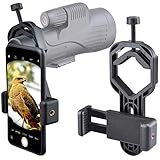
- For phone width range: 55~85 mm(2.16"~3.35"). Fit iPhone X/8/8 Plus/7/7 Plus/6/6s/6 Plus/5/5s - Fit Samsung Galaxy S9/S8/S7/S6/S6/S5 Note 9/8/7/6/5 - Fit Sony, LG, HTC, and other brands.
- With this universal smartphone telescope adapter, you can connect your phone to a telescope or microscope to take images of the moon and cells, or to a spotting scope to take images of birds and other objects.
- Smartphone mount compliable with microscope, telescope, binoculars, monocular, night vision spotting scope. Fit eyepiece diameter 22mm~ 44mm(0.86"-1.73").
- Optimized weight, lighter and reduce the pressure on the telescope eyepiece, weight: 75 g / 2.65 oz.The body is made of high-strength PA plastic. The surface of the mobile phone and eyepiece has a soft EVA pad to avoid scratching and damage.
- Warranty service:If you have questions about installation and not using, please contact us in time, we will reply and deal with your problems as soon as possible.
#1 Best Overall

- CAPTURE IMAGES AND VIDEO THROUGH YOUR SCOPE: The Celestron Smartphone Adapter connects your phone to your telescope, spotting scope, binocular, monocular & microscope! You can capture amazing images & video through the eyepiece to share with friends.
- UNIVERSAL SMARTPHONE ADAPTER: Fits a wide range of smartphones, including the latest iPhone, Samsung Galaxy, and Google Pixel models — even with most cases on.
- EASY TO USE: Simply place your phone in the adapter, center your phone’s camera over the eyepiece, and use the knobs to secure the adapter in place.
- STURDY CONSTRUCTION: Durable metal frame and polymer body for worry-free use in the field — perfect for star parties or birding events.
- COMPATIBLE EYEPIECES: Smartphone adapter fits almost any eyepiece from 29 millimeters to 45 millimeters in diameter, including telescopes equipped with 1.25” eyepieces.
Product prices and availability are accurate as of the date/time indicated and are subject to change. Any price and availability information displayed on Amazon at the time of purchase will apply.
Independent reader supportYour contribution helps us test, update, and keep practical guides available for everyone.



