A multi-GPU workstation can run an AI model only if the exact software stack can place the model’s weights, cache, and runtime allocations across the available GPUs while meeting your context, concurrency, and performance requirements. Adding the cards’ VRAM capacities is not, by itself, a fit test. Start with the exact model artifact and workload, estimate memory for that configuration, confirm the software’s multi-GPU support, then validate the complete setup.
What “fits” means for an AI workstation
A useful fit verdict has two parts: capacity and performance. Capacity asks whether the intended workload can run without exhausting memory. Performance asks whether it can run at an acceptable speed, latency, or training time. A model that loads is not necessarily a usable fit if it cannot handle the required context or concurrent requests, or if communication between GPUs makes it too slow.
As an Amazon Associate I earn from qualifying purchases.
For inference, the memory budget is more than model weights. It may also include the key-value (KV) cache, activations, communication buffers, CUDA graphs, adapters such as LoRA, multimodal reservations, and other runtime or model-specific state. The exact amounts depend on the model architecture, precision, serving software, and workload settings. NVIDIA’s TensorRT-LLM memory guidance identifies weights, internal activation tensors, and input/output tensors as major contributors; NVIDIA’s inference-optimization guidance explains that KV-cache use grows with sequence length and batch size.
The Tool Desk
Outbyte Driver Updater FREEFix the driver behind crashes, sound loss and screen glitchesFind Drivers →Outbyte PC Repair FREEClear out junk files and repair common Windows errorsFree Scan →This makes the practical question more specific than “How much VRAM does this model need?” Ask instead: Can this model artifact, at this precision, with this context length and concurrency, run in this software on these particular GPUs at the performance I need?
#1 Best Overall
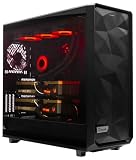
- A M D R9-9950X3D2 4.3GHz 16 core | 256GB DDR5 RAM
- N V I D I A - G e F o r c e 2X5090 64 GB | 1600W Power Supply
- 360mm Liquid Cooler | 8 TB NVMe SSD Boot Drive
- Ready to work, preloaded with Windows 11 Pro and the latest drivers
- Custom built Dual GPU AI Workstation, professional cable management, fully tested
Define the workload before estimating memory
Write down the intended use before comparing graphics cards. A missing setting can change the estimate enough to invalidate it.
- Model: Record the exact checkpoint, variant, and file or quantized artifact—not just a family name or parameter count.
- Task: Identify whether you are doing inference, training, or fine-tuning. The estimates below focus chiefly on inference; they do not certify a training configuration.
- Precision and format: Note the weight precision or quantization used by the artifact and whether the runtime supports it.
- Context and sequence lengths: Set the expected input length and maximum context, and include the output length you need. A short prompt test does not represent a long-context workload.
- Concurrency or batch size: State how many requests or sequences must be processed at once. More simultaneous sequences can increase KV-cache and other memory use.
- Runtime features: Include adapters, multimodal inputs, or other features that reserve additional memory.
- Performance target: Specify the latency, throughput, or training time that would make the workstation useful. Memory capacity alone cannot answer this.
If you do not yet know the target context, concurrency, or runtime, treat any fit estimate as provisional. Those are workload requirements, not details to fill in after choosing the GPUs.
Estimate the memory budget in layers
1. Estimate weight memory for the exact artifact
When no runtime-specific estimator is available, a first approximation is:
Do these 3 things before closing this tab:
1Scan for outdated or missing drivers - takes under a minute2Repair Windows errors before they cause bigger problems3Fix the driver behind crashes, sound loss and screen glitchesrough weight memory = parameter count × bytes per stored parameter
This is a starting point, not a prediction of the complete GPU allocation. It can omit metadata, alignment, runtime-specific representations, and additional allocations. An on-disk file’s size can therefore help identify the scale of the weights, but it is not a reliable total-VRAM requirement.
Prefer an estimator for the exact model artifact and serving stack when one is available. NVIDIA’s NIM for Large Language Models getting-started guide, version 1.14.0, publishes approximate examples for its described setup. The examples include about 15 GB for Llama 8B, about 131 GB for Llama 70B, about 14 GB for Mistral 7B Instruct v0.3, and about 88 GB for Mixtral 8x7B Instruct v0.1. The guide also identifies 5–10 GB for the operating system and other processes, and 16 GB for Docker in that setup. NVIDIA describes these as rough, configuration-dependent figures; they are not universal requirements for every runtime or model profile.
Rank #2

- Unlock next-generation AI computing with AMD Ryzen AI Max+ 395 processor featuring 16 cores, 32 threads, up to 5.1GHz boost clock, and integrated Ryzen AI engine delivering up to 126 TOPS AI performance. EVO-X3 is designed for local AI models, content creation, development, and professional workloads.
- OCuLink External GPU Expansion – Upgrade Beyond a Mini PC: Take your graphics performance further with a dedicated OCuLink (PCIe 4.0 x4) interface. Connect an external GPU dock to add desktop-class graphics power for AAA gaming, AI acceleration, 3D rendering, video production, and advanced creative applications. EVO-X3 gives you the flexibility of a compact PC with workstation-level expansion capability.
- AI NPU with XDNA 2 ARCHITECTURE - Powered by 16 “Zen 5” CPU cores, 50+ peak AI TOPS XDNA 2 NPU and a truly massive integrated GPU driven by 40 AMD RDNA 3.5 CUs, the Ryzen AI MAX+ 395 is a transformative upgrade and delivers a significant performance boost over the competition. The Ryzen AI Max+ 395 excels in consumer AI workloads like the llama.cpp-powered application: LM Studio. Shaping up to be the must-have app for client LLM workloads, LM Studio allows users to locally run the latest language model without any technical knowledge required and unleash their creativity and productivity.
- AMD RADEON 8090S iGPU GAMING PC - The AMD Radeon RX 8060S offers all 40 CUs with up to 2.9 GHz graphics clock and uses the new RDNA 3.5 architecture. The powerful iGPU is positioned between an RTX 4060 and 4070 laptop GPU and therefore enables gaming in FHD at maximum details in most demanding games. The 8060S can also utilize the full 128GB pool, which is perfect for running LLMs such as Deepseek 70B Q8, which runs comfortably on this machine.
- EIGHT CHANNEL LPDDR5X - LPDDR5X is a new ground breaking memory small form factor installed on-board. With blazing speeds up to to 8000MT/s, it runs 1.5x faster than the DDR5 SODIMMs; 90% better performance over DDR5 SODIMMs in video conferencing and photo editing; 30% better performance in productivity apps; 12% better performance in digital content workloads.
2. Add the KV cache for context and concurrency
The KV cache stores information used while generating or processing sequences. Its footprint depends on the model architecture and cache format, and it grows as sequence length and batch size increase. In practical terms, a configuration that loads at a short context and one request may fail, or have less room for other work, at a longer context or with multiple simultaneous requests.
Quick wins for a faster PC:
Fix the driver behind crashes, sound loss and screen glitchesFind Drivers →Repair Windows errors before they cause bigger problemsFix Now →Use the intended context length and concurrency in the estimator or configuration for the software that will actually serve the model. Do not assume that a weight-memory estimate already includes the cache. If the runtime exposes cache settings, use the values you plan to deploy rather than a default that happens to fit.
3. Account for runtime and feature allocations
Reserve memory for activations and I/O tensors as well as implementation-specific allocations such as communication buffers and CUDA graphs. Optional LoRA adapters, multimodal reservations, and hybrid-model state can add further requirements. TensorRT-LLM’s guidance notes that settings such as batch size and input length affect memory use.
Include memory used by other processes and the operating environment in the actual machine’s budget. A theoretical weight-plus-cache total is not enough if the GPUs also serve a display, another model, or other workloads. Do not size exactly to a theoretical minimum: the available evidence does not establish a universal safety-margin percentage, so measure the specific stack and leave practical headroom based on what else will run on the system.
4. Keep estimates tied to their stated configuration
NVIDIA’s multi-GPU guide gives another set of rough reference points, assuming 4-bit quantization: at least 24 GB of VRAM for a 30B LLM, 40 GB or more for a 70B LLM, and roughly 70 GB for a 120B model once context is included. These are that guide’s estimates, not guarantees for a different model, context, runtime, or concurrency.
The figures from the NIM guide and the multi-GPU guide should not be combined into a universal lookup table. They describe different guidance and configurations. When examples appear to differ, use the estimator and documentation for the exact profile you intend to run, then test it.
Rank #3

- Professional AI & Creator Workstation: AMD Radeon AI PRO R9700 GPU with 32GB GDDR6 is engineered for AI development, professional content creation, and compute-intensive workloads.
- Massive 32GB Memory Capacity: 32GB of GDDR6 memory on a 256-bit bus provides ample bandwidth for large AI models, 8K video editing, and complex 3D rendering.
- Advanced RDNA 4 with AI Accelerators: 64 Compute Units with 3rd Gen Ray Tracing and dedicated 2nd Gen AI Accelerators for groundbreaking AI performance and visual computing.
- Professional Blower Cooling: Efficient single blower design exhausts heat directly out of the chassis, ideal for multi-GPU workstation and server configurations.
- Enterprise-Grade Thermal Solution: Vapor chamber heatsink with industrial Honeywell PTM7950 thermal interface material ensures reliable cooling under sustained professional loads.
Understand what multiple GPUs do—and do not—add
VRAM is not automatically pooled into one larger memory space that every application can use. A framework must support the model and the chosen parallelization strategy, and it must distribute the relevant weights or computation across the cards. Tensor parallelism, for example, can distribute some tensors across GPU ranks and reduce some per-rank tensor memory. That is a software behavior, not a general rule that two cards’ capacities become interchangeable.
NVIDIA’s NIM for Large Language Models documentation, version 1.14.0, says NIM should—but is not guaranteed to—run on a single NVIDIA GPU with sufficient memory, or on multiple homogeneous NVIDIA GPUs with sufficient aggregate memory and CUDA compute capability greater than 7.0 (8.0 for bfloat16). The qualification matters: enough nominal memory alone does not guarantee execution. This guidance is specific to NIM, its supported profiles, and the stated compute-capability conditions; it should not be read as a promise for every model or framework.
Before buying or configuring cards, establish how the selected software will use them. Ask whether it supports the exact model profile and GPU types, whether it uses tensor parallelism, pipeline parallelism, or another method, and how memory is divided per card. Also check whether it expects homogeneous GPUs and what interconnect or topology it can use. A model may fit in aggregate while a particular rank or GPU still runs out of memory.
PC Slower Than It Used to Be?
A free scan shows the junk files, broken settings and background clutter dragging Windows down - then fixes them in one click.Free scan · Windows 10 & 11Crashes, No Sound, or Screen Glitches?
Random freezes, missing sound and display glitches usually trace back to one bad driver. Find and replace yours safely.Free scan · under a minuteFinally, do not equate a multi-GPU fit with a proportional speedup. Parallel execution can distribute work, but there is no universal speedup figure for arbitrary workstation configurations. Performance depends on the workload, software, GPU communication, and the way the model is partitioned. Benchmark the target workload rather than inferring throughput from the number of cards.
Compare workstation candidates by the whole system
Once memory estimates look plausible, compare builds against both the model’s software requirements and the physical machine. NVIDIA’s multi-GPU guide offers example GPU and component choices for its setup; those examples are not a universal bill of materials. Verify current specifications and compatibility for the hardware and software you will use.
| What to compare | What to verify | Why it affects the decision |
|---|---|---|
| VRAM and memory balance | Per-card capacity, the model’s per-GPU allocation, and whether cards are homogeneous | Total capacity does not reveal whether the runtime can place each portion of the model successfully. |
| Parallel strategy | Framework and model-profile support for the intended GPU types and distribution method | Multiple cards help only when supported software can distribute the workload across them. |
| Workload settings | Target context, output length, batch size or concurrency, and enabled features | These settings change cache and runtime memory requirements. |
| Communication and topology | Available links, PCIe layout, and the topology expected by the software | Communication affects whether and how the model can use the cards and can influence performance. |
| Performance | Expected prefill/decode speed, latency, throughput, or training time for the target task | A capacity fit may still be too slow for the intended use; no universal ranking follows from GPU count alone. |
| Power and physical fit | PSU capacity, power draw, slot spacing, cooling, and case clearance | A card combination must be supportable by the power, thermal, and physical design of the workstation. |
| Platform resources | Motherboard slots and layout, system RAM, and storage | The rest of the workstation can constrain installation and operation even when GPU memory looks sufficient. |
| Compatibility and cost | Current driver and software support, component specifications, and total build cost | Availability and support can change, and a nominally suitable configuration may not be practical to assemble or maintain. |
Validate the exact configuration before relying on it
A fit estimate narrows the choices; a test of the intended configuration is what checks the real workload. Test the same model artifact, software profile, precision, context, concurrency, and features you plan to deploy.
Rank #4

- Built for Local AI and Advanced Workflows – The BOSGAME M5 AI Mini PC is powered by AMD Ryzen AI Max+ 395 with 16 cores, 32 threads, up to 5.1GHz, 50 TOPS NPU performance and up to 126 TOPS total AI performance. It is designed for local AI inference, private AI assistants, coding, data analysis, virtualization, content creation and demanding multitasking while keeping sensitive data on the device.
- 128GB Unified Memory for Large Models and Creative Projects – M5 includes 128GB LPDDR5X-8000 unified memory, giving the CPU and Radeon 8060S graphics access to a large shared memory pool. This helps support memory-intensive AI workloads, large project files, multiple virtual machines, 3D work, video editing and complex professional applications without the capacity limits of typical 32GB or 64GB mini computers.
- Radeon 8060S Graphics for Creation, Rendering and Gaming – Integrated Radeon 8060S graphics with 40 RDNA 3.5 compute units delivers high-end visual performance without a separate graphics card. Use the M5 creator workstation for 4K video editing, 3D rendering, CAD, AI image workflows, high-resolution media and modern gaming, while maintaining a compact desktop footprint.
- 2TB PCIe 4.0 SSD and Flexible Expansion – A pre-installed 2TB NVMe PCIe 4.0 SSD provides fast access to models, datasets, media libraries and project files. A second M.2 2280 PCIe 4.0 slot allows additional storage expansion, while the SD 4.0 card reader supports efficient photo and video workflows for creators and production teams.
- Professional Connectivity and Four-Display Support – Dual USB4 ports, HDMI 2.1 and DisplayPort 1.4 support up to four displays and resolutions up to 8K@60Hz. WiFi 7, Bluetooth 5.4 and 2.5GbE deliver fast networking for cloud collaboration, NAS access and business deployment. Windows 11 Pro, performance-mode switching, Wake-on-LAN and auto power-on support flexible workstation use.
- Install the intended software and drivers. Confirm the framework recognizes every GPU and supports the model profile and parallel strategy you selected.
- Load the exact artifact. Use the same checkpoint or quantized files intended for production. A different quantization or model variant is a different memory test.
- Set the target workload. Configure the required context, input and output lengths, concurrency or batch size, and runtime features.
- Exercise the workload, not just model loading. Run representative prompts or jobs at the intended settings. A model loading successfully does not prove that the full target context and concurrent work will run.
- Record peak memory per GPU and performance. Per-card readings can reveal an overloaded GPU even when aggregate VRAM appears sufficient. Compare the measured latency or throughput with your stated requirement.
- Repeat after meaningful changes. A change in model artifact, precision, context, concurrency, software profile, or GPU arrangement can change memory use and performance; validate the new combination.
A successful test at lower context, lower concurrency, or with different software does not validate the intended deployment. NVIDIA’s documentation characterizes its memory figures as estimates, and the runtime guidance describes configuration-dependent allocations; accordingly, the useful validation is the exact setup you plan to run.
Common estimation mistakes and how to correct them
Adding the VRAM labels and calling that the answer
Why it fails: The workload may not pool memory, and a supported parallel strategy may assign uneven requirements to individual cards.
Correction: Confirm the software’s distribution method and inspect memory per GPU during a representative run.
Using parameter count or file size as the total budget
Why it fails: Those figures do not include cache, activations, I/O tensors, runtime allocations, or other processes.
Correction: Treat weight size as the first layer of the estimate, then add the configuration-specific cache and runtime needs.
Testing only a short prompt or a single user
Why it fails: Context length and concurrency affect KV-cache use; the test does not represent the target workload.
Correction: Test the required input/output lengths and simultaneous requests, or the relevant batch size.
Assuming a vendor estimate is a promise
Why it fails: Published figures may be approximate and tied to a particular runtime, quantization, or configuration.
Correction: Keep each estimate attached to its stated source and assumptions, then validate the selected profile.
Recommended Free Tools
Choosing cards for capacity but ignoring the workstation
Why it fails: Power, cooling, case clearance, slot layout, system RAM, storage, and software compatibility can constrain the build.
Correction: check the complete platform and workload rather than treating GPU memory as the sole specification.
A practical decision rule
Consider the build a plausible candidate only when the exact runtime supports the selected cards and parallel strategy, the estimated per-GPU allocations fit for the intended context and concurrency with room for runtime overhead, and the complete workstation can support the hardware. Call it a validated fit only after the actual artifact and workload run at those settings and meet the required performance target. If any of those conditions is unknown, the answer is not yet established; collect the missing workload or compatibility details before committing to the build.
Quick Recap
Product prices and availability are accurate as of the date/time indicated and are subject to change. Any price and availability information displayed on Amazon at the time of purchase will apply.




