Free tools Windows power users keep installed
One-click scans. No signup required.
To connect a laptop to an Optoma projector, connect a video output on the laptop to a compatible projector input—HDMI is the simplest route when both devices have it—then select that projector input and choose a display mode on the laptop. Check the manual for your exact Optoma model before buying an adapter or trying wireless projection, because ports and supported features vary.
What to check before connecting
Look at the laptop’s video outputs and the projector’s labeled inputs. Do not assume every Optoma model has the same ports, or that every USB port accepts video. The manual for your Optoma model is the source for its inputs and supported signal modes.
As an Amazon Associate I earn from qualifying purchases.
- If both devices have HDMI, a direct HDMI cable is a straightforward starting point.
- If the laptop lacks HDMI, identify an output that supports video and choose an adapter that matches the projector’s input.
- If you want to connect wirelessly, confirm the projector and laptop support the same method and check whether the projector needs a specific dongle or app.
Connect with HDMI
- Connect an HDMI cable to the laptop’s HDMI output and an HDMI input on the projector.
- Turn on the projector and select the HDMI input used for the connection. Input labels and menu steps vary by model; consult the projector manual if needed.
- Set the laptop’s display mode. On Windows, press the Windows logo key + P, then choose Duplicate or Extend.
Duplicate shows the same content on the laptop and projector. Extend gives you a desktop spread across both screens. Windows also offers options to show the image on only the PC screen or only the second screen. See Microsoft’s Windows display-mode guidance.
Choose a cable for your model
HDMI cable advice is not identical across all Optoma projectors. Optoma’s PG31H manual recommends an Ultra High Speed HDMI cable with HDMI 2.0 certification, up to 5 meters. A separate Optoma setup manual recommends High Speed or Premium Certified HDMI cables up to 5 meters for the models it covers. Treat these as model-specific recommendations, not a universal requirement; check the manual for your projector.
#1 Best Overall

- Compatible with Optoma ML550 BC-ML55PDX ML750 ML 550 ML 750 Mobile Portable LED DLP Digital Video Projector 19VDC 3.2A-3.42A DC19V 3.2Amp-3.42Amp 3200mA-3420mA 19.0V Switching Power Supply Cord Cable Charger. replaces lost or damaged power cords for these classic models
- Input 100-240V AC, 50/60Hz; supports global voltage for international use; reliable performance for home or travel
- FCC approveda and safety certified; built-in overcurrent protection (OCP); short-circuit protection (SCP); overvoltage protection (OVP) for safe use
- Durable and convenient design; offers extended reach and flexibility for daily use, ideal replacement for original power supply
- Includes 1 AC Adapter + 1 Power Cord; backed by 24-month exchange warranty for peace of mind
Use USB-C or another adapter when ports differ
A USB-C connector does not by itself mean the laptop can send video through that port. Check the laptop manufacturer’s specifications for video output support, then match the adapter to the projector’s input—for example, USB-C to HDMI when the laptop supports video over USB-C and the projector has an HDMI input. Microsoft’s Surface guidance lists USB-C as an external-display interface on supported Surface devices; that does not establish that every laptop USB-C port supports video.
Some Optoma models document direct USB-C connections, but ports differ by model and purpose. Do not treat a projector’s USB port as a laptop video input unless that model’s manual explicitly supports it.
Rank #2
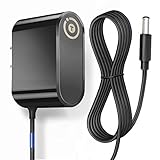
- T-Power - manufactured with Brand-new Input Voltage Range: AC 100V - 240V (12V )
- compatible with : Optoma Technology BC-PT100PDX PT100 optoma pt100 PT110 PT105 AC Power Adapter KSS18-120-1500U switching power supply cord charger wall plug spare
- Optoma Pico BC-PK33PDX PKA31 PK301 PK320 Pocket LED DLP Projector
- ⚠️ ( Please Note: This item is available in multiple model numbers. Before making a purchase, please verify that your model number or part number (PN) matches this listing. Thank you! ))))
Try wireless projection only when both devices support it
Wireless projection is a model- and method-dependent alternative, not a universal Optoma feature. Windows casting instructions apply when the external display supports Miracast. Separately, Optoma describes optional wireless display for the W340UST using a Wi-Fi dongle and the EZCast Pro app. Check the laptop and projector documentation for compatible protocols and any required hardware or app before attempting to cast. See Microsoft’s wireless-display guidance and the Optoma W340UST product page.
Optoma Smart Control is for device control, monitoring, and setup; it should not be mistaken for a universal way to send laptop video. Its documented setup involves connecting a projector to a local network and, for projectors, inserting and enabling a Bluetooth dongle. See Optoma Smart Control.
Rank #3

- Input Voltage: AC 100-240V, 50/60Hz;
- This AC Adapter Replacement For Optoma LDMLSSZ smart projector DLP Projection Display / Optoma LV130 WVGA Ultra Mini Projector 19V 19.0 VDC Class 2 Switching Power Supply Cord Charger
- Features: Low interference and noise. Advanced technology and high quality. High efficiency and reliability.
- Safety& Reliability: PowerHOOD products has been tested many times for providing protection, featuring overcharging, overheating, overvoltage and short circuit protection, which will charge your devices efficiently and keep you and your devices safe.
- Warranty: We offer 14-Days money-back guarantee and 30-Days exchange service. If you have any questions, please feel free to contact us, we'll reply within 24 hours.
Troubleshoot a missing or blank image
The projector says “No signal”
- Reseat the cable at both ends and make sure it connects to the laptop’s video output and the projector input you selected.
- Confirm the projector is set to the matching input.
- On Windows, press Windows logo key + P and select Duplicate or Extend to enable the external display.
- If you are using an adapter, check that it is firmly connected and supports video from the laptop’s port to the projector’s input.
For model-specific input and signal information, consult the relevant Optoma setup manual. Microsoft also provides Surface external-display troubleshooting, including checks for the adapter and connection.
The laptop detects the projector, but the image is blank
Check the selected display mode and the projector’s supported signal modes. Supported modes vary by Optoma model, so use its manual rather than assuming one resolution will work for every projector.
Rank #4
- Input Voltage: AC 100-240V, 50/60Hz;
- This AC Adapter Replacement For Optoma LH150 DLP Projection Display LDLHGUZ /optoma LH160 LDLHGUZ Full HD1080p Portable LED Projector 19V 19.0 VDC Class 2 Switching Power Supply Cord Charger
- Features: Low interference and noise. Advanced technology and high quality. High efficiency and reliability.
- Safety& Reliability: PowerHOOD products has been tested many times for providing protection, featuring overcharging, overheating, overvoltage and short circuit protection, which will charge your devices efficiently and keep you and your devices safe.
- Warranty: We offer 14-Days money-back guarantee and 30-Days exchange service. If you have any questions, please feel free to contact us, we'll reply within 24 hours.
The laptop cannot find a wireless display
Confirm that the projector or receiver and laptop support the same wireless display method. For Windows casting, the external display must support Miracast; other Optoma wireless options may require model-specific setup, such as the W340UST’s optional dongle and app.
Quick Recap
Best Value

- Power supply to most PCs, monitors, printers, and more
- Connector: NEMA 5-15P to IEC320C13
- 18 AWG Extension cord, PVC material, black
- 6 Feet long cable
- Package included 1pcs amp power cord
Product prices and availability are accurate as of the date/time indicated and are subject to change. Any price and availability information displayed on Amazon at the time of purchase will apply.




