Use live captions when people need synchronized text while audio is happening. Use post-session transcription when you have a finished recording to review, correct, search, or publish. In Python, that choice depends first on whether audio is still arriving from a microphone, call, or stream—or is already stored as a file.
What is the difference between live captions and a post-session transcript?
Live captions display text in step with audio so people can follow an event as it happens. A post-session transcript is produced from completed audio or video and is intended for later reading, editing, indexing, or reuse. A transcript generated after an event cannot provide access to someone who needed the information during it.
As an Amazon Associate I earn from qualifying purchases.
For a Python application, the distinction is about the input workflow, not merely how quickly text is returned. A transcription service may stream its response while processing a finished file; that does not make it live captioning. For audio that is still arriving, use a realtime transcription workflow. The Realtime transcription guide describes the ongoing-audio path, while the speech-to-text guide covers recorded-file transcription.
Which workflow should you choose?
| Need | Choose | Why |
|---|---|---|
| Text must appear during a live meeting, event, or stream | Live transcription and captioning | The input is still arriving, and the audience needs access in real time. |
| The recording is complete and will be checked or reused | File transcription | It supports a review-and-correction stage before the text is shared or published. |
| A live event will also be posted afterward | Both, with an editing step | Live text serves the event; the published recording may need a corrected transcript or captions. |
Choose live input for immediate access
Use a realtime workflow when your application must process speech from an active microphone, call, or other stream. The application needs to handle incremental text as it arrives and final text when an audio segment is committed. The Realtime transcription guide documents transcript deltas during speech and final text after an audio turn is committed.
#1 Best Overall

- AI Transcription & Smart Summaries: Go beyond basic recording with an AI voice recorder designed to turn spoken content into organized information. The L359 supports transcription in 113 languages and can generate smart summaries, mind maps, speaker identification and Ask AI insights through the AI DVR Link app. Ideal for students, professionals and everyday note taking
- 3072Kbps HD Sound with Noise Reduction: Capture conversations, lectures and interviews with up to 3072Kbps HD audio recording. Intelligent noise reduction helps minimize background interference, while VOR voice-activated recording can skip extended periods of silence so you can focus on the parts that matter. Use it as a digital voice recorder for everyday recording needs
- 128GB Storage & Long Battery Life: With 128GB of storage, the digital recorder can hold up to 9,216 hours of recordings at 32kbps. It also provides up to 33 hours of continuous recording on a full charge. The lightweight 65g design makes this small voice recorder easy to carry in a pocket, bag for classes, meetings and interviews
- One-Touch Operation & Privacy Lock: Our L359 Dictaphone features intuitive one-button operation—simply press “REC” to start recording, then press it again to save. Built-in password encryption keeps sensitive confidential files secure,while a dedicated HOLD switch locks all buttons so accidental bumps in your pocket won't interrupt your recording
- Wired OTG Connection: Experience a more stable and faster data sync. Transfer recordings directly to your phone through the included OTG cable and process them with the AI DVR Link app—no bluetooth connection required. This wired OTG connection ensures high security and fast data transfer during AI processing. From recording and playback to AI transcription, this L359 portable recording device brings the complete workflow into one compact digital recorder
Plan for the caption display and its review separately from recognition. Captions need to remain synchronized with the audio and include relevant non-speech sounds, not just spoken words. Speaker changes may also matter to understanding.
Choose file transcription for completed media
Use a file workflow when recording finishes before transcription begins. This is usually the better fit when you need time to check names, terminology, speaker attribution, or formatting before making a durable record. The Python transcription API reference documents output formats including text, SRT, VTT, JSON, and other structured options, with availability dependent on the model and documented conditions.
Rank #2

- Stay present in every scenario: Every conversation is covered, in person, on calls, and online. 4 MEMS + 1 VPU microphones with AI beamforming capture every voice across the room. Smart Dual-Mode Recording switches automatically between phone calls and in-person. The free Plaud Desktop captures online meetings without a bot
- Walk out of every meeting with notes ready to act on: Plaud Intelligence transcribes in 112 languages with speaker labels and turns each recording into action items, decisions, and follow-ups, structured and ready to use. Choose from 10,000+ customizable templates tailored to your role and industry
- AI summary ready before you reach your desk: Auto Transfer moves each recording to the Plaud app automatically, and AutoFlow transcribes and summarizes so your notes are ready before you are back at your desk. Upgrade anytime to Pro (1,200 min/mo) or Unlimited
- Access your AI workspace anywhere: One connected workspace across Plaud Desktop, Plaud Web, and the Plaud mobile app, so your conversations and finished work follow you everywhere
- Your conversations stay private and yours: Compliant with ISO 27001, ISO 27701, SOC 2, HIPAA, GDPR, and EN 18031, with zero data used to train AI models. Trusted by 2.5M+ professionals, including legal, medical, and business professionals handling sensitive information
Do not assume every format offers the same timing detail or model support. The API reference limits timestamp granularities to documented format conditions and notes that streaming is unsupported for whisper-1. Check the current API reference for the model and format you intend to use.
Outdated Drivers Are Slowing You Down
One free scan finds every outdated or missing driver and matches the right update for your exact hardware.Free scan · exact hardware matchWindows Errors? Fix Them Before They Spread
Repair common Windows errors and clear accumulated junk for a smoother, more stable PC - no reinstall needed.Free scan · no reinstallWhat does “streaming” mean in Python transcription?
The word can describe two distinct things:
- Streaming a response for a completed file: the audio is already recorded, and text is delivered incrementally as the service processes it.
- Transcribing live audio: new microphone or stream audio continues to arrive while recognition is happening.
Only the second is live transcription for an event. If your users need to read along while someone is speaking, the input itself must follow a realtime path; incremental delivery of a file’s response is not a substitute.
Rank #3

- 【PCM Recording and Automatic Noise Reduction】:This digital voice recorder is equipped with advanced dual noise reduction microphones and supports 1536 kbps PCM HD audio recording, ensuring crystal-clear sound capture in any environment. Recorder device with automatic noise reduction and voice-activated recording, the recorder only picks up the sound when there’s speech, reducing background noise,Excellent sound quality can meet the needs of students, journalists, music lovers and more people
- 【136GB Memory and Long Battery Life】Voice Recorder with Playback with 8GB built-in storage and includes a complimentary 128GB TF card, this digital voice recorder can hold up to 9775 hours of recordings in MP3 format or WAV format;Recorder for lectures with a built-in 1100mAh rechargeable lithium battery, this voice recorder can continuously record for up to 68 hours on a single charge, making it perfect for back-to-back meetings, interviews, or extended classroom sessions
- 【One Click Record and Save】: Our voice recorder supports one click recording and saving functions. Even when the product is in a powered-off state, simply push up the side recording button to immediately enter recording mode, and push down the recording button to save the recording. This allows for capturing as much information as possible.Easily transfer your recordings to your computer using the USB-C connection, allowing for fast and secure file management
- 【Easy-to-Use】This portable voice recorder is designed with a simple, user-friendly interface featuring a large, easy-to-read LCD screen. The voice-activated recording (VOR) feature makes hands-free operation a breeze. With one-touch recording, users can start or stop recording instantly, even during busy moments. A-B repeat function and password protection ensure that important segments are easily accessible and secure
- 【Portable and Durable Design】Designed with portability in mind, this lightweight screen recorder fits comfortably in your pocket or bag, weighing only 97 grams. Its sleek and durable metal casing ensures longevity and protection from everyday wear and tear. Whether you’re traveling, in the office, or attending a lecture, this compact recorder is always ready to capture clear, high-quality audio
What accessibility output do you actually need?
Captions include more than dialogue
W3C defines captions as text conveying the speech and non-speech audio information needed to understand content, synchronized with the audio. That can include meaningful sound cues and speaker identification. Same-language captions are distinct from subtitles that translate spoken audio, although terminology varies by region. See W3C’s explanation of captions and subtitles.
A raw recognition stream is therefore not automatically a complete caption deliverable. Your implementation and review process must account for timing, speaker changes, and relevant sounds.
Rank #4
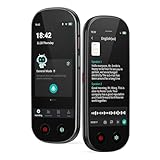
- 【Real-Time Voice-to-Text】The HUREWA AI voice recorder features advanced free voice-to-text (no time limit), supporting 13 major languages. Users can generate summaries from transcribed content and quickly export them as files, saving up to 80% of text organization time. Additionally, it includes translation capabilities. The AI voice recorder transcriber greatly boosts efficiency for students, professionals and travelers
- 【Clear Sound & Intelligent Experience】The dual-silicon microphone design, combined with intelligent noise reduction technology, effectively filters out ambient noise and precisely captures human voices, achieving a 95% transcription accuracy rate. In online recording mode, the digital voice recorder with transcription automatically identifies different speakers and allows picture insertion to link audio with visuals for more intuitive records
- 【User-Friendly & Powerful Performance】4.1-inch HD touchscreen for smooth operation, retaining traditional physical buttons to meet diverse needs. Built-in 1500mAh battery supports 5-7 hours of continuous recording. Equipped with 16GB internal storage and 64GB expandable storage capacity, capable of recording up to 300 hours of audio. The entire recording device runs smoothly without lag, delivering a worry-free user experience
- 【Break Down Language Barriers】The AI voice recorder with transcription supports real-time two-way translation(134 online, 15 offline languages) , covering most countries and regions around the world. It has a built-in 5-megapixel rear camera, supporting AI photo translation of 71 online languages and 12 offline languages. This feature perfectly meets all cross-language communication needs
- 【Multi-Layered Privacy Protection】Log in with your email to upload audio files to isolated cloud storage—all data processing needs user authorization. Claim 5GB cloud storage manually on first login, extra space requires subscription. The digital recorder supports local data encryption, once activated, a password is needed to access files via USB connection to computers or other devices
Transcripts may need visual description
A basic transcript records speech and non-speech audio. For video, that may leave out information conveyed only visually. A descriptive transcript can also include relevant visual information, such as meaningful on-screen text, actions, charts, or scene changes. W3C explains the distinction in its guidance on transcripts for audio and video.
Quick wins for a faster PC:
Fix the driver behind crashes, sound loss and screen glitchesFind Drivers →Clear out junk files and repair common Windows errorsFree Scan →Check the applicable requirement, not a blanket rule
Requirements depend on the media type, whether content is live or prerecorded, and the applicable standard or policy. W3C’s media accessibility planning resource lists captions for synchronized video with audio at WCAG Level A for prerecorded content and Level AA for live content; audio-only media and transcripts follow different paths. WCAG Success Criterion 1.2.4 describes the live-caption requirement for synchronized media in its Understanding Captions (Live) guidance. Identify your media and conformance target before making a compliance claim.
Best Value

- [AI Smart Recorder for Work & Study] The AI voice recorder is ideal for meetings, interviews, lectures, and study sessions. Powered by advanced AI models, the app offers highly accurate transcription, smart summaries, and AI-generated mind maps to boost productivity. With the "Ask AI" feature, you can analyze recordings, identify key points, and gain actionable insights. Transcribe and summarize in 90+ languages, and translate conversations in real time across 91 languages to communicate more easily in international meetings, academic research, and cross-cultural settings.
- [Simple One-Touch Operation] Voice Recorder makes operation effortless — simply slide the power switch and press the red button, and recording starts in a split second. Press the same button again to save your file instantly with a time-stamped name, so you can capture important details during busy moments. For review, use A-B repeat and variable speed playback without distortion. Time-slot recording and voice activation are available in a clean, intuitive menu. Transfer files quickly via Boean app or USB-C for secure, hassle-free management.
- [Long Battery & Massive Storage] Operate this long-lasting portable recording device continuously for 30 hours on one charge and store up to 4700 hours of audio. Capture professional meetings, college lectures, field research, or interviews without battery and storage anxiety. Power-optimized for travelers and high-volume users. (Note: Bluetooth for file transfer, no Wi-Fi needed for recording)
- [Dual Mic Clear Voice Capture] Built with dual high-sensitivity microphones and AI noise reduction, AI voice recorder captures voices from 360°. Voice-activated recording starts when people speak and pauses during silence, helping reduce unnecessary storage usage.
- [Password Protection & Cloud Protection] The AI note taker keeps your recordings secure with the built-in password lock. Your private files stay protected even if the recording device is lost. With in-app access-controlled cloud storage, your cloud files remain private, secure, and fully under your control.
How should a Python project handle an event that is later published?
- Provide live text during the event. Use a realtime audio input path if attendees need captions while the event is underway.
- Keep the recording. Treat the live output as immediate access, not necessarily as the final record.
- Transcribe or review the completed recording. Check wording, speakers, timing, and relevant audio information.
- Prepare the publication format. Create synchronized captions for video or an appropriately scoped transcript for reading and reuse.
W3C notes that live captions may need minor editing for accuracy when a recording is posted afterward. The live transcript and the publication-ready version serve different moments and may require different checks; see W3C’s caption guidance.
What should you compare before implementing?
- Input timing: Is audio live, or is it a completed recording?
- Latency: Must text appear during speech, or is later delivery acceptable?
- Output: Do you need plain text, structured data, SRT or VTT subtitles, timestamps, or speaker labels? Confirm support for the selected model in the API reference.
- Accessibility scope: Is dialogue enough, or must the output also convey speakers, relevant non-speech audio, and—in a video transcript—visual information?
- Correction: Who will review recognition errors and prepare the version people will rely on?
- Privacy and deployment: Confirm the provider’s current terms, retention settings, and technical configuration against your organization’s requirements. The API workflow documentation alone does not establish a universal answer.
- Audio capture: A microphone is relevant when your Python application captures local speech; it is unnecessary when audio comes from another source.
There is no universally best workflow based on the documentation alone. It does not establish comparative accuracy, latency, cost, or privacy behavior for every project, so choose based on your input, audience, output, and operational constraints.
Quick Recap
Product prices and availability are accurate as of the date/time indicated and are subject to change. Any price and availability information displayed on Amazon at the time of purchase will apply.
Do these 3 things before closing this tab:
1Repair Windows errors before they cause bigger problems2Scan for outdated or missing drivers - takes under a minute3Clear out junk files and repair common Windows errors



