Quick wins for a faster PC:
Clear out junk files and repair common Windows errorsFree Scan →Fix the driver behind crashes, sound loss and screen glitchesFind Drivers →Repair Windows errors before they cause bigger problemsFix Now →To change a physical SIM card in a Samsung Galaxy phone, use the ejector tool in the release hole beside the SIM tray, remove the tray gently, fit the compatible card into its shaped cutout, and slide the tray back in without forcing it. The exact tray location, orientation, and handling instructions depend on your model, so check Samsung’s guide for your phone before starting.
Before you remove the SIM card
- Identify your exact Galaxy model. Tray position and card orientation vary. Samsung’s Galaxy SIM-card guide includes model-specific directions, including handling notes for some newer Z Flip and Z Fold phones.
- Power off if your model’s instructions call for it. Samsung’s general guidance and its Galaxy A26 setup instructions specify powering off before inserting or removing a physical SIM. See Samsung’s Galaxy A26 setup guide.
- Find the tray, not just a small hole. Look for the outline of the SIM tray and use the release hole on that tray. A nearby opening may be a microphone or speaker hole; inserting the tool there can damage the phone.
- Get the correct card and tool. The SIM must match the tray’s cutout. If you have lost the ejector tool, Samsung says a replacement may be available from your carrier or an electronics retailer.
Change the physical SIM card
- Power off the phone if the instructions for your model say to do so.
- Locate the SIM tray outline and its release hole. Confirm that the hole is on the tray, not beside a microphone or speaker.
- Insert the ejector tool straight into the tray’s release hole and press gently until the tray pops out. If it does not release with gentle pressure, stop rather than pushing harder.
- Pull the tray out carefully and remove the old SIM. Note how its corners and contacts sit in the tray, but follow the shaped cutout and your model’s guide rather than assuming every Samsung phone uses the same orientation.
- Place the replacement SIM into the matching cutout. It should lie flat and sit flush; the contact side’s orientation varies by device.
- Slide the tray back into the slot fully and gently. Do not force a card or tray that is tilted, reversed, or misaligned: Samsung warns that this can bend or break the tray.
- Power on the phone if needed and wait for it to recognize the SIM.
Physical SIM or eSIM?
A physical SIM is the removable card in the tray. An eSIM is embedded in the phone, so changing or activating it does not involve opening the tray. Depending on the phone and carrier, setup may involve transferring an existing profile, scanning a carrier QR code, searching for a mobile plan, or completing setup later in Settings.
As an Amazon Associate I earn from qualifying purchases.
Support depends on both the exact Galaxy model and the carrier, region, and plan. Check your model’s specifications and ask your carrier whether it supports eSIM activation or transfer for your line. If your phone does not offer the expected eSIM setup option, carrier or model compatibility may be the reason.
If the phone does not recognize the SIM
Reseat the card
Power the phone off if your model’s instructions require it, remove the tray, and check that the card matches the cutout and lies flat. Reinsert the tray gently and fully, then turn the phone on and check again. Samsung’s SIM-card instructions and Galaxy A26 setup guide recommend checking the fit and reseating the card when it is not recognized.
#1 Best Overall
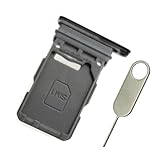
- Replacement single sim card holder slot tray socket for Samsung Galaxy S21 5G G991 G991U / S21 Plus 5G G996 G996U / S21 Ultra 5G G998 G998U smartphone
- Brand new. Repair replacement parts. Phantom Black color
- Compatible with: Samsung Galaxy S21 5G G991 G991U / S21 Plus 5G G996 G996U / S21 Ultra 5G G998 G998U. Single sim version
- Easy Installation: Just simply pop in and ready to go. Exactly same quality as OEM
- Contents: sim tray x 1 ; eject pin x 1
Check the card and tray
Look for visible damage or corrosion on the SIM. If the tray will not release or will not seat normally, do not pry or force it; Samsung says service may be necessary. Its SIM-card troubleshooting guide covers inspection and reseating.
Resolve activation or unlock prompts
If the phone asks for an unlock code, Samsung advises contacting the original carrier. For a new or replacement SIM that is not active, or for questions about eSIM availability, contact the carrier that provides your service.
Quick Recap
Rank #4
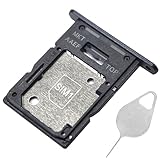
- ★ Compatible Phone Models --- (Only for Dual Sim Card Tray Version A15 5G 6.5")The Galaxy A15 5G Sim Card Tray Replacement A156U Sim Card Holder For Samsung Galaxy A15 5G SM-A156B SM-A156B/DS SM-A156P SM-A156P/DS SM-A156U SM-A156U1 SM-A156U1/DS SM-A156W M-A156P SM-S156VL SM-A156M SM-A156E.Please Double Make Sure Your Phone Model Version Before Buy The Galaxy A15 5G Sim Tray) .
- ★ High Quality --- The Galaxy A15 5G Sim Card Tray is 100% New And Tested Well Before Shipping Out .Very Durable Perfect Fit For Samsung Galaxy A15 5G 2023 6.5" SM-A156 Sim Tray.Only Fit For Samsung Galaxy A15 5G Dual Sim Tray.Don't Fit for Single Sim Card Version A15 5G SIM Tray !!!!!
- ★ What You Get --- 1 X Galaxy A15 5G Sim Card Tray Replacement Dual Sim Card Tray For Samsung Galaxy A15 5G A156.1 X SIM Card Tray Holder Opening Eject Pin Needle for Galaxy A15 5G A156 Sim Tray.
- ★ Easy To Use --- You Just Need Use The New Galaxy A15 5G A156U Sim Card Tray Holder To Replace You Old,Broken or Lost A15 5G SIM Card Holder With The Opening Needle For Samsung Galaxy A15 5G Sim Card Tray Repair Part.
- ★ NOTE --- The Replacement Galaxy A15 5G A156 Card Tray is Only Fit For A15 5G Dual Sim Card Version !!! Not For Single Card Version,Please Feel Free To Contact With Us if You Have Any Questions and Doubts for Samsung Galaxy A15 5G Dual SIM Card Tray. We Will Offer The Best Service For You.
Rank #3
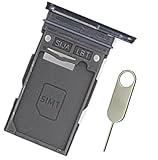
- Replacement single sim card holder slot tray socket for Samsung Galaxy S24 Ultra SM-S928U S928U1 smartphone
- Brand new. Repair replacement parts. Color: Titanium Black
- Compatible with: Samsung Galaxy S24 Ultra SM-S928U S928U1 smartphone. (NOT for S24 or S24+ S24 Plus.) Single sim version
- Easy Installation: Just simply pop in and ready to go. Exactly same quality as OEM
- Contents: Sim Tray x 1; Stainless Steel eject pin x 1
Rank #2

- 【Brand New and OEM Design】100% brand new and OEM replacement for your damaged or not working sim tray slot compatible with Samsung Galaxy S10 and S10 Plus (Single Sim Card Version)
- 【With Waterproof Rubber Seal】Rubber seal will still keep your phone waterproof with our replacement
- 【Comptible with Samsung S10 and S10 plus Single Sim Card Version Only】Please check the Model Number of your device before purchasing this Item. You can find the Model type of your device on your device and / or in the settings
- 【Extra SIM Tool】come with extra eject pin, easy to replace the sim card tray
Product prices and availability are accurate as of the date/time indicated and are subject to change. Any price and availability information displayed on Amazon at the time of purchase will apply.




