To add a texture in SOLIDWORKS, apply an image-based appearance to the part or selected geometry, then adjust its mapping and scale. In SOLIDWORKS Visualize, the image is assigned to a texture channel and projected with a mapping mode such as planar, cylindrical, or UV. The steps and labels differ between SOLIDWORKS Design and Visualize, so use the workflow for the product you have.
Appearance textures are separate from physical materials
An appearance controls how a model looks; a material assignment carries physical properties. Changing a part’s appearance does not change its physical properties, so use a material assignment when you need to represent properties such as density rather than simply change the rendered surface. SOLIDWORKS Design Help 2026 explains the distinction.
| # | Preview | Product | Price | |
|---|---|---|---|---|
| 1 |

|
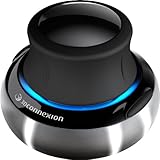
3DConnexion 3DX-700059 Spacemouse Compact 3D Mouse | $171.00 | Buy on Amazon |
| 2 |
|
3Dconnexion 3DX-700028 SpaceNavigator 3D Mouse | $171.00 | Buy on Amazon |
| 3 |

|
3Dconnexion SpacePilot Pro 3D Mouse 3DX-700036 | $313.32 | Buy on Amazon |
| 4 |

|
3Dconnexion 3DX-700066 Spacemouse Wireless (With Carry Case And Universal Receiver) | $263.99 | Buy on Amazon |
As an Amazon Associate I earn from qualifying purchases.
In SOLIDWORKS Design, texture mapping is available for textural appearances, which use images to create surface patterning. Procedural appearances are different, and their texture properties are not edited the same way. The 2024 Design Help describes appearance types.
Free tools Windows power users keep installed
One-click scans. No signup required.
Add a texture in SOLIDWORKS Design
The following workflow uses the SOLIDWORKS Design appearance tools documented in the 2025 help. The exact panels and labels can vary across releases.
#1 Best Overall
- The space mouse compact was developed to deliver an intuitive, effortless and precise 3D navigation in CAD applications that cannot be experienced by using a standard mouse and keyboard.
- Six-degrees-of-freedom (6Dof) sensor - intuitively and precisely navigate digital models or views. Operating system - Windows 10, Windows 8.1, Windows 7 SP1,Apple macOS 10.14, Apple macOS 10.13, Apple macOS 10.12, Apple OS X 10.11, Apple OS X 10.10. Linux Red Hat Enterprise Linux Workstation 4, 5, Linux Novell SUSE Linux 9.3, 10, 11
- Each of the space mouse compact's two buttons opens its own 3Dconnexion radial menu. They provide direct access to up to 8 of your favorite application commands.
- With its iconic, pure design, the space mouse compact is small enough to fit on every desk while the brushed steel base ensures the device stability for precise 3D navigation.
- 2-Year manufacturer's warranty
- Open the model and show the Appearances, Scenes, and Decals tools.
- Choose a textural appearance and drag it onto the model. To limit its effect, select the intended face or feature first, or choose the desired target when prompted.
- Edit the assigned appearance using its context-menu or PropertyManager route, then adjust its texture and mapping settings.
- Inspect the result on the model. If the pattern appears on the wrong surfaces or at the wrong scale, change the mapping or its scale rather than changing the part’s physical material.
Applying at the part or assembly-component level affects a broader area; selecting a face or feature first narrows the target. The 2025 SOLIDWORKS Design appearance instructions cover assigning and editing appearances.
Choose a mapping that fits the geometry
Mapping determines how a two-dimensional image is projected onto a three-dimensional surface. The right choice depends on both the shape and the desired direction of the pattern.
Rank #2
- Advanced 6 degrees-of-freedom optical sensor
- Simultaneously pan, zoom and rotate 3D models
- 2 programmable function keys
- SpaceNavigator SE model includes commercial use license and full technical support
- Ideal for 3D designers, CAD engineers, architects
| Mapping mode | Useful starting point | What to check |
|---|---|---|
| Planar | A flat or directionally oriented surface | Projection can stretch or misalign as the geometry turns away from the projection plane. |
| Cylindrical | A cylinder-like form | Check how the image meets around the circumference. |
| Spherical | A sphere-style form | Inspect how the image wraps toward the poles. |
| Box | Surfaces suited to projection from multiple box faces | Look for visible transitions between projected sides. |
| UV | A model with suitable UV coordinates already available | If the image is blank, confirm that UV coordinates exist. |
| Radial or perspective | Specialized projection needs | Inspect the projection on the actual model; results depend on the geometry and view. |
These mapping modes are documented for SOLIDWORKS Visualize; SOLIDWORKS Design’s available controls and labels depend on the appearance and release. For Visualize, see the 2021 mapping overview and the 2024 mapping-parameter reference.
Do these 3 things before closing this tab:
1Clear out junk files and repair common Windows errors2Fix the driver behind crashes, sound loss and screen glitches3Repair Windows errors before they cause bigger problemsSet up textures in SOLIDWORKS Visualize
Visualize uses its Palette and appearance-editing workflow rather than the Design appearance interface. In the 2025 help, the basic process is to create or edit an appearance, add the image to the appropriate texture channel, and tune its texture and mapping controls.
Rank #3
- Design excellence for engineers
- LCD workflow assistant
- Powerful application control
- Advanced MCAD navigation
- Superior comfort
- In Visualize, create or select an appearance in the Palette and open it for editing.
- Add the image to the channel that matches the effect you want: Color for image color or pattern, Specular for surface reflectivity, Alpha for transparency-related behavior, or Bump for surface relief.
- Choose a mapping mode suited to the model and adjust the texture parameters, such as tiling and rotation, along with mapping parameters such as transform.
- Use the on-model texture manipulator for supported mapping modes, or enter numerical position, rotation, and scale values where those controls are available.
- Save a modified appearance to the library if you want to reuse it.
Channels are not interchangeable: for example, placing a pattern in Alpha affects transparency behavior rather than simply changing the surface color. Visualize’s help also notes that Color can replace the base color for non-transparent appearances, while some appearance types combine the base color with the Color texture. The Visualize 2023 texture reference covers channels and image formats, and the 2025 appearance workflow describes editing and saving appearances.
Independent reader supportYour contribution helps us test, update, and keep practical guides available for everyone.Correct texture scale and alignment
Start by setting the projection, then adjust orientation and scale. Visualize’s Fit to Part command sizes a projection to the part’s bounding box, providing a starting fit rather than a guarantee that every feature will map without distortion. For supported modes, use the manipulator or numerical transform controls to tune placement, rotation, and scale.
Rank #4
- Six-degrees-of-freedom (6Dof) sensor - intuitively and precisely navigate digital models or views.
- Wireless freedom - 3Dconnexion 2.4GHz wireless technology ensures a reliable, real-time connection to your 3D content.
- One month of battery life - space Mouse wireless will operate for up to a Month between charges
- Stylish design - small footprint, elegant brushed steel base, two programmable buttons.
- 2-Year manufacturer's warranty
If several parts should show the same real-world pattern size, use Set to World Scale in Visualize. This makes the pattern scale consistent across parts, unlike fitting each projection independently to each part. UV mode uses existing coordinates and does not use the same texture manipulator as the other listed modes. These controls are described in the Visualize mapping parameters help.
Outdated Drivers Are Slowing You Down
One free scan finds every outdated or missing driver and matches the right update for your exact hardware.Free scan · exact hardware matchPC Slower Than It Used to Be?
A free scan shows the junk files, broken settings and background clutter dragging Windows down - then fixes them in one click.Free scan · Windows 10 & 11Fix a texture that does not appear or looks wrong
- The texture is blank in UV mode: UV mapping relies on UV coordinates on the model. If coordinates are absent, switch to another projection mode to test whether the image appears; otherwise, verify that the model has usable UV coordinates. Visualize’s mapping guidance explains the role of UV mapping.
- The texture is stretched or facing the wrong way: Try a projection better suited to the geometry, then change its rotation, position, or scale where the mode allows. A planar projection and a cylindrical projection do not wrap a shape in the same way.
- The pattern size differs across parts: In Visualize, use Set to World Scale when a consistent pattern size is the goal; Fit to Part is a per-part starting fit.
- The image does not create transparency: Use an alpha-capable file. Visualize’s cited texture help lists JPEG, GIF, TIFF, BMP, and TGA; for embedded transparency, it directs users to PNG or TIFF.
- The surface relief makes rendering slower: Displacement mapping can increase mesh subdivision and render cost. Use it only when actual displacement is needed; a color texture does not provide the same effect.
Use a decal for a logo or label
A decal places an image graphic—such as a label or logo—on a model. It is not a substitute for an appearance texture intended to define the surface’s overall pattern or response. Visualize’s 2024 help says decals added in Visualize are planar mapped; imported SOLIDWORKS decals retain their original mappings, and some imported non-planar mapping controls cannot be adjusted there. See the Visualize decal help.
Quick Recap
Product prices and availability are accurate as of the date/time indicated and are subject to change. Any price and availability information displayed on Amazon at the time of purchase will apply.




