Tactile sensors help a robot adjust its grip using information from the point of contact: they measure or estimate pressure, shear, and changes that can signal slipping. A controller can use those readings to hold an object with enough force to stay secure without simply squeezing harder. Research demonstrations include fragile and deformable objects, but they are experiments on particular robot hands—not proof that every humanoid robot can handle delicate items safely.
How touch turns contact into grip adjustments
A camera can help a robot locate an object and plan an approach, but it cannot directly report what is happening at a fingertip once the hand makes contact. A tactile sensor supplies local information: depending on its design, it can estimate normal force (the push into a surface), tangential or shear force (the force along it), contact position, or changes associated with slip.

As an Amazon Associate I earn from qualifying purchases.
- Make contact. Sensors at the fingers or other contact surfaces register pressure, deformation, or a tactile image.
- Estimate what the contact means. Signal-processing software or a learned model interprets the sensor output as force, contact shape, or movement at the interface.
- Check grip stability. The controller compares the readings with its target or looks for a changing shear signal that suggests the object is starting to move.
- Adjust the hand. It can increase force where needed or change gripper width to restore a stable grasp. If the readings indicate stable contact, it need not keep adding force.
Normal force and slip are not the same measurement. A normal-force target can help keep contact, but the cited slip-control demonstrations also use tangential or shear changes—or other tactile signals—to detect movement.
Recommended Free Tools
How robots detect and respond to slip
When an object starts to slide against a finger, the forces along the contact surface can change before the object falls. A tactile controller can treat a change in those forces as a warning, then make a targeted correction rather than applying more force everywhere.
#1 Best Overall
Shear changes and a width adjustment
A 2026 Nature Communications study paired a vision-based TacTip sensor with a three-axis magnetic uSkin sensor. In its slip-compensation demonstration, the hand used a mean normal-force target of 1 N and treated a shear-force change above 0.2 N in either sensor as a slip signal. It then used a weighted combination of sensor changes to narrow the gripper. The researchers tested this response with a strawberry, banana, and egg while applying external slip. Those force settings and the detection threshold describe that experiment; they are not general thresholds for fragile objects.
Correction at the finger that slips
A different approach was reported in a 2026 Frontiers in Robotics and AI study. Tri-axial piezoresistive sensors on each finger measured force in multiple directions. The control method compared changes in resultant tangential force with an online baseline. When it detected slip, it increased grip at the affected finger until the slip stopped, while using motor-current protection. The authors tested objects differing in rigidity, weight, and surface texture, and reported recovery from slip under varied lifting speeds and disturbances. This is an experimental method, not evidence that object- and pose-independent slip control is a solved problem.
Rank #2
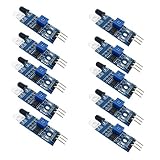
- Can be widely used in robot obstacle avoidance, obstacle avoidance car, line count, and black and white line tracking and so on.
- The effective distance range of 2 ~ 30cm, the working voltage of 3.3V- 5V
What fragile-object demonstrations establish
The most direct evidence is that tactile feedback can support careful grasping in specific setups. The 2026 Nature Communications study used a Franka Hand with heterogeneous tactile sensors to grasp nine everyday objects that were unseen during training. These included a potato chip, grape, and strawberry. For that experiment, the shared proportional controller applied fixed normal-force commands in the range of 0.6–1.2 N, and the paper reports that the tested objects were grasped without damage.
That result is encouraging but bounded: it describes nine objects and a particular hand, controller, and experimental setup. It does not establish a universal safe force for a chip, fruit, or other fragile item. Object shape, ripeness, surface, contact area, hand mechanics, and how the robot approaches can all affect whether a grasp succeeds.
Rank #3

- 10Pcs IR Infrared Obstacle Avoidance Sensor Module,Proximity Sensor for Arduino Smart Car Robot
- Can be used for 3-5V DC power supply modules . When the power is turned on, the red power
- board size : 3.1CM * 1.5CM
- VCC: external 3.3V-5V voltage (can be directly connected to 5v MCU and 3.3v MCU)
- OUT: small board digital output interfaces (0 and 1)
A separate 2025 study, described in a University of Bristol research record for an IEEE Transactions on Robotics article, used five microTac tactile sensors on a Pisa/IIT SoftHand. Its experiments included holding a flexible cup without crushing it as the cup’s weight changed, pouring while its centre of mass shifted, and handling external disturbance. This demonstrates a useful role for shear feedback: the controller can respond as the load changes instead of relying on a single fixed squeeze.
What different tactile sensors contribute
Sensor types differ in the information they provide and in the processing they need. The evidence here comes from separate experiments, not a head-to-head evaluation, so it does not establish one sensor family as best overall.
Rank #4
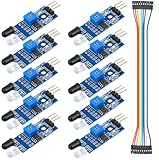
- IR sensor:Compatible with for Arduino Smart Car Robot
- Size:32*14mm
- Voltage:3.3-5V
- Distance range:2-30cm
- Commodities include:10Pcs Photoelectric reflection sensor;10Pcs Male and Female Dupont Cable
| Sensor approach | What it can tell the controller | Integration and evidence |
|---|---|---|
| Vision-based tactile sensors, such as TacTip and GelSight | A tactile image can support estimates of contact pose and force; image changes can also contribute to detecting contact changes. | Requires image processing and suitable models. TacTip was used with uSkin for slip compensation in the 2026 fragile-object study; microTac sensors supported shear-based experiments with a flexible cup. |
| Magnetic multi-axis sensing, such as uSkin | Directional force information, including components useful for tracking shear. | In the 2026 demonstration, uSkin readings were coordinated with TacTip readings for slip detection and gripper-width adjustment. |
| Tri-axial piezoresistive sensing | Force signals in multiple directions that can be used to monitor tangential-force changes at individual fingers. | The 2026 anthropomorphic-hand study used a baseline-based method and localized grip correction. Its reported results concern tested objects and conditions, not fragile-food handling. |
| Force-sensing resistors (FSRs) | A force signal across a sensor’s active area; by themselves, they provide less basis for precision measurement. | A 2020 prototype used FSRs in a master-slave robotic hand and glove. Its reported 0.1 N force-tracking accuracy applied to that setup, which also showed limitations such as mechanical stretch and control instability at higher gain. |
The 2020 Frontiers in Mechanical Engineering article describes FSRs as compact and accessible for a prototype, while cautioning that “These sensors are suitable for detecting forces of differing magnitudes but are not on their own suitable for precision measurements.” Circuit design, sensor area, and tuning affect their usefulness; the paper’s 0.5-inch sensor choice was specific to its application, not a current product recommendation.
Why tactile feedback is not a guarantee of gentle handling
A sensor can provide useful feedback, but it does not decide by itself how the robot should grasp. Safe handling depends on the whole control loop: sensor placement and signal quality, calibration or model training, controller response, finger mechanics, and the object’s material and condition. A delayed, noisy, or poorly interpreted signal can still lead to a dropped or damaged object.
Best Value
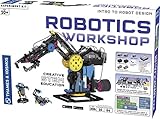
- Build and program Robots with this compete robotics engineering system
- Robots can be controlled directly in real-time!
- Build an ultrasound robot that can avoid obstacles
- 64-Page, full-color manual features step-by-step illustrated building instructions
- The core controller features a Bluetooth connection to tablets and smartphones and a USB connection to a PC
- Different objects need different handling. A compliant cup, a grape, and a rigid bottle respond differently to the same force.
- Measured forces are experiment-specific. The reported 0.6–1.2 N grasp commands and 1 N target were settings in particular 2026 demonstrations, not recommended limits for other hands or objects.
- Research hands are not deployment benchmarks. The cited work used a Franka Hand, an anthropomorphic hand, and a Pisa/IIT SoftHand. It does not establish performance across commercial humanoid robots or real-world fleets.
- Each sensing approach has trade-offs. Images can convey contact detail but require processing; force sensors provide signals whose precision and robustness depend on their design and integration.
What to look for when evaluating a tactile grasping system
Rather than asking whether a robot “has touch,” ask what its sensors measure and how the controller uses that information. Useful evaluation questions include:
- Can the sensors distinguish normal force from tangential or shear force?
- Do they reveal where contact occurs, or only provide a whole-finger force reading?
- How much calibration, training data, or adaptation is required when sensors or conditions change?
- Does the controller correct only the slipping finger, alter the whole grasp, or use another response?
- What objects and disturbances were actually tested, and were damage or slip measured?
These questions separate a tactile sensor’s raw capability from the demonstrated performance of the complete hand-and-controller system.
Quick Recap
Product prices and availability are accurate as of the date/time indicated and are subject to change. Any price and availability information displayed on Amazon at the time of purchase will apply.
Quick wins for a faster PC:
Fix the driver behind crashes, sound loss and screen glitchesFind Drivers →Repair Windows errors before they cause bigger problemsFix Now →



