The Tool Desk
Outbyte PC Repair FREERepair Windows errors before they cause bigger problemsFix Now →Outbyte Driver Updater FREEFix the driver behind crashes, sound loss and screen glitchesFind Drivers →You can add client reviews to a Hostinger AI Builder site in manual mode as pasted text, a built-in Testimonials section, or an embedded widget from a review platform. For most simple testimonial displays, the built-in section is the easiest place to start; choose a template and edit its content and layout.
Choose how to display the reviews
| Method | Best for | What you need to do |
|---|---|---|
| Pasted text | A simple, static testimonial layout | Add text elements to a page or section and paste in the reviews. |
| Testimonials section | Starting with a ready-made testimonial layout | Insert a Testimonials template, then edit the section. |
| Third-party widget | Displaying reviews hosted on a platform such as Google or Trustpilot | Add the platform’s custom code in the location its integration specifies. |
Hostinger documents all three approaches for manual-mode client reviews in its manual-mode review instructions. Choose based on whether you want to maintain the review text yourself or display content through an external service.
As an Amazon Associate I earn from qualifying purchases.
Add a Testimonials section
- Open the page where you want the testimonials, or create a new page.
- Click Add section.
- Choose Testimonials from the section menu on the left.
- Select a template from the options on the right to insert it.
- Edit the inserted section to fit your site and add your review content.
You can personalize a section by adding, removing, or rearranging elements and changing its background, according to Hostinger’s guide to adding and customizing sections.
Paste reviews as text
For a straightforward static display, add text elements to a dedicated reviews page or to an existing section, then copy and paste the client reviews into them. This gives you direct control over the wording and layout; you will need to update the text yourself if a review changes.
#1 Best Overall

- ✅ Boost Your Business with 5🌟 Reviews ; Effortlessly increase reviews! The review us on digital business card tap allows customers to leave feedback instantly with a simple NFC tap or QR code scan. Perfect for small businesses, restaurants, and offices.
- 🌟 Smart, Reusable, and Reliable : Powered by Revlixi Technology, this reusable Google Review Card Stand includes free unlimited taps and scans—no subscriptions, ever! Enjoy lifetime access and never worry about running out of functionality.
- 📈 Enhance Your Online Business : Drive more customers to your business with a tool designed to improve SEO and credibility. Use the NFC business card and QR code stand functionality to make leaving reviews seamless and fast.
- 🎯 Easy Setup in 1 Minutes : No tech skills needed! Simply connect the Google Review Tap Card to your review page using our clear instructions. Ideal for businesses looking to simplify and scale their customer engagement.
- 💼 Versatile Design for All Businesses : Made of durable acrylic with a sleek black finish, this google for business stand review tool is an elegant addition to any store, counter, or reception area. Compatible with all phones—no apps required.
Embed reviews from Google, Trustpilot, or another platform
To show reviews through an external service, use that service’s widget or integration code. Hostinger says the code may belong in the website’s <head> or <body>, depending on the particular integration. The builder also provides an Embed code element for integrating third-party widgets; see Hostinger’s manual-mode elements guide.
Follow the platform’s instructions for the required code and placement rather than assuming every widget works the same way. Hostinger’s review instructions link to an example Google reviews widget from Elfsight, but do not compare widget providers or establish their pricing.
Rank #2

- ProsperQR’s user-friendly software makes getting reviews a breeze. Setup takes less than 60 seconds.
- Featuring both NFC & QR code, you can change your review page destination at anytime to fit your business needs.
- Great for all businesses, including: auto dealerships, nail salons, law firms, dental and medical practices, gyms, pet grooming and boarding, med spas, restaurants and cafes, and retail stores.
- Our specialist team is available around the clock to support ProsperQR customers. We typically respond in under a day.
- Your Google Review Stand purchase is yours to keep. There are no subscriptions and no monthly fees.
Preview the layout and check the widget
- Check the testimonial layout in the builder’s mobile editor as well as its desktop editor, so you can see how it appears on different screen sizes.
- If you added custom code, check the page in Preview mode or on the published website. Hostinger says custom code does not render inside the editor itself; its manual-mode display troubleshooting guide explains where to verify it.
Client testimonials are not store product reviews
Manually displaying client testimonials on a general page is different from collecting customer reviews on store product pages. Hostinger documents product reviews as a separate ecommerce feature, configured through Store management → Products → Product reviews → Settings, where the documented setting is Collect reviews. See its product reviews guide for that separate workflow.
Quick Recap
Best Value
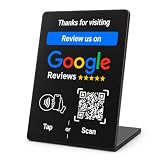
- NFC-Enabled Review Collection Stand: Customers tap their smartphone to access Google review page instantly. Suitable for restaurants, retail stores, and service businesses.
- Dual Functionality Technology: Features both NFC technology and QR code scanning capabilities. Compatible with iPhone and Android devices with no app download required for customer use
- Premium PVC Construction: Black square design with gloss finish and weather resistance for tables, countertops, and high-traffic business areas
- One-Time Purchase with No Subscription: Easy setup process with unlimited usage capability. Compact 3.9" square size fits smaller spaces and point-of-sale areas
- Durable Indoor and Outdoor Construction: Stable base design ensures secure placement in busy restaurant and retail environments with weather-resistant materials
Rank #4
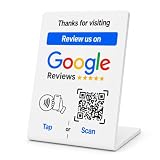
- No App or Subscription Required: One time purchase without any additional hassle, no paid subscription or fee ever
- Unlimited Usage with Easy Updates: Unlimited usage and easy to update your Business Review Link at anytime, quick boosting rate from customers with one tap or scan
- Quick Setup and Ready to Use: Quick setup and ready to use for indoor and outdoor tables on local business, retails and salons
- Universal Compatibility: Works with all smart devices, iPhone, android, blackberry, windows phone
- Durable Construction: Made of durable PVC with a gloss finish and NFC chip, this sign will last for months without fading or falling off in any environment or weather conditions
Rank #3

- NFC Tap & QR Code Review Stand for Businesses: Designed with NFC tap technology and QR code scanning, this review stand allows customers to access a linked webpage by tapping an NFC-enabled smartphone or scanning the QR code.
- Dual Access with NFC and QR Code Technology: Combines NFC and QR code functions in one compact tabletop sign. Customers can use either method to quickly access digital content, making it suitable for offices, reception counters, restaurants, salons, and retail spaces.
- Compatible with iPhone & Android Smartphones: Works with NFC-enabled iPhone and Android devices. Customers can simply tap or scan using their smartphone to access the connected webpage without complicated steps.
- Simple Setup Without Additional Apps: The NFC and QR code system provides an easy way to share digital content. No customer app download is required to use the tap or scan function.
- Compact Business Counter Display Stand: The compact QR code sign fits easily on restaurant tables, salon counters, retail checkout areas, reception desks, and other business spaces. Its professional design keeps your counter organized while providing convenient digital access.
Product prices and availability are accurate as of the date/time indicated and are subject to change. Any price and availability information displayed on Amazon at the time of purchase will apply.




