Flying Shark is the 1987 original; Fire Shark is its 1989 sequel. Both are vertically scrolling Toaplan shooters built around an eight-way joystick, Shot, and Bomb, but they differ in length, weapon choice, and how the playfield moves: the first has five stages and horizontal scrolling, while the sequel has ten stages and three selectable shot types.
Is Fire Shark a sequel to Flying Shark?
Yes. Toaplan’s official titles site lists Flying Shark (飛翔鮫) in 1987 and Fire Shark (鮫!鮫!鮫!) in 1989. The sequel’s story says the Flying Shark fighter is revived as Fire Shark. The games share a premise and basic controls, but the later game expands the stage count and replaces the original’s single shot family with a weapon-selection system. TATSUJIN: Flying Shark · TATSUJIN: Fire Shark
As an Amazon Associate I earn from qualifying purchases.
Flying Shark vs. Fire Shark: the main differences
| Feature | Flying Shark | Fire Shark |
|---|---|---|
| Arcade release | 1987 | 1989 |
| Japanese title | 飛翔鮫 | 鮫!鮫!鮫! |
| Stages | Five | Ten |
| Weapon system | One shot family, strengthened through six power levels | Three selectable types—Wide, Beam, and Fire—with separate speed and power items |
| After losing a life | Shot power resets; the player returns with three bombs | Power-ups reset; the player returns with Wide Shot and three bombs |
| Standout feature | Horizontal scrolling follows the plane as well as the vertical scroll | Three weapon families; fully powered Fire Shot expands to cover nearly all directions |
These details come from TATSUJIN’s official game pages. Both games share the same core controls and basic stakes, so the biggest practical distinction is whether you prefer positioning around a shifting playfield or choosing and powering a weapon to suit the situation.
How the weapons differ
Flying Shark: build one shot type
In Flying Shark, collecting S items raises shot power one step at a time through six levels. The focus is on strengthening the same weapon rather than switching among different shot patterns. A lost life resets shot power, so surviving matters not only for keeping a life but also for retaining that build.
#1 Best Overall

- Includes Flying Shark (1987), Fire Shark (1989), and Wardner (1987)!
- Super Easy or Arcade Challenge? New bonus modes for every skill level!
- Enjoy the free DLC game Teki-Paki!
Fire Shark: choose a shot family
Fire Shark has three color-coded weapons: blue Wide Shot, green Beam Shot, and red Fire Shot. Its official page describes collecting a weapon item as giving the player a new shot type based on the color acquired. Separate items affect shot power and speed, adding more than one upgrade dimension. At full power, Fire Shot spreads to cover nearly all directions.
There is a recovery difference after a hit, too: Fire Shark resets power-ups and restarts the player with Wide Shot and three bombs, whereas Flying Shark resets shot power and grants three bombs. Neither reset preserves the prior powered-up state.
Rank #2

- Includes Flying Shark (1987), Fire Shark (1989), and Wardner (1987)!
- Super Easy or Arcade Challenge? New bonus modes for every skill level!
- Enjoy the free DLC game Teki-Paki!
Why Flying Shark’s scrolling changes play
Flying Shark is not limited to moving the screen upward. TATSUJIN says it was Toaplan’s first vertically scrolling shooter to scroll horizontally in response to the plane’s movement while retaining vertical scrolling. The official page describes the playable area as four-thirds the displayed area. This lets a player shift the view, move enemies off-screen, and limit some attacks by changing what is currently in view.
That makes positioning a distinctive part of the original’s design: movement can alter the visible battlefield, not just dodge what is already on screen. Fire Shark’s official description instead highlights its weapon choices and the wide-reaching fully powered Fire Shot.
Rank #3

- WATCH OUT FOR THE SHARK BITE: Carefully reach in and save the fish with a fishing rod. Will the shark jump? You never know when the shark will bite!
- EASY TO LEARN, FUN TO PLAY: Simple rules make it quick to pick up and perfect for kids ages 4 and up. No batteries needed and no reading required!
- PERFECT FOR FAMILY GAME NIGHT: Kids will be hooked at first bite! Quick rounds with laugh out loud surprises. Great for playdates and parties too!
- BUILDS CONFIDENCE & FINE MOTOR SKILLS: Encourages hand-eye coordination and patience, all while having a blast!
- GREAT GIFT FOR KIDS: Board games make a great gift for kids. Perfect for birthdays and the holidays!
What stays the same in both games
- Controls: an eight-way joystick, Shot, and Bomb.
- Risk: a hit from enemy fire or a collision with an airborne enemy destroys the plane and costs a life.
- Format: both are vertically scrolling Toaplan arcade shooters.
Where to play both games now
Nintendo’s US listing for Toaplan Arcade Garage: Flying Fire Shark names M2 as publisher and developer and gives August 29, 2026 as the release date. It lists both arcade games for Nintendo Switch, along with Arcade Mode, Super Easy Mode, M2 gadgets that provide enemy, hidden-feature, and item information, and Arcade Challenge practice sections with rewind. Nintendo US: Toaplan Arcade Garage: Flying Fire Shark
Edition contents differ: Nintendo’s digital listing covers the collection, while a September 14, 2026 Creative Bloq review says the physical edition includes NES, Mega Drive, and Genesis versions plus Wardner; those are paid DLC for the digital edition. Check the listing for your region and edition before buying, because the Nintendo page cited here is for the US digital release. Creative Bloq review, September 14, 2026
Quick Recap
Best Value

- 🕹️ Officially licensed titles: Includes POLE POSITION and POLE POSITION II. A classic 1982 arcade racing game by Namco
- High resolution 3.5" full color display. Features artwork inspired by the original POLE POSITION arcade cabinet. Dimensions: 4" L x 4.25" W x 7.5" H
- 🎮Realistic racing controls, High score saving,
- Built-in speaker with volume control. 3.5 mm headphone port. Adjustable screen brightness.
- Powered by either 4 AA batteries (not included) or a USB-C cable (not included).
Rank #4
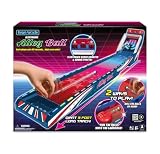
- The excitement of an arcade right at home.
- Giant 3 foot long track.
- 2 ways to play: roll the ball by hand or fire the balls with the launcher.
- Each player gets 60 seconds… high score wins.
Product prices and availability are accurate as of the date/time indicated and are subject to change. Any price and availability information displayed on Amazon at the time of purchase will apply.
Quick wins for a faster PC:
Clear out junk files and repair common Windows errorsFree Scan →Scan for outdated or missing drivers - takes under a minuteDriver Scan →Repair Windows errors before they cause bigger problemsFix Now →



