What’s actually slowing this PC down?
Pick the symptom - the matching free tool is one click away.
The espresso Pro 15 is a strong portable second screen for office work if you value sharp 4K detail, touch input and an adjustable stand. Its glossy surface reflects light, its 60 Hz refresh rate and motion handling make it a poor gaming pick, and its Adobe RGB coverage does not mean dependable sRGB color. Check your laptop’s USB-C video and power support before buying.
espresso Pro 15 specifications and price
The 15-inch model reviewed here is a 15.6-inch, 16:9 LCD portable monitor. espresso Displays lists a 3840 × 2160 resolution, 60 Hz refresh rate, two USB-C ports, 550 nits advertised brightness and 100% Adobe RGB coverage. The official US product page displayed a price of $699 when accessed on October 5, 2026; pricing can change. The package includes an espresso Stand+ and USB-C cable.
As an Amazon Associate I earn from qualifying purchases.
| Specification | espresso Displays listing | RTINGS measurement or review detail |
|---|---|---|
| Screen size | 15.6 inches | 15.6 inches |
| Resolution and refresh rate | 3840 × 2160; 60 Hz | 4K review unit |
| Brightness | 550 nits advertised | 550 nits advertised in its review details |
| Color gamut | 100% Adobe RGB advertised | Full Adobe RGB coverage reported; sRGB oversaturation noted |
| Ports | Two USB-C ports | USB-C-only inputs noted |
| Weight | Not stated on the product details cited here | 1.8 lb (0.8 kg) |
Sources: espresso Displays product page, accessed October 5, 2026; RTINGS review, updated September 18, 2026. TechRadar’s May 5, 2025 review lists 360 × 225 × 9.0 mm and 800 g, figures that may reflect its market or version context; see its hands-on review.
How well does it work for office productivity?
RTINGS’ September 18, 2026 review finds the Pro 15 well suited to on-the-go office work: text looks very sharp, the screen gets bright, and the included adjustable stand makes it easier to position the display. A 4K image on a 15.6-inch panel is useful when small text and fine interface details matter, though the extra pixels are most valuable if your workflow benefits from a high-density second screen rather than a larger workspace.
#1 Best Overall

- 15" 4K Touch with 100% Adobe RGB - Brilliant 550 nits display for accurate color-critical editing and professional work
- Ultra-Thin 9mm Aluminum Build - Lightweight, durable CNC machined premium space grade aluminium
- True Single-Cable USB-C - One cable for power + display. Fastest, cleanest setup with Mac, Windows & iPad (iPad extended display requires iPad Pro M1 or later (iPadOS 16+); mirror mode works on all iPads)
- Responsive Multi-Touch Screen- Intuitive interaction for drawing, annotating, and multitasking
- Magnetic espressoStand+ Included - Adjustable ergonomic stand for ideal dual-screen viewing & behind laptop placement
Reflections are the main workplace compromise
The glossy screen can reflect nearby light. RTINGS specifically warns that reflections become distracting when a window is in front of the display. TechRadar’s May 5, 2025 hands-on review also found the screen reflective. If your desk faces a bright window or you cannot control lighting, a matte portable monitor may be more comfortable even if it gives up some of the Pro’s other strengths.
Is it good for photo or design work?
The Pro 15’s full Adobe RGB coverage, as reported by RTINGS, can benefit workflows targeting that color space, and its high resolution helps show fine detail. But coverage is not the same as accuracy across every color standard: RTINGS reports that sRGB colors are oversaturated and that low contrast makes blacks look gray. Do not choose it on the basis of the 100% Adobe RGB claim alone if your work depends on accurate sRGB appearance or convincing dark tones.
Rank #2

- YOUR SECOND SCREEN, WHEREVER YOU WORK - Add a 15.6" full-size screen to your laptop setup in seconds. Plug and play with one USB-C cable, perfect for side-by-side working, reference docs, video calls, or study. Folds flat and slips into any backpack.
- PLUG AND PLAY WITH ONE CABLE - A single USB-C cable carries both video and power, so there is no wall adapter to carry. The free espressoFlow app lets you fine-tune brightness and display settings in seconds. Plug in and you are working.
- VIVID DISPLAY: 1080p Full HD display, 400 nits, 100% sRGB, 1000:1 contrast: Clear, colour-accurate screen ideal for productivity, web, video calls, and everyday work. Note: this is a 1080p display
- LIGHTWEIGHT AT 1.68LBS - Slim, travel-ready design with 6H hardened glass and a durable uniform bezel. Slips easily into a backpack or carry-on, built for daily movement without compromise.
- DEVICE COMPATIBILITY - Works with MacBooks, iPads, Windows laptops, Chromebooks, and mobile devices: Plug-and-play via USB-C (DisplayPort Alt Mode) with laptops, tablets, and compatible smartphones. Full extended display on macOS and Windows. On iPad, extended display requires iPad Pro M1 or later (iPadOS 16+); mirror mode works on all iPads
Why it is not a gaming monitor
The 60 Hz refresh rate and blurry motion make the Pro 15 a weak choice for PC gaming, according to RTINGS. Its review also notes that response time was not measured for the gaming score, so this is not a full conventional gaming-monitor test. For consoles, USB-C-only inputs are a constraint: an adapter may not guarantee compatibility. Choose a display with the inputs and motion performance your games require rather than treating the Pro as a gaming-first screen.
Outdated Drivers Are Slowing You Down
One free scan finds every outdated or missing driver and matches the right update for your exact hardware.Free scan · exact hardware matchPC Slower Than It Used to Be?
A free scan shows the junk files, broken settings and background clutter dragging Windows down - then fixes them in one click.Free scan · Windows 10 & 11Will it connect to your laptop or console?
The monitor has two USB-C ports, and espresso describes broad compatibility through USB-C. Before ordering, confirm that your host device’s USB-C port supports video output and can meet the monitor’s power needs for your particular setup. A USB-C connector by itself does not establish video compatibility. TechRadar reported that its setup drew power through the connection and that the monitor has no built-in battery; that is an account of its configuration, not a guarantee for every host device.
Rank #3
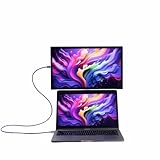
- YOUR SECOND SCREEN, WHEREVER YOU WORK - Add a 15.6" full-size screen to your laptop setup in seconds. Plug and play with one USB-C cable, perfect for side-by-side working, reference docs, video calls, or study. Folds flat and slips into any backpack.
- PLUG AND PLAY WITH ONE CABLE - A single USB-C cable carries both video and power, so there is no wall adapter to carry. The free espressoFlow app lets you fine-tune brightness and display settings in seconds. Plug in and you are working.
- VIVID DISPLAY: 1080p Full HD display, 400 nits, 100% sRGB, 1000:1 contrast: Clear, colour-accurate screen ideal for productivity, web, video calls, and everyday work. Note: this is a 1080p display
- LIGHTWEIGHT AT 1.68LBS - Slim, travel-ready design with 6H hardened glass and a durable uniform bezel. Slips easily into a backpack or carry-on, built for daily movement without compromise.
- DEVICE COMPATIBILITY - Works with MacBooks, iPads, Windows laptops, Chromebooks, and mobile devices: Plug-and-play via USB-C (DisplayPort Alt Mode) with laptops, tablets, and compatible smartphones. Full extended display on macOS and Windows. On iPad, extended display requires iPad Pro M1 or later (iPadOS 16+); mirror mode works on all iPads
For consoles and other devices without suitable USB-C video output, the limited inputs may require an adapter, and an adapter does not assure that the combination will work. Verify compatibility for the exact device and connection path rather than assuming a converter will solve it.
What is in the box, and how portable is it?
espresso lists the Stand+ and a USB-C cable in the box, so they are not required add-on purchases for a basic setup. RTINGS lists the 15-inch version at 1.8 lb (0.8 kg); that is monitor weight, not a complete travel kit. TechRadar’s earlier review describes metal-and-glass construction and a positive experience with the stand. Treat dimensions and weights from that 2025 review as version- or market-specific rather than directly interchangeable with later listings.
Rank #4

- Ultra-Slim Design: At just 5.3mm thick, the display is incredibly lightweight and portable. Slides easily into your bag or suitcase.
- Touchscreen Functionality: Navigate, and interact with your content effortlessly using the intuitive touchscreen, compatible with Windows and Mac OS.
- Adjustable Ergonomic Magnetic Stand: Set up in seconds at the perfect angle, next to or above your laptop enhancing comfort, ergonomics and productivity.
- Versatile Connectivity: USB-C for easy plug-and-play connectivity, ensuring hassle-free setup with your laptop, PC, or gaming console.
- Premum 1080p Full HD Display: Enjoy crystal-clear visuals with 16.8 million colors and sharp details.
Should you buy the espresso Pro 15?
It makes sense if
- You want a high-density 4K portable touchscreen for laptop productivity.
- You value the included adjustable stand and strong advertised brightness.
- Your creative workflow specifically benefits from Adobe RGB coverage and you can accommodate its color behavior.
- Your work location lets you manage reflections, and your host device supports USB-C video and sufficient power.
Consider another monitor if
- Your screen faces bright windows and reflection control is a priority.
- You need reliably accurate sRGB color or strong contrast for color-critical work.
- You want high-refresh gaming, clearer motion, or straightforward console connectivity.
- Your laptop’s USB-C port does not support video output or cannot provide suitable power.
RTINGS names the espresso Display 15 Touch, LG gram +view 16, Dell P1425 and Lenovo ThinkVision M14t Gen2 as comparison candidates. Its review says the Pro offers higher resolution and brightness than several alternatives, while the LG’s matte coating handles reflections better and the Dell and Lenovo have better sRGB accuracy. Check current specifications and prices before choosing among these models, since those details can change.
Important distinction: Pro 15 versus Pro 17
RTINGS tested the 15-inch model, not the 17-inch variant. It explicitly cautions that its findings do not apply to the larger model, which has lower pixel density and lower advertised brightness. Treat this review as specific to the espresso Pro 15.
Quick Recap
Best Value

- Extensive Compatibility - Forhelp portable monitor features 2 full-featured Type-C ports and 1 MINI HDMI port. You can easily access your favorite devices with just one USB Type-C or MINI HDMI cable. NOTE: Your device should support Thunderbolt 3.0/4.0 or USB 3.1 Type C DP ALT-MODE. It is compatible with all devices equipped with HDMI and USB Type-C ports like laptops, PS, XBOX, SWITCH game consoles.
- Full HD Portable Monitor - 15.6inch portable laptop monitor with 1920*1080 resolution, advanced IPS Matte screen support 178° full viewing angle, it renders accurate and bright color, draws you into the video or game with lifelike colors and amazing detail. It can effectively reduce blue light radiation damage, no flickering, eye-care, and make it easier to watch for a long time.
- Ultra-slim Portable Monitor - As a portable external monitor, Forhelp portable laptop monitor's body is made of aluminum alloy, the weight of the whole machine is 1.52lb, 0.3" ultra-thin profile, can easily fit into your bag, so you can carry it with you. With our magnetic smart holster, you can use and store it anytime.
- Able to Balance Work and Play - With multiple display modes [copy mode/extension mode/second screen mode]. During meetings,it can copy your laptop's content as a second screen to share with others. At work, it can be used as a second extended screen to increase productivity. In life, adjusting to HDR mode can upgrade the image to a new level, providing you with brighter highlights, more realistic colors and images. Two built-in speakers provide an amazing viewing and gaming experience.
- DURABLE SMART COVER - Comes with a scratch-proof smart cover made of durable PU leather exterior, doubles as a stand, provides comprehensive protection for this portable computer monitor. There are two grooves in the cover base to give at least some choice of viewing angle for your comfort.
Product prices and availability are accurate as of the date/time indicated and are subject to change. Any price and availability information displayed on Amazon at the time of purchase will apply.




