Do these 3 things before closing this tab:
1Fix the driver behind crashes, sound loss and screen glitches2Repair Windows errors before they cause bigger problems3Scan for outdated or missing drivers - takes under a minuteUse the wind triangle to plan the heading and groundspeed needed for a course in known wind. Use the 60:1 rule to estimate an angular correction from observed lateral track error over a known distance. They answer different questions: an E6B can solve the wind-vector problem; the 60:1 rule is a geometric shortcut, not a wind calculation.
What each method tells you
Wind triangle: heading and groundspeed in wind
The wind triangle describes the relationship among the aircraft’s heading and true airspeed, the wind’s direction and speed, and the resulting ground track and groundspeed. When planning a course with known or forecast wind, solving the triangle gives the heading needed to maintain the desired course and the expected groundspeed. The FAA’s handbook material describes this use of the wind triangle; see the FAA Pilot’s Handbook of Aeronautical Knowledge page and the FAA aviation handbooks catalog.
As an Amazon Associate I earn from qualifying purchases.
A mechanical E6B is one way to solve it. Its wind side lets a pilot set wind direction and velocity, true course, and true airspeed, then read wind correction angle and groundspeed. The exact layout and instructions vary by model; use the manual for your particular E6B. A sample mechanical procedure is in the E6B manual in MyPilotStore’s document library.
What’s actually slowing this PC down?
Pick the symptom - the matching free tool is one click away.
60:1 rule: approximate angle from track error
The 60:1 rule links a lateral displacement to an angular deviation over a known distance. The Chief of Naval Air Training (CNATRA) summarizes it as “1° = 1 NM at 60 NM” in its 60:1 Rule summary. In practical terms, if an angular deviation began 60 NM ago and you are 1 NM laterally off the intended track, the deviation is approximately 1°. Scale the estimate proportionally for smaller deviations; it is a rule of thumb, not a promise of uniform accuracy at larger angles.
#1 Best Overall
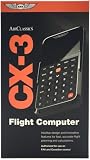
- FAA-Approved for Written Exams: Take the CX-3 directly into FAA knowledge tests—no memorization required. Designed to simplify complex calculations so you can focus on understanding, not guessing.
- Powerful Flight Planning Functions: Quickly compute wind corrections, fuel burn, groundspeed, time en route, density altitude, and more—all with intuitive inputs and clear outputs.
- ICAO-Compliant for Global Use: A truly international tool, the CX-3 supports ICAO standards, making it ideal for pilots training or flying worldwide.
- Large Backlit Screen + User-Friendly Interface: Bright, easy-to-read display with logically organized menus—perfect for cockpit use, study sessions, or low-light environments.
- More Than an E6B—A Complete Aviation Computer: Includes unit conversions, timers, holding pattern calculations, weight & balance support, and additional utilities for both VFR and IFR pilots.
This shortcut starts with observed geometry—distance and lateral error. It does not calculate wind direction, wind speed, groundspeed, or a complete wind correction from wind inputs.
Choose by the question you need to answer
| Comparison | Wind triangle / E6B | 60:1 rule |
|---|---|---|
| Question answered | What heading and groundspeed result from a planned course, airspeed, and wind? | What approximate angle corresponds to an observed lateral displacement over a distance? |
| Inputs | True course, true airspeed, wind direction, and wind speed | Distance traveled since the deviation began and lateral track error |
| Output | Heading correction (wind correction angle) and groundspeed | Approximate angular correction |
| Method | Vector solution, using an E6B or equivalent calculation | Quick geometric estimate, often mental arithmetic |
| Best fit | Flight planning when wind information is available | Estimating track-error angle from observed displacement |
How to apply the distinction
- Planning with wind: use the wind triangle to determine the heading and groundspeed for the planned course. The wind changes the relationship among heading, ground track, and groundspeed.
- Assessing observed track error: use 60:1 for a quick approximate angle from the distance flown and lateral displacement.
- Do not substitute one for the other: a 60:1 estimate does not provide the wind vector or replace a wind-triangle solution. Conversely, a wind-triangle calculation uses wind and airspeed inputs rather than simply translating observed lateral error into an angle.
Source and edition context
The FAA catalog lists FAA-H-8083-25C as the current Pilot’s Handbook of Aeronautical Knowledge and includes an October 2025 addendum. The older FAA landing page identifies FAA-H-8083-25B and was last updated in 2016. Consult the current 25C text for current FAA guidance; the secondary-hosted handbook chapter linked from some explanations is an older reproduction, so its wording should not be treated as a verified quotation from the current edition. No handbook quotation is needed to apply the distinction here.
Rank #2

- E6B FLIGHT COMPUTER - Essential aviation tool for accurate flight calculations. FAA trusted for exams, real-world flying, and student pilot essentials.
- AVIATION PLOTTER - Rotating chart plotter simplifies course planning on VFR sectional charts. A must-have for flight training and pilot bag aviation kits.
- STEP-BY-STEP GUIDE - Includes manual to master E6B calculator use, chart plotter skills, and aviation navigation. Perfect for students, CFIs, and instructors.
- COMPLETE FLIGHT KIT - E6B flight calculator, aviation plotter, training manual, and case. Everything pilots need for exams, cross-country flights, and planning.
- BUILT FOR PILOTS - Durable aviation tools designed by real aviators. Trusted E6B flight computer and aviation electronics built for cockpit and pilot bag aviation use.
CNATRA’s 60:1 summary is a U.S. Navy training reference dated January 2005. The E6B manual is operational product instruction, not an FAA standard. This comparison is educational; use approved training and current operational information for flight decisions.
Quick Recap
Best Value

- Electronic Flight Computer: This flight computer is an electronic device that provides pilots with important flight information.
- FAA Approved: This flight computer is approved for use on FAA tests and exams.
- Black Color: The flight computer has a black color scheme for easy visibility.
- Desktop Hardware: This flight computer uses desktop hardware for reliable performance.
- Single Unit: The flight computer comes as a single unit for convenient use.
Rank #4

- E6B FLIGHT COMPUTER WITH PHOTO-BASED GUIDE – Learn manual flight calculations with a step-by-step guide using real examples for wind correction, groundspeed, fuel burn, time, speed, and distance calculations—designed to make E6B training easier for student pilots.
- BUILT FOR STUDENT PILOTS & FAA EXAM PREP – Practice manual navigation and flight-planning calculations for ground school, flight lessons, written exams, and checkride preparation without relying on electronic calculators or apps.
- AVIATION PLOTTER FOR VFR & IFR FLIGHT PLANNING – Includes a rotating aviation plotter for course planning and a mechanical E6B flight calculator for heading, airspeed, wind, fuel, time, and distance calculations used throughout pilot training.
- NO-BATTERY MECHANICAL E6B & FOREFLIGHT BACKUP – Always ready when an iPad, electronic calculator, or ForeFlight isn't available. The mechanical design requires no batteries and provides pilots with a dependable manual flight-planning backup.
- COMPLETE FLIGHT COMPUTER & PLOTTER KIT – Get the mechanical E6B flight computer, rotating aviation plotter, photo-based step-by-step guide, and padded protective case in one flight-bag-ready kit for student pilots, CFIs, and experienced aviators.
Rank #3

- Made from solid, heavyweight fiberboard, an economical version of the aluminum model described above including all its problemsolving features.
Product prices and availability are accurate as of the date/time indicated and are subject to change. Any price and availability information displayed on Amazon at the time of purchase will apply.




